2025.05.05:チャートのリポジトリが追加された件について&K3sのHelmChart使用について追加記事作成
2025.02.06追記:チャートのリポジトリ追加について追記
しばらくキャッチアップしてなかったNetBox、職場のチームの周りでNetBoxを使ったあれやこれやがにぎわってたのでなんとなく検索してみたら、いつのまにか公式でHelmチャート版が出てたのを見つけたので試してみた。
本記事ではNetBoxをデプロイして外部からアクセスできることを確認してるのみで、アプリケーションとしての現バージョンのNetBoxの動作は未確認。
NetBox自体については、4年近く前になるけどこんな記事を書いてるのでご参考まで。
お試しインストール
ドキュメント見るとHelmのリポジトリの登録手順がなく、helm install --develを使う書式が載っている。
Helmコマンドのこの方式は初めて。。とりあえず試してみる。
zaki@cloud-dev2:~/local/k8s-netbox$ helm install netbox --devel oci://ghcr.io/netbox-community/netbox-chart/netbox
Pulled: ghcr.io/netbox-community/netbox-chart/netbox:5.0.0-beta9
Digest: sha256:9a3db4e1899fe3ecd199bf514b63f5380117d68af53947eff2b900dbecefc77e
W1212 20:12:58.283309   41461 warnings.go:70] unknown field "spec.template.spec.containers[0].securityContext.enabled"
W1212 20:12:58.283329   41461 warnings.go:70] unknown field "spec.template.spec.securityContext.enabled"
W1212 20:12:58.623578   41461 warnings.go:70] unknown field "spec.jobTemplate.spec.template.spec.containers[0].securityContext.enabled"
W1212 20:12:58.623599   41461 warnings.go:70] unknown field "spec.jobTemplate.spec.template.spec.securityContext.enabled"
NAME: netbox
LAST DEPLOYED: Thu Dec 12 20:12:48 2024
NAMESPACE: default
STATUS: deployed
REVISION: 1
NOTES:
Get the application URL by running these commands:

  export POD_NAME=$(kubectl get pods --namespace "default" -l "app.kubernetes.io/name=netbox,app.kubernetes.io/instance=netbox" -o jsonpath="{.items[0].metadata.name}")
  echo "Visit http://127.0.0.1:8080 to use your application"
  kubectl port-forward $POD_NAME 8080:8080
zaki@cloud-dev2:~/local/k8s-netbox$
無邪気に実行したら特に問題なく実行完了した。
zaki@cloud-dev2:~/local/k8s-netbox$ kubectlget pod -A
NAMESPACE     NAME                                      READY   STATUS              RESTARTS   AGE
default       netbox-5bc86cdcb4-s5pnp                   0/1     PodInitializing     0          14s
default       netbox-postgresql-0                       0/1     ContainerCreating   0          14s
default       netbox-redis-master-0                     0/1     Running             0          14s
default       netbox-redis-replicas-0                   0/1     Running             0          14s
default       netbox-worker-679b45b484-skdz7            0/1     ContainerCreating   0          14s
kube-system   coredns-7b98449c4-fn4xp                   1/1     Running             0          19d
kube-system   helm-install-traefik-9m878                0/1     Completed           1          19d
kube-system   helm-install-traefik-crd-lhkdn            0/1     Completed           0          19d
kube-system   local-path-provisioner-595dcfc56f-w42hg   1/1     Running             0          19d
kube-system   metrics-server-cdcc87586-fqkt6            1/1     Running             0          19d
kube-system   svclb-traefik-724dcb91-x8kpm              2/2     Running             0          19d
kube-system   traefik-d7c9c5778-qgh9h                   1/1     Running             0          19d
なるほど、直接コンテナレジストリ上にあるイメージを使ってデプロイするようだ…けどどういう仕組みなんだ?
(本記事ではこのコマンドについては掘り下げません)
zaki@cloud-dev2:~/local/k8s-netbox$ kubectllogs netbox-5bc86cdcb4-s5pnp -f
Defaulted container "netbox" out of: netbox, init-dirs (init)
⚙️ Applying database migrations
🧬 loaded config '/etc/netbox/config/configuration.py'
🧬 loaded config '/etc/netbox/config/extra.py'
🧬 loaded config '/etc/netbox/config/logging.py'
:
:
:
2024/12/12 11:17:21 [info] 219#219 OpenSSL 3.0.10 1 Aug 2023, 300000a0
⚙️ Applying configuration from /etc/unit/nginx-unit.json
2024/12/12 11:17:22 [info] 222#222 "netbox" prototype started
2024/12/12 11:17:22 [info] 223#223 "netbox" application started
2024/12/12 11:17:24 [info] 250#250 "netbox" application started
✅ Unit configuration loaded successfully
2024/12/12 11:17:24 [notice] 7#7 process 215 exited with code 0
2024/12/12 11:17:33 [info] 273#273 "netbox" application started
10.42.0.1 - - [12/Dec/2024:11:17:40 +0000] "GET /login/ HTTP/1.1" 200 3422 "-" "kube-probe/1.30"
10.42.0.1 - - [12/Dec/2024:11:17:43 +0000] "GET /login/ HTTP/1.1" 200 3422 "-" "kube-probe/1.30"
10.42.0.1 - - [12/Dec/2024:11:17:47 +0000] "GET /login/ HTTP/1.1" 200 3422 "-" "kube-probe/1.30"
10.42.0.1 - - [12/Dec/2024:11:17:53 +0000] "GET /login/ HTTP/1.1" 200 3422 "-" "kube-probe/1.30"
上記ログの時点でReady状態になる。
手元の環境では5分くらいかかった。
zaki@cloud-dev2:~/local/k8s-netbox$ kubectlget pod
NAME                             READY   STATUS    RESTARTS   AGE
netbox-5bc86cdcb4-s5pnp          0/1     Running   0          4m41s
netbox-postgresql-0              1/1     Running   0          4m41s
netbox-redis-master-0            1/1     Running   0          4m41s
netbox-redis-replicas-0          1/1     Running   0          4m41s
netbox-redis-replicas-1          1/1     Running   0          4m6s
netbox-redis-replicas-2          1/1     Running   0          3m20s
netbox-worker-679b45b484-skdz7   1/1     Running   0          4m41s
zaki@cloud-dev2:~/local/k8s-netbox$
zaki@cloud-dev2:~/local/k8s-netbox$
zaki@cloud-dev2:~/local/k8s-netbox$ kubectlget pod
NAME                             READY   STATUS    RESTARTS   AGE
netbox-5bc86cdcb4-s5pnp          1/1     Running   0          5m6s
netbox-postgresql-0              1/1     Running   0          5m6s
netbox-redis-master-0            1/1     Running   0          5m6s
netbox-redis-replicas-0          1/1     Running   0          5m6s
netbox-redis-replicas-1          1/1     Running   0          4m31s
netbox-redis-replicas-2          1/1     Running   0          3m45s
netbox-worker-679b45b484-skdz7   1/1     Running   0          5m6s
ServiceとIngressは特に外部アクセスするためのリソースは生成されない。
zaki@cloud-dev2:~/local/k8s-netbox$ kubectlget svc,ing
NAME                            TYPE        CLUSTER-IP      EXTERNAL-IP   PORT(S)    AGE
service/kubernetes              ClusterIP   10.43.0.1       <none>        443/TCP    19d
service/netbox                  ClusterIP   10.43.197.38    <none>        80/TCP     10m
service/netbox-postgresql       ClusterIP   10.43.5.239     <none>        5432/TCP   10m
service/netbox-postgresql-hl    ClusterIP   None            <none>        5432/TCP   10m
service/netbox-redis-headless   ClusterIP   None            <none>        6379/TCP   10m
service/netbox-redis-master     ClusterIP   10.43.127.90    <none>        6379/TCP   10m
service/netbox-redis-replicas   ClusterIP   10.43.105.172   <none>        6379/TCP   10m
デフォルトだと外部アクセス系の設定は何もないのでとりあえずport-forwardを使ってアクセスしてみる。
zaki@cloud-dev2:~/local/k8s-netbox$ kubectl port-forward services/netbox 8080:80
Forwarding from 127.0.0.1:8080 -> 8080
Forwarding from [::1]:8080 -> 8080
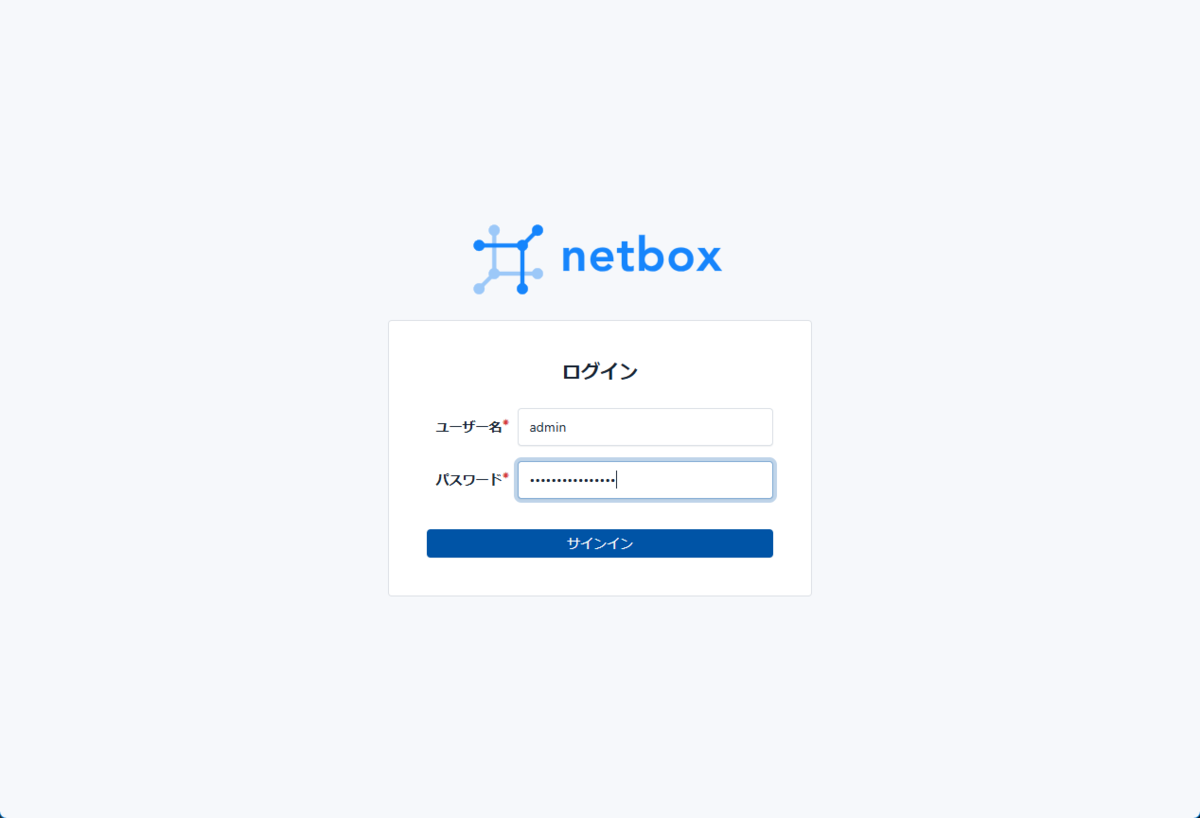
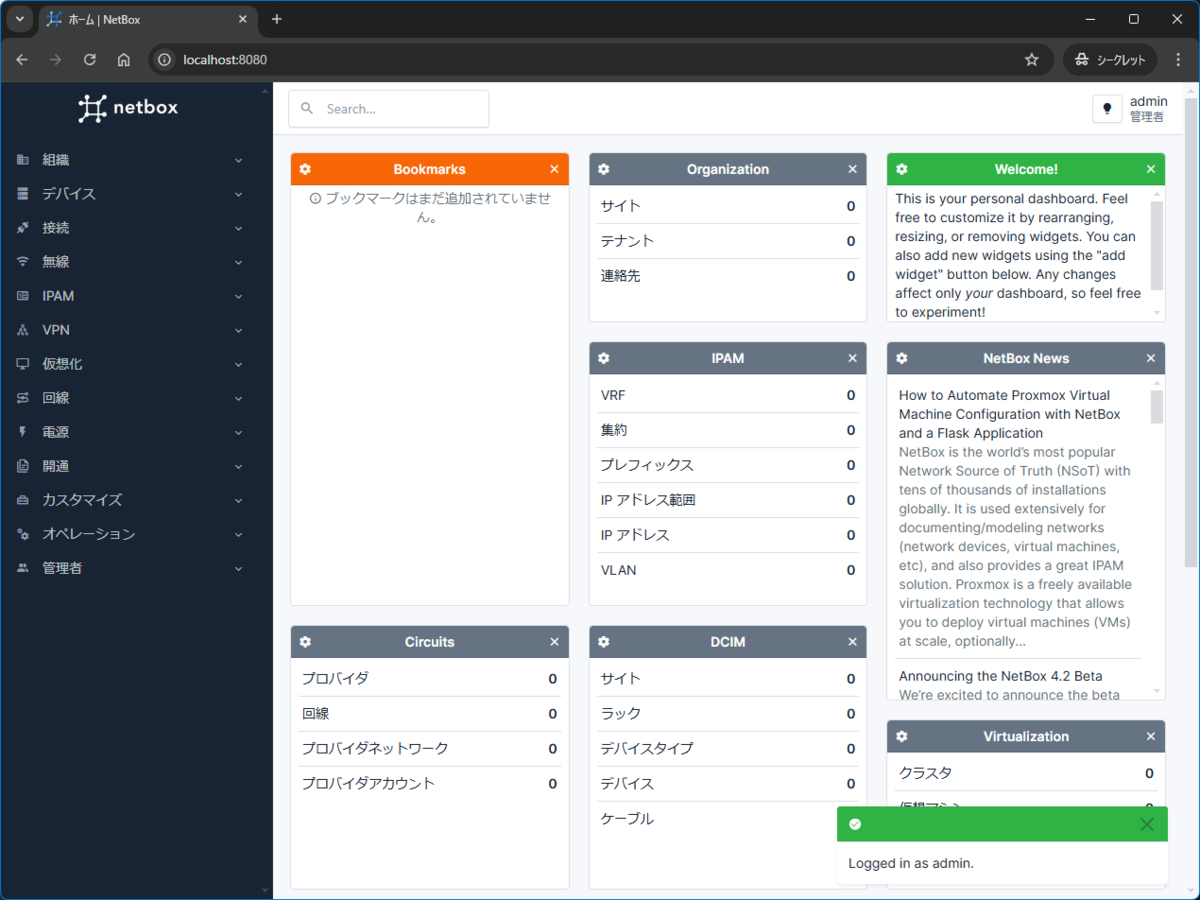
これでブラウザアクセスすればNetBoxの画面が表示される。

ログインの認証情報は、ユーザー名は admin で、パスワードはSecretリソースにセットされている。
確認するには以下。
zaki@cloud-dev2:~/local/k8s-netbox$ kubectlget secret netbox -o jsonpath='{.data.superuser_password}' | base64 -d ; echo
crzF8s67NzO4caeq
デフォルトでざっくり動かせることはわかったのでいったん削除。
これはHelmの普通の操作で helm uninstallすれば良い。
zaki@cloud-dev2:~/local/k8s-netbox$ helm uninstall netbox
release "netbox" uninstalled
zaki@cloud-dev2:~/local/k8s-netbox$ kubectlget pod
No resources found in default namespace.
zaki@cloud-dev2:~/local/k8s-netbox$ kubectlget pvc
NAME                                 STATUS   VOLUME                                     CAPACITY   ACCESS MODES   STORAGECLASS   VOLUMEATTRIBUTESCLASS   AGE
data-netbox-postgresql-0             Bound    pvc-07d0564e-7cb9-4a2d-999f-39a53b1a8690   8Gi        RWO            local-path     <unset>                 108m
redis-data-netbox-redis-master-0     Bound    pvc-3d90f9c9-f9a4-450a-9e42-f4dc2710ec39   8Gi        RWO            local-path     <unset>                 108m
redis-data-netbox-redis-replicas-0   Bound    pvc-9c498e8f-b682-477e-9386-401716efbe0f   8Gi        RWO            local-path     <unset>                 108m
redis-data-netbox-redis-replicas-1   Bound    pvc-2e24c45f-36b8-42c5-a3f4-a4975156850d   8Gi        RWO            local-path     <unset>                 108m
redis-data-netbox-redis-replicas-2   Bound    pvc-03fbbf2a-959b-467b-904d-4f32e4417066   8Gi        RWO            local-path     <unset>                 107m
zaki@cloud-dev2:~/local/k8s-netbox$ kubectldelete pvc  --all
persistentvolumeclaim "data-netbox-postgresql-0" deleted
persistentvolumeclaim "redis-data-netbox-redis-master-0" deleted
persistentvolumeclaim "redis-data-netbox-redis-replicas-0" deleted
persistentvolumeclaim "redis-data-netbox-redis-replicas-1" deleted
persistentvolumeclaim "redis-data-netbox-redis-replicas-2" deleted
外部アクセス設定
今回はK3s標準のTraefikがあるので、Ingressで設定してみる。
パラメタデフォルト値
普段は helm show values repo/chart で出力するとこだけど今回はリポジトリを登録してないので、プロジェクトのGitHubリポジトリから拝借。
https://github.com/netbox-community/netbox-chart/blob/develop/charts/netbox/values.yamlgithub.com
Ingressに関しての記載のみ定義する。
ひとまず netbox.jp-z.jp でアクセスするためには以下の通り。
ingress:
  enabled: true

  hosts:
    - host: netbox.jp-z.jp
      paths:
        - /
詳しくはリポジトリのREADMEでなくchart/netbox以下のREADME参照。
https://github.com/netbox-community/netbox-chart/tree/develop/charts/netboxgithub.com
デプロイ
お試しのときは何も指定しなかったのでdefaultネームスペースにデプロイされていたので、ちゃんとネームスペース指定を行う。
values.yamlの指定と合わせて実行コマンドは以下の通り。
zaki@cloud-dev2:~/local/k8s-netbox$ helm upgrade --install my-netbox --devel --values values.yaml oci://ghcr.io/netbox-community/netbox-chart/netbox --create-namespace -n netbox
Release "my-netbox" does not exist. Installing it now.
Pulled: ghcr.io/netbox-community/netbox-chart/netbox:5.0.0-beta9
Digest: sha256:9a3db4e1899fe3ecd199bf514b63f5380117d68af53947eff2b900dbecefc77e
W1212 23:27:01.981702   47416 warnings.go:70] unknown field "spec.template.spec.containers[0].securityContext.enabled"
W1212 23:27:01.981724   47416 warnings.go:70] unknown field "spec.template.spec.securityContext.enabled"
W1212 23:27:02.339110   47416 warnings.go:70] unknown field "spec.jobTemplate.spec.template.spec.containers[0].securityContext.enabled"
W1212 23:27:02.339125   47416 warnings.go:70] unknown field "spec.jobTemplate.spec.template.spec.securityContext.enabled"
NAME: my-netbox
LAST DEPLOYED: Thu Dec 12 23:26:51 2024
NAMESPACE: netbox
STATUS: deployed
REVISION: 1
NOTES:
NetBox should be available at the following URL(s) shortly:

  http://netbox.jp-z.jp/
zaki@cloud-dev2:~/local/k8s-netbox$
デプロイ結果は以下の通り、Ingressリソースも生成される。
zaki@cloud-dev2:~/local/k8s-netbox$ kubectlget pod,svc,ing -n netbox
NAME                                    READY   STATUS    RESTARTS        AGE
pod/my-netbox-7bdd5fc65d-f4xp2          1/1     Running   0               5m8s
pod/my-netbox-postgresql-0              1/1     Running   0               5m7s
pod/my-netbox-redis-master-0            1/1     Running   0               5m7s
pod/my-netbox-redis-replicas-0          1/1     Running   0               5m7s
pod/my-netbox-redis-replicas-1          1/1     Running   0               4m37s
pod/my-netbox-redis-replicas-2          1/1     Running   0               4m8s
pod/my-netbox-worker-56cf85d4cd-54zsx   1/1     Running   2 (4m47s ago)   5m8s

NAME                               TYPE        CLUSTER-IP      EXTERNAL-IP   PORT(S)    AGE
service/my-netbox                  ClusterIP   10.43.88.27     <none>        80/TCP     5m9s
service/my-netbox-postgresql       ClusterIP   10.43.217.199   <none>        5432/TCP   5m9s
service/my-netbox-postgresql-hl    ClusterIP   None            <none>        5432/TCP   5m9s
service/my-netbox-redis-headless   ClusterIP   None            <none>        6379/TCP   5m9s
service/my-netbox-redis-master     ClusterIP   10.43.226.198   <none>        6379/TCP   5m9s
service/my-netbox-redis-replicas   ClusterIP   10.43.132.140   <none>        6379/TCP   5m9s

NAME                                  CLASS     HOSTS            ADDRESS      PORTS   AGE
ingress.networking.k8s.io/my-netbox   traefik   netbox.jp-z.jp   10.1.2.244   80      5m8s
webアクセスすればこの通り。

環境・バージョン
何気に今回はローカル環境でなくOracle CloudのAlway FreeのAmpere A1インスタンス(3CPU RAM18GB)のK3s v1.30.6で確認。
つまりラズパイなどのARM64プラットフォームでも動作する。
ubuntu@oci-l-a1-ubuntu:~$ uname -a
Linux oci-l-a1-ubuntu 6.8.0-1015-oracle #15~22.04.1-Ubuntu SMP Wed Oct  9 16:01:35 UTC 2024 aarch64 aarch64 aarch64 GNU/Linux
zaki@cloud-dev2:~/local/k8s-netbox$ kubectl get node
NAME              STATUS   ROLES                  AGE   VERSION
oci-g-a1-ubuntu   Ready    control-plane,master   19d   v1.30.6+k3s1
デプロイされたNetBoxは以下で、チャートバージョンは5.0.0-beta9で、NetBox自体のバージョンは4.0.0
zaki@cloud-dev2:~/local/k8s-netbox$ helm ls -n netbox
NAME            NAMESPACE       REVISION        UPDATED                                 STATUS          CHART                APP VERSION
my-netbox       netbox          1               2024-12-12 23:26:51.897983347 +0900 JST deployed        netbox-5.0.0-beta9   v4.0.0
というわけで、KubernetesでもNetBoxを簡単にデプロイできるようになってた。
以前試した時のDocker Compose版は、初期処理としてDB作ったりする処理が含まれていて、これをKubernetesで動かす場合には仕組みとして用意されてなかったので難易度が高かったけど、今はこのあたりが全く問題なくなりプラットフォームの選択肢が増えてた。
課題
helm install name --devel ...
この書式を使ったチャートインストールが何なのかhelp見てもイマイチわからないのでそのうちちゃんと調べたい。
Flags:

      --devel                                      use development versions, too. Equivalent to version '>0.0.0-0'. If --version is set, this is ignored
2025.02.06追記:チャートのリポジトリ
いつのまにかREADMEが更新され、チャートのリポジトリも載っていた。
以下で追加できる。
$ helm repo add netbox https://charts.netbox.oss.netboxlabs.com/
"netbox" has been added to your repositories
$ helm search repo netbox
NAME                    CHART VERSION   APP VERSION     DESCRIPTION
netbox/netbox           5.0.26          v4.2.3          IP address management (IPAM) and data center in...
netbox/netbox-operator  0.1.27          v0.1.0-alpha.4  Operator to manage NetBox resources directly th...
チャートのデフォルト値は通常通り以下で出力できる。
(おそらく12月のbeta9のときから大きくは変わってないはず。少なくともIngress関連の定義はそのまま使える)
helm show values netbox/netbox > values-default.yaml
デプロイはチャート名を指定すればOKで、--develの指定やコンテナの指定は不要。
$ helm upgrade --install my-netbox netbox/netbox -f values.yaml --create-namespace -n netbox
Release "my-netbox" does not exist. Installing it now.
NAME: my-netbox
LAST DEPLOYED: Thu Feb  6 21:48:14 2025
NAMESPACE: netbox
STATUS: deployed
REVISION: 1
NOTES:
CHART NAME: netbox
CHART VERSION: 5.0.26
APP VERSION: v4.2.3

** Please be patient while the chart is being deployed **

Netbox can be accessed through the following DNS name from within the cluster:

    my-netbox.netbox.svc.cluster.local (port 80)

To access Netbox site from outside the cluster follow the steps below.

You have configured NetBox to use an ingress controller, exposing the following URL(s):
  - http://netbox.k3s-node.naru.jp-z.jp/

WARNING: There are "resources" sections in the chart not set. Using "resourcesPreset" is not recommended for production. For production installations, please set the following values according to your workload needs:
  - resources
  - worker.resources
+info https://kubernetes.io/docs/concepts/configuration/manage-resources-containers/
$ kubectl get pod,svc,ing -n netbox
NAME                                    READY   STATUS    RESTARTS        AGE
pod/my-netbox-d94d5dfb9-2kl5f           1/1     Running   1 (3m2s ago)    8m28s
pod/my-netbox-postgresql-0              1/1     Running   0               8m28s
pod/my-netbox-redis-master-0            1/1     Running   0               8m28s
pod/my-netbox-redis-replicas-0          1/1     Running   0               8m28s
pod/my-netbox-redis-replicas-1          1/1     Running   0               7m39s
pod/my-netbox-redis-replicas-2          1/1     Running   0               7m10s
pod/my-netbox-worker-6bd59d7c79-lx45q   1/1     Running   5 (2m50s ago)   8m28s

NAME                               TYPE        CLUSTER-IP      EXTERNAL-IP   PORT(S)    AGE
service/my-netbox                  ClusterIP   10.43.211.97    <none>        80/TCP     8m28s
service/my-netbox-postgresql       ClusterIP   10.43.182.137   <none>        5432/TCP   8m28s
service/my-netbox-postgresql-hl    ClusterIP   None            <none>        5432/TCP   8m28s
service/my-netbox-redis-headless   ClusterIP   None            <none>        6379/TCP   8m28s
service/my-netbox-redis-master     ClusterIP   10.43.42.230    <none>        6379/TCP   8m28s
service/my-netbox-redis-replicas   ClusterIP   10.43.132.200   <none>        6379/TCP   8m28s

NAME                                  CLASS     HOSTS                          ADDRESS        PORTS   AGE
ingress.networking.k8s.io/my-netbox   traefik   netbox.k3s-node.naru.jp-z.jp   192.168.0.75   80      8m28s
今回はローカルのK3s(amd64)に構築。初期処理に若干時間がかかったけど、ちゃんとアクセスできた。
ちなみに、リリースページを見た感じだとデイリーでリリースしているみたい。
Operator (追記分)
Operatorもあるみたいなので、そのうち試してみたい。(忘れるフラグ…なので分かる部分まで追加で調査)
READMEにはこのように書かれてるので、NetBoxをインストールした 後 に、NetBoxのアプリケーションをKubernetesのカスタムリソースで管理するような雰囲気(想像)
PrerequisitesにNetBoxも含まれてるからね。
NetBox Operator requires additional NetBox configuration. A custom field (by default netboxOperatorRestorationHash) must be added before operator installation.
Operatorインストール前にカスタムフィールドを追加しておけと書かれてるけど、カスタムリソース定義ではなく…?この辺がよくわからん。
情報が無さすぎるので、パラメタ無しでひとまず無邪気に入れてみる。
$ helm install my-netbox-operator netbox/netbox-operator -n netbox
NAME: my-netbox-operator
LAST DEPLOYED: Thu Feb  6 22:22:24 2025
NAMESPACE: netbox
STATUS: deployed
REVISION: 1
TEST SUITE: None
NOTES:
CHART NAME: netbox-operator
CHART VERSION: 0.1.27
APP VERSION: v0.1.0-alpha.4
$ kubectl get pod -n netbox
NAME                                  READY   STATUS             RESTARTS      AGE
my-netbox-d94d5dfb9-2kl5f             1/1     Running            1 (29m ago)   34m
my-netbox-operator-85965f6856-pqw8b   0/1     CrashLoopBackOff   2 (5s ago)    26s
my-netbox-postgresql-0                1/1     Running            0             34m
my-netbox-redis-master-0              1/1     Running            0             34m
my-netbox-redis-replicas-0            1/1     Running            0             34m
my-netbox-redis-replicas-1            1/1     Running            0             33m
my-netbox-redis-replicas-2            1/1     Running            0             33m
my-netbox-worker-6bd59d7c79-lx45q     1/1     Running            5 (28m ago)   34m
$ kubectl logs -n netbox my-netbox-operator-85965f6856-pqw8b
2025-02-06T13:23:06Z    ERROR   setup   verification of netbox configuration failed     {"error": "Get \"http:///api/extras/custom-fields/\": http: no Host in request URL"}
main.main
        /workspace/cmd/main.go:138
runtime.main
        /usr/local/go/src/runtime/proc.go:272
失敗。単体で動作するのでなく、エラーの内容からエスパーする限り、操作対象となるNetBoxを見に行く動作の模様。
values.yamlのデフォルト値を見る限り、hostで指定する。
host: "netbox.k3s-node.naru.jp-z.jp"
$ kubectl get pod -n netbox
NAME                                  READY   STATUS             RESTARTS      AGE
my-netbox-d94d5dfb9-2kl5f             1/1     Running            1 (40m ago)   46m
my-netbox-operator-8586bb5fbc-rcwdc   0/1     CrashLoopBackOff   1 (11s ago)   12s
my-netbox-postgresql-0                1/1     Running            0             46m
my-netbox-redis-master-0              1/1     Running            0             46m
my-netbox-redis-replicas-0            1/1     Running            0             46m
my-netbox-redis-replicas-1            1/1     Running            0             45m
my-netbox-redis-replicas-2            1/1     Running            0             44m
my-netbox-worker-6bd59d7c79-lx45q     1/1     Running            5 (40m ago)   46m
$ kubectl logs -n netbox my-netbox-operator-8586bb5fbc-rcwdc
2025-02-06T13:34:04Z    ERROR   setup   verification of netbox configuration failed     {"error": "[GET /extras/custom-fields/][403] extras_custom-fields_list default  map[detail:Invalid token header. No credentials provided.]"}
main.main
        /workspace/cmd/main.go:138
runtime.main
        /usr/local/go/src/runtime/proc.go:272
エラーが「no Host」から認証エラーとなった。
あと、READMEに書かれてる「カスタムフィールド」は、NetBoxのリソース上のことの模様(上記エラーでの/extras/custom-fields/のパスの部分)
ここからはNetBoxの話になるのでいったんここまでで別途検証してみよう。
ちなみにNetBoxのCRDは定義が追加されている。
$ kubectl get crd | grep netbox
ipaddressclaims.netbox.dev              2025-02-06T13:22:24Z
ipaddresses.netbox.dev                  2025-02-06T13:22:24Z
prefixclaims.netbox.dev                 2025-02-06T13:22:24Z
prefixes.netbox.dev                     2025-02-06T13:22:24Z
