Microsoft Foundryとは、Azure上で提供される、エンタープライズ向けの統合AIプラットフォームで、AIアプリケーションやAIエージェントの開発を支援します。 今回は、Microsoft Foundry SDK を使用して簡単なAIチャットアプリを作成してみます。
プロジェクトにモデルをデプロイする
Microsoft Foundryのページを開きます。

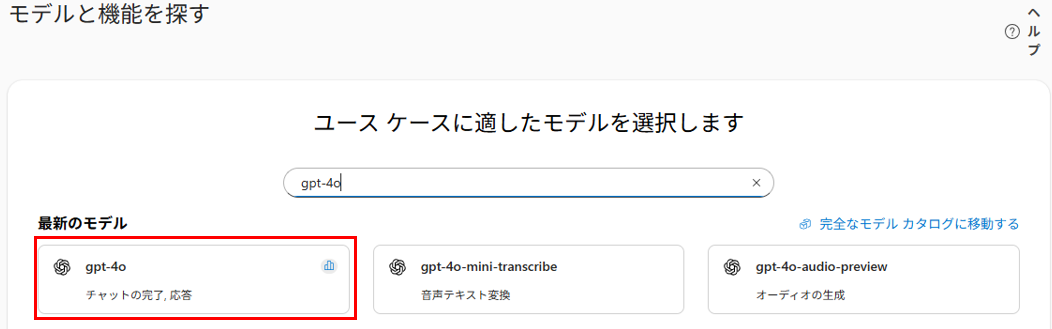
画面下部でモデルの検索がきでるので、「gpt-4o」を検索して選択します。
モデルの詳細が表示されるので、画面上部の「このモデルを使用する」をクリックします。

新しいプロジェクトを作成します。

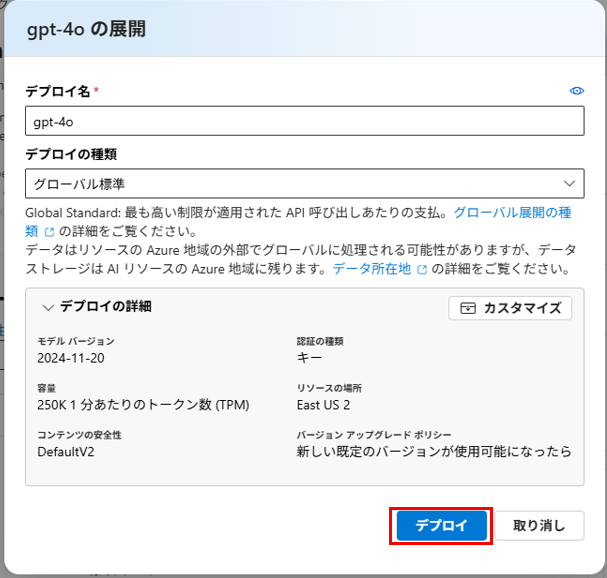
プロジェクトが作成されたら続けてgpt-4oをデプロイします。
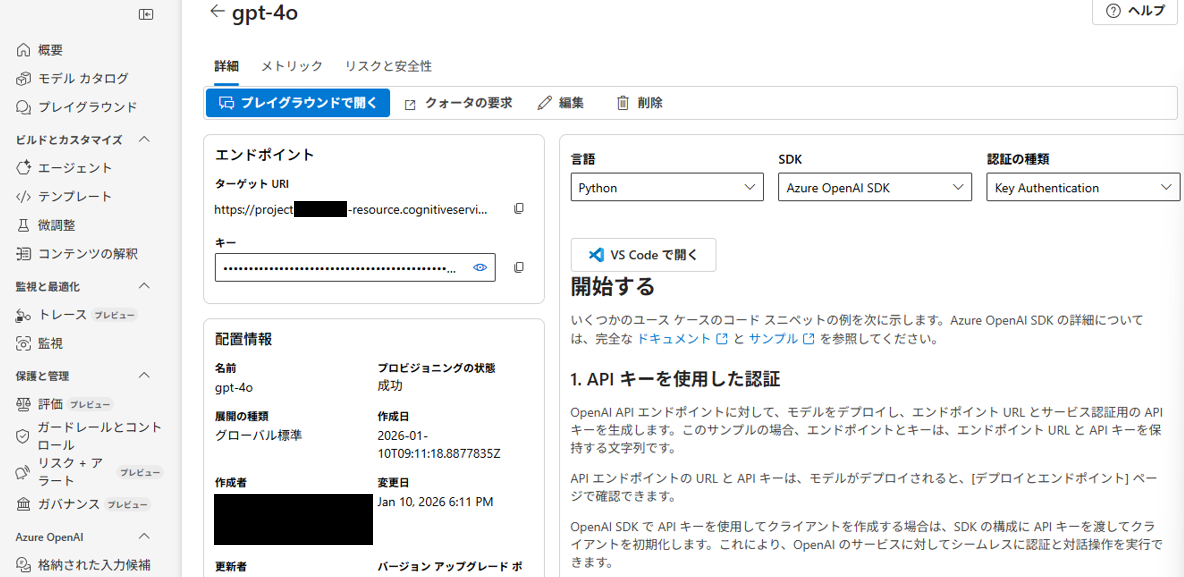
gpt-4oがデプロイされたプロジェクトが完成しました。
AIチャットアプリを作成する
アプリの構成を作成
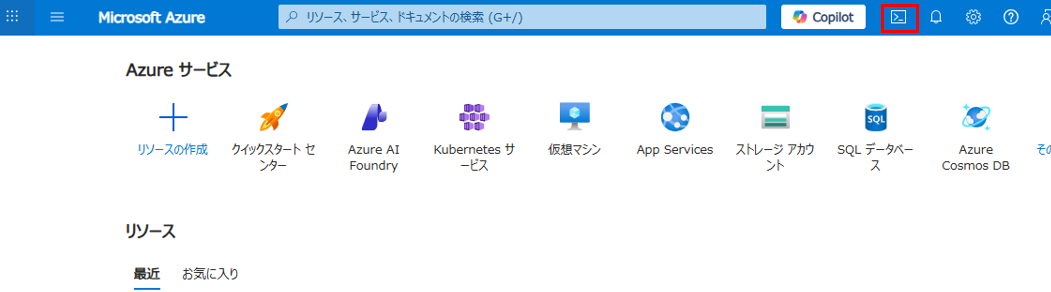
Azureの画面からCloud Shellを起動します。
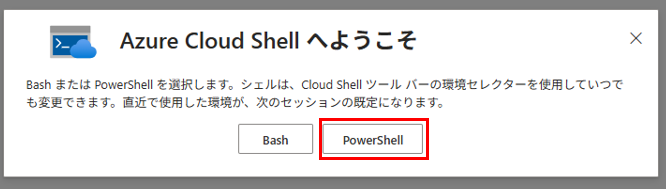
シェルはPowerShellを選択します。

コードの編集を行うため、クラシックバージョンにします。

Microsoftが公開しているサンプルコードを利用します。
GitHubリポジトリのクローンを作成します。
> rm -r mslearn-ai-foundry -f
> git clone https://github.com/microsoftlearning/mslearn-ai-studio mslearn-ai-foundry
コードが含まれているフォルダ移動します。
cd mslearn-ai-foundry/labfiles/chat-app/python
ls -a -l
ライブラリをインストールします。
python -m venv labenv
./labenv/bin/Activate.ps1
pip install -r requirements.txt azure-identity azure-ai-projects openai
構成ファイルを編集します。
code .env
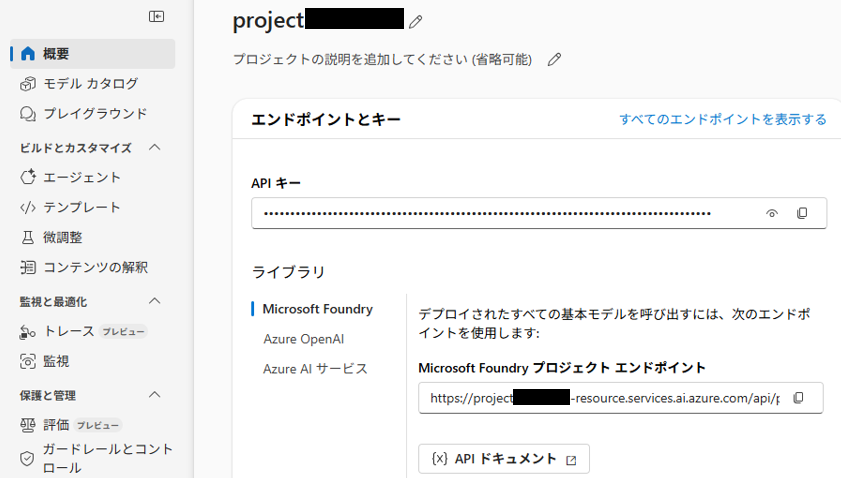
your_project_endpoint をプロジェクトのエンドポイント、your_model_deployment をモデルの名前に置き換えます。
MODEL_DEPLOYMENT="your_model_deployment"
プロジェクトのエンドポイントは、Microsoft Foundryの概要で確認できます。
モデル名は「gpt-4o」です。
アプリのコードを作成
コードファイルを編集します。
code chat-app.py
以下のようにコードを完成させます。
import os
from dotenv import load_dotenv

# Add references
from azure.identity import DefaultAzureCredential
from azure.ai.projects import AIProjectClient
from openai import AzureOpenAI


def main():

    # Clear the console
    os.system('cls' if os.name=='nt' else 'clear')

    try:

        # Get configuration settings
        load_dotenv()
        project_endpoint = os.getenv("PROJECT_ENDPOINT")
        model_deployment =  os.getenv("MODEL_DEPLOYMENT")

        # Initialize the project client
    project_client = AIProjectClient(
            credential=DefaultAzureCredential(
                    exclude_environment_credential=True,
                    exclude_managed_identity_credential=True
            ),
            endpoint=project_endpoint,
        )


        # Get a chat client
    openai_client = project_client.get_openai_client(api_version="2024-10-21")


        # Initialize prompt with system message
    prompt = [
            {"role": "system", "content": "You are a helpful AI assistant that answers questions."}
        ]


        # Loop until the user types 'quit'
        while True:
            # Get input text
            input_text = input("Enter the prompt (or type 'quit' to exit): ")
            if input_text.lower() == "quit":
                break
            if len(input_text) == 0:
                print("Please enter a prompt.")
                continue

            # Get a chat completion
            prompt.append({"role": "user", "content": input_text})
            response = openai_client.chat.completions.create(
                    model=model_deployment,
                    messages=prompt)
            completion = response.choices[0].message.content
            print(completion)
            prompt.append({"role": "assistant", "content": completion})


    except Exception as ex:
        print(ex)

if __name__ == '__main__':
    main()
アプリを実行する
Cloud ShellでAzureにログインし、表示されたURLとコードを使って認証します。
> az login
Cloud Shell is automatically authenticated under the initial account signed-in with. Run 'az login' only if you need to use a different account
To sign in, use a web browser to open the page https://microsoft.com/devicelogin and enter the code xxxxxxxxxx to authenticate.
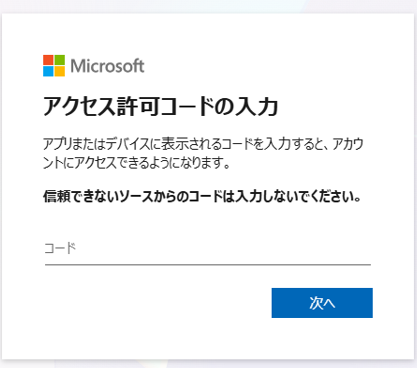
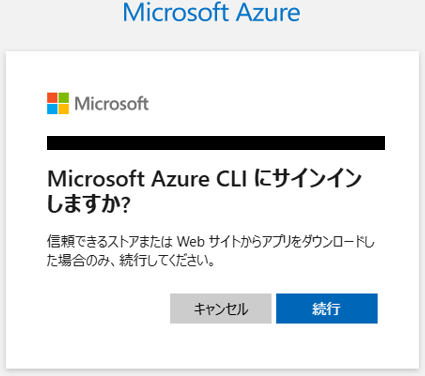

Cloud Shellに戻り、サインインプロセスを完了します。
Retrieving tenants and subscriptions for the selection...

[Tenant and subscription selection]

No     Subscription name             Subscription ID                       Tenant
-----  ----------------------------  ------------------------------------  ---------------------
[1] *  xxxxxxxxxxxxxxxxxxxxxxxxx  xxxxxxxxxxxxxxxxxxxxxxxxxxxx  xxxxxxxxxxxxxxxxxxxxx

The default is marked with an *; the default tenant is 'xxxxxxxxxxxxxxxxxxxxx' and subscription is 'xxxxxxxxxxxxxxxxxxxxx' (xxxxxxxxxxxxxxxxxxxxxxxxxxxx).

Select a subscription and tenant (Type a number or Enter for no changes):
アプリを実行してみます。
> python chat-app.py

Enter the prompt (or type 'quit' to exit): 日本で最も面積が大きい県はどこですか?
日本で最も面積が大きい県は**北海道**です。
北海道の面積は約**83,450平方キロメートル**で、日本の総面積(約37.8万平方キロメートル)の約22%を占めています。また、2位の岩手県(約15,275平方キロメートル)との差は非常に大きく、圧倒的な広さを誇ります。北海道は都道府県の中で唯一「道」と呼ばれる行政区分を持っている点でも特徴的です。
Enter the prompt (or type 'quit' to exit): そこの名産品はなんですか?
北海道は広大な面積を有しているだけあり、地域ごとに多種多様な名産品があります。以下に代表的なものをいくつか挙げます:

---

### **食品・グルメ**
1. **海鮮系**
   - ウニ、イクラ、カニ(ズワイガニ、タラバガニ、毛ガニ)
   - サーモン、ホタテ、イカなど新鮮な魚介類

2. **乳製品**
   - 牛乳、バター、チーズ、ヨーグルト
   - 特に「花畑牧場」や「十勝」などが有名

3. **ジンギスカン**
   - 羊肉を使った北海道を代表する郷土料理。特に「タレ付きジンギスカン」が人気。

4. **ラーメン**
   - 札幌ラーメン(味噌)、函館ラーメン(塩)、旭川ラーメン(醤油)など、多様なご当地ラーメン。

5. **じゃがいも・とうもろこし**
   - 「男爵」や「メークイン」など高品質のじゃがいも、「ゆめぴりか」などお米も人気。

6. **メロン**
   - 特に夕張市の「夕張メロン」が高級フルーツとして知られる。

7. **スイーツ**
   - 白い恋人(石屋製菓)、六花亭の「マルセイバターサンド」、ロイズのチョコレート、生キャラメルなど。

---

(省略)
まとめ
Microsoft Foundryを使うことで、AI アプリケーションの開発をこれまで以上にスムーズに進めることができました。
Microsoft Foundry SDK を利用すると、モデル呼び出しやプロンプト管理などの複雑な処理が抽象化され、開発者はビジネスロジックに集中できるのが大きな利点だと思います。
