めちゃ大変だった。
情報源
インストール
まずはinstall.mdにあった依存ライブラリをインストールする。
sudo apt-get install libjpeg-dev libtiff5-dev libpng-dev libfreetype-dev libgif-dev libgtk-3-dev libxml2-dev libpango1.0-dev libcairo2-dev libspiro-dev libwoff-dev python3-dev ninja-build cmake build-essential gettext;
早速以下のようなエラーが出た。
E: パッケージ libfreetype-dev が見つかりません
探してみるとlibfreetype6-devというパッケージは存在するし、インストール済みのようだ。なら大丈夫だと思って進めよう。
$ apt search libfreetype
ソート中... 完了
全文検索... 完了
libcoin80c/oldoldstable,oldoldstable 4.0.0~CMake~6f54f1602475+ds1-2 armhf
  high-level 3D graphics kit implementing the Open Inventor API

libfreetype6/oldoldstable,oldoldstable,now 2.9.1-3+deb10u3 armhf [インストール済み、自動]
  FreeType 2 font engine, shared library files

libfreetype6-dev/oldoldstable,oldoldstable,now 2.9.1-3+deb10u3 armhf [インストール済み]
  FreeType 2 font engine, development files

libgd-perl/oldoldstable,oldoldstable 2.71-2 armhf
  Perl module wrapper for libgd
git clone https://github.com/fontforge/fontforge
install.mdに書いてあったビルド用と思しきコマンドを実行する。
cd fontforge
mkdir build
cd build
cmake -GNinja ..
ninja
sudo ninja install
エラーが出た。
$ cd fontforge
$ mkdir build
$ cd build
$ cmake -GNinja ..
CMake Error: CMake was unable to find a build program corresponding to "Ninja".  CMAKE_MAKE_PROGRAM is not set.  You probably need to select a different build tool.
CMake Error: CMAKE_C_COMPILER not set, after EnableLanguage
CMake Error: CMAKE_CXX_COMPILER not set, after EnableLanguage
-- Configuring incomplete, errors occurred!
See also "/tmp/work/fontforge/build/CMakeFiles/CMakeOutput.log".
$ ninja
bash: ninja: コマンドが見つかりません
$ sudo ninja install
sudo: ninja: コマンドが見つかりません
ninjaって何? ググったらビルドシステムらしい。以下コマンドでインストールする。
sudo apt install ninja-build
改めてビルドコマンドを実行する。失敗した所から。
cmake -GNinja ..
ninja
sudo ninja install
別のエラーが出た。
$ cmake -GNinja ..
-- The C compiler identification is GNU 8.3.0
-- The CXX compiler identification is GNU 8.3.0
-- Check for working C compiler: /usr/bin/cc
-- Check for working C compiler: /usr/bin/cc -- works
-- Detecting C compiler ABI info
-- Detecting C compiler ABI info - done
-- Detecting C compile features
-- Detecting C compile features - done
-- Check for working CXX compiler: /usr/bin/c++
-- Check for working CXX compiler: /usr/bin/c++ -- works
-- Detecting CXX compiler ABI info
-- Detecting CXX compiler ABI info - done
-- Detecting CXX compile features
-- Detecting CXX compile features - done
-- Setting build type to 'RelWithDebInfo' as none was specified.
-- Checking if -Wall is supported by the C compiler...
--   Flag is supported: -Wall
-- Checking if -Werror=implicit-function-declaration is supported by the C compiler...
--   Flag is supported: -Werror=implicit-function-declaration
-- Checking if -Werror=int-conversion is supported by the C compiler...
--   Flag is supported: -Werror=int-conversion
-- Checking if -Wno-misleading-indentation is supported by the C compiler...
--   Flag is supported: -Wno-misleading-indentation
-- Checking if -fdiagnostics-color=always is supported by the C compiler...
--   Flag is supported: -fdiagnostics-color=always
-- Checking if -fdiagnostics-color=always is supported by the C++ compiler...
--   Flag is supported: -fdiagnostics-color=always
-- Found PkgConfig: /usr/bin/pkg-config (found version "0.29")
-- Found Freetype: /usr/lib/arm-linux-gnueabihf/libfreetype.so (found suitable version "2.9.1", minimum required is "2.3.7")
-- Found Gettext: /usr/bin/msgmerge (found version "0.19.8.1")
-- Found Intl: /usr/include
CMake Error at /usr/share/cmake-3.16/Modules/FindPackageHandleStandardArgs.cmake:146 (message):
  Could NOT find GLIB (missing: GLIB_INCLUDE_DIRS GLIB_LIBRARIES
  GLIB_GIO_LIBRARIES GLIB_GOBJECT_LIBRARIES) (Required is at least version
  "2.6")
Call Stack (most recent call first):
  /usr/share/cmake-3.16/Modules/FindPackageHandleStandardArgs.cmake:393 (_FPHSA_FAILURE_MESSAGE)
  cmake/packages/FindGLIB.cmake:109 (find_package_handle_standard_args)
  CMakeLists.txt:112 (find_package)


-- Configuring incomplete, errors occurred!
See also "/tmp/work/fontforge/build/CMakeFiles/CMakeOutput.log".
$ ninja
ninja: error: loading 'build.ninja': No such file or directory
$ sudo ninja install
ninja: error: loading 'build.ninja': No such file or directory
GLIBとやらが見つからない(Could NOT find GLIB)と怒られた。何それ?
ググった所、おそらく以下だと思われる。
libgtk2.0-dev
libgtk-3-dev
上記を以下コマンドでインストールする。
sudo apt install libgtk2.0-dev libgtk-3-dev
随分と容量が持ってかれそう。嫌々Yを入力してEnterキー押下。
...
アップグレード: 7 個、新規インストール: 74 個、削除: 0 個、保留: 282 個。
26.5 MB のアーカイブを取得する必要があります。
この操作後に追加で 107 MB のディスク容量が消費されます。
続行しますか? [Y/n] Y
三度目の正直。改めてビルドコマンドを実行する。失敗した所から。
cmake -GNinja ..
ninja
sudo ninja install
別のエラー。今度はLibXml2が無いってさ。
$ cmake -GNinja ..
-- Found GLIB: /usr/include/glib-2.0;/usr/lib/arm-linux-gnueabihf/glib-2.0/include (found suitable version "2.58.3", minimum required is "2.6")
-- Performing Test Iconv_IS_BUILT_IN
-- Performing Test Iconv_IS_BUILT_IN - Success
-- Found Iconv: /usr/lib/arm-linux-gnueabihf/libc.so
CMake Error at /usr/share/cmake-3.16/Modules/FindPackageHandleStandardArgs.cmake:146 (message):
  Could NOT find LibXml2 (missing: LIBXML2_LIBRARY LIBXML2_INCLUDE_DIR)
Call Stack (most recent call first):
  /usr/share/cmake-3.16/Modules/FindPackageHandleStandardArgs.cmake:393 (_FPHSA_FAILURE_MESSAGE)
  /usr/share/cmake-3.16/Modules/FindLibXml2.cmake:92 (FIND_PACKAGE_HANDLE_STANDARD_ARGS)
  CMakeLists.txt:117 (find_package)
ググったりapt searchした結果、おそらく以下でインストールできる。
sudo apt install libxml2-dev
四度目。
cmake -GNinja ..
ninja
sudo ninja install
またエラー。今度はPython3が無いと怒られる。そんなバカな。あるはずだぞ。
$ cmake -GNinja ..
-- Found LibXml2: /usr/lib/arm-linux-gnueabihf/libxml2.so (found version "2.9.4")
-- Found MathLib: /usr/lib/arm-linux-gnueabihf/libm.so
-- Found ZLIB: /usr/lib/arm-linux-gnueabihf/libz.so (found version "1.2.11")
-- Looking for pthread.h
-- Looking for pthread.h - found
-- Looking for pthread.h
-- Looking for pthread.h - found
-- Performing Test CMAKE_HAVE_LIBC_PTHREAD
-- Performing Test CMAKE_HAVE_LIBC_PTHREAD - Failed
-- Looking for pthread_create in pthreads
-- Looking for pthread_create in pthreads - not found
-- Looking for pthread_create in pthread
-- Looking for pthread_create in pthread - found
-- Found Threads: TRUE
-- Found GDK3: gdk-3;pangocairo-1.0;pango-1.0;gdk_pixbuf-2.0;cairo-gobject;cairo;gobject-2.0;glib-2.0 (found suitable version "3.24.5", minimum required is "3.10")
CMake Error at /usr/share/cmake-3.16/Modules/FindPackageHandleStandardArgs.cmake:146 (message):
  Could NOT find Python3 (missing: Python3_LIBRARIES Python3_INCLUDE_DIRS
  Development) (found suitable version "3.10.5", minimum required is "3.8")
Call Stack (most recent call first):
  /usr/share/cmake-3.16/Modules/FindPackageHandleStandardArgs.cmake:393 (_FPHSA_FAILURE_MESSAGE)
  /usr/share/cmake-3.16/Modules/FindPython/Support.cmake:2214 (find_package_handle_standard_args)
  /usr/share/cmake-3.16/Modules/FindPython3.cmake:300 (include)
  cmake/PackageUtils.cmake:41 (find_package)
  CMakeLists.txt:153 (find_package_auto)


-- Configuring incomplete, errors occurred!
See also "/tmp/work/fontforge/build/CMakeFiles/CMakeOutput.log".
See also "/tmp/work/fontforge/build/CMakeFiles/CMakeError.log".
ポイントは以下。これたぶんdev(開発版)が無いってことかな?
CMake Error at /usr/share/cmake-3.16/Modules/FindPackageHandleStandardArgs.cmake:146 (message):
  Could NOT find Python3 (missing: Python3_LIBRARIES Python3_INCLUDE_DIRS
  Development) (found suitable version "3.10.5", minimum required is "3.8")
今更ながら更新をかけた。システムクラッシュのリスクがあるため避けていたが、どうもPythonのバージョンがダメらしい。でも3.10が見つかったならOKなのでは? 3.8以上ならいいって書いてるように見えるけど。
多分インストールされている3.10は開発版じゃないとか、そういうことか?
sudo apt update
sudo apt upgrade -y
sudo apt full-upgrade -y
626 MB を 7分 45秒 で取得しました (1,347 kB/s)
これでPythonの最新版を探してみる。
apt search python3. | grep dev
残念ながら3.7までしか出ない。2025年4月現在では3.12くらいまで進んでいるはずなのに。OS更新しても古いまま。なんでや?
python3.7-dev/oldoldstable,oldoldstable,now 3.7.3-2+deb10u7 armhf [インストール済み、自動]
FontForgeは3.8以上を要求している。困った。何とかならないか?
ググったら以下がヒット。今回の状況に近いと思われる。
pyenvなら新しい版の開発版もインストールできるっぽい。
pyenv install 3.12-dev
なんかエラー出た。ビルド失敗だってさ。
Cloning https://github.com/python/cpython...
Installing Python-3.12-dev...
ERROR: invalid Python executable: /home/pi/.anyenv/envs/pyenv/versions/3.12-dev/bin/python3.12

The python-build could not find proper executable of Python after successful build.
Please open an issue for future improvements.
https://github.com/pyenv/pyenv/issues

BUILD FAILED (Raspbian 10 using python-build 2.3.1-20-g572a8bcf)

Inspect or clean up the working tree at /tmp/python-build.20250408123732.5703
Results logged to /tmp/python-build.20250408123732.5703.log

Last 10 log lines:
    esac; \
     ./python -E -m ensurepip \
        $ensurepip --root=/ ; \
fi
Looking in links: /tmp/tmpzg9v2u07
Processing /tmp/tmpzg9v2u07/pip-25.0.1-py3-none-any.whl
Installing collected packages: pip
  WARNING: The scripts pip3 and pip3.14 are installed in '/home/pi/.anyenv/envs/pyenv/versions/3.12-dev/bin' which is not on PATH.
  Consider adding this directory to PATH or, if you prefer to suppress this warning, use --no-warn-script-location.
Successfully installed pip-25.0.1
バージョンを落として再試行。
pyenv install 3.10-dev
成功したっぽい。
Cloning https://github.com/python/cpython...
Installing Python-3.10-dev...
WARNING: The Python bz2 extension was not compiled. Missing the bzip2 lib?
WARNING: The Python lzma extension was not compiled. Missing the lzma lib?
Installed Python-3.10-dev to /home/pi/.anyenv/envs/pyenv/versions/3.10-dev
FontForgeのコード内にあるCMakeLists.txtの中からPythonのパスを探す設定の以下箇所をコメントアウトする。(行頭に#を追記する)
CMakeLists.txt
#find_package_auto(ENABLE_PYTHON_SCRIPTING Python3 3.8 COMPONENTS Development Interpreter)
以下のようにPythonのパスを設定してcmakeコマンドを実行する。五度目。
cmake \
-D PYTHON_LIBRARIES=/home/pi/.anyenv/envs/pyenv/versions/3.10-dev/lib \
-D PYTHON_INCLUDE_DIRS=/home/pi/.anyenv/envs/pyenv/versions/3.10-dev/include/python3.10 \
-GNinja .. \
別のエラーが出た。Libspiroが無いってさ。
-- Could NOT find Sphinx (missing: Sphinx_BUILD_BINARY)
CMake Error at /usr/share/cmake-3.16/Modules/FindPackageHandleStandardArgs.cmake:146 (message):
  Could NOT find Libspiro (missing: Libspiro_LIBRARIES Libspiro_INCLUDE_DIRS)
Call Stack (most recent call first):
  /usr/share/cmake-3.16/Modules/FindPackageHandleStandardArgs.cmake:393 (_FPHSA_FAILURE_MESSAGE)
  cmake/packages/FindLibspiro.cmake:82 (find_package_handle_standard_args)
  cmake/PackageUtils.cmake:41 (find_package)
  CMakeLists.txt:155 (find_package_auto)
sudo apt install -y libspiro-dev
六度目。
cmake \
-D PYTHON_LIBRARIES=/home/pi/.anyenv/envs/pyenv/versions/3.10-dev/lib \
-D PYTHON_INCLUDE_DIRS=/home/pi/.anyenv/envs/pyenv/versions/3.10-dev/include/python3.10 \
-GNinja .. \
成功したっぽい。cmakeコマンドってmakeファイル作成だっけ?
-- Could NOT find Sphinx (missing: Sphinx_BUILD_BINARY)
-- Looking for LibSpiroVersion
-- Looking for LibSpiroVersion - not found
-- Looking for TaggedSpiroCPsToBezier0
-- Looking for TaggedSpiroCPsToBezier0 - found
-- Found Libspiro: /usr/lib/arm-linux-gnueabihf/libspiro.so
-- Could NOT find GIF (missing: GIF_LIBRARY GIF_INCLUDE_DIR)
-- Could NOT find JPEG (missing: JPEG_LIBRARY JPEG_INCLUDE_DIR)
-- Found PNG: /usr/lib/arm-linux-gnueabihf/libpng.so (found version "1.6.36")
-- Found Readline: /usr/lib/arm-linux-gnueabihf/libreadline.so (found version "7.0")
-- Could NOT find TIFF (missing: TIFF_LIBRARY TIFF_INCLUDE_DIR)
-- Could NOT find WOFF2 (missing: WOFF2_LIBRARIES) (found version "")
-- Check if the system is big endian
-- Searching 16 bit integer
-- Looking for sys/types.h
-- Looking for sys/types.h - found
-- Looking for stdint.h
-- Looking for stdint.h - found
-- Looking for stddef.h
-- Looking for stddef.h - found
-- Check size of unsigned short
-- Check size of unsigned short - done
-- Using unsigned short
-- Check if the system is big endian - little endian
-- Looking for execinfo.h
-- Looking for execinfo.h - found
-- Looking for ieeefp.h
-- Looking for ieeefp.h - not found
-- Looking for realpath
-- Looking for realpath - found
-- Found Git: /usr/bin/git (found version "2.20.1")
-- Build options:
--   CMAKE_BUILD_TYPE = RelWithDebInfo
--   BUILD_SHARED_LIBS = ON
--   ENABLE_GUI = ON
--   ENABLE_X11 = OFF
--   ENABLE_NATIVE_SCRIPTING = ON
--   ENABLE_PYTHON_SCRIPTING = ON
--   ENABLE_PYTHON_EXTENSION = AUTO => OFF
--   ENABLE_LIBSPIRO = ON
--   ENABLE_LIBGIF = AUTO => OFF
--   ENABLE_LIBJPEG = AUTO => OFF
--   ENABLE_LIBPNG = AUTO => ON
--   ENABLE_LIBREADLINE = AUTO => ON
--   ENABLE_LIBTIFF = AUTO => OFF
--   ENABLE_WOFF2 = AUTO => OFF
--   ENABLE_DOCS = AUTO => OFF
--   ENABLE_CODE_COVERAGE = OFF
--   ENABLE_DEBUG_RAW_POINTS = OFF
--   ENABLE_FONTFORGE_EXTRAS = OFF
--   ENABLE_MAINTAINER_TOOLS = OFF
--   ENABLE_TILE_PATH = OFF
--   ENABLE_WRITE_PFM = OFF
--   ENABLE_SANITIZER = none
--   ENABLE_FREETYPE_DEBUGGER =
--   SPHINX_USE_VENV = OFF
--   REAL_TYPE = double
--   THEME = tango
--   FONT_FAMILIES_SERIF = default
--   FONT_FAMILIES_UI = default
--   FONT_FAMILIES_LABEL = default
--   FONT_FAMILIES_MONO = default
-- Configuring done
-- Generating done
-- Build files have been written to: /tmp/work/fontforge/build
あとは残りのコマンドでビルド&インストールする。ここからが本番。
ninja
sudo ninja install
長い時間を経てようやく完了。
バージョン確認
ちゃんと実行できた。
$ fontforge --version
Copyright (c) 2000-2025. See AUTHORS for Contributors.
 License GPLv3+: GNU GPL version 3 or later <http://gnu.org/licenses/gpl.html>
 with many parts BSD <http://fontforge.org/license.html>. Please read LICENSE.
 Version: 20230101
 Based on sources from 2025-04-08 04:24 UTC-ML-NoPython-D-GDK3.
 Based on source from git with hash: 072208fae782cd85e34bc09905e9133d8ded555c
fontforge 20230101
build date: 2025-04-08 04:24 UTC
実行
fontforge
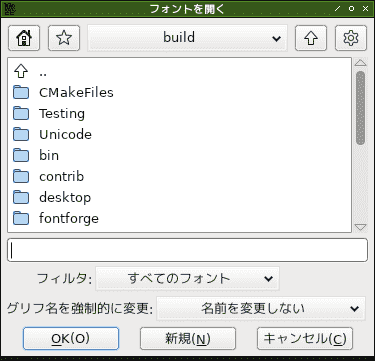

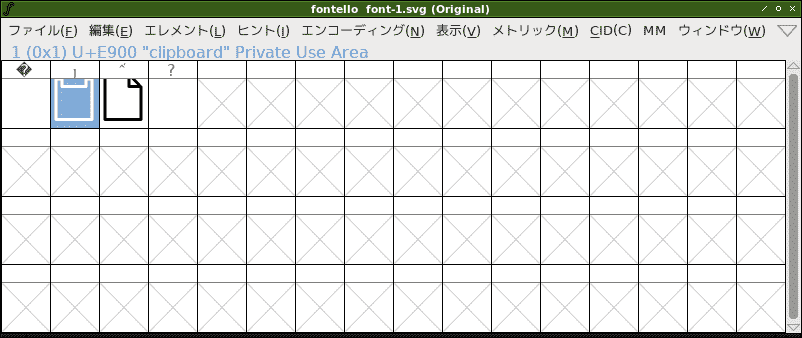
起動は確認できた。使い方はいずれ。
無事インストールできたので終わり。
と思ったけど、一個だけ確認。
fontforgeでSVGスプライトからフォント作成できなかった
前回、以下でfontconvを使いSVGスプライトからフォント作成できないか試したがダメだった。
このときのSVGファイルを開いてみたら、何のグリフも表示されなかった。矢印が出てきてほしかったのに。

やっぱり一個ずつパスデータ作らないとダメか。
