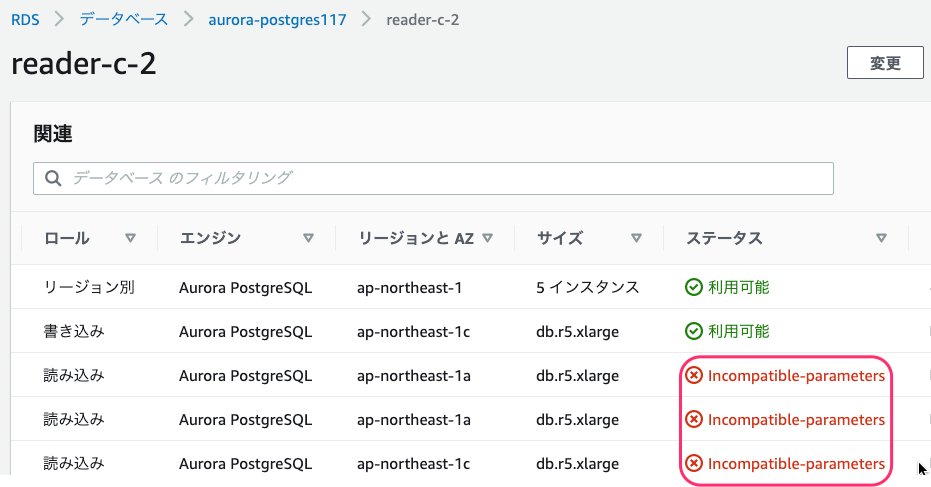
RDS でパラメータグループが "Incompatible-parameters" となった場合、他のパラメータグループに変更できない。
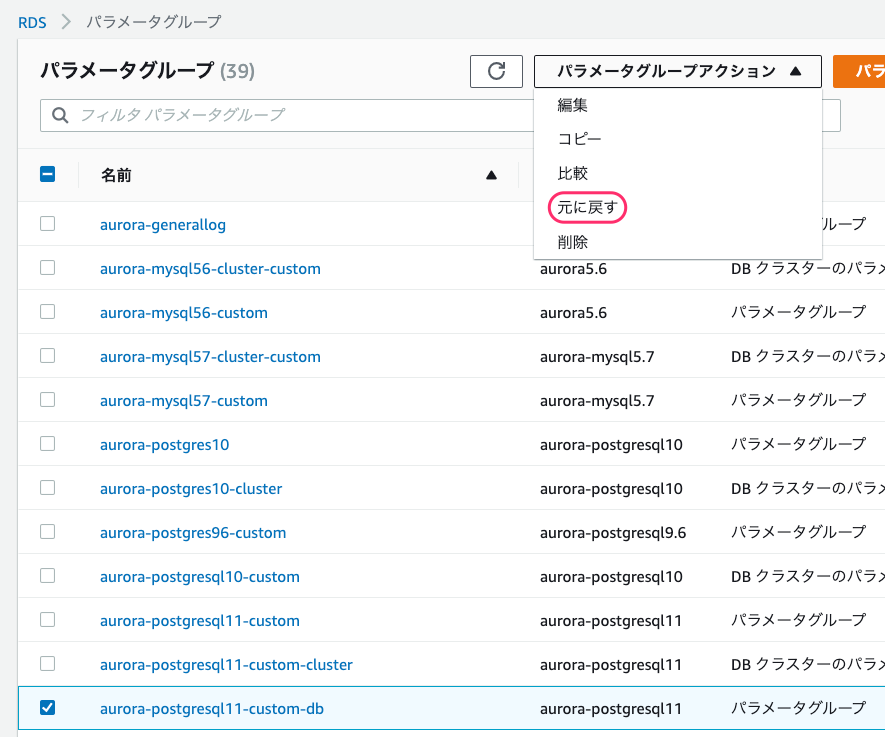
パラメータグループを選択して「元に戻す(reset)」を選択して正常に戻してやる。
手順は下記 URL 参照
追記(2021/01/10):
RDS PostgreSQL で reset しても、 "Incompatible-parameters" が解消しなかったので、再起動してみると以下のメッセージが最近のイベントに出力された。
January 10th 2021, 12:04:52 pm UTC
Postgres could not be started due to incompatible parameters. One or more parameters have invalid values. Please modify the DB parameter(s) and reboot the instance. See the most recent postgresql.log to identify the problematic parameter(s).
postgresql.log を確認して、
2021-01-10 12:04:36 GMT::@:[28496]:LOCATION: call_bool_check_hook, guc.c:10163
2021-01-10 12:04:36 UTC::@:[28496]:FATAL: F0000: configuration file "/rdsdbdata/config/postgresql.conf" contains errors
2021-01-10 12:04:36 UTC::@:[28496]:LOCATION: ProcessConfigFileInternal, guc-file.l:498
2021-01-10 12:05:37 GMT::@:[29352]:LOG: 22023: invalid value for parameter "log_statement_stats": 1
2021-01-10 12:05:37 GMT::@:[29352]:DETAIL: Cannot enable "log_statement_stats" when "log_parser_stats", "log_planner_stats", or "log_executor_stats" is true.
パラメータグループで log_statement_stats を 0 に変更し、インスタンスを再起動すると "Incompatible-parameters" が解消して削除できた。
