環境:
Swift2.2
iOS8以降対象
いつも設定している Appearance のコピペ用メモ。
以下を AppDelegate で呼ぶ。
mainColor は extension で独自に設定したもの。
private func setupAppearance() {

    // アプリケーション全体のtintColor設定
    self.window?.tintColor = UIColor.mainColor

    // ステータスバーの文字色を白に。
    // プラス`Info.plist`に`View controller-based status bar appearance = NO`を追加
    UIApplication.sharedApplication().statusBarStyle = .LightContent

    // ナビゲーションバーの色
    UINavigationBar.appearance().barTintColor = UIColor.mainColor
    // ナビゲーションバーボタンの色を白に。
    UINavigationBar.appearance().tintColor = UIColor.whiteColor()
    // ナビゲーションバーのタイトル文字色を白に。
    UINavigationBar.appearance().titleTextAttributes = [
        NSForegroundColorAttributeName: UIColor.whiteColor()
    ]
}
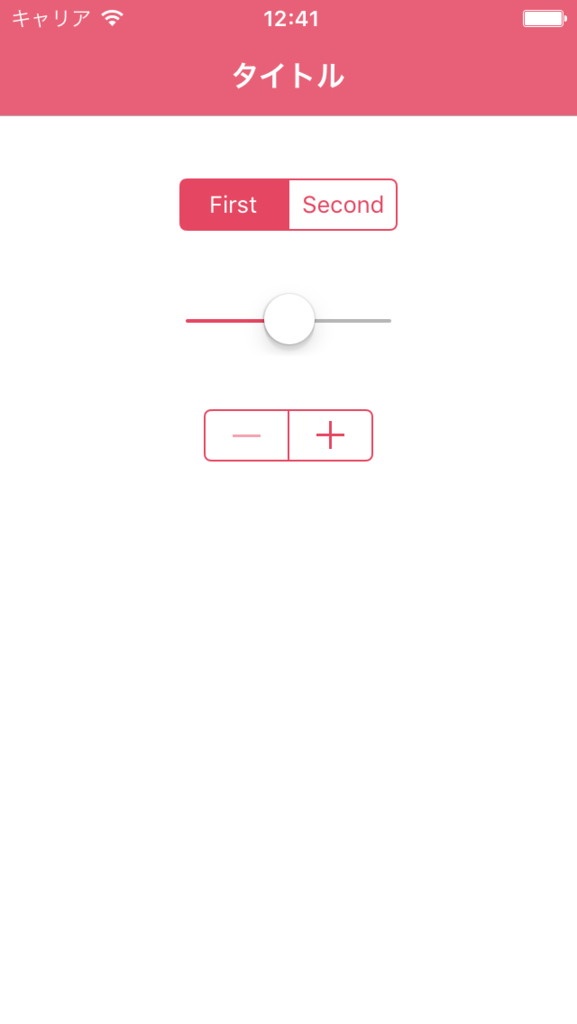
こんな感じに。