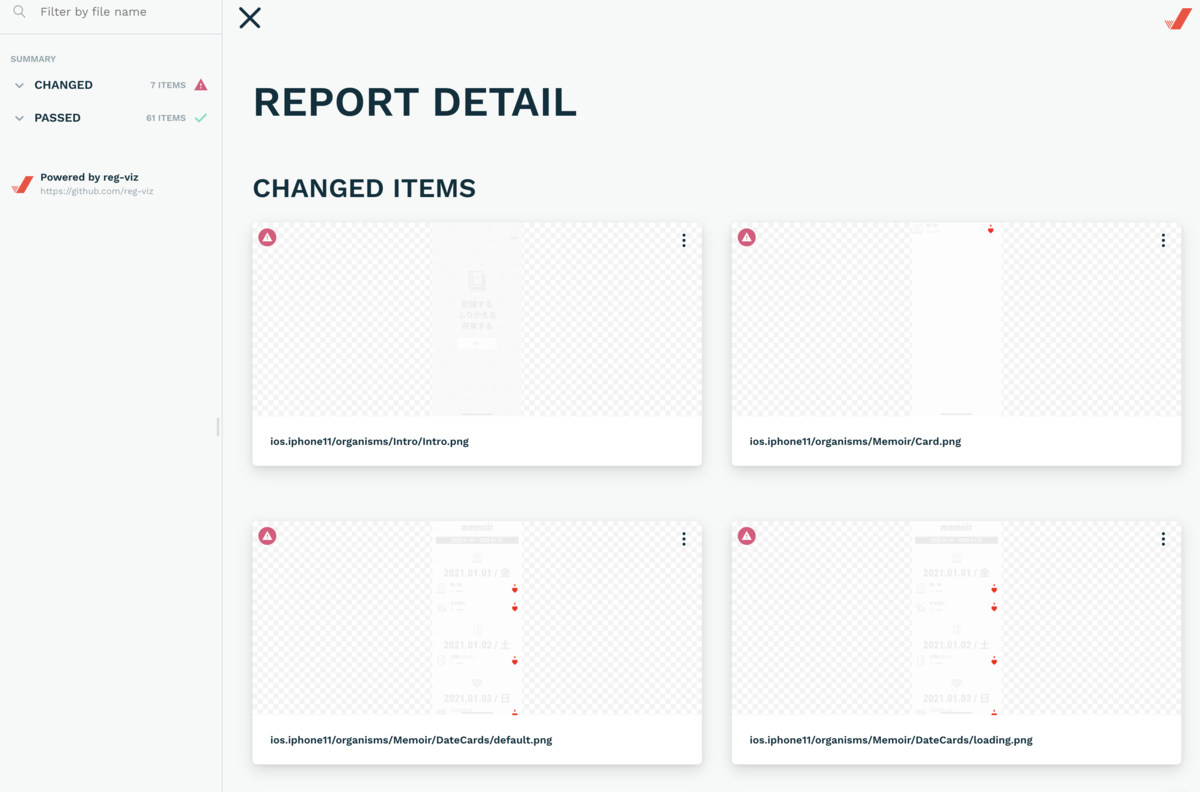
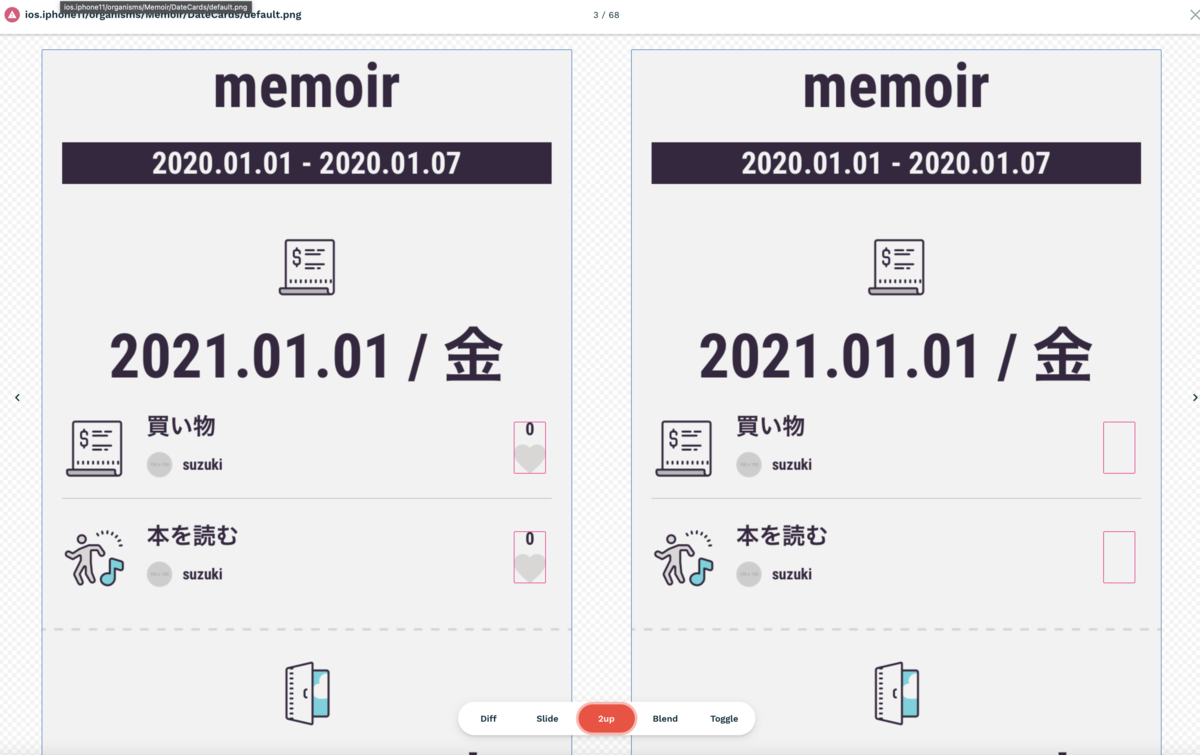
React NativeでVisual Regression Testingを実装したので解説します。 ただ現状CIで実行するのは難しそうだったので(セルフホストランナーを使用すればCIでも実行できそうですが)、一旦ローカルのみ実行できる実装になっています。
PR
実装
今回使用するものは以下の通り
Storybookは実装されている前提で進めます。 まず、Loki を導入します。
https://loki.js.org/getting-started.html
$ yarn add loki --dev
Lokiのconfigファイルを作成
module.exports = {
  configurations: {
    'ios.iphone11': {
      target: 'ios.simulator',
    },
  },
  fileNameFormatter: ({ configurationName, kind, story }) =>
    `${configurationName}/${kind}/${story}`,
};
configurationsで実行するデバイスを設定。 fileNameFormatterでスクリーンショットのファイル名を設定できます。
また、実際にテストを実行すると分かりますが、ローディングアニメーションやモーダルアニメーション等がStorybookに含まれる場合は、タイミングによってスクリーンショットに差分が起きてしまうので、以下みたいな感じで一旦スキップさせています。
■ src/components/atoms/Loading/stories.tsx
import React from 'react';
import { storiesOf } from '@storybook/react-native';
import View from 'components/atoms/View';
import Loading from './';

storiesOf('atoms', module).add(
  'Loading',
  () => (
    <View>
      <View p={3}>
        <Loading size="small" />
      </View>
      <View p={3}>
        <Loading />
      </View>
      <View p={3}>
        <Loading size="large" />
      </View>
    </View>
  ),
  { loki: { skip: true } }  // ← Storybookの第3引数に設定することでスキップ可能
);
storybookを起動した状態で以下の、スクリーンショットの更新で以下のコマンドを実行してスクリーンショットを作成
$ yarn loki update
これで、画像みたいな感じStorybookの内容の画像が作成されます。

update実行後にコンポーネントを修正して以下のコマンドを実行すると以下の動画みたいに実行されていき、差分があるとエラーが表示されます。
$ yarn loki test
差分がある場合は、.loki/difference に差分発生の画像が生成されます。
ここまでで、Lokiの実装は完了です。これだけでも使用できますが、Loki単体だとスクリーンショットの画像ファイルをGitHubにコミッしないとブランチ間での差分チェックが 出来なく面倒なので差分チェックをreg-suitで行えるように設定します。
まず、以下のコマンドで導入
$ npx reg-suit init
こちらで以下を導入します。
- reg-keygen-git-hash-plugin: コミット履歴から比較すべきハッシュを識別してくれる
- reg-notify-github-plugin: Pull Requestへの通知
- reg-publish-gcs-plugin or reg-publish-s3-plugin: 画像をGCS または S3に格納する
reg-suitの設定ファイルに以下のように追記
■ regconfig.json
{
  "core": {
    "workingDir": ".reg",
    "actualDir": ".loki/reference", // ← Lokiのスクリーンショットの最新を設定
    "thresholdRate": 0,
    "ximgdiff": {
      "invocationType": "client"
    }
  },
  "plugins": {
    "reg-keygen-git-hash-plugin": true,
    "reg-notify-github-plugin": {
      "prComment": true,
      "prCommentBehavior": "default",
      "clientId": "**************"
    },
    "reg-publish-gcs-plugin": {
      "bucketName": "**************"
    }
  }
}
以下のコマンドを実行
$ npx reg-suit run
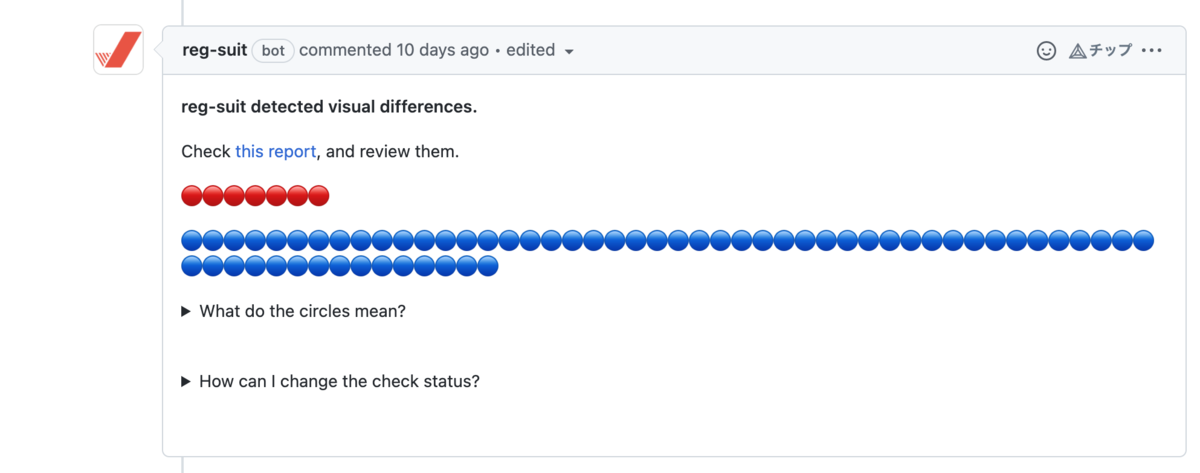
これでPull Requestに以下の通知が飛び
リンク先に移動すると、こんな感じで差分の確認が行えます