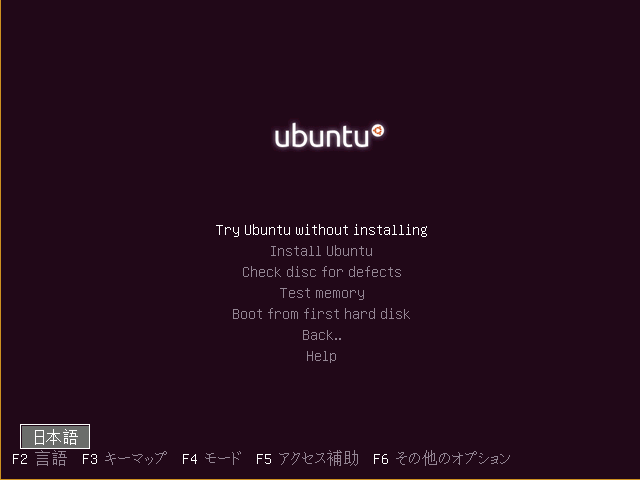
上記と同じくBIOS(MBR mode)ブートでは修正が必要でした。orz
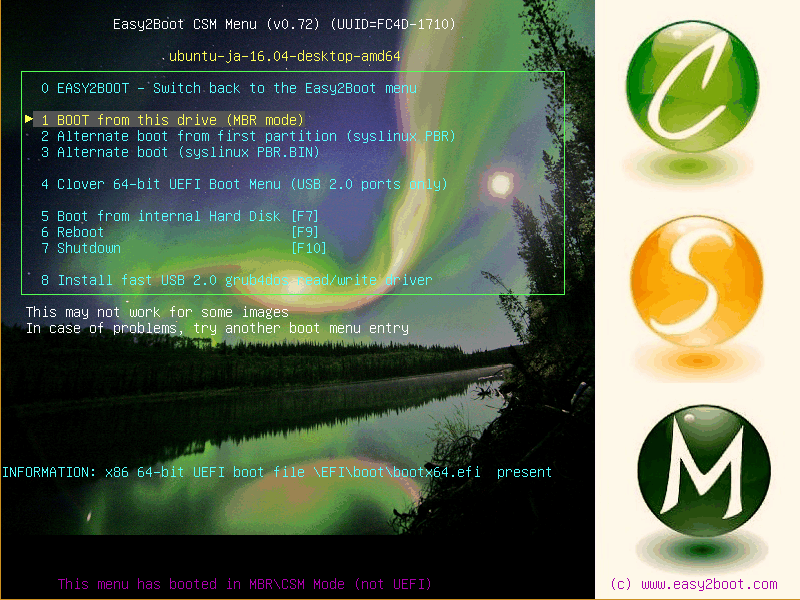
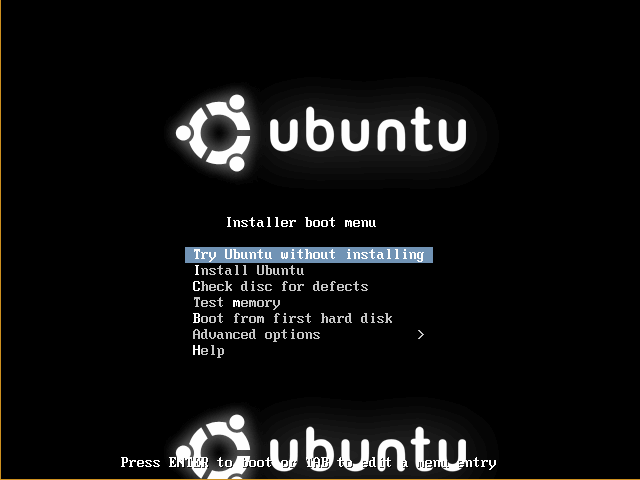
Ubuntu 日本語 Remix 16.04 及び 16.10 で確認しました。imgPTN 変換後のBIOS(MBR mode)ブートではCSMメニューにエントリが3種類ありますが、どれも(Ubuntu Live の)ブート画面は gfxboot ではなく vesamenu?、かつ、そのままでは英語モードでデスクトップが起動してしまうのであります。
- syslinux.cfg の修正
-
/syslinux/syslinux.cfgの6行目をコメントアウトするだけです。ui gfxboot bootlogo
この修正でブート時に Esc キーを押すと日本語 Remixとほぼ同じ画面が出ます。(※ メニューは英語になってますけどw)
- txt.cfg の修正
-
英語画面のままでいいなら、
/syslinux/txt.cfgを修正するという手もありますね。これだとブート画面が常に表示されます。(※ 上記のsyslinux.cfgは元に戻す)label live menu label ^Try Ubuntu without installing kernel /casper/vmlinuz append file=/cdrom/preseed/ubuntu.seed boot=casper initrd=/casper/initrd.lz quiet splash -- debian-installer/language=ja keyboard-configuration/layoutcode?=jp keyboard-configuration/modelcode?=jp106 label live-install menu label ^Install Ubuntu kernel /casper/vmlinuz append file=/cdrom/preseed/ubuntu.seed boot=casper only-ubiquity initrd=/casper/initrd.lz quiet splash -- debian-installer/language=ja keyboard-configuration/layoutcode?=jp keyboard-configuration/modelcode?=jp106
そんだけでした。
ほなぶんつ
- 作者: 日経Linux
- 出版社/メーカー: 日経BP社
- 発売日: 2016/09/27
- メディア: Kindle版
- この商品を含むブログを見る
- 作者: 阿久津良和
- 出版社/メーカー: 技術評論社
- 発売日: 2016/10/07
- メディア: 大型本
- この商品を含むブログを見る
- 作者: 奈佐原顕郎
- 出版社/メーカー: 講談社
- 発売日: 2016/10/19
- メディア: 新書
- この商品を含むブログを見る
