やりたいこと
Red Hat build of Keycloak(Keycloakの商用版)にてAdmin API経由でリソースタイプと紐づくリソースベースドパーミッションを新規作成する。
環境情報
- Red Hat Enterprise Linux : 9.3 (Plow)
- rhbk-22.0.8
やり方
アクセストークン及び該当のクライアントのID及び組み合わせるポリシーのIDを控えた上で以下のようにPOSTを行うと
curl -X POST http://localhost:8080/admin/realms/master/clients/<client-id>/authz/resource-server/permission \
  -H "Authorization: Bearer $AT" \
  -H 'Content-Type: application/json' \
  -d '{
    "name": "testrba",
    "type": "resource",
    "logic": "POSITIVE",
    "decisionStrategy": "UNANIMOUS",
    "config": {
      "defaultResourceType": "hogehoge"
     },
    "policies": ["<policy-id>"]
  }'
が作成されている。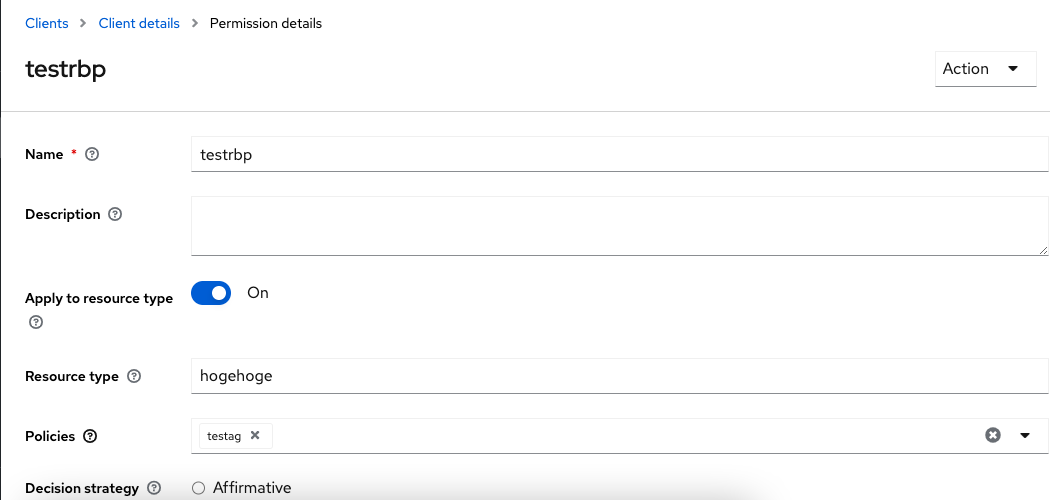
以下、補足です。
補足
GUIでリソースベースドパーミッションを作成する場合はClientのタブから「Create permission > Create resource-based permission」を選び、以下の画面からリソースの入力かリソースタイプ(resource type)の入力かを選択できます。
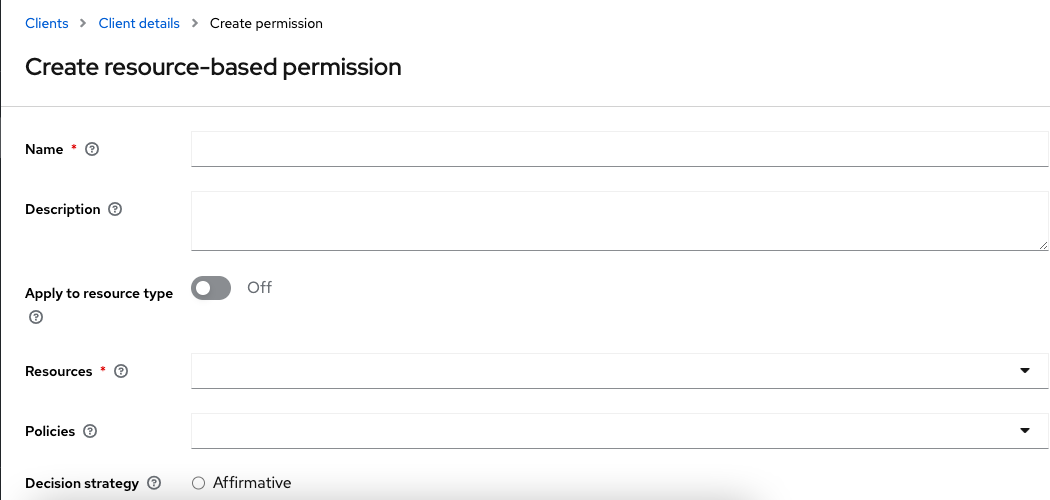
それらをAdminAPIで行う場合、通常のリソースであれば以下のようにリソースとポリシーのIDにて作成ができますが
curl --location --request POST 'http://localhost:8080/admin/realms/master/clients/xx/authz/resource-server/permission/resource' --header 'Content-Type: application/json' --header "Authorization: Bearer $AT" --data-raw '{"resources":["xx"],"policies":["xx"],"name":"xx","description":"","decisionStrategy":"UNANIMOUS"}'リソースタイプで指定する場合は少し特殊な記法を取る必要があるので注意が必要です。
尚、作成したパーミッションは以下のような形式で内容が確認できました。
{
    "id": "xx",
    "name": "testrbp",
    "type": "resource",
    "logic": "POSITIVE",
    "decisionStrategy": "UNANIMOUS",
    "resourceType": "hogehoge"
  }
以上、ご参考になれば幸いです。
