During my participation in an IBM watsonx.ai Dojo session, I was introduced to an excellent conversion tool capable of handling various file formats.
That tool is Docling! 😊 It appears to be quite effective for Retrieval-Augmented Generation (RAG) as well.
What Is Docling?
Docling is a sophisticated command-line utility (and Python package) that elegantly converts diverse document formats into HTML, Markdown, or JSON.
![Screenshot]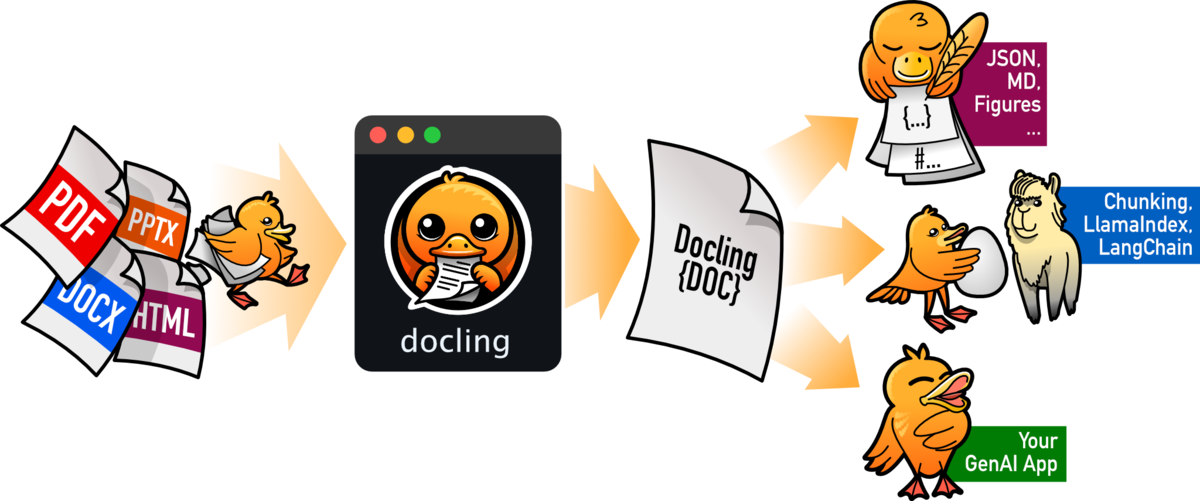
Key Features
- Processes a wide range of formats — PDF, DOCX, PPTX, XLSX, images, HTML, AsciiDoc, Markdown — and transforms them into HTML, Markdown, or JSON (with embedded or referenced images)
- Advanced PDF comprehension capabilities: page layout analysis, reading order detection, and table structure recognition
- A comprehensive, well-designed
DoclingDocumentobject - Thoughtfully integrated with LangChain, LlamaIndex, Crew AI, Haystack, and other popular agent frameworks
- Robust OCR support for scanned PDFs
- Intuitive and user-friendly command-line interface
- What Is Docling?
- Installation
- Running from the Command Line
- Converting a Local DOCX File
- Using Docling from Python
- Integrating the Output with LangChain
- Conclusion
- Appendix — Docling CLI Reference
Installation
Please note that on Ubuntu 24.04, you may encounter the PEP 668 warning.
The GPU build requires downloading substantial binary wheels, so please be patient during installation.
PEP 668 reference(in japnese)
Installation Commands
# Install with GPU support (CUDA, etc.)
$ pip install docling

# CPU-only build for lighter requirements
$ pip install docling --extra-index-url https://download.pytorch.org/whl/cpu

# If you encounter the PEP 668 warning, please use the following approach
$ pip install --break-system-packages --user docling \
  --extra-index-url https://download.pytorch.org/whl/cpu
Running from the Command Line
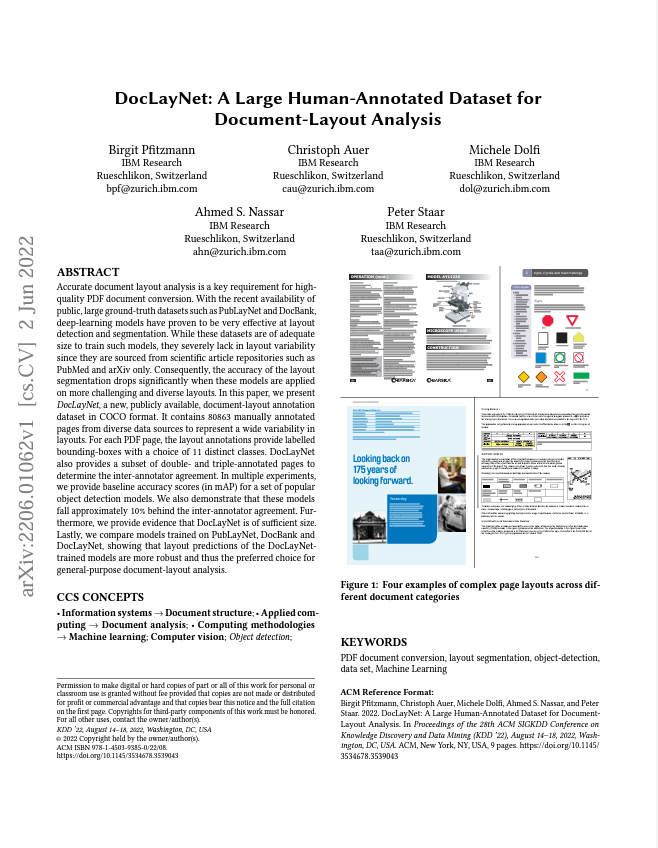
You can conveniently convert a PDF hosted on the web directly to Markdown. In this approach, images are embedded as base-64 strings for portability:
$ docling https://arxiv.org/pdf/2206.01062

Converting a Local DOCX File
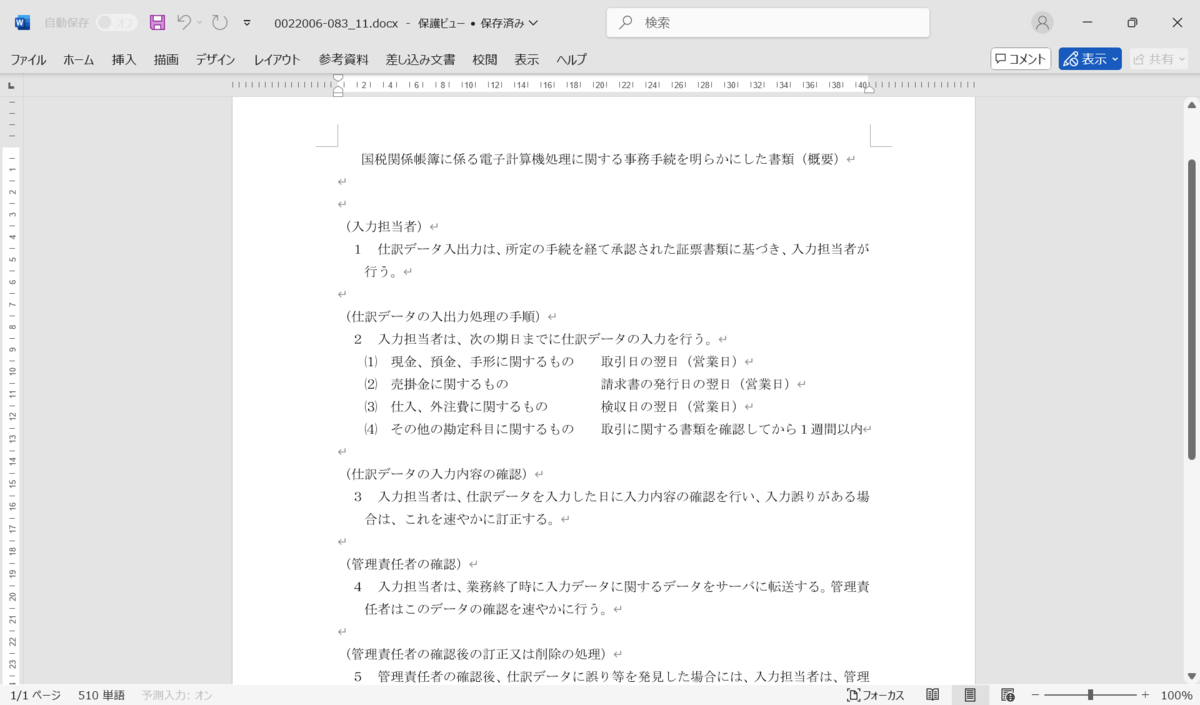
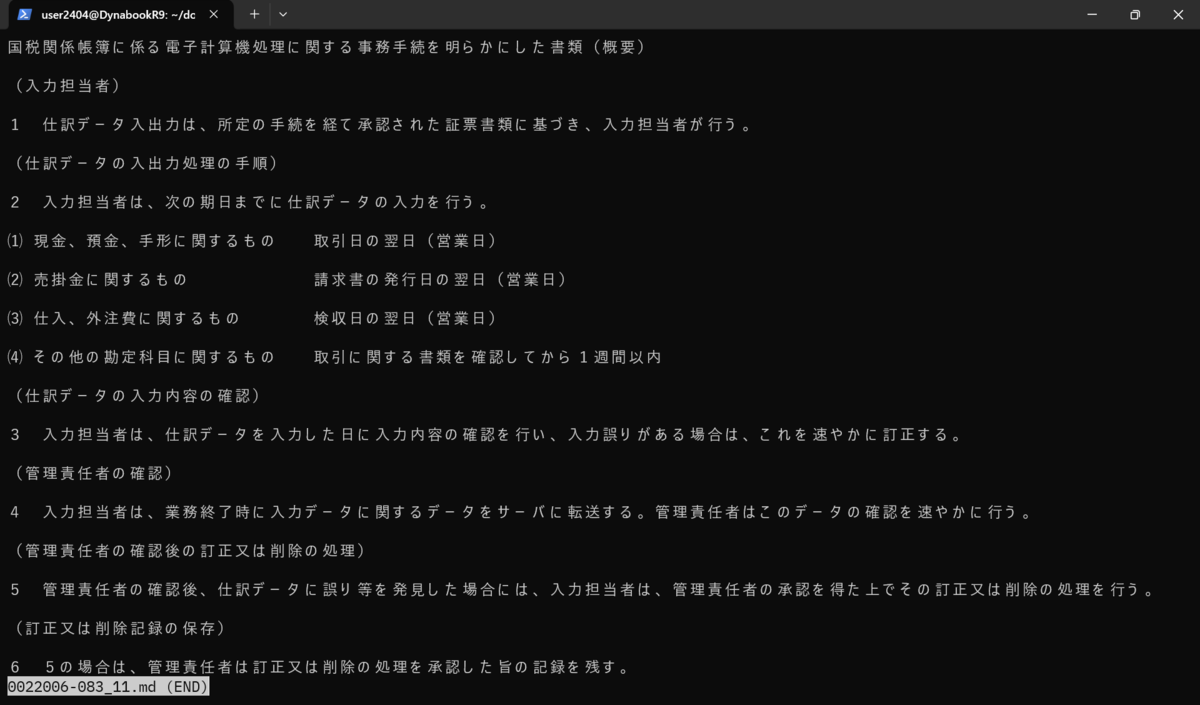
Converting local documents is equally straightforward:
$ docling 0022006-083_11.docx
Using Docling from Python
For those who prefer programmatic access, Docling offers an elegant Python interface:
from docling.document_converter import DocumentConverter

source = "https://arxiv.org/pdf/2408.09869"  # PDF path or URL
converter = DocumentConverter()
result = converter.convert(source)

# Export as Markdown
print(result.document.export_to_markdown())  # → "### Docling Technical Report [...]"
Google Colab demonstration https://colab.research.google.com/drive/1ft9w2mBmRmzgE0kh8lTYtGxZZLwQ5slX?usp=sharing
Integrating the Output with LangChain
Docling seamlessly integrates with popular frameworks such as LangChain:
from docling.document_converter import DocumentConverter
from langchain.document_loaders import UnstructuredMarkdownLoader  # pip install unstructured

source = "https://arxiv.org/pdf/2408.09869"
converter = DocumentConverter()
result = converter.convert(source)

markdown_text = result.document.export_to_markdown()

loader = UnstructuredMarkdownLoader.from_string(markdown_text)
documents = loader.load()
Conclusion
Docling appears to be a powerful solution for normalizing diverse document sources before presenting them to a Large Language Model (LLM). If your RAG workflow involves managing PDFs, presentations, spreadsheets, or scanned images, converting everything into a model-friendly format first can significantly enhance efficiency and reduce complexity. 💪
I look forward to exploring complementary tools and sharing my findings with you in the future. Thank you for your interest in this remarkable tool! 👀
Appendix — Docling CLI Reference
Positional Argument
| Argument | Description |
|---|---|
source |
Path/URL of a file or directory to convert (required) |
Options
| Option | Values | Default | Description |
|---|---|---|---|
--from |
docx, pptx, html, xml_pubmed, image, pdf, asciidoc, md, xlsx, xml_uspto |
(auto) | Force an input format (auto-detected if omitted) |
--to |
md, json, html, text, doctags |
md |
Desired output format |
--headers |
JSON | (none) | Additional HTTP headers when fetching a URL |
--image-export-mode |
placeholder, embedded, referenced |
embedded |
Method for handling images (Markdown/HTML/JSON only) |
--ocr / --no-ocr |
– | ocr |
Enable or disable OCR on bitmap content |
--force-ocr / --no-force-ocr |
– | no-force-ocr |
Replace existing text with OCR-derived text |
--ocr-engine |
easyocr, tesseract_cli, tesseract, ocrmac, rapidocr |
easyocr |
Preferred OCR backend |
--ocr-lang |
codes | (none) | Comma-separated list of OCR language codes |
--pdf-backend |
pypdfium2, dlparse_v1, dlparse_v2 |
dlparse_v2 |
PDF parser backend selection |
--table-mode |
fast, accurate |
fast |
Table-structure extraction model preference |
--artifacts-path |
PATH | (none) | Location for caching model artifacts |
--abort-on-error / --no-abort-on-error |
– | no-abort-on-error |
Whether to stop processing on first error |
--output |
PATH | . |
Destination directory for output |
--verbose, -v |
0 – 2 | 0 |
Logging verbosity level (-v=info, -vv=debug) |
--debug-visualize-cells |
– | (off) | Enable visualization of PDF cell boxes |
--debug-visualize-ocr |
– | (off) | Enable visualization of OCR cell boxes |
--debug-visualize-layout |
– | (off) | Enable visualization of layout clusters |
--debug-visualize-tables |
– | (off) | Enable visualization of table cells |
--version |
– | – | Display version information and exit |
--document-timeout |
seconds | (none) | Set timeout duration per document |
--num-threads |
int | 4 |
Specify number of worker threads |
--device |
auto, cpu, cuda, mps |
auto |
Select preferred acceleration device |
--help |
– | – | Display help information and exit |
