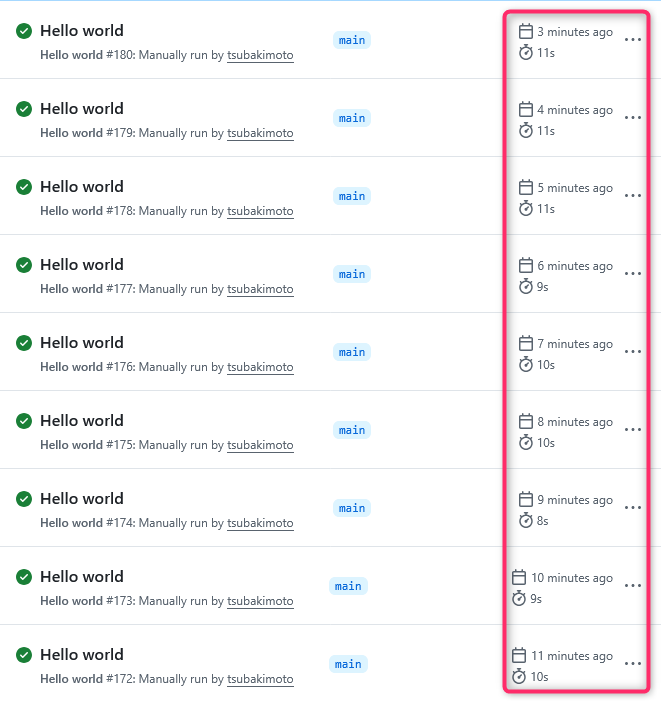
先日 @akase244 さんと飲んでいたら、GitHub Actions を5分毎に実行するよう設定しているが、正確な時間に動かないという話を聞きました。
GitHub Actions を時間基準で実行するには schedule トリガーを使います。
たとえば5分毎に実行するには以下のように設定します。
on:
  schedule:
    - cron: '*/5 * * * *'
しかし schedule トリガーはあくまで「指定した時間に近いタイミングで実行する」ものであり、正確にその時間に動作するわけではありません。
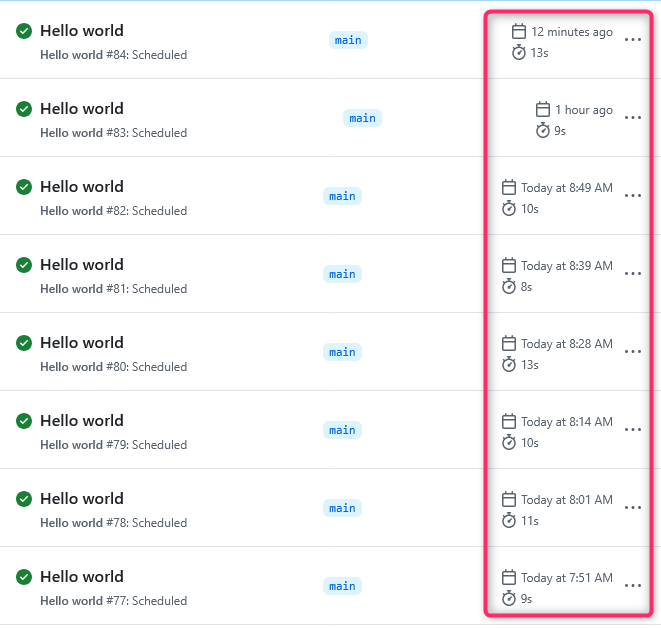
GitHub のドキュメントにも以下のように記載があります。
The schedule event can be delayed during periods of high loads of GitHub Actions workflow runs. High load times include the start of every hour. If the load is sufficiently high enough, some queued jobs may be dropped. To decrease the chance of delay, schedule your workflow to run at a different time of the hour.
そこで、より正確に時間を指定してワークフローを実行する方法として、workflow_dispatch トリガーと外部のタイマーサービスを組み合わせる方法があります。
workflow_dispatch トリガーは手動でワークフローを起動するためのものですが、GitHub REST API を使って外部から起動することもできます。
たとえば hello-world.yml というワークフローファイルを GitHub REST API で実行するには、このようなリクエストを送ります。
GitHub REST API の認証はドキュメントに沿って準備しましょう。(例では Fine-grained Personal Access Token を使います)
curl --location 'https://api.github.com/repos/{owner}/{repo}/actions/workflows/hello-world.yml/dispatches' \
--header 'Content-Type: application/json' \
--header 'Authorization: Bearer (personal access token)' \
--data '{
  "ref": "main"
}'
このリクエストを5分毎に実行するよう、外部のサービスを使います。
例えば Azure Logic Apps であれば、スケジュールトリガーと HTTP コネクターを使用したワークフローを作成します。
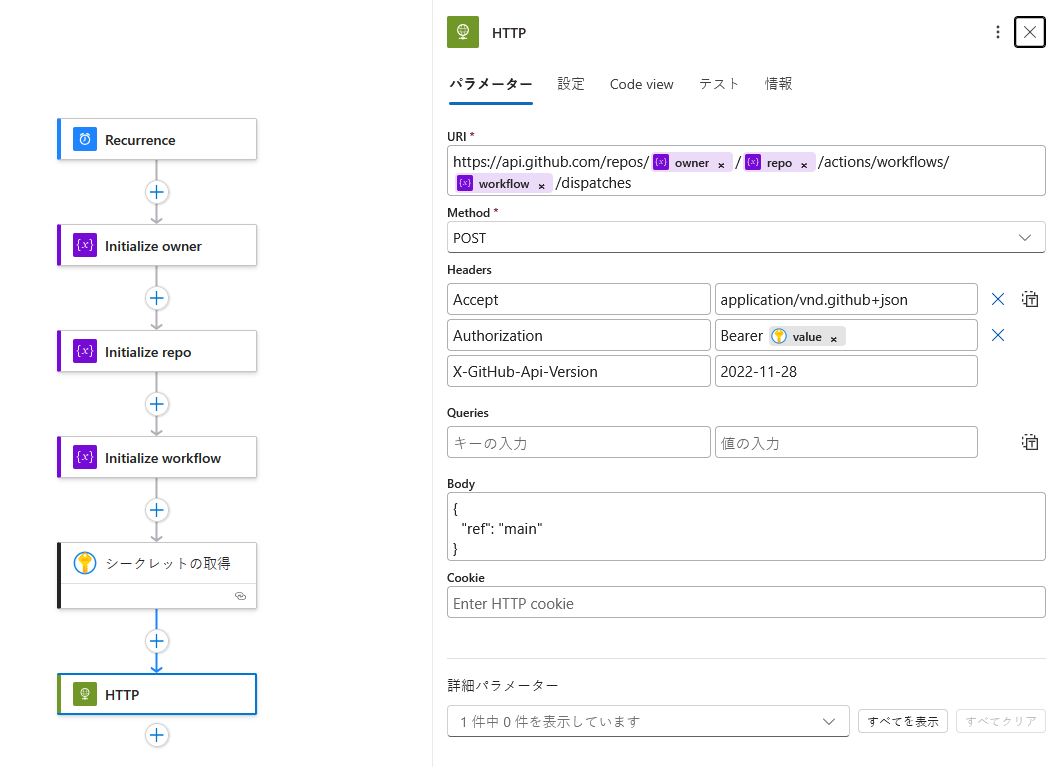
そうすることで、GitHub Actions のワークフローをより正確なスケジュールで実行することができます。
1分ごとに実行した履歴はこのようになります。