実行画面
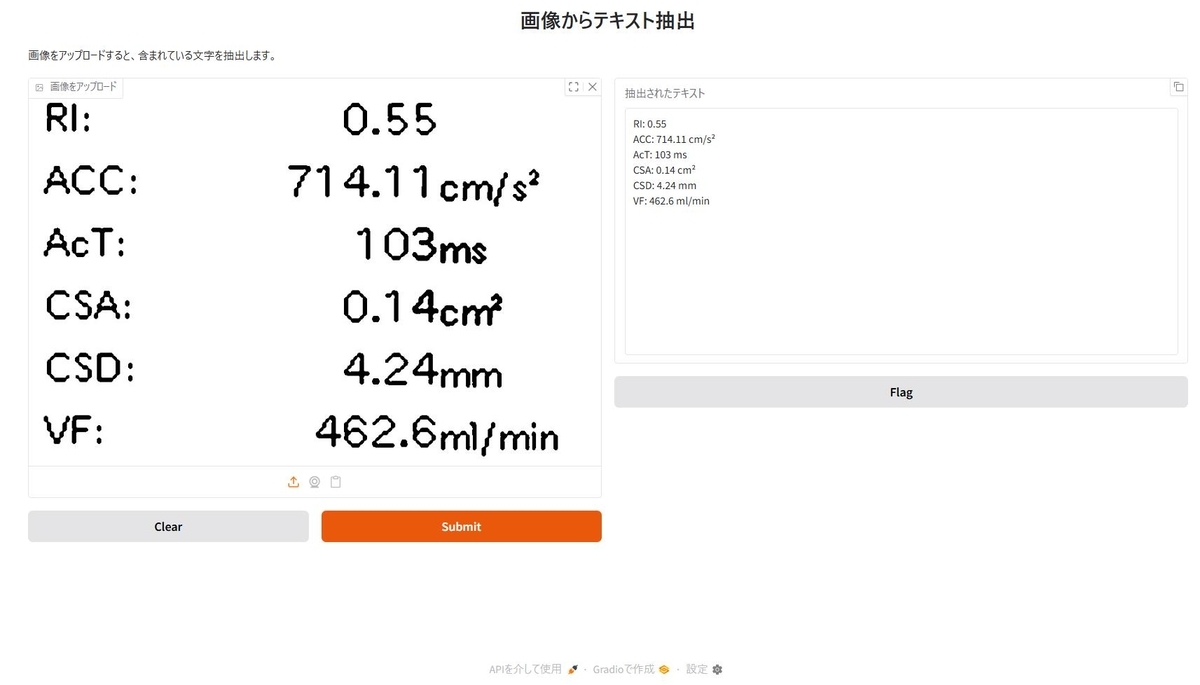
Pythonスクリプト
できるだけシンプルに書いてみました。ollama.chat() を使えば、デフォルトで http://localhost:11434 に接続しますimport gradio as gr from ollama import chat def extract_text_from_image(image): """画像から文字を抽出する関数""" stream = chat( model="ministral-3", messages=[ { "role": "user", "content": "この画像に含まれれる文字を抽出して下さい。回答は抽出した文字だけにして下さい。", "images": [image], } ], stream=True ) result = "" for new_text in stream: result += new_text.message.content return result # Gradioインターフェースの作成 demo = gr.Interface( fn=extract_text_from_image, inputs=gr.Image(type="filepath", label="画像をアップロード"), outputs=gr.Textbox(label="抽出されたテキスト", lines=15, show_copy_button=True), title="画像からテキスト抽出", description="画像をアップロードすると、含まれている文字を抽出します。" ) if __name__ == "__main__": demo.launch()
環境構築
Ollamaバージョン
ollama version is 0.13.1
Python環境構築
pyproject.tomlを載せておきます。 (バージョンはあえて固定しています)uvを使うとuv syncだけで環境構築できると思います。
[project]
name = "ollama-ministral3"
version = "0.1.0"
description = "Add your description here"
readme = "README.md"
requires-python = ">=3.13"
dependencies = [
    "gradio==5.50.0",
    "ollama==0.6.1",
]

