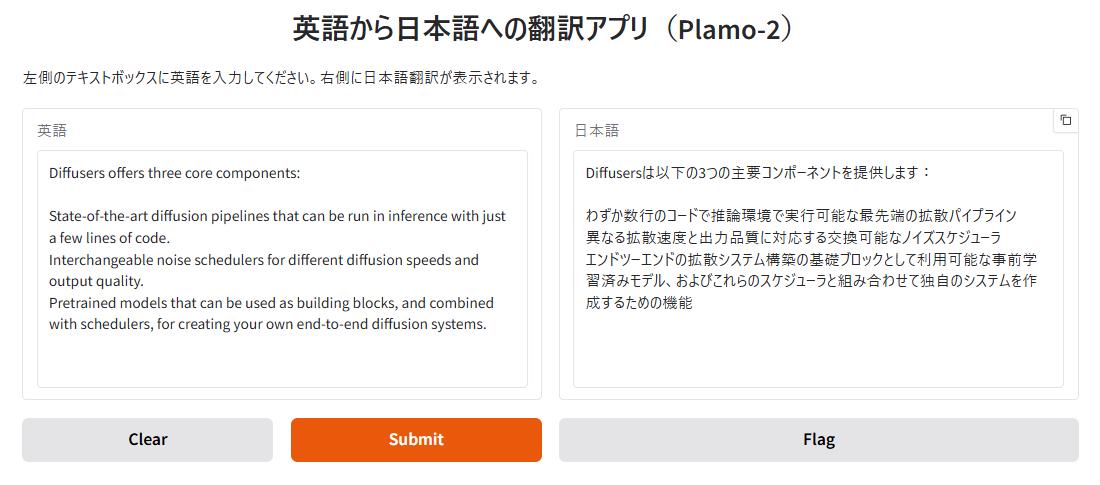
はじめに
「plamo-2-translate」はPreferred Networksによって開発された翻訳特化の大規模言語モデルです。GradioとOllamaの記事はこちらです。touch-sp.hatenablog.com
Pythonスクリプト
できるだけシンプルに書いてみました。import gradio as gr import vllm # vLLMモデルの初期化 llm = vllm.LLM( model="pfnet/plamo-2-translate", trust_remote_code=True, max_model_len=8192, max_num_seqs=32, dtype="bfloat16", ) def translate_text(text, direction): """テキスト翻訳(双方向対応)""" if not text.strip(): return "" # 翻訳方向に応じてプロンプトを設定 if direction == "英語→日本語": source_lang = "English" target_lang = "Japanese" else: # "日本語→英語" source_lang = "Japanese" target_lang = "English" prompt = f'''<|plamo:op|>dataset translation <|plamo:op|>input lang={source_lang} {text} <|plamo:op|>output lang={target_lang} ''' responses = llm.generate( prompt, sampling_params=vllm.SamplingParams( temperature=0, max_tokens=2048, stop=["<|plamo:op|>"] ) ) result = responses[0].outputs[0].text.strip() return result # Gradioインターフェースの構築 demo = gr.Interface( fn=translate_text, inputs=[ gr.Textbox(lines=10, max_lines=40, label="翻訳元テキスト"), gr.Radio( choices=["英語→日本語", "日本語→英語"], value="英語→日本語", label="翻訳方向" ) ], outputs=gr.Textbox(lines=10, max_lines=40, show_copy_button=True, label="翻訳結果"), title="双方向翻訳アプリ(Plamo-2)", description="テキストを入力し、翻訳方向を選択してください。英語⇔日本語の双方向翻訳が可能です。" ) # アプリケーションの起動 if __name__ == "__main__": demo.launch()

