はじめに
同じようなことができるモデルは数多くあります。今回はOmniGenを使ってみました。元画像
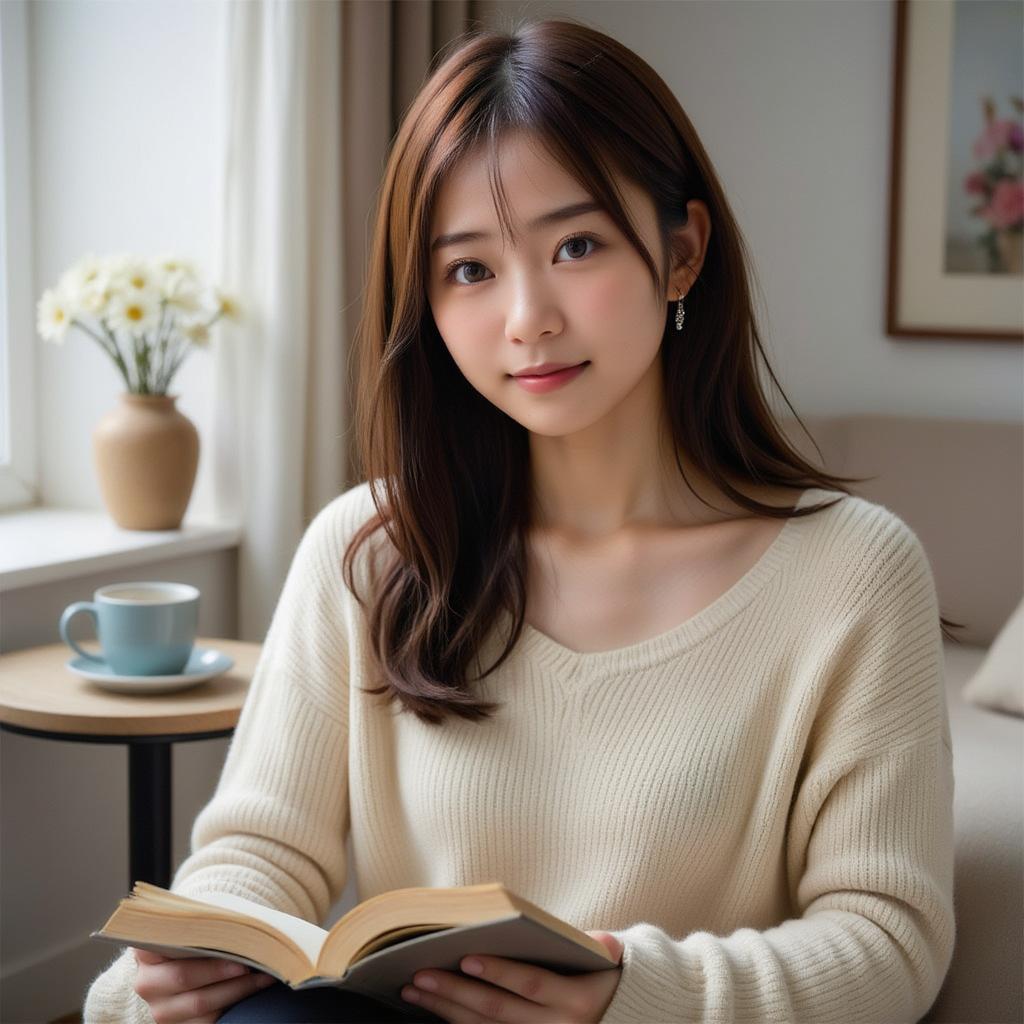
Flux.1-devを使って作成した画像です。作り方は記事の最後に載せておきます。
結果
英語の細かいニュアンスがよくわからのでいくつかのプロンプトで試してみました。turn this realistic photo into illustrated one.

transform this realistic photo into a warm, illustration style.
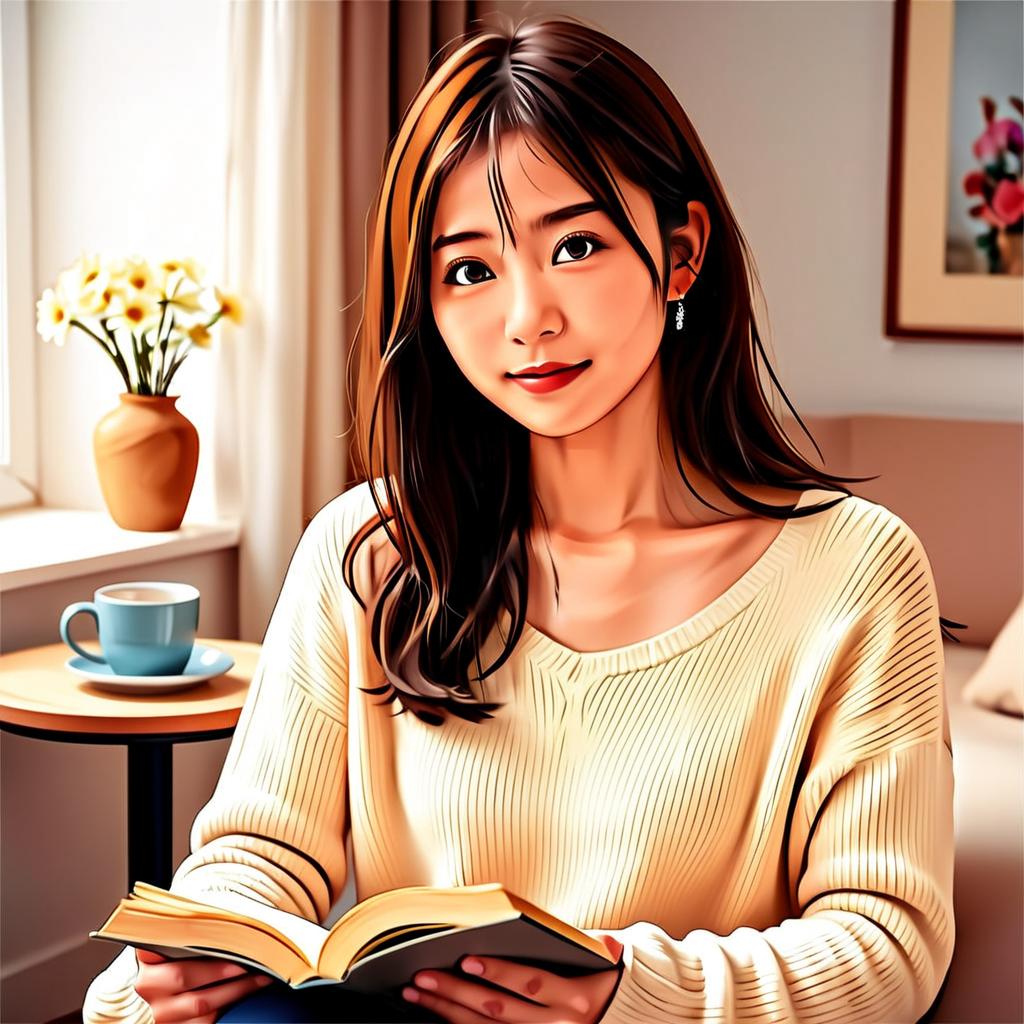
convert this realistic photo to just a little illustration style.
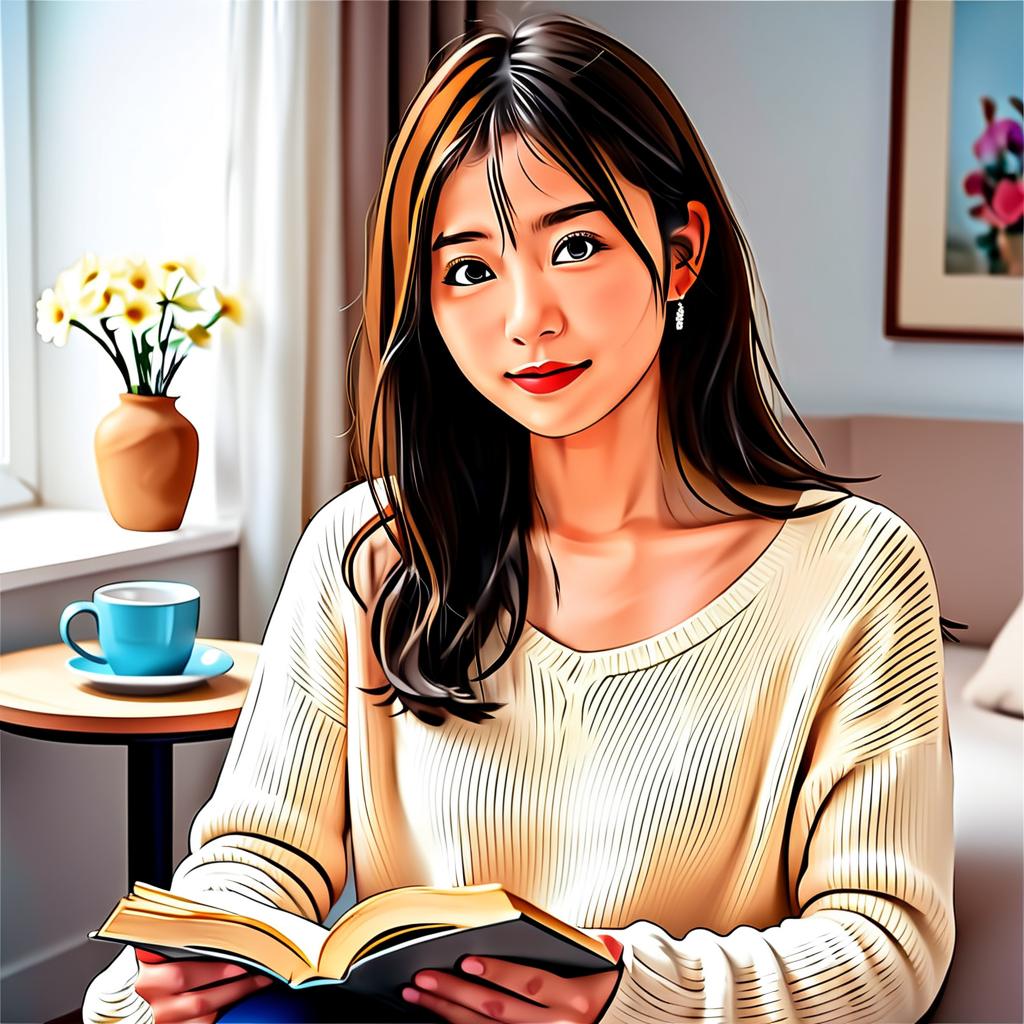
change this realistic photo to make it look a bit more illustrative.
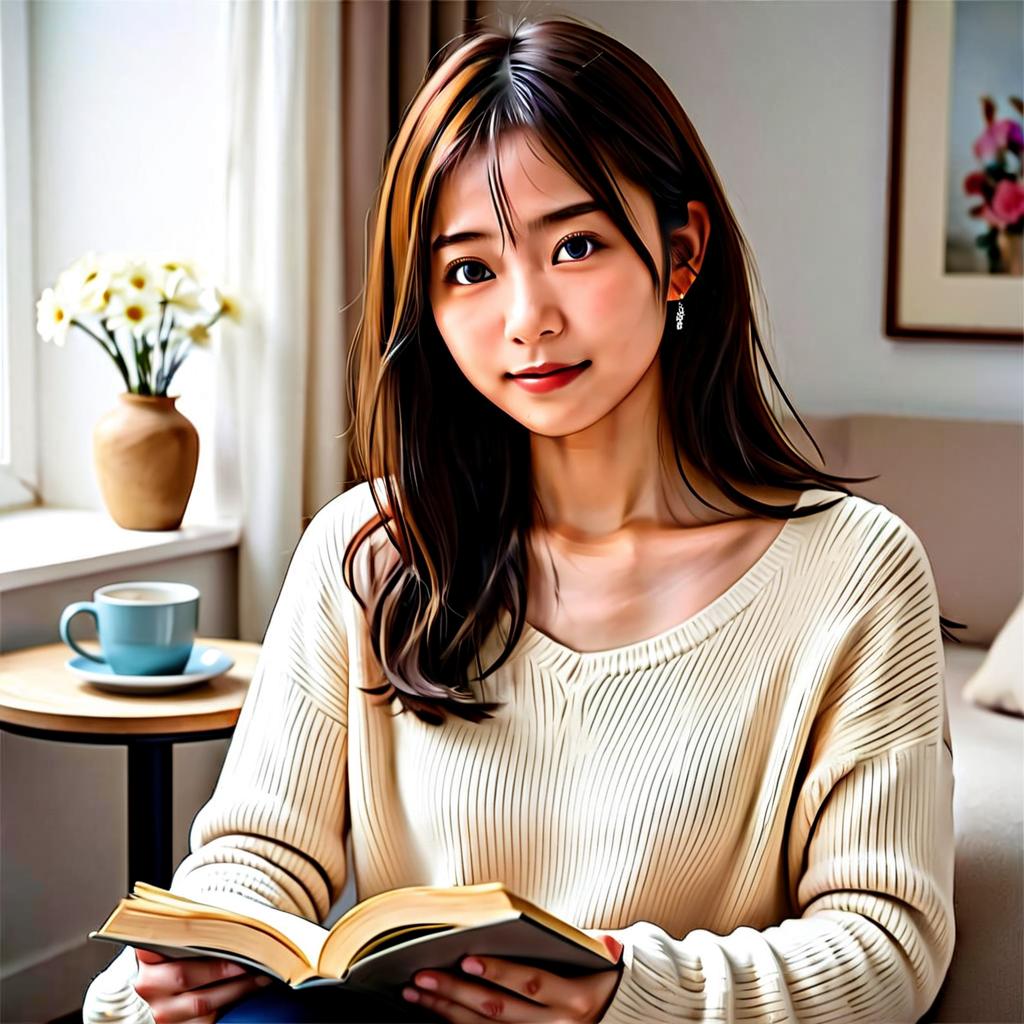
「warm」という単語をつけた2番目が好みです。温かみを感じる配色になっています。
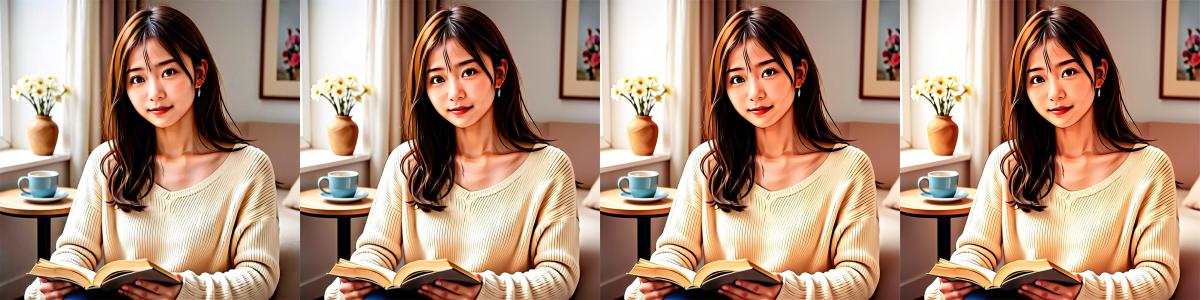
ここでGuidance Scaleを変えたらどうなるかを試してみました。
左から 1.1 → 1.4 → 1.8 → 2.0 です。だんだん温かみが増していきます。
Pythonスクリプト
様々なプロンプトを試す
import torch
from diffusers import OmniGenPipeline
from diffusers.utils import load_image

def main():
    pipe = OmniGenPipeline.from_pretrained(
        "Shitao/OmniGen-v1-diffusers",
        torch_dtype=torch.bfloat16
    )
    pipe.to("cuda")

    prompt_list = [
        "<img><|image_1|></img> turn this realistic photo into illustrated one.",
        "<img><|image_1|></img> transform this realistic photo into a warm, illustration style.",
        "<img><|image_1|></img> convert this realistic photo to just a little illustration style.",
        "<img><|image_1|></img> change this realistic photo to make it look a bit more illustrative.",
    ]
    image = load_image("lora_result_seed22050228.jpg").resize((1024, 1024))
    input_images=[image]

    for i, prompt in enumerate(prompt_list):
        image = pipe(
            prompt=prompt,
            input_images=input_images,
            guidance_scale=2,
            img_guidance_scale=1.6,
            use_input_image_size_as_output=True,
            generator=torch.Generator(device="cpu").manual_seed(20250311)
        ).images[0]
        image.save(f"output_{i}.png")

if __name__=="__main__":
    main()
Guidance Scaleを変更する
import torch
from diffusers import OmniGenPipeline
from diffusers.utils import load_image

def main():
    pipe = OmniGenPipeline.from_pretrained(
        "Shitao/OmniGen-v1-diffusers",
        torch_dtype=torch.bfloat16
    )
    pipe.to("cuda")

    prompt = "<img><|image_1|></img> transform this realistic photo into a warm, illustration style."

    image = load_image("lora_result_seed22050228.jpg").resize((1024, 1024))
    input_images=[image]

    for guidance_scale in [1.1, 1.4, 1.8, 2.0]:
        image = pipe(
            prompt=prompt,
            input_images=input_images,
            guidance_scale=guidance_scale,
            img_guidance_scale=1.6,
            use_input_image_size_as_output=True,
            generator=torch.Generator(device="cpu").manual_seed(20250311)
        ).images[0]
        image.save(f"output_guidance_scale{guidance_scale}.png")

if __name__=="__main__":
    main()
元画像を作成する
import torch
from diffusers import FluxPipeline
import gc

def flush():
    gc.collect()
    torch.cuda.empty_cache()

model_id = "FLUX.1-dev"

prompt="Realistic photo. A young woman sits on a sofa, holding a book and facing the camera. She wears delicate silver hoop earrings adorned with tiny, sparkling diamonds that catch the light, with her long chestnut hair cascading over her shoulders. Her eyes are focused and gentle, framed by long, dark lashes. She is dressed in a cozy cream sweater, which complements her warm, inviting smile. Behind her, there is a table with a cup of water in a sleek, minimalist blue mug. The background is a serene indoor setting with soft natural light filtering through a window, adorned with tasteful art and flowers, creating a cozy and peaceful ambiance. 4K, HD."

pipeline = FluxPipeline.from_pretrained(
        model_id,
        transformer=None,
        vae=None
).to("cuda")

with torch.no_grad():
    prompt_embeds, pooled_prompt_embeds, text_ids = pipeline.encode_prompt(
        prompt=prompt,
        prompt_2=None,
    )

del pipeline
flush()

pipeline = FluxPipeline.from_pretrained(
    model_id,
    text_encoder=None,
    text_encoder_2=None,
    tokenizer=None,
    tokenizer_2=None,
    torch_dtype=torch.bfloat16
)

pipeline.load_lora_weights("anzu-flux-LoRA_v22.safetensors", "anzu")
pipeline.set_adapters(["anzu"], adapter_weights=[1.0])

pipeline.enable_sequential_cpu_offload()

seed = 22050228
generator = torch.Generator().manual_seed(seed)
image = pipeline(
    prompt_embeds=prompt_embeds.bfloat16(),
    pooled_prompt_embeds=pooled_prompt_embeds.bfloat16(),
    width=1024,
    height=1024,
    num_inference_steps=27,
    generator=generator,
    guidance_scale=3.5
).images[0]

image.save(f"lora_result_seed{seed}.png")

