はじめに
OmniGenというモデルは画像編集だけでなくほかにもいろいろできます。今回は画像編集を行ってみます。他の機能はおいおい記事にしたいと思っています。以前、Apple社が公開した「MGIE」というのを使ったことがあります。
touch-sp.hatenablog.com
できることはそれに似ていると思いますので結果を比較してみます。
結果
女性の髪を赤色に変えてみました。OmniGenの結果
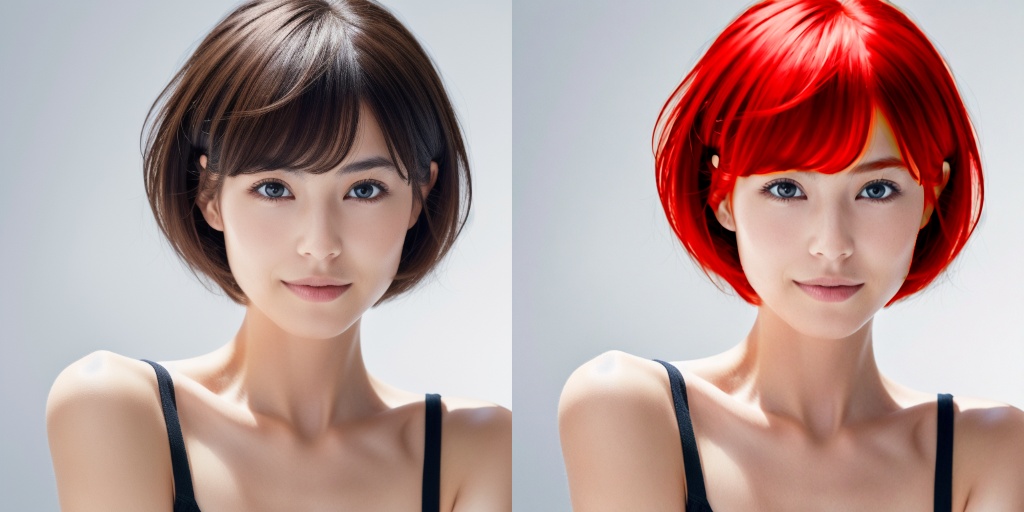
MGIEの結果
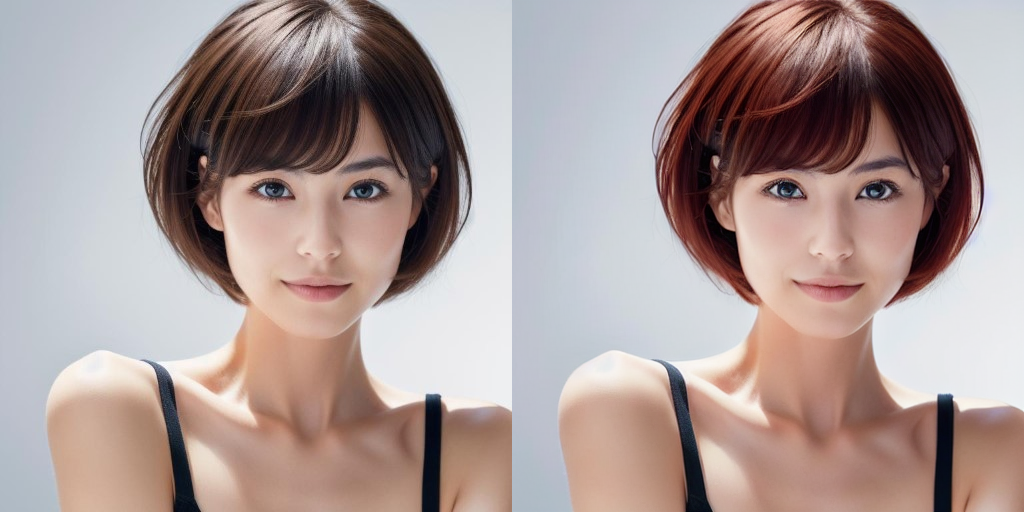
Pythonスクリプト
import torch
from diffusers import OmniGenPipeline
from diffusers.utils import load_image
from decorator import gpu_monitor, time_monitor, print_memory

@gpu_monitor(interval=0.5)
@time_monitor
def main():
    pipe = OmniGenPipeline.from_pretrained(
        "Shitao/OmniGen-v1-diffusers",
        torch_dtype=torch.bfloat16
    )
    pipe.to("cuda")

    prompt="<img><|image_1|></img> change her hair from brown to red."
    image = load_image("lady.png").resize((1024, 1024))
    input_images=[image]
    image = pipe(
        prompt=prompt,
        input_images=input_images,
        guidance_scale=2,
        img_guidance_scale=1.6,
        use_input_image_size_as_output=True,
        generator=torch.Generator(device="cpu").manual_seed(222)
    ).images[0]
    image.save("output.png")

    print_memory()

if __name__=="__main__":
    main()
VRAM使用量の計測とタイム計測はこちらのスクリプトを使っています。
計測結果
max_memory=10.67 GB
max_reserved=12.74 GB
time: 733.12 sec
GPU 0 - Used memory: 13.54/16.00 GB
使用したPCはこちらです。
プロセッサ	Intel(R) Core(TM) i7-12700H
実装 RAM	32.0 GB
GPU		RTX 3080 Laptop (VRAM 16GB)

