はじめに
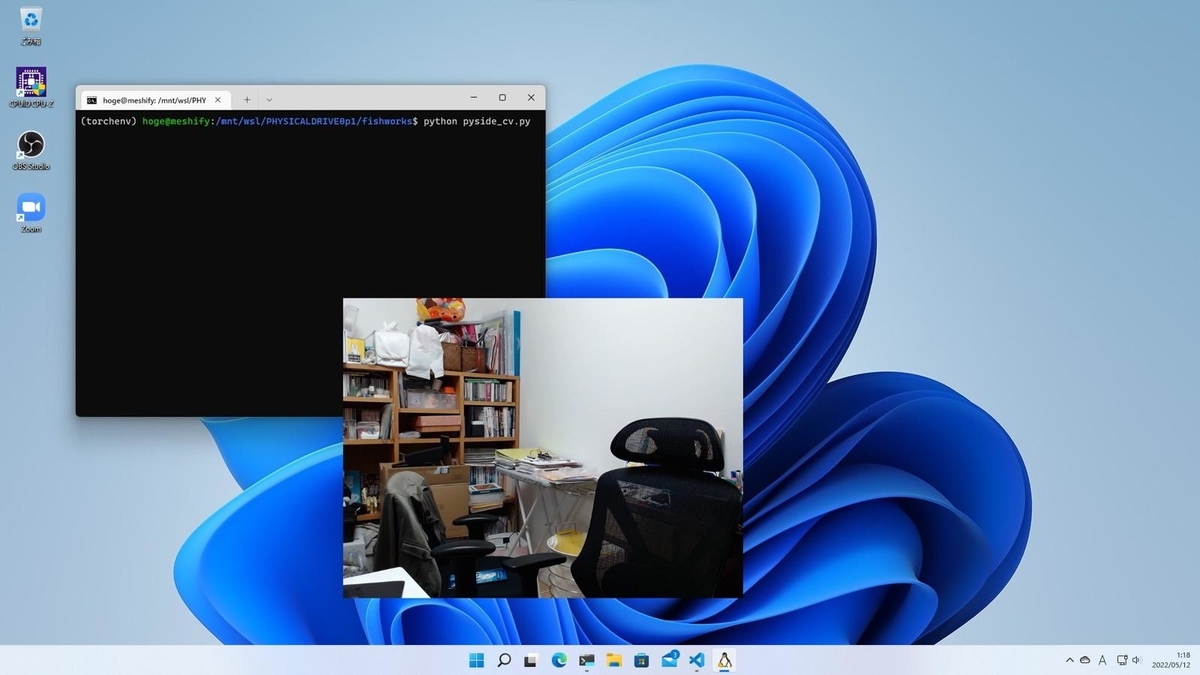
この前までPyQt6を使っていましたが突然PySide6に切り替えました。特に理由はありません。タイトルにあるようにOpenCVでキャプチャしたWebカメラの映像を枠なしで表示させてみました。冒頭の写真のようにうまくいっています。目的
ウィンドウをOBS StudioでキャプチャしてWeb会議などで利用することを想定しています。枠があるとそれを消すためにトリミング(クロップ)の作業が必要になります。詳しくは過去の記事を参照して下さい。
touch-sp.hatenablog.com
最初から枠がなければトリミングの作業が不要になります。
Pythonスクリプト
過去のスクリプトの改良になります。touch-sp.hatenablog.com
import sys
import cv2
from PySide6.QtCore import Qt, Signal, Slot, QThread, QSize
from PySide6.QtWidgets import QMainWindow, QLabel, QApplication
from PySide6.QtGui import QImage, QPixmap

class VideoThread(QThread):

    change_pixmap_signal = Signal(QImage)
    playing = True

    def run(self):
        cap = cv2.VideoCapture(0)
        while self.playing:
            ret, frame = cap.read()
            if ret:
                h, w, ch = frame.shape
                bytesPerLine = ch * w
                image = QImage(frame, w, h, bytesPerLine, QImage.Format.Format_BGR888)
                self.change_pixmap_signal.emit(image)
        cap.release()

    def stop(self):
        self.playing = False
        self.wait()

class Window(QMainWindow):

    video_size = QSize(640, 480)

    def __init__(self):
        super().__init__()
        self.initUI()
        self.thread = VideoThread()
        self.thread.change_pixmap_signal.connect(self.update_image)
        self.thread.start()

    def initUI(self):
        self.setFixedSize(self.video_size)
        self.setWindowFlags(Qt.FramelessWindowHint)

        self.img_label1 = QLabel()
        self.setCentralWidget(self.img_label1)

    def keyPressEvent(self, e):
        if e.key() == Qt.Key.Key_Q:
            self.thread.stop()
            sys.exit()

    @Slot(QImage)
    def update_image(self, image):
        self.img_label1.setPixmap(QPixmap.fromImage(image))

if __name__ == "__main__":
    app = QApplication([])
    ex =Window()
    ex.show()
    app.exec()
ポイント
setWindowFlags(Qt.FramelessWindowHint)で簡単にPySide6の枠が消せます。枠を消すと終了するための右上のボタンがなくなるのでkeyPressEventで終了する方法を作成しておく必要があります。動作環境
Ubuntu 22.04 on WSL2 (Windows 11)
Python 3.10.4
