サードパーティって長いので3rdp
tl;dr
- XVim様様
- https://github.com/alcatraz/Alcatraz/issues/498
- Appleの思想に反するので責任は取れない(自己責任でお願いします)
経緯
ご存知の通りXcode8になってからサードパーティ製のプラグインが使えなくなった。
XcodeGhostというマルウェアが見つかったことが原因? http://researchcenter.paloaltonetworks.com/2015/09/more-details-on-the-xcodeghost-malware-and-affected-ios-apps/
By analysis, XcodeGhost also modified this file in Xcode to control the linker:
Xcode.app/Contents/PlugIns/Xcode3Core.ideplugin/Contents/SharedSupport/Developer/Library/Xcode/Plug-ins/CoreBuildTasks.xcplugin/Contents/Resources/Ld.xcspecIn Xcode, this Ld.xcspec file contains configurations used by the ld linker. In the end of this file, the definition of the “DefaultValue” variable was changed by XcodeGhost by appending a string of:
-force_load $(PLATFORM_DEVELOPER_SDK_DIR)/Library/Frameworks/CoreServices.framework/CoreServices
自分もAlcatrazやXVimやVVDocumenterと色々とお世話になっていたから使えなくなった途端開発効率落ちまくりで困った。(Xcode8からドキュメント機能がデフォルトで使えるようになっているの今日知った…)
けど良く考えたらXVimは公式のGithubでXcode8へのインストール方法示してるよなー。あれ?じゃあ他のプラグインもいけんのでは?と思ってやってみたらいけた。
方法
Alcatrazを例に
- XVimの公式Githubに記載してあるXcode8にインストールする方法の通りXcodeを自己証明書で署名し直す
- Alcatrazをインストールする
- (Xcode8.2使ってる場合は)AlcatrazのInfo.plistにXcode8.2のUUID追加する
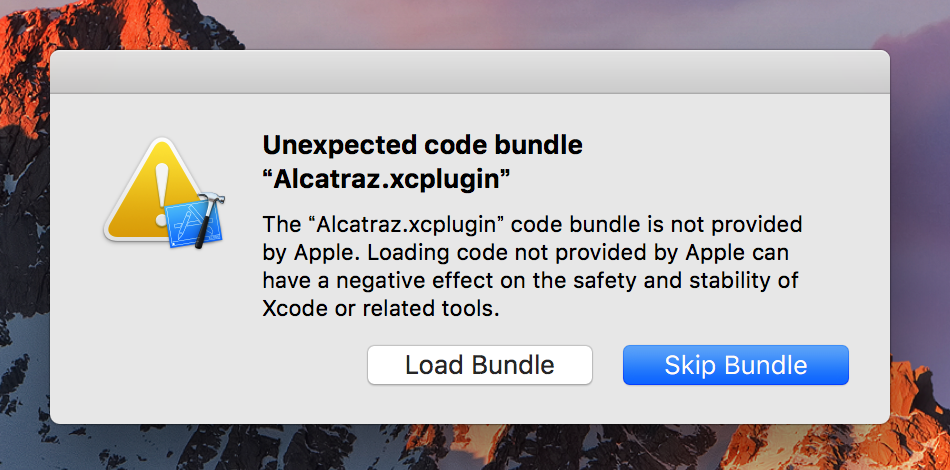
- Xcodeを再起動して出てくるポップアップでLoad Bundle選択する
1. Xcodeの自己署名
MakeXcodeGr8Againというプロジェクトを利用すれば、これ1発でもいけるらしい(試してはない)。
MakeXcodeGr8Again = Make Xcode Great Again って名前が粋ですね。
$ export APP=/Applications/Xcode.app; curl -fsSL https://raw.githubusercontent.com/alanhamlett/MakeXcodeGr8Again/master/selfsign.sh | bash
参考:https://github.com/alcatraz/Alcatraz/issues/498#issuecomment-280546599
2. Alcatrazをインストールする
$ curl -fsSL https://raw.github.com/alcatraz/Alcatraz/master/Scripts/install.sh | sh
3. (Xcode8.2使ってる場合は)AlcatrazのInfo.plistにXcode8.2のUUID追加する
以下のコマンド1発で全プラグインのInfo.plistを更新できる。やってることはPlug-ins/下のInfo.plistを総なめしてXcode.app/Contents/Info.plistのDVTPlugInCompatibilityUUIDの配列を各プラグインのInfo.plistに上書きしてる。
$ find ~/Library/Application\ Support/Developer/Shared/Xcode/Plug-ins -name Info.plist -maxdepth 3 | xargs -I{} defaults write {} DVTPlugInCompatibilityUUIDs -array-add `defaults read /Applications/Xcode.app/Contents/Info.plist DVTPlugInCompatibilityUUID`
プラグイン側でXcode最新版のUUIDを入れてくれてればこの作業はいらないんだけど、まあプラグインはもう更新されないでしょうということで新しいプラグインをインストールする度に上記のコマンドを叩けばいいと思う。(ちなみにAlcatrazはXcode8.1までUUIDが登録されてたからXcode8.2のUUID登録のPR出しといた #511)
参考:https://github.com/alcatraz/Alcatraz/issues/498#issuecomment-263507135
4. Xcodeを再度開いて出てくるポップアップでLoad Bundle選択する
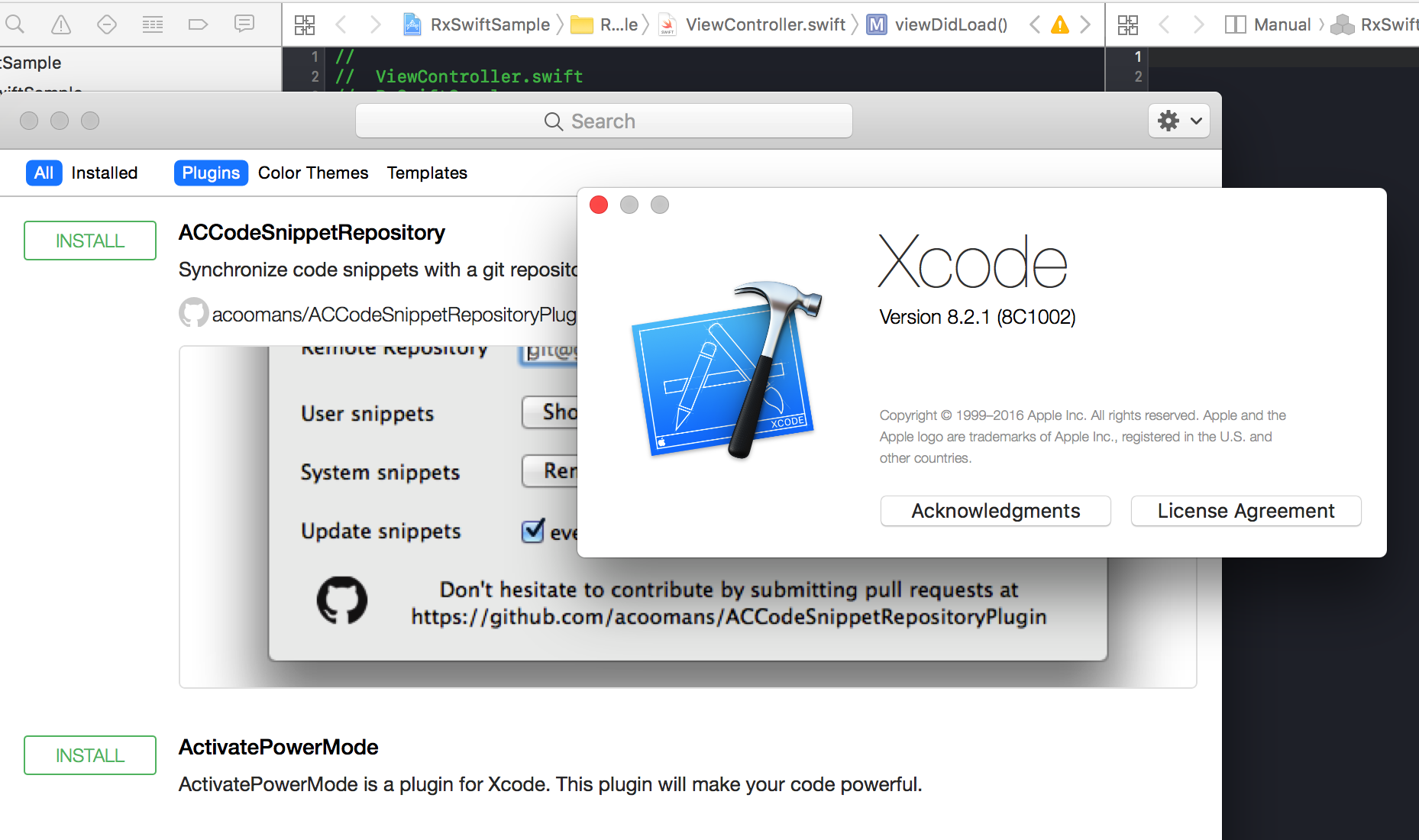
以上でXcode8.2にAlcatrazが帰って来た!
とはいえ
セキュリティ的にプラグイン使うのはあまり良くなさそう。
XVimがXcode Source Editor Extensionで作り直されるの待とう。
https://github.com/XVimProject/XVim/issues/964
