最近の記事はゲームばかりで、コードの書き方を忘れてしまうのではないかと思っていたのですが、それに拍車がかかってしまうようなできことが。
Processingのコミュニティで「VScodeにProcessingの拡張機能が登場した」という書き込みがありました。
そして、Processing純正(?)のIDEでコードを書くことが多かったので気づいていなかったのですが、VSCodeでAIを活用しやすくなっていたようです。
つまり、VSCode上でAIにProcessingを書かせることができる、ということです。
そんな訳で、どんなものか使ってみました。
実際にやってみた
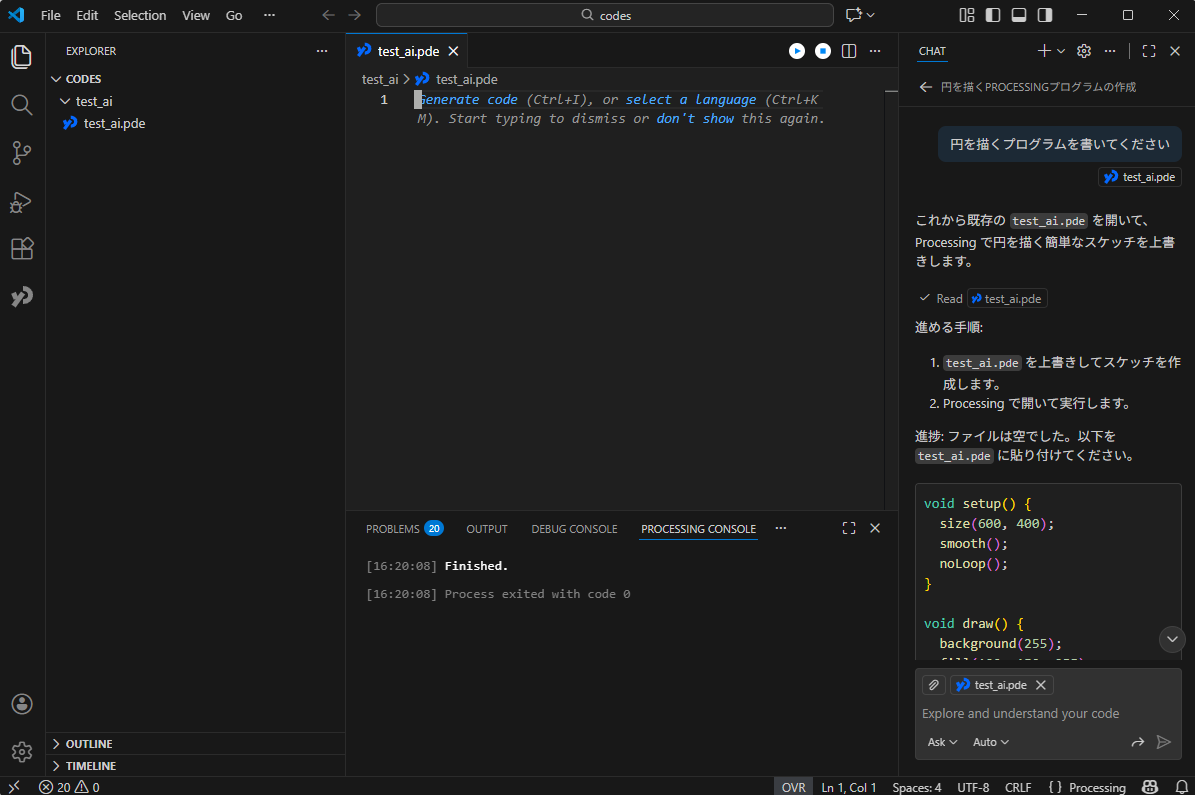
導入方法の詳細は他に譲るとして、諸々入れて開いてみるとこんな感じです。

Processing界の「Hello World」こと(?)、円を描くプログラムを作ってみます。
右側のチャット欄で「円を描くプログラムを書いてください」と入力してみると…
void setup() {
  size(600, 400);
  smooth();
  noLoop();
}

void draw() {
  background(255);
  fill(100, 150, 255);
  stroke(0);
  strokeWeight(2);
  // 中心に半径100の円(直径200)を描く
  ellipse(width/2, height/2, 200, 200);
}
ellipse() だけでなく、色や線幅など変えられるようになっています。
smooth() や noLoop()、コメントもつけてくれました。
AIに裏で実行してもらいながら、自分は別のウィンドウを開いて作業をしていたところ、作成が完了した旨のポップアップメッセージが表示されました。便利です。
中央右上にある再生ボタンを押すと、実行できます。

「画像として保存できるようにしてください」とお願いしてみると、
void setup() {
  size(600, 400);
  smooth();
  noLoop();
}

void draw() {
  background(255);
  fill(100, 150, 255);
  stroke(0);
  strokeWeight(2);
  // 中心に半径100の円(直径200)を描く
  ellipse(width/2, height/2, 200, 200);

  // 画像として保存
  save("circle.png");
}
save() をつけてくれました。
ちょっと冒険
円を描くくらいはできてくれないと困りますよね。
もう少しレベルを上げてみます。
「ボールが落下してバウンドする様子を再現してください」
ついでにGIFファイルで録画できるようにとお願いすると、ライブラリ「gifAnimation」を使って実装してくれました。
import gifAnimation.*;

float x, y;
float vx, vy;
float r = 40;
float gravity = 0.8;
float restitution = 0.75;

GifMaker gif;
boolean recording = false;
int delayMs = 16; // フレーム遅延(ms)

void setup() {
  size(600, 400);
  smooth();
  frameRate(60);
  resetBall();
}

void draw() {
  background(255);

  // 床のライン
  stroke(200);
  line(0, height-1, width, height-1);

  // 物理更新
  vy += gravity;
  x += vx;
  y += vy;

  // 床との衝突
  if (y + r > height) {
    y = height - r;
    vy *= -restitution;
    if (abs(vy) < 0.5) {
      vy = 0;
    }
  }

  // 左右の壁で反射
  if (x - r < 0) {
    x = r;
    vx *= -restitution;
  } else if (x + r > width) {
    x = width - r;
    vx *= -restitution;
  }

  // 描画
  fill(100, 150, 255);
  stroke(0);
  strokeWeight(2);
  ellipse(x, y, r*2, r*2);

  // 録画中はフレームを GIF に追加
  if (recording && gif != null) {
    gif.addFrame();
  }
}

// クリックでボールをその位置にリセット
void mousePressed() {
  x = constrain(mouseX, r, width - r);
  y = constrain(mouseY, r, height - r);
  vx = random(-4, 4);
  vy = 0;
}

void keyPressed() {
  // sキー:現在フレームを1枚保存 (PNG)
  if (key == 's' || key == 'S') {
    saveFrame("single-####.png");
    println("Saved single frame");
  }

  // rキー:録画開始/停止(GIF)
  if (key == 'r' || key == 'R') {
    if (!recording) {
      String name = "bounce-" + year() + nf(month(),2) + nf(day(),2) + "-" + nf(hour(),2) + nf(minute(),2) + nf(second(),2) + ".gif";
      gif = new GifMaker(this, name);
      gif.setRepeat(0); // 0 = 無限ループ
      gif.setDelay(delayMs);
      recording = true;
      println("Recording GIF -> " + name);
    } else {
      gif.finish();
      gif = null;
      recording = false;
      println("Recording finished");
    }
  }

  // cキー:録画キャンセル(未finishならfinishして破棄)
  if (key == 'c' || key == 'C') {
    if (gif != null) {
      gif.finish();
      gif = null;
    }
    recording = false;
    println("Recording cancelled");
  }
}

void resetBall() {
  x = width / 2;
  y = r;
  vx = 2;
  vy = 0;
}
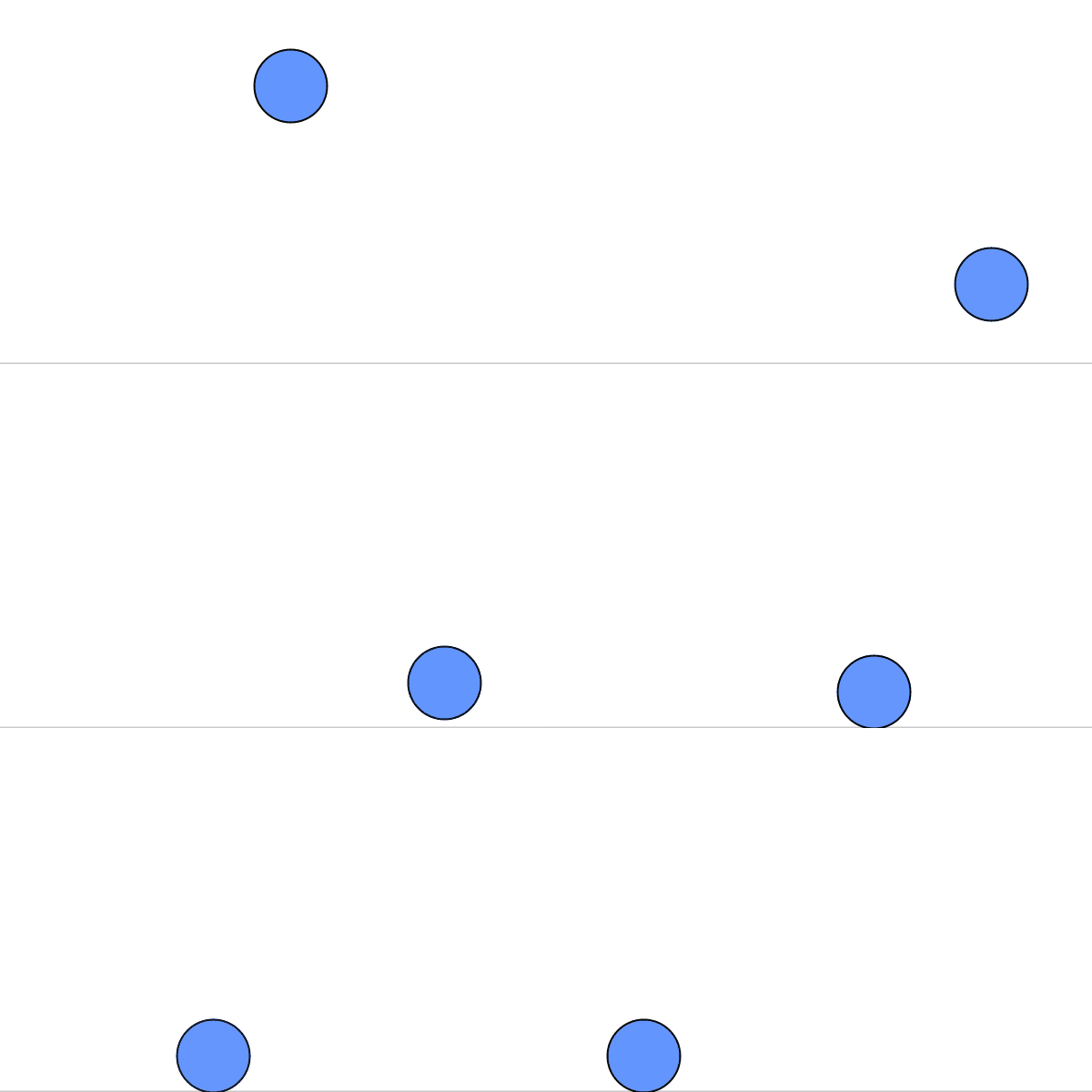
ちゃんとできています。
ご丁寧に床まで描画してくれました。
もう少しいけそうです。
「ボールを5個にして、それぞれの衝突も組み込んでください」
import gifAnimation.*;
import processing.core.PVector;

final int N_BALLS = 5;
float gravity = 0.8;
float globalRestitution = 0.85;

GifMaker gif;
boolean recording = false;
int delayMs = 16; // GIF フレーム遅延 (ms)

Ball[] balls = new Ball[N_BALLS];

void setup() {
  size(600, 400);
  smooth();
  frameRate(60);
  initBalls();
}

void draw() {
  background(255);

  // 床のライン
  stroke(200);
  line(0, height-1, width, height-1);

  // 物理更新
  for (int i = 0; i < N_BALLS; i++) {
    balls[i].applyGravity();
    balls[i].update();
    balls[i].checkWalls();
  }

  // ペアごとの衝突判定と解決
  for (int i = 0; i < N_BALLS; i++) {
    for (int j = i + 1; j < N_BALLS; j++) {
      resolveCollision(balls[i], balls[j]);
    }
  }

  // 描画
  for (int i = 0; i < N_BALLS; i++) {
    balls[i].display();
  }

  // 録画中はフレームを GIF に追加
  if (recording && gif != null) {
    gif.addFrame();
  }
}

void mousePressed() {
  // クリック位置に最も近いボールをリセット(簡易)
  int idx = 0;
  float best = 1e9;
  for (int i = 0; i < N_BALLS; i++) {
    float d = dist(mouseX, mouseY, balls[i].pos.x, balls[i].pos.y);
    if (d < best) { best = d; idx = i; }
  }
  balls[idx].pos.x = constrain(mouseX, balls[idx].r, width - balls[idx].r);
  balls[idx].pos.y = constrain(mouseY, balls[idx].r, height - balls[idx].r);
  balls[idx].vel.set(random(-3, 3), random(-2, 0));
}

void keyPressed() {
  if (key == 's' || key == 'S') {
    saveFrame("single-####.png");
    println("Saved single frame");
  }
  if (key == 'r' || key == 'R') {
    if (!recording) {
      String name = "bounce-" + year() + nf(month(),2) + nf(day(),2) + "-" + nf(hour(),2) + nf(minute(),2) + nf(second(),2) + ".gif";
      gif = new GifMaker(this, name);
      gif.setRepeat(0);
      gif.setDelay(delayMs);
      recording = true;
      println("Recording GIF -> " + name);
    } else {
      gif.finish();
      gif = null;
      recording = false;
      println("Recording finished");
    }
  }
  if (key == 'c' || key == 'C') {
    if (gif != null) {
      gif.finish();
      gif = null;
    }
    recording = false;
    println("Recording cancelled");
  }
}

void initBalls() {
  // 異なるサイズ・色で5個生成。重ならないように位置決め。
  int attemptsLimit = 1000;
  for (int i = 0; i < N_BALLS; i++) {
    float r = random(20, 40);
    color c = color(random(50,200), random(50,200), random(50,255));
    Ball b = new Ball(random(r, width - r), random(r, height/2), random(-2,2), 0, r, c);
    int attempts = 0;
    while (overlapsAny(b, i) && attempts < attemptsLimit) {
      b.pos.x = random(r, width - r);
      b.pos.y = random(r, height/2);
      attempts++;
    }
    balls[i] = b;
  }
}

boolean overlapsAny(Ball b, int uptoIndex) {
  for (int j = 0; j < uptoIndex; j++) {
    if (balls[j] != null) {
      if (PVector.dist(b.pos, balls[j].pos) < b.r + balls[j].r) return true;
    }
  }
  return false;
}

void resolveCollision(Ball a, Ball b) {
  PVector n = PVector.sub(b.pos, a.pos);
  float dist = n.mag();
  float minDist = a.r + b.r;
  if (dist <= 0.0001) {
    // 完全に重なった場合ごくわずかにずらす
    n.set(random(0.01f,0.02f), 0.01f);
    dist = n.mag();
  }
  if (dist < minDist) {
    // 位置補正(penetration resolution)
    float penetration = minDist - dist;
    PVector un = n.copy().normalize();
    float totalInvMass = 1.0f / a.m + 1.0f / b.m;
    // それぞれの移動量は反比例(質量に応じる)
    PVector correctionA = un.copy().mult(-penetration * (1.0f / a.m) / totalInvMass * 0.5f);
    PVector correctionB = un.copy().mult(penetration * (1.0f / b.m) / totalInvMass * 0.5f);
    a.pos.add(correctionA);
    b.pos.add(correctionB);

    // 相対速度
    PVector rv = PVector.sub(b.vel, a.vel);
    float velAlongNormal = rv.dot(un);
    if (velAlongNormal > 0) return; // 既に離れている

    // 反発係数は2つの平均で簡易化
    float e = (globalRestitution);

    float j = -(1 + e) * velAlongNormal / totalInvMass;
    PVector impulse = un.copy().mult(j);
    a.vel.sub(PVector.mult(impulse, 1.0f / a.m));
    b.vel.add(PVector.mult(impulse, 1.0f / b.m));
  }
}

class Ball {
  PVector pos;
  PVector vel;
  float r;
  float m;
  color col;

  Ball(float x, float y, float vx, float vy, float r_, color c) {
    pos = new PVector(x, y);
    vel = new PVector(vx, vy);
    r = r_;
    col = c;
    // 質量は面積比例 (r^2) の簡易化
    m = r * r;
  }

  void applyGravity() {
    vel.y += gravity;
  }

  void update() {
    pos.add(vel);
  }

  void checkWalls() {
    // 床
    if (pos.y + r > height) {
      pos.y = height - r;
      vel.y *= -globalRestitution;
      if (abs(vel.y) < 0.5) vel.y = 0;
    }
    // 天井
    if (pos.y - r < 0) {
      pos.y = r;
      vel.y *= -globalRestitution;
    }
    // 左右
    if (pos.x - r < 0) {
      pos.x = r;
      vel.x *= -globalRestitution;
    } else if (pos.x + r > width) {
      pos.x = width - r;
      vel.x *= -globalRestitution;
    }
  }

  void display() {
    fill(col);
    stroke(0);
    strokeWeight(2);
    ellipse(pos.x, pos.y, r*2, r*2);
  }
}
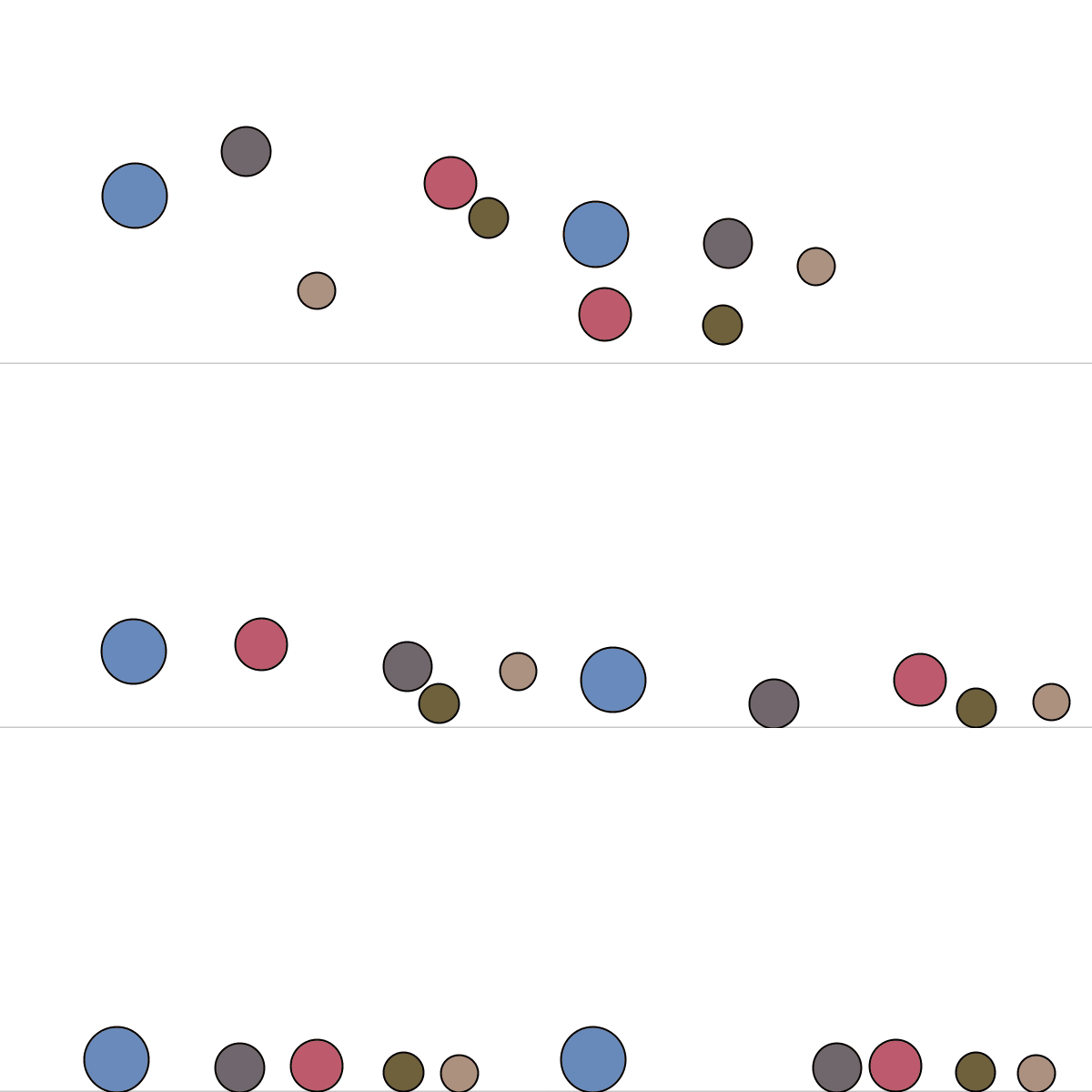
まじですか。
クラスも使えてます。
こいつはできる…。
「ボールを小さくして100個に増やし、マウスカーソルと反発するようにしてください」
import gifAnimation.*;
import processing.core.PVector;

final int N_BALLS = 100;
float gravity = 0.6;
float globalRestitution = 0.88;

GifMaker gif;
boolean recording = false;
int delayMs = 16; // GIF フレーム遅延 (ms)

Ball[] balls = new Ball[N_BALLS];

// マウス反発設定
boolean repelOn = true;
float repelRadius = 80;
float repelStrength = 200; // 調整して強さを変える

void setup() {
  size(600, 400);
  smooth();
  frameRate(60);
  initBalls();
}

void draw() {
  background(255);

  // 床のライン
  stroke(220);
  line(0, height-1, width, height-1);

  // 力の適用(重力 + マウス反発)
  for (int i = 0; i < N_BALLS; i++) {
    balls[i].applyGravity();
    if (repelOn) applyMouseRepel(balls[i]);
    balls[i].update();
    balls[i].checkWalls();
  }

  // 衝突判定・解決(N^2)
  for (int i = 0; i < N_BALLS; i++) {
    for (int j = i + 1; j < N_BALLS; j++) {
      resolveCollision(balls[i], balls[j]);
    }
  }

  // 描画
  for (int i = 0; i < N_BALLS; i++) {
    balls[i].display();
  }

  // 録画中はフレームを GIF に追加
  if (recording && gif != null) {
    gif.addFrame();
  }
}

void applyMouseRepel(Ball b) {
  PVector mouse = new PVector(mouseX, mouseY);
  PVector dir = PVector.sub(b.pos, mouse);
  float d = dir.mag();
  if (d > 0 && d < repelRadius) {
    dir.normalize();
    // 距離に応じて線形に弱くする(0 at r, max at 0)
    float strength = repelStrength * (1.0 - d / repelRadius);
    // 加速度 = Force / mass (質量は r^2)
    PVector accel = dir.mult(strength / b.m);
    b.vel.add(accel);
  }
}

void mousePressed() {
  // クリック位置に最も近いボールをリセット
  int idx = 0;
  float best = 1e9;
  for (int i = 0; i < N_BALLS; i++) {
    float dista = dist(mouseX, mouseY, balls[i].pos.x, balls[i].pos.y);
    if (dista < best) { best = dista; idx = i; }
  }
  balls[idx].pos.x = constrain(mouseX, balls[idx].r, width - balls[idx].r);
  balls[idx].pos.y = constrain(mouseY, balls[idx].r, height - balls[idx].r);
  balls[idx].vel.set(random(-2, 2), random(-2, 0));
}

void keyPressed() {
  if (key == 's' || key == 'S') {
    saveFrame("single-####.png");
    println("Saved single frame");
  }
  if (key == 'r' || key == 'R') {
    if (!recording) {
      String name = "bounce-" + year() + nf(month(),2) + nf(day(),2) + "-" + nf(hour(),2) + nf(minute(),2) + nf(second(),2) + ".gif";
      gif = new GifMaker(this, name);
      gif.setRepeat(0);
      gif.setDelay(delayMs);
      recording = true;
      println("Recording GIF -> " + name);
    } else {
      gif.finish();
      gif = null;
      recording = false;
      println("Recording finished");
    }
  }
  if (key == 'c' || key == 'C') {
    if (gif != null) {
      gif.finish();
      gif = null;
    }
    recording = false;
    println("Recording cancelled");
  }
  if (key == 'm' || key == 'M') {
    repelOn = !repelOn;
    println("Mouse repel: " + (repelOn ? "ON" : "OFF"));
  }
}

void initBalls() {
  int attemptsLimit = 2000;
  for (int i = 0; i < N_BALLS; i++) {
    float r = random(6, 12); // 小さめ
    color c = color(random(80,220), random(80,220), random(100,255), 200);
    Ball b = new Ball(random(r, width - r), random(r, height/3), random(-1.5,1.5), 0, r, c);
    int attempts = 0;
    while (overlapsAny(b, i) && attempts < attemptsLimit) {
      b.pos.x = random(r, width - r);
      b.pos.y = random(r, height/3);
      attempts++;
    }
    balls[i] = b;
  }
}

boolean overlapsAny(Ball b, int uptoIndex) {
  for (int j = 0; j < uptoIndex; j++) {
    if (balls[j] != null) {
      if (PVector.dist(b.pos, balls[j].pos) < b.r + balls[j].r) return true;
    }
  }
  return false;
}

void resolveCollision(Ball a, Ball b) {
  PVector n = PVector.sub(b.pos, a.pos);
  float dist = n.mag();
  float minDist = a.r + b.r;
  if (dist <= 0.0001) {
    n.set(random(0.01f,0.02f), 0.01f);
    dist = n.mag();
  }
  if (dist < minDist) {
    float penetration = minDist - dist;
    PVector un = n.copy().normalize();
    float totalInvMass = 1.0f / a.m + 1.0f / b.m;
    PVector correctionA = un.copy().mult(-penetration * (1.0f / a.m) / totalInvMass * 0.5f);
    PVector correctionB = un.copy().mult(penetration * (1.0f / b.m) / totalInvMass * 0.5f);
    a.pos.add(correctionA);
    b.pos.add(correctionB);

    PVector rv = PVector.sub(b.vel, a.vel);
    float velAlongNormal = rv.dot(un);
    if (velAlongNormal > 0) return;

    float e = globalRestitution;
    float j = -(1 + e) * velAlongNormal / totalInvMass;
    PVector impulse = un.copy().mult(j);
    a.vel.sub(PVector.mult(impulse, 1.0f / a.m));
    b.vel.add(PVector.mult(impulse, 1.0f / b.m));
  }
}

class Ball {
  PVector pos;
  PVector vel;
  float r;
  float m;
  color col;

  Ball(float x, float y, float vx, float vy, float r_, color c) {
    pos = new PVector(x, y);
    vel = new PVector(vx, vy);
    r = r_;
    col = c;
    m = r * r; // 質量は面積比例
  }

  void applyGravity() {
    vel.y += gravity;
  }

  void update() {
    pos.add(vel);
  }

  void checkWalls() {
    if (pos.y + r > height) {
      pos.y = height - r;
      vel.y *= -globalRestitution;
      if (abs(vel.y) < 0.4) vel.y = 0;
    }
    if (pos.y - r < 0) {
      pos.y = r;
      vel.y *= -globalRestitution;
    }
    if (pos.x - r < 0) {
      pos.x = r;
      vel.x *= -globalRestitution;
    } else if (pos.x + r > width) {
      pos.x = width - r;
      vel.x *= -globalRestitution;
    }
  }

  void display() {
    fill(col);
    stroke(0, 120);
    strokeWeight(1);
    ellipse(pos.x, pos.y, r*2, r*2);
  }
}
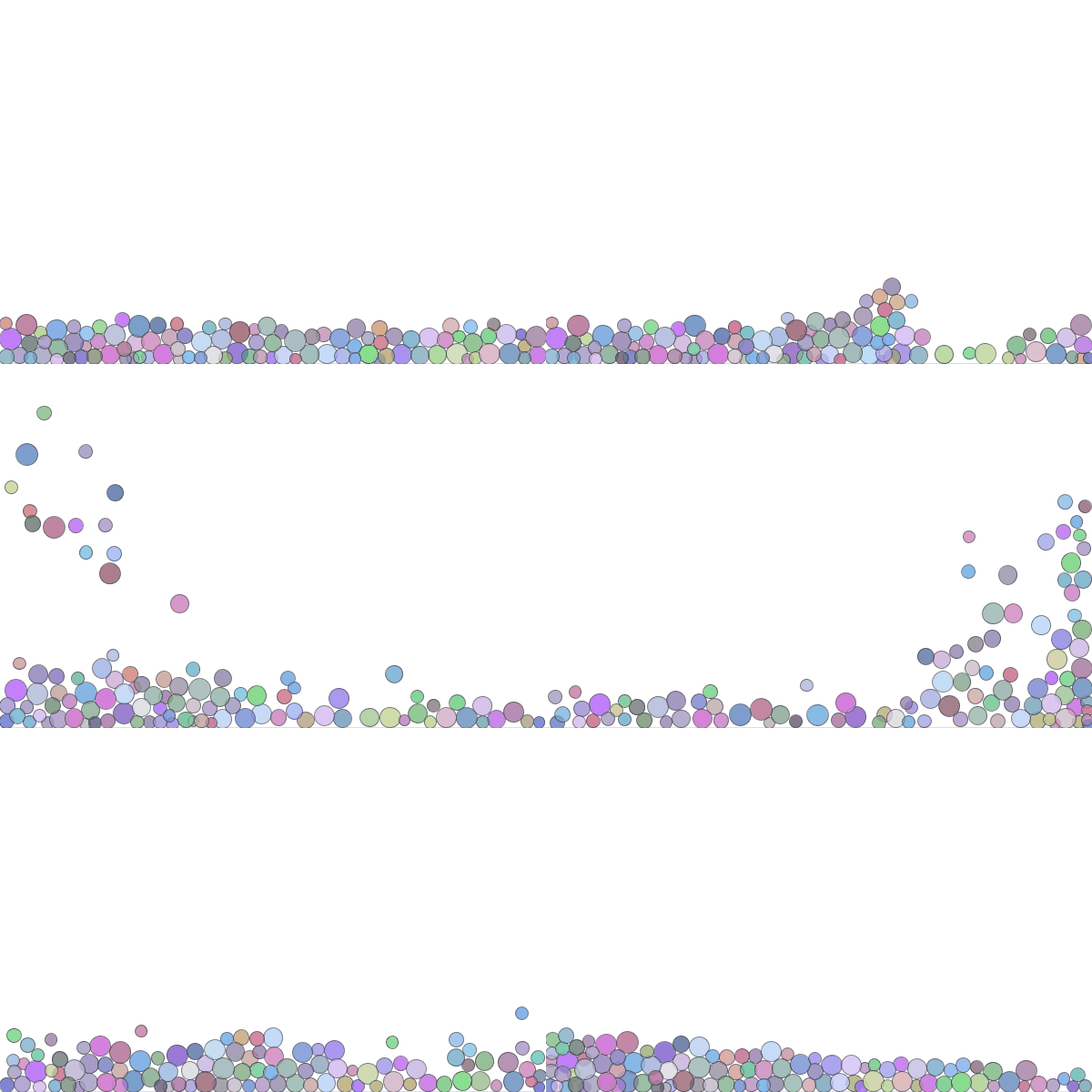
思わず笑ってしまいました。
できてしまいそうだったのでレナード・ジョーンズポテンシャルを導入してみてもらったのですが、それっぽい描画はされたものの、いろいろお願いしているうちに使用回数の上限が来てしまいました…。
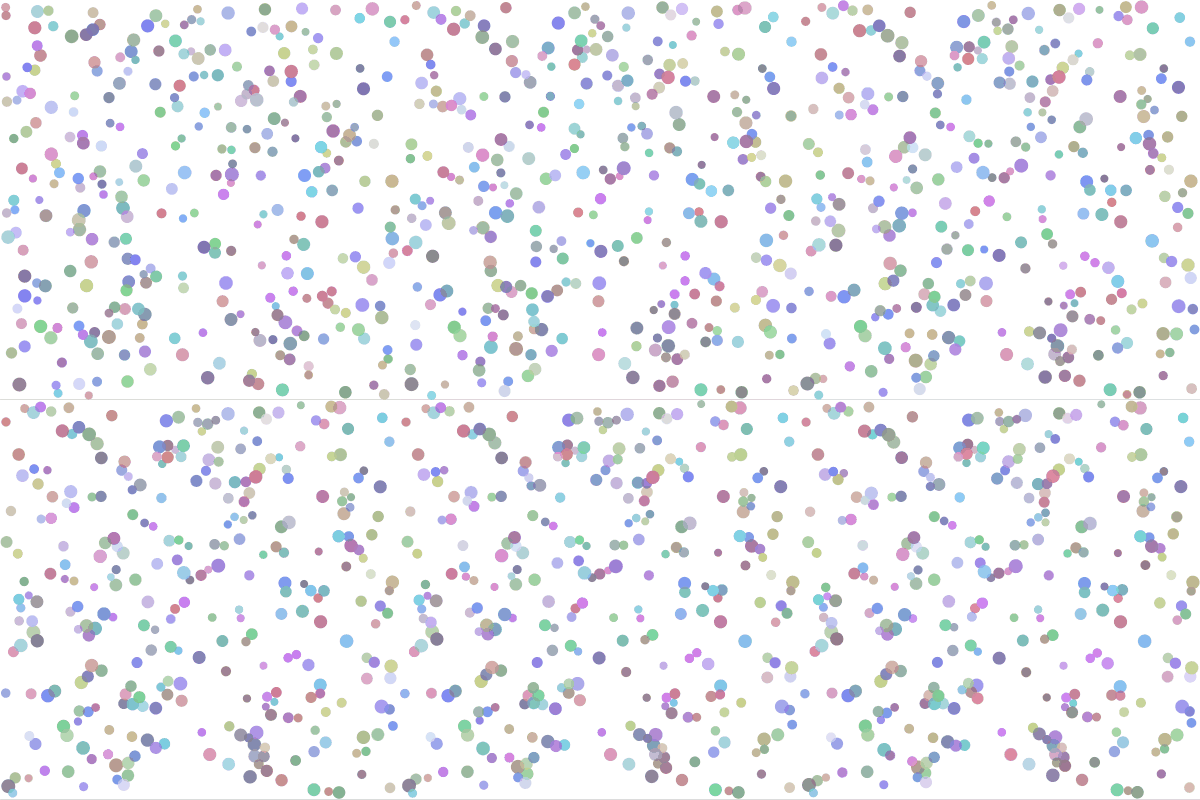
徐々にボール同士が近づいていくのが見える…と思います。
ファイルサイズの関係でここに載せられないのですが、温度 (ボールの速さ) に対応する値を上げていくとボールの動きが激しくなり、下げていくとボールの動きがおとなしくなり徐々にまとまっていく動きが見えました。
まとめ
以上、VSCodeとAIのタッグで遊んでみました。
実は他にも、ライフゲームやチューリングパターン、スペクトログラムやなんかも試してみていたのですが、どれもそれっぽく動くものができていてびっくりしました。
正直なめていました。少し前は自分でデバッグしないとまともに動かないものばかり吐き出していたのに…。
「自分でコードを書く時代は終わった?」なんてタイトルに書いていますが、私の動機は「モノの仕組みを知りたい」という部分にありますので、AIに全部お任せ、ということにはならないと思います。
(元々、AIの言っていることを鵜呑みにするスタンスでは無いので、コードを生成できたとしてもどう動いているかとか確認しながら使うことになると思いますが)
ちなみに、今回は利用回数の制限が来てしまいましたが、「GitHub Copilot Pro」に登録すれば月10ドル、年100ドルで無制限で使えます (他にもいろいろ特典があるようです)。
30日間の無料お試しもあるみたいですので、興味があればぜひ。
最後まで読んでいただきありがとうございました。また次回。
