GCPでの通知でSlackが連携先として追加できるようになったみたいなのでちょっと触ってみるためにCloudMonitoringと合わせて使ってみた
流れ
やることは以下
- 通知先の設定
- GUIでSlack連携の設定
- terraform import
- Alert Policyの設定
- Monitoring指標の設定
- GUIで設定してみる
- Terraformで書く
- Monitoring指標の設定
通知先の設定
GUIでSlack連携の設定
通知チャネルの管理 | Cloud Monitoring | Google Cloud
上記みながら手動で追加
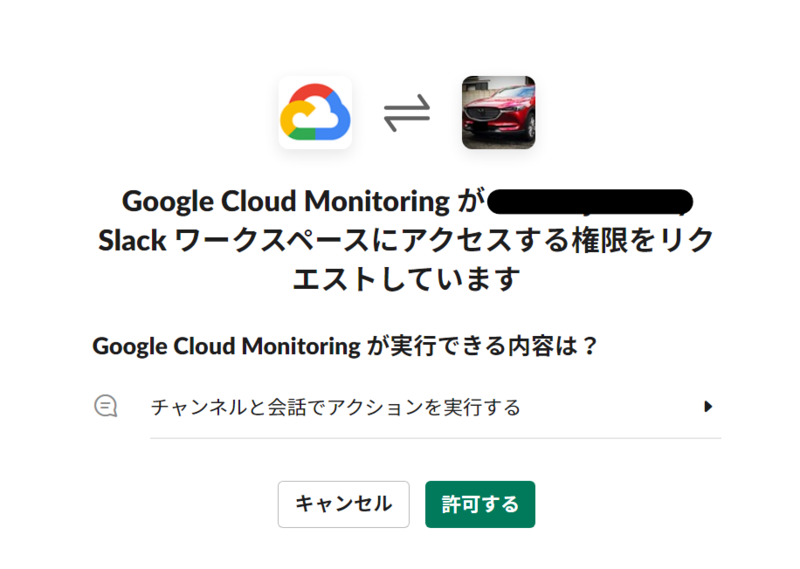
- Slack連携
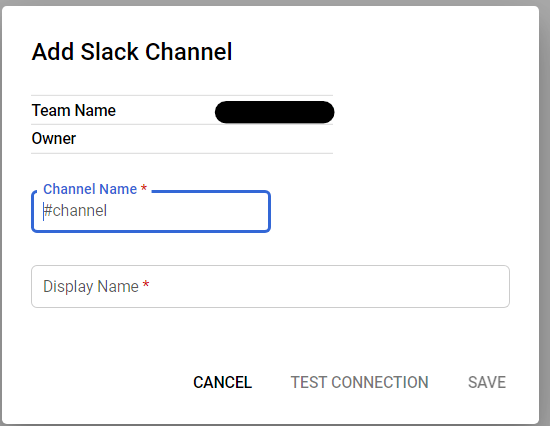
- チャンネル設定
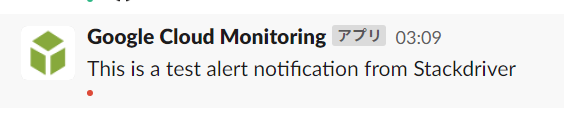
- テスト送信してみた
terraform import
- 通知チャンネルリストの取得
$ gcloud alpha monitoring channels list
---
creationRecord:
  mutateTime: '2021-09-14T18:10:25.581971797Z'
displayName: DevNotification
enabled: true
labels:
  auth_token: '****************************************************Zlw7'
  channel_name: '#dev-notification'
mutationRecords:
- mutateTime: '2021-09-14T18:10:25.581971797Z'
name: projects/sample-project-111111/notificationChannels/1111111111111111111
type: slack
monitoring_notification_channelの書き方
ドキュメント読めば良さそう
google_monitoring_notification_channel | Resources | hashicorp/google | Terraform Registry
https://registry.terraform.io/providers/hashicorp/google/latest/docs/resources/monitoring_notification_channelregistry.terraform.io
importする
- import時の書き方
$ terraform import google_monitoring_notification_channel.default {{name}}
listで取得したnameをimoprt時に記述する
事前にgoogle_monitoring_notification_channel.defaultの枠だけtfファイルに記述して用意しておく必要がある
- importコマンドを実行する
$ terraform import google_monitoring_notification_channel.default projects/sample-project-111111/notificationChannels/1111111111111111111
google_monitoring_notification_channel.default: Importing from ID "projects/sample-project-111111/notificationChannels/1111111111111111111"...
google_monitoring_notification_channel.default: Import prepared!
  Prepared google_monitoring_notification_channel for import
google_monitoring_notification_channel.default: Refreshing state... [id=projects/sample-project-111111/notificationChannels/1111111111111111111]

Import successful!

The resources that were imported are shown above. These resources are now in
your Terraform state and will henceforth be managed by Terraform.
- importしたstateを見ながら設定を移す
$ terraform state show -state=terraform.tfstate google_monitoring_notification_channel.default
# google_monitoring_notification_channel.default:
resource "google_monitoring_notification_channel" "default" {
    display_name = "DevNotification"
    enabled      = true
    id           = "projects/sample-project-111111/notificationChannels/1111111111111111111"
    labels       = {
        "auth_token"   = ""
        "channel_name" = "#dev-notification"
    }
    name         = "projects/sample-project-111111/notificationChannels/1111111111111111111"
    project      = "sample-project-111111"
    type         = "slack"
    user_labels  = {}

    timeouts {}
}
余談だが出力されたものそのまま貼り付けてapplyしたらエラーが出た
id,nameはいらないみたい
╷
│ Error: Invalid or unknown key
│
│   with google_monitoring_notification_channel.default,
│   on notification.tf line 4, in resource "google_monitoring_notification_channel" "default":
│    4:     id           = "projects/sample-project-111111/notificationChannels/1111111111111111111"
│
╵
╷
│ Error: Computed attributes cannot be set
│
│   with google_monitoring_notification_channel.default,
│   on notification.tf line 9, in resource "google_monitoring_notification_channel" "default":
│    9:     name         = "projects/sample-project-111111/notificationChannels/1111111111111111111"
│
│ Computed attributes cannot be set, but a value was set for "name".
╵
最終的なtfファイルは次のようになった
- notification.tf
resource "google_monitoring_notification_channel" "default" {
    display_name = "DevNotification"
    enabled      = true
    labels       = {
        "auth_token"   = ""
        "channel_name" = "#dev-notification"
    }
    project      = data.google_client_config.current.project
    type         = "slack"
    user_labels  = {}

    timeouts {}
}
Alert Policyの設定
今回は適当なWorkflowsを作っていくつかログを流すようにしてそれを検知できるようにする
Workflowの内容は割愛する
monitoring alert policy
次のページを見ながら設定する
google_monitoring_alert_policy | Resources | hashicorp/google | Terraform Registry
https://registry.terraform.io/providers/hashicorp/google/latest/docs/resources/monitoring_alert_policyregistry.terraform.io
変更が結構ありそうなのはConditionの中かな
ログベースと指標ベースのアラートポリシー
Monitoring API のアラート ポリシー | Google Cloud
アラートポリシーにはログベースと指標ベース2種類ある
本当はログベースを使いたかったが上記Issueにあるようにログベースのアラート用のフィルタはまだterraformのgoogle providerが対応できていない模様
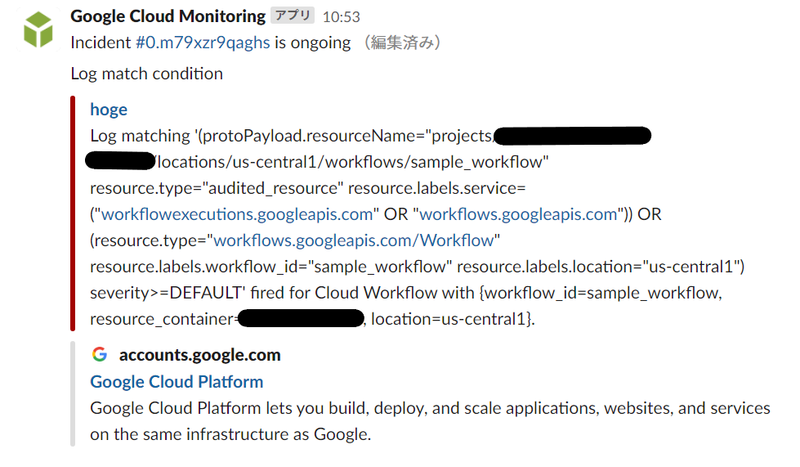
ログベースは手動で試したが現時点で特に書けそうなことがないので通知した時点のキャプチャだけ載せておく
指標ベースでやってみる
指標ベースの中には条件タイプ(condition)がいくつかある
- MetricAbsence
- MetricThreshold
- MonitoringQueryLanguageCondition
今回はMetricThresholdを使う
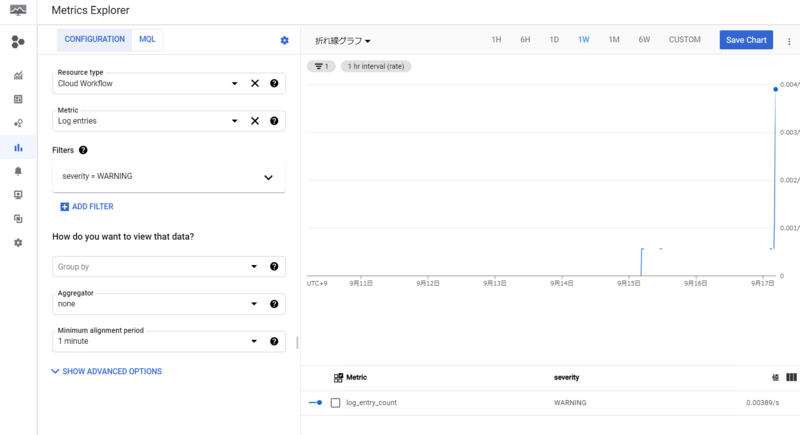
Metrics ExplorerでMetricsを作ってみる
どうにもfilterの内容がよくわからなかったのでGUIで実際に作ってみてクエリを参考にする
GUIのMetrics ExplorerでMetricsを作成後JSONで定義を参照できるボタンがあるのでそれで見てみる
- 設定画面
- 参照ボタン
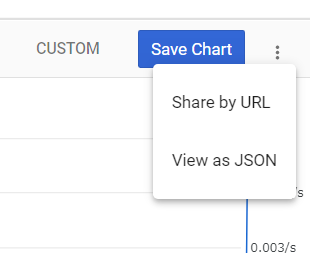
中身はこんな感じ
{
  "dataSets": [
    {
      "timeSeriesFilter": {
        "filter": "metric.type=\"logging.googleapis.com/log_entry_count\" resource.type=\"workflows.googleapis.com/Workflow\" metric.label.\"severity\"=\"WARNING\"",
        "minAlignmentPeriod": "60s",
        "aggregations": [
          {
            "perSeriesAligner": "ALIGN_RATE",
            "crossSeriesReducer": "REDUCE_NONE",
            "groupByFields": []
          },
          {
            "perSeriesAligner": "ALIGN_NONE",
            "crossSeriesReducer": "REDUCE_NONE",
            "groupByFields": []
          }
        ]
      },
      "targetAxis": "Y1",
      "plotType": "LINE"
    }
  ],
  "options": {
    "mode": "COLOR"
  },
  "constantLines": [],
  "timeshiftDuration": "0s",
  "y1Axis": {
    "label": "y1Axis",
    "scale": "LINEAR"
  }
}
なるほど!
あとから調べてみると次のドキュメントを読めば良さそう
モニタリング フィルタ | Cloud Monitoring | Google Cloud
terraformで書いてみる
で、今度はそれをTerraformの定義に落とし込む
- alert.tf
resource "google_monitoring_alert_policy" "sample" {
  display_name = "My Alert Policy"
  combiner     = "OR"
  conditions {
    display_name = "test condition"
    condition_threshold {
      filter          = "metric.type=\"logging.googleapis.com/log_entry_count\" resource.type=\"workflows.googleapis.com/Workflow\" metric.label.\"severity\"=\"WARNING\""
      duration        = "60s"
      comparison      = "COMPARISON_GT"
      threshold_value = 1
    }
  }

  notification_channels = [
    google_monitoring_notification_channel.default.id
  ]
}
threshold_valueは指定しないと0が閾値になる
notification_channelsにアラートの通知先のIDを入れる(今回はSlack)
これでapplyしてサンプルのWorkflowを実行してみた
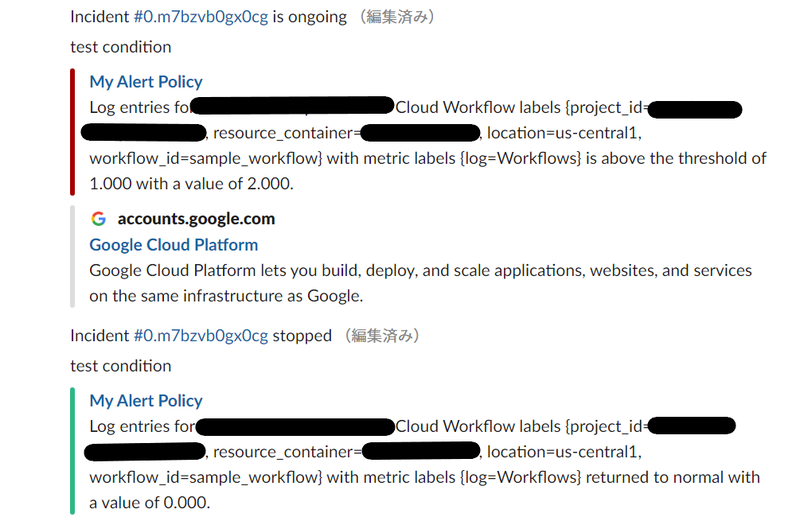
しっかりSlackに通知が来た
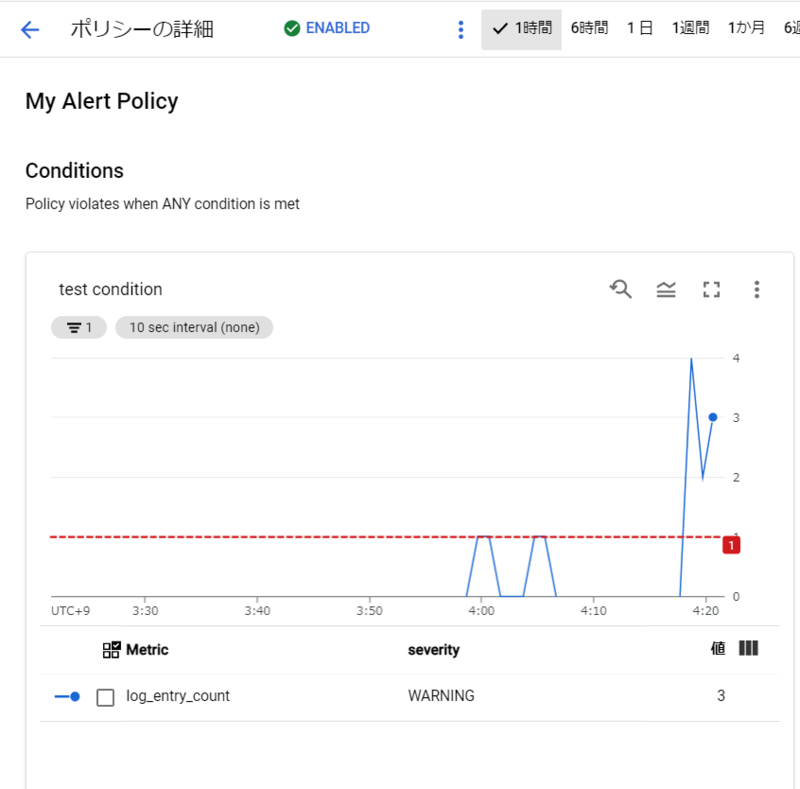
durationが60sなので一瞬で回復したという判断をされたようだがこの辺は実際の要件に合わせて設定すれば良い
これで、Loggingから集計した結果をもとにアラートをSlack経由で通知するということが実現できた
この手法ではログの細かな内容までは閲覧できないので問題が発生した場合はLoggingなりでログを見に行く必要がある
特定のログがこのくらい以上いったらまずいので通知したいみたいなときには使えそう
- おまけ
まとめ
- Cloud Monitoringで指標ベースのポリシーを設定しSlack通知まで行った
- terraform import初めて使ったけど思ったより楽だった
- terraform上では1リソースだがAPIとのマッピングでは複数だったりネストする場合はリソースIDだけが表示されてうまくimportできなそうだったので今後調べたい
- Terraformによるログベースのアラートポリシー作成は執筆時時点では行えない
- モニタリングフィルタをサクッと書けるようになるの結構時間かかりそうな気がした
- 条件によっても書き方が変わりそうなのでぱっと切り替える頭になりづらそう
- この辺知らずにやって大分怒られた
- 調べている間にログベースの通知コンテンツ内容に変数を含められることがわかったので別途試してみる
- ドキュメント テンプレートで Markdown と変数を使用する | Cloud Monitoring | Google Cloud
- これが欲しかったんだよ感ある
- 想定通りの動きだったらいったんAPIだけで実装してTerraformは来るの待つでも良いかな
今回使ったterraformのファイルは次のリポジトリに置いた
terraform-sample/google/logging-alert-notification at master · swfz/terraform-sample
