page.evalやpage.$xなどをreplで確認しながら開発したい
今までChromeのDevToolでCSSセレクタ確認しながら実行して…とやっていたがどうにも効率上がらない
REPLで試行錯誤したものを落とし込めたら多少はらくできるかもということで調べてみた
REPLでawaitを使う
とりあえずREPLで1行1行実行してみるが当然のごとく失敗する
$ node
> const puppeteer = require('puppeteer')
undefined
> const browser = await puppeteer.launch({args: ['--no-sandbox', '--disable-setuid-sandbox']})
Thrown:
  const browser = await puppeteer.launch({args: ['--no-sandbox', '--disable-setuid-sandbox']})
                  ^^^^^

SyntaxError: await is only valid in async function
REPLだとawait使えないのかと思って調べてみるとIssueがあった
repl: allow await in REPL · Issue #13209 · nodejs/node
repl: allow await in REPL · Issue #13209 · nodejs/node # IssueComment
Node v10以降で--experimental-repl-awaitオプションを付けるとawaitが使える
node --experimental-repl-await
> const puppeteer = require('puppeteer')
undefined
> const browser = await puppeteer.launch({args: ['--no-sandbox', '--disable-setuid-sandbox']})
undefined
できた
試してみる
> await page.goto('https://google.com')
.....
.....
> (await (await page.$x('//div'))[2].getProperty('textContent')).jsonValue()
' Googleについて ストア '
はい
これでスクレイピングの効率が上がるはず
おまけ
vim + tmuxでコピーからの実行も簡単にできるとさらに捗りそう
vimuxというプラグインを使う
benmills/vimux: vim plugin to interact with tmux
- .vimrc(抜粋)
" vimux line open
noremap <silent> <Leader>vlo :call VimuxOpenRunner()<CR>
" vimux register run
noremap <silent> <Leader>vrr :call VimuxRunCommand('<C-r>"')<CR>
" vimux register paste
noremap <silent> <Leader>vrp :call VimuxSendText('<C-r>"')<CR>

function VimuxRunFromYank()
  call setreg('z',getline('.'))
  VimuxRunCommand(@z)
endfunction

function VimuxSendTextFromYank()
  call setreg('z',getline('.'))
  call VimuxSendText(@z)
endfunction

" vimux line run
noremap <silent> <Leader>vlr :call VimuxRunFromYank()<CR>
" vimux line paste
noremap <silent> <Leader>vlp :call VimuxSendTextFromYank()<CR>
キー割り当ては適当でなぜそうしたか思い出せないので再考したいが一例として載せておく
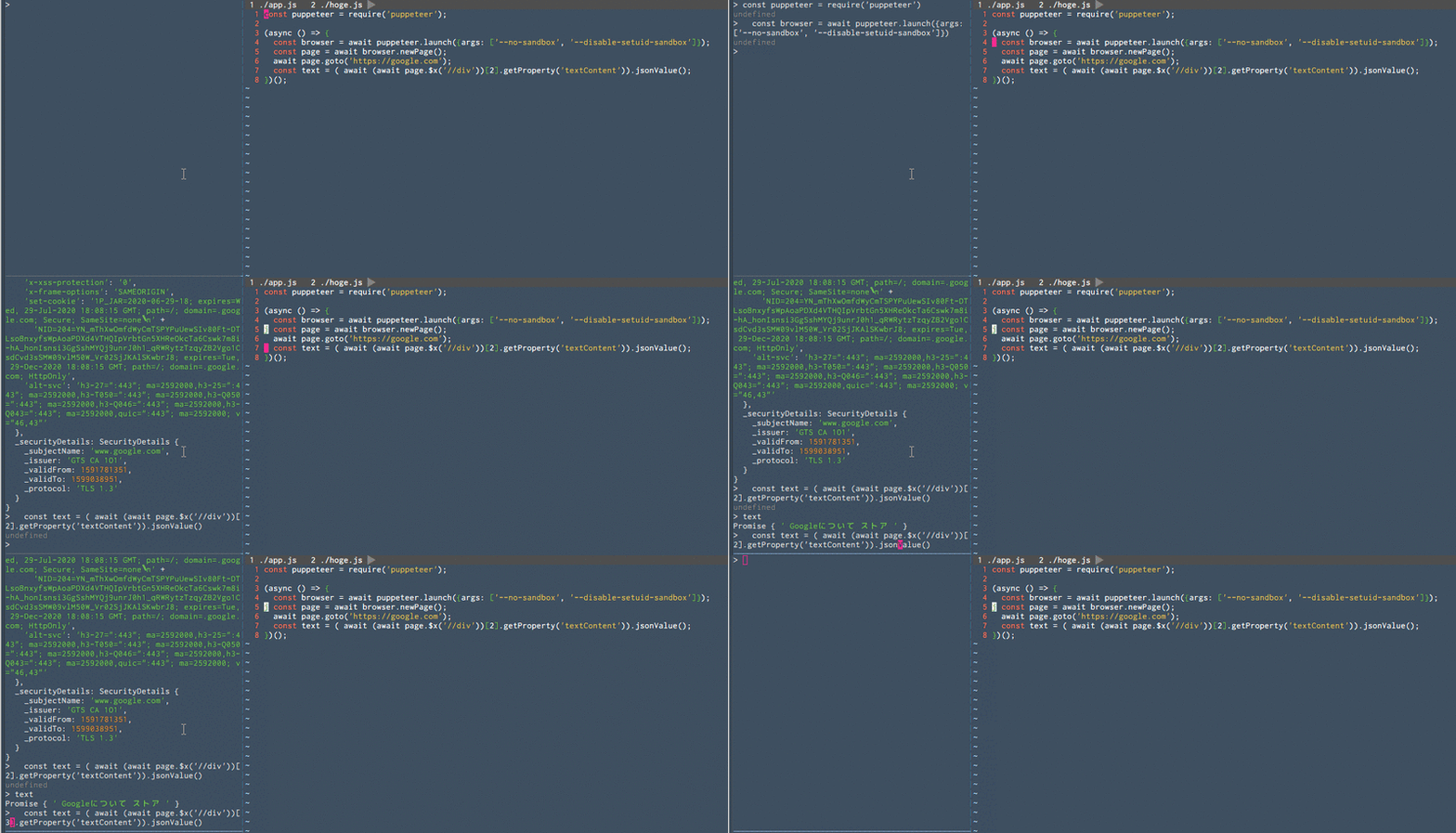
こんな感じ
