Office 2016 Preview for Business、ライセンス認証が出るんだが、これまだ売られていないからライセンス認証できないんですけど。期限が3/31までと短いので比較作業は早く終わらせないといけない。
今回はWindows版なのだが、こないだのOS X Yosemiteで動くMicrosoft Office 2016 Preview、WindowsのMicrosoft Office 2013とざっくり比較してみる。
今回もリボン単位で比較してみる。
(1)ホームリボン
■Excel 2013

■OS X版のExcel 2016 Preview

■Windows版のExcel 2016 Preview for Business

(2)挿入リボン
■Excel 2013

■OS X版のExcel 2016 Preview

■Windows版のExcel 2016 Preview for Business

(3)ページレイアウト
■Excel 2013

■OS X版のExcel 2016 Preview

■Windows版のExcel 2016 Preview for Business

(4)数式リボン
■Excel 2013

■OS X版のExcel 2016 Preview

■Windows版のExcel 2016 Preview for Business

(5)データリボン
■Excel 2013

■OS X版のExcel 2016 Preview

■Windows版のExcel 2016 Preview for Business

(6)数式リボン
■Excel 2013
■OS X版のExcel 2016 Preview
■Windows版のExcel 2016 Preview for Business
(7)校閲リボン
■Excel 2013

■OS X版のExcel 2016 Preview

■Windows版のExcel 2016 Preview for Business

(8)表示リボン
■Excel 2013

■OS X版のExcel 2016 Preview

■Windows版のExcel 2016 Preview for Business

(9)ファイルリボン 情報
■Excel 2013

Windows版のExcel 2016 Preview for Business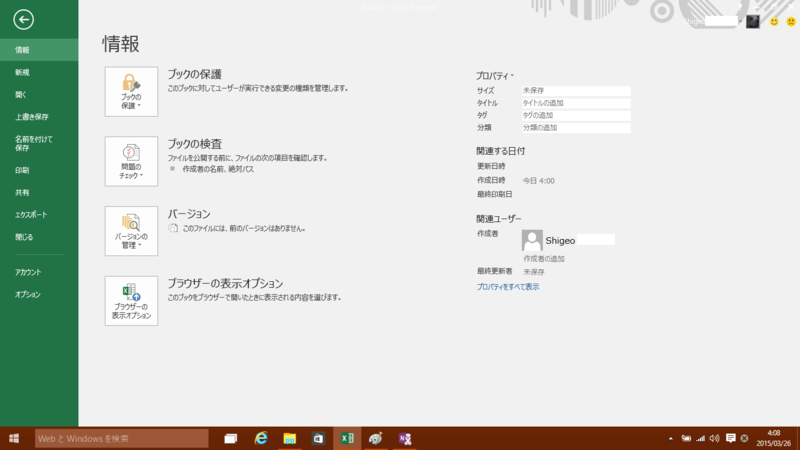
(10)ファイルリボン 新規
■Excel 2013

■Windows版のExcel 2016 Preview for Business

(11)ファイルリボン 開く
■Excel 2013

■Windows版のExcel 2016 Preview for Business

(12)ファイルリボン 名前を付けて保存
■Excel 2013

■Windows版のExcel 2016 Preview for Business

(13)ファイルリボン 印刷
■Excel 2013

■Windows版のExcel 2016 Preview for Business

(14)ファイルリボン 共有
■Excel 2013

■Windows版のExcel 2016 Preview for Business

(14)ファイルリボン エクスポート
■Excel 2013

■Windows版のExcel 2016 Preview for Business
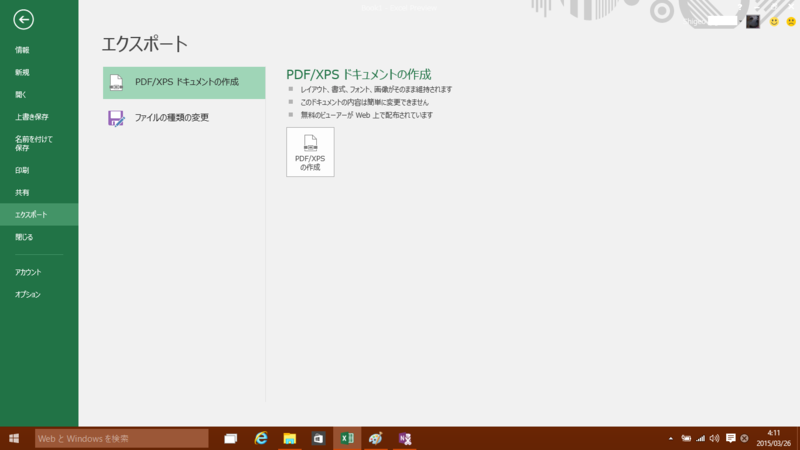
(15)ファイルリボン アカウント
■Excel 2013

■Windows版のExcel 2016 Preview for Business

(16)ファイルリボン オプション
■Excel 2013

■Windows版のExcel 2016 Preview for Business
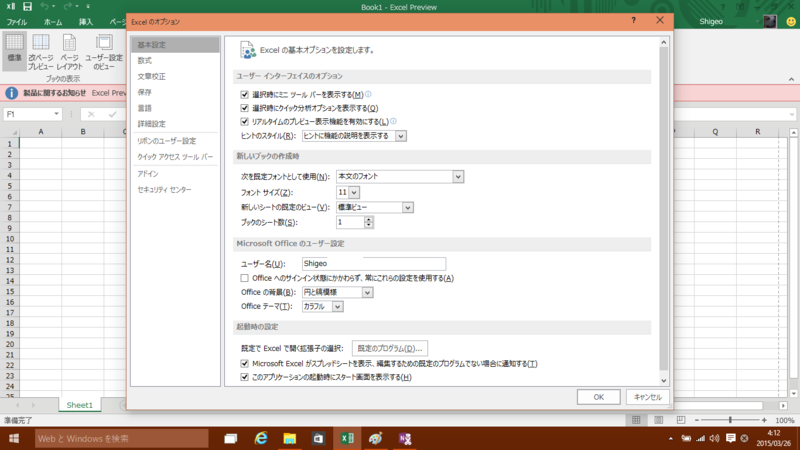
(17)その他
今回の比較で、同じExcel 2016 Previewとは言え、OS X版とWindows版は基本的な構成が異なる部分があることが分かった。一方、Windows版同士で比較するとExcel 2013とExcel 2016 Previewではあまり大きな差異はない。
- 出版社/メーカー: マイクロソフト
- 発売日: 2013/02/07
- メディア: License
- クリック: 10回
- この商品を含むブログ (17件) を見る
- 出版社/メーカー: マイクロソフト
- 発売日: 2014/10/17
- メディア: Software Download
- この商品を含むブログ (1件) を見る
