条件付きボタンを使用して所持している武器を判別するサンプル
今回、かなり簡易な紹介にさせていただいています。
v25.10で関数追加されていたIsHoldingItem関数を使用して、所持している武器を条件付きボタンで判別するサンプルを紹介します。
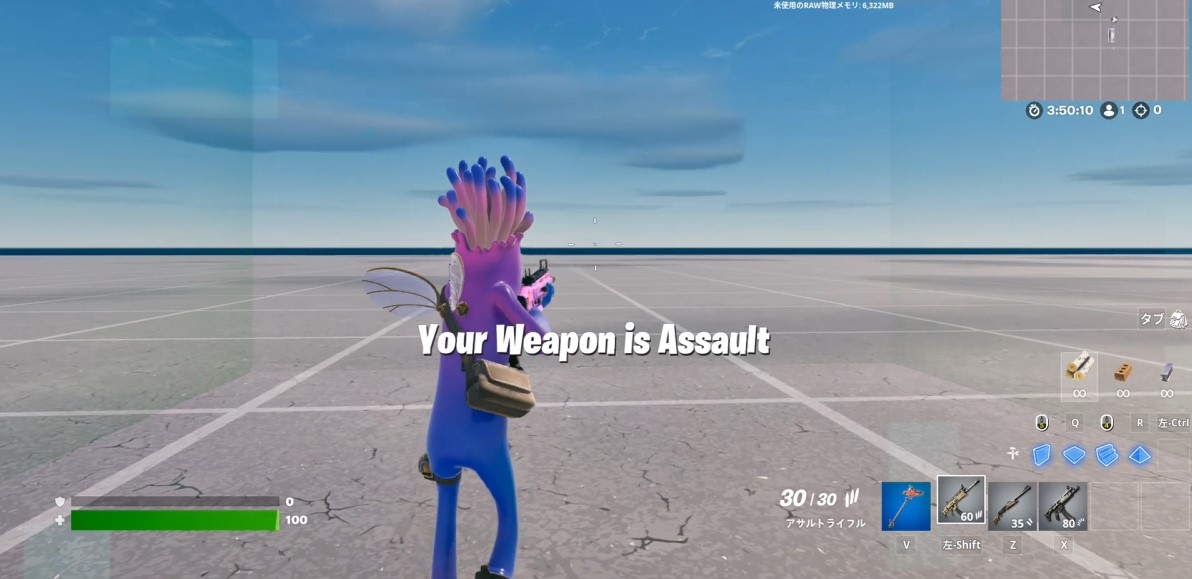
MutatorZoneにプレイヤーが入った際に、所持している武器をチェックします。
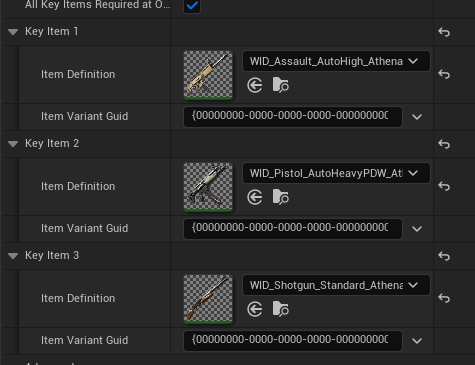
シーン上に条件付きボタンを配置し、プレイヤーが保持する可能性のある武器を登録しておきます。 (3つまでしか登録できないので、それ以上の場合は条件付きボタンを増やしていく必要があります)
今回作成した簡単なコードです。
using { /Fortnite.com/Devices }
using { /Verse.org/Simulation }
using { /UnrealEngine.com/Temporary/Diagnostics }

StringToMessage<public><localizes>(value:string)<computes> : message = "{value}"

HoldingItemCheckDevice := class(creative_device):

    @editable
    ConditionalButtonDevice : conditional_button_device = conditional_button_device{}

    @editable
    MutatorZone : mutator_zone_device = mutator_zone_device{}

    @editable
    HudMessageDevice : hud_message_device = hud_message_device{}


    # Runs when the device is started in a running game
    OnBegin<override>()<suspends>:void=
        MutatorZone.AgentEntersEvent.Subscribe(OnAgentEnterMutatorZone)
        return

    OnAgentEnterMutatorZone(Agent :agent): void=
        var MessageString : string = ""
        if:
            ConditionalButtonDevice.IsHoldingItem[Agent, 0]
        then:
            set MessageString = "Assault"
        if:
            ConditionalButtonDevice.IsHoldingItem[Agent, 1]
        then:
            set MessageString = "Machinegun"
        if:
            ConditionalButtonDevice.IsHoldingItem[Agent, 2]
        then:
            set MessageString = "Shotgun"

        HudMessageDevice.SetText(StringToMessage(MessageString))

        return
プロジェクト
今回のサンプルは以下にアップしておきます。 https://1drv.ms/u/s!AuxSGeVCl2Z8kGFLLRtRBEIGFCLK?e=LOgGBD
まとめ
このサンプルでは、MutatorZoneに入った際に判定していますが、敵がダメージを受けた際などに使用して武器ごとの差別化をするなど、かなり重宝する関数になるかと思います。
UEFN関連の投稿がかなりたまってきたため、UEFN投稿のまとめページを作っています。
ぜひほかの記事も見ていただけると嬉しいです。
RingoGamesではUEFNに関するさまざまな情報を発信していきます。Twitterでお知らせしていきますので、よろしければ、Twitterのフォローをしていただけると幸いです。
Twitterはこちら
