本日はMRTK3枠です。
MRTK3のサンプルシーンを触っていて、MRTKv2やその前形のHoloToolkitに比べてサンプルシーンの導入が少し面倒だと感じたので、今回はEamplesのパッケージを作成してMRTK3にPullRequestを送りたいと思います。
〇MRTK3のサンプルシーンが面倒くさい理由
MRTKv2、HoloToolkit時代はMixedRealityToolkit-v.xx.ExamplesというUnityパッケージが提供されていました。
しかし筆者が見たところMRTK3のサンプルシーンはUnityプロジェクトをCloneもしくはZipとしてダウンロードしてUnityプロジェクトを開く必要がありました。
今回はこれを改修して公式としてサンプルパッケージを配布できるように提案します。
〇サンプルパッケージ(プロトタイプ)の作成
①examplesのフォルダを作成します。 今回の場合ほかのパッケージに合わせるためgit直下に作成しました。

②Package.jsonファイルを作成します。

③jsonファイルの中身を書き換えます。
今回はcoreパッケージからひな形をコピーし、必要個所を変更しました。
{
  "name": "com.microsoft.mrtk.examples",//名前を変更
  "version": "3.0.0-development",
  "description": "This package has been deprecated",
  "displayName": "MRTK Examples",//変更
  "msftFeatureCategory": "MRTK3",
  "author": "Microsoft",
  "license": "BSD 3-Clause",
  "repository": {
    "type": "git",
    "url": "https://github.com/MixedRealityToolkit/MixedRealityToolkit-Unity.git"
  },
  "bugs": {
    "url": "https://github.com/MixedRealityToolkit/MixedRealityToolkit-Unity/issues"
  },
  "unity": "2021.3",
  "dependencies": {
    "org.mixedrealitytoolkit.examples": "3.0.0"//変更
  }
}
④次にorg.mixedrealitytoolkit.examplesフォルダを作成します。
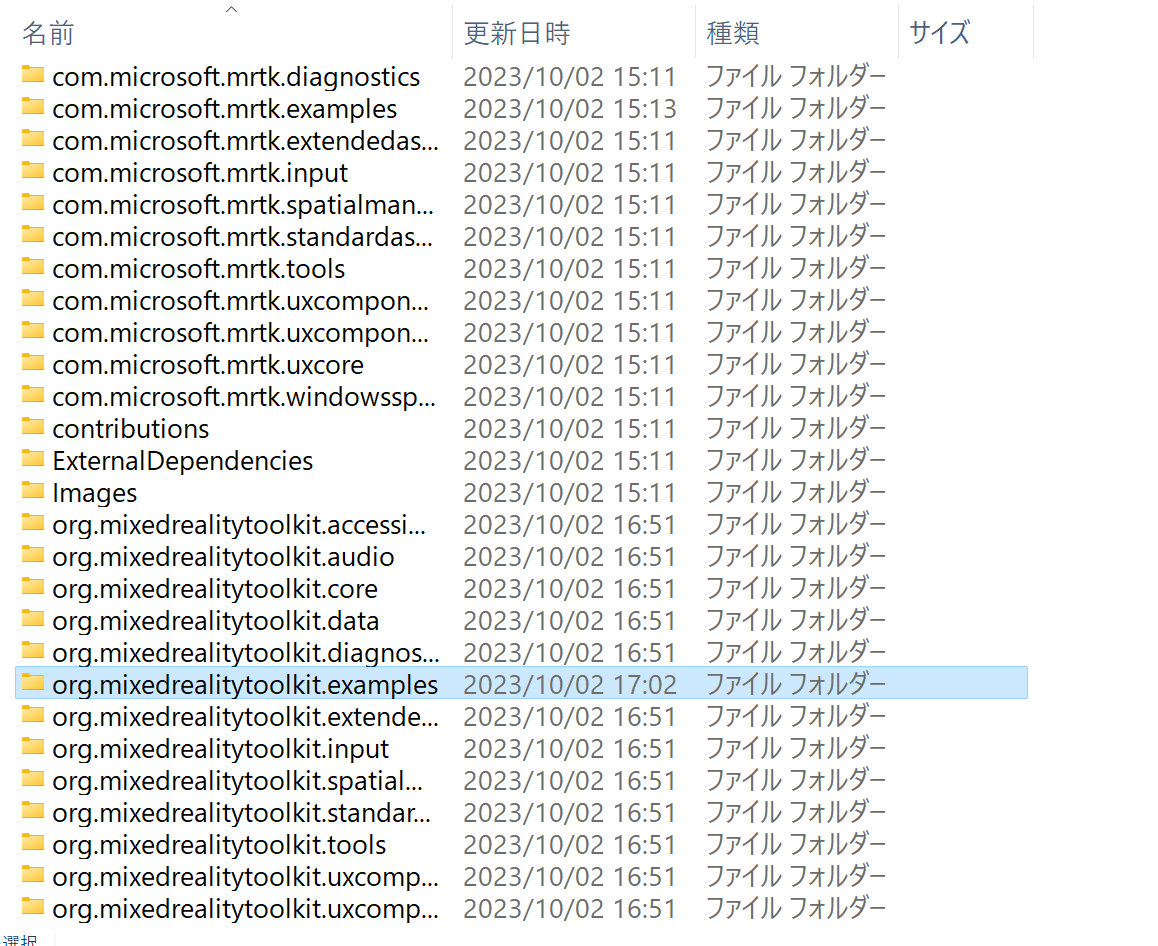
⑤Package.jsonの中身を次のように書き換えます。
{
  "name": "org.mixedrealitytoolkit.examples",
  "version": "3.0.1-development",
  "description": "A limited collection of common interfaces and utilities that most MRTK packages share. Most implementations of these interfaces are contained in other packages in the MRTK ecosystem.",
  "displayName": "MRTK Examples",
  "msftFeatureCategory": "MRTK3",
  "author": "Microsoft",
  "license": "BSD 3-Clause",
  "repository": {
    "type": "git",
    "url": "https://github.com/MixedRealityToolkit/MixedRealityToolkit-Unity.git"
  },
  "bugs": {
    "url": "https://github.com/MixedRealityToolkit/MixedRealityToolkit-Unity/issues"
  },
  "unity": "2021.3",
  "dependencies": {

  }
}
⑥Unityプロジェクトのmanifest.jsonを開きます。
以下の階層にあります。
\UnityProjects\MRTKDevTemplate\Packages

⑦dependenciesにexamplesのフォルダを追加します。
{
  "dependencies": {
 ・・・
"file:../../../ExternalDependencies/com.microsoft.mrtk.tts.windows-1.0.1.tgz",
    "com.microsoft.spatialaudio.spatializer.unity": "file:../../../ExternalDependencies/com.microsoft.spatialaudio.spatializer.unity-2.0.37.tgz",
    "org.mixedrealitytoolkit.accessibility": "file:../../../org.mixedrealitytoolkit.accessibility",
    "org.mixedrealitytoolkit.audio": "file:../../../org.mixedrealitytoolkit.audio",
    "org.mixedrealitytoolkit.core": "file:../../../org.mixedrealitytoolkit.core",
    "org.mixedrealitytoolkit.data": "file:../../../org.mixedrealitytoolkit.data",
    "org.mixedrealitytoolkit.diagnostics": "file:../../../org.mixedrealitytoolkit.diagnostics",
    "org.mixedrealitytoolkit.examples" : "file:../../../org.mixedrealitytoolkit.examples",//追加
    "org.mixedrealitytoolkit.extendedassets": "file:../../../org.mixedrealitytoolkit.extendedassets",
    "org.mixedrealitytoolkit.input": "file:../../../org.mixedrealitytoolkit.input",
 ・・・
⑧UnityProject/MRTKDevTemplateをUnityで開きます。

Unity2021.3.21が23年10月時点での開発バージョンです。
筆者の場合3.21を入れていなかったので開く際にインストールを行いました。

PackageManagerでMRTK Examplesが入っていることを確認します。

⑨Assets内のSceneフォルダを作成したMRTKExamplesに移植します。

しかしこのままではシーンファイルを直接Package内から開くことができないのでExamples化する必要があります。

⑩各サンプルを適切なフォルダに入れてフォルダ名の末尾に~を付けます。
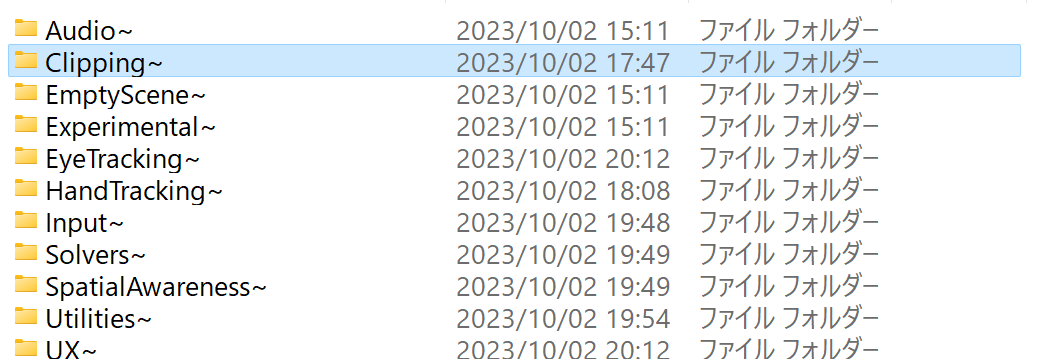
これによってUnityプロジェクト側で読み込まなくなります。
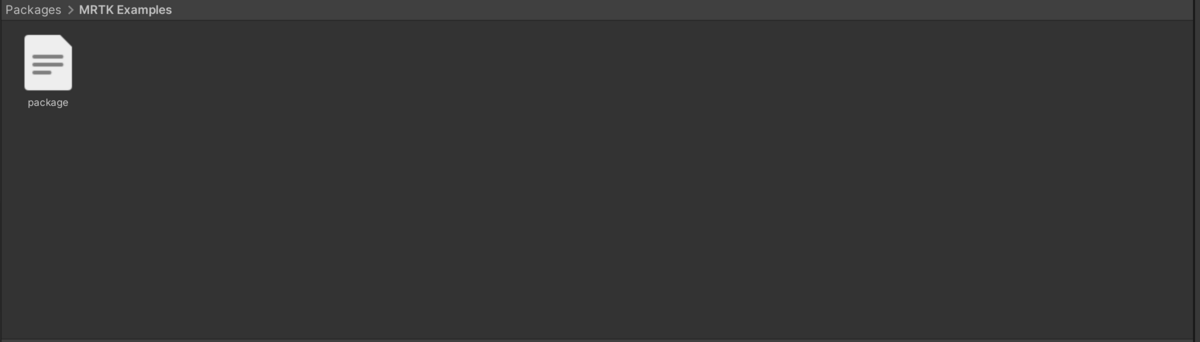
⑪Package.jsonにSampleの階層を追加して~を付けたフォルダ分サンプルを定義します。
{
  "name": "org.mixedrealitytoolkit.examples",
 ・・・
  "bugs": {
    "url": "https://github.com/MixedRealityToolkit/MixedRealityToolkit-Unity/issues"
  },
  "samples": [
    {
      "displayName": "Audio",
      "description": "",
      "path": "Audio~"
    },
    {
      "displayName": "Clipping",
      "description": "",
      "path": "Clipping~"
    },
    {
      "displayName": "EmptyScene",
      "description": "",
      "path": "EmptyScene~"
    },
    {
      "displayName": "Experimental",
      "description": "",
      "path": "Experimental~"
    },
  ・・・
    {
      "displayName": "UX",
      "description": "",
      "path": "UX~"
    }
  ],
  "unity": "2021.3",

}
以上でサンプルパッケージとしてAssets内に配置できるような形でシーンの登録が完了しました。

今回はここまでで次回GitHubでのやり取りを踏まえ改修していきます。
現段階ではExamplesとして配布したいという形ができたので、実際のフォルダ分けや依存関係など細かいところの定義はMRTK開発チームと連携をとる必要があります。
今回の段階をプロトタイプとして提出してチームの反応を待っていきます。
