本日は昨日に引き続きUnityEditor拡張に挑戦します。
昨日はUnityEditor拡張を使用してオリジナルのワールドメニューを作成しました。
メニューを押すことでシーンにオブジェクトが生成される仕組みが作られました。
今回は[BuildSettings]や[Scene]、[inspector]ウィンドウなどのようにUnity内で表示されるオリジナルのウィンドウを作成します。
〇オリジナルのUnityウィンドウを作成する。
今回は昨日作成したコードを基に編集していきます。
using System.Collections;
using System.Collections.Generic;
using UnityEngine;
using UnityEditor;

public class GameControlEditor : Editor
{
    [MenuItem("GameControlMenu/GameSet")]
    static void GameControlMenu()
 {
        var _cube = GameObject.CreatePrimitive(PrimitiveType.Cube);

        Debug.Log("Set");
    }


}
次の様に編集します。
using System.Collections;
using System.Collections.Generic;
using UnityEngine;
using UnityEditor;

public class GameControlEditor : Editor
{
    [MenuItem("GameControlMenu/GameSet")]
    static void GameControlMenu()
    {
        var _cube = GameObject.CreatePrimitive(PrimitiveType.Cube);

        EditorWindow.GetWindow<GameControlWindow>( "GameControlWindow" );
        Debug.Log("Set");
    }


}

public class GameControlWindow : EditorWindow
{

}
変更点は次の一行です。
EditorWindow.GetWindow<GameControlWindow>( "GameControlWindow" );
これはUnityで[GameControlWindos]という名前のWindowを展開する処理を意味します。
この[GameControlWindos]は別のクラスで定義しています。
public class GameControlWindow : EditorWindow
{

}
このクラスは[EditorWindow]クラスから派生したクラスでUnityのEditor上で表示されるウィンドウを制御します。
この状態でUnity上部の[GameControlMenu]の[GameSet]ボタンを押します。
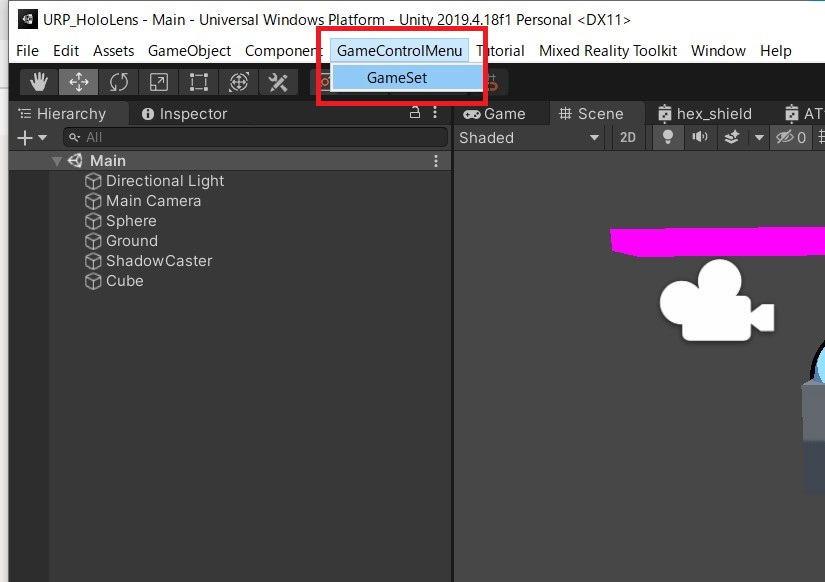
これによって[GameControlWindow]という名前の空のウィンドウが開きます。
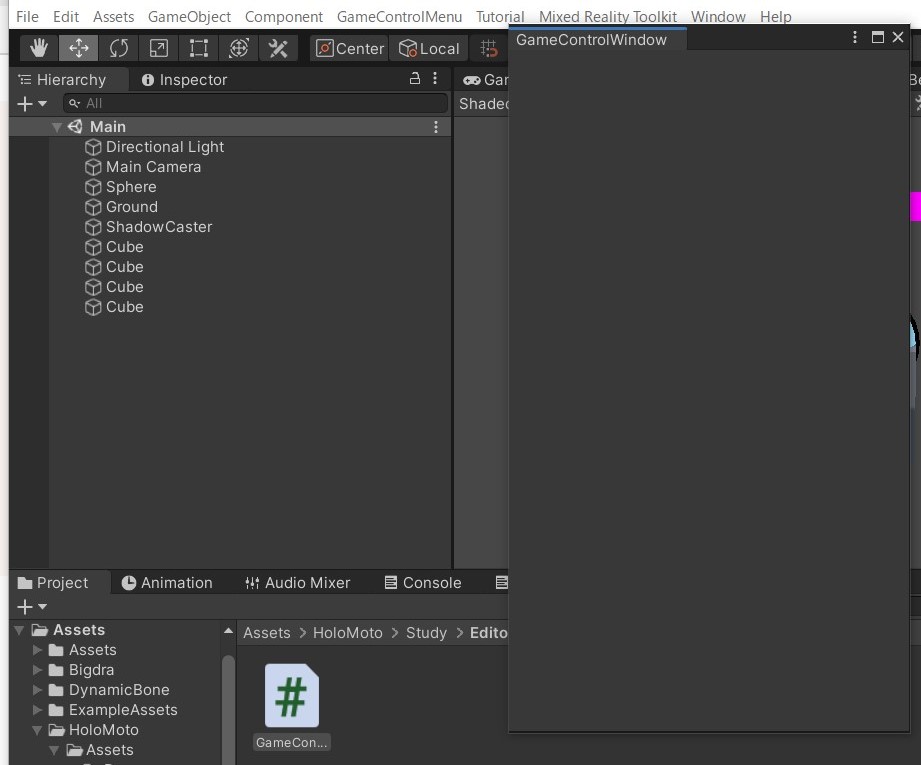
この[GameControlWindow]の中身は[GameControlWindow]クラスで定義します。こちらもまた後日取り組みます。
