参考ページ
https://ja.nuxtjs.org/docs/2.x/configuration-glossary/configuration-loading/
設定
nuxt.config.jsファイルを下記のように設定するloading indicatorプロパティはぺージ読み込み中にローディングインジケータを表示する設定。最初の読み込み時に実行されるloadingはルート間遷移時にローディングプログレスバーを表示するコンポーネントを用意しています
export default {
(省略)
  loading: '~/components/LoadingBar.vue',
  loadingIndicator: {
    name: 'circle',
    color: '#ff8f9f',
    duration: 5000,
    background: '#24c494'
  },
(省略)
}
ローディングコンポーネント作成
components/LoadingBar.vueファイルを作成する。ページ遷移時に表示するコンポーネントを作成する
<template>
  <div v-if="loading" class="loading-page">
    <p>Loading...</p>
  </div>
</template>

<script>
export default {
  data: () => ({
    loading: false
  }),
  methods: {
    start () {
      this.loading = true
    },
    finish () {
      this.loading = false
    }
  }
}
</script>

<style scoped>
  .loading-page {
    position: fixed;
    top: 0;
    left: 0;
    width: 100%;
    height: 100%;
    background: gray;
    text-align: center;
    padding-top: 200px;
    font-size: 30px;
    font-family: sans-serif;
  }
</style>
サンプルページ
- 処理が重たい処理の最初と最後に下記の記述を追加する。下記の記述をしている間に
components/LoadingBar.vueのViewが表示される
      this.$nuxt.$loading.start()

      (重たい処理)

      this.$nuxt.$loading.finish()
pages/test.vueファイルを作成する
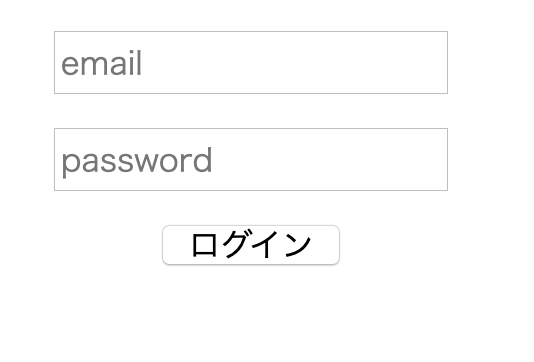
<template>
  <center>
    <div class="login-form">
      <form @submit.prevent="login">
        <p v-if="error" class="error">
          {{ error }}
        </p>
        <p><input v-model="email" type="text" placeholder="email" name="email"></p>
        <p><input v-model="password" type="text" placeholder="password" name="password"></p>
        <div class="login-btn">
          <button type="submit">
            ログイン
          </button>
        </div>
      </form>
    </div>
  </center>
</template>

<script>
export default {
  data () {
    return {
      error: null,
      email: '',
      password: ''
    }
  },
  created () {
    this.loading()
  },
  methods: {
    async loading () {
      await setTimeout(() => this.$nuxt.$loading.finish(), 10000)
    },
    async login () {
      this.$nuxt.$loading.start()
      try {
        await this.$store.dispatch('login', {
          email: this.email,
          password: this.password
        })
        await setTimeout(() => this.$nuxt.$loading.finish(), 5000)
        this.$router.push('/')
      } catch (e) {
        this.error = e.message
      }
    }
  }
}
</script>
動作確認
- サンプルページのボタンを押すとローディングページが表示される
ログインページ
ローディングページ