はじめに
下記のサイトから利用するgoogle fontを選択する fonts.google.com
利用する情報は下記の赤枠の情報をnuxtjs内で設定します。
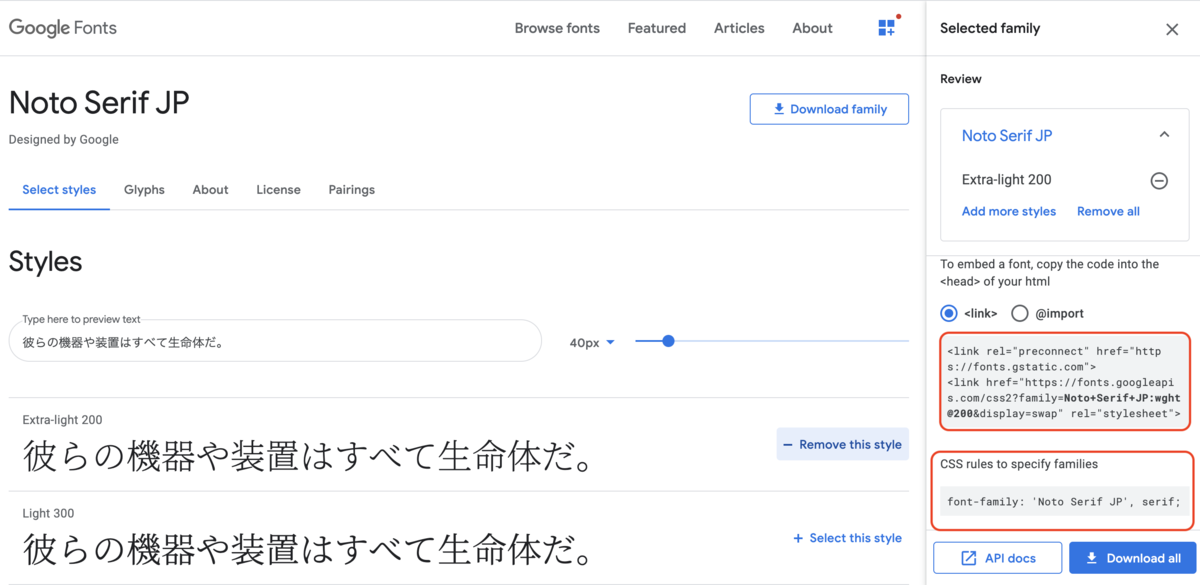
nuxtjsに設定する
nuxt.config.jsファイルに下記の記述を追加する
  // Global page headers (https://go.nuxtjs.dev/config-head)
  head: {
    (省略)
    link: [
      { rel: 'icon', type: 'image/x-icon', href: '/favicon.ico' },
      { href: 'https://fonts.googleapis.com/css2?family=Noto+Serif+JP:wght@200&display=swap' }
    ]
  },
layout/default.vueファイルに下記の内容を追記する。body全体にgoogle fontを適用する。
<template>
  <Nuxt />
</template>

<style>
body {
  font-family: 'Noto Serif JP', serif;
}
</style>
実行例
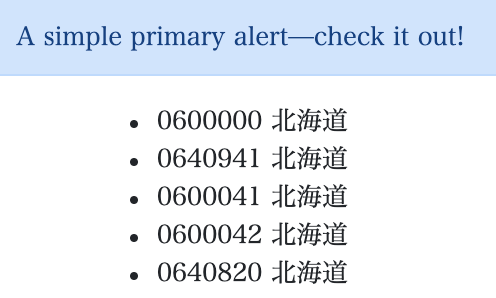
その他
- 下記のライブラリで簡単にgoogle fontを適用できるらしい。利用しなくても簡単に設定できる。 www.npmjs.com
