1, 0, -1の3値で重みを表現するBitNet b1.58の、独自に4兆トークンで学習した2Bモデルが出ていたので試しました。
https://github.com/microsoft/BitNet
だいたいReadmeの通りにやればいいんだけど、Windowsではハマリポイントあったのでメモ。Readme見れば書いてあるんだけど、見逃しがち。
まず、VS2022が必要、そしてVS2022コマンドプロンプトでの実行が必要です。
Visual Studio 2022 コミュニティ エディション – 最新の無料バージョンをダウンロードする
必要なコンポーネントも書いてあるけど、日本語での表記はたぶん次の4つ
それに加えてGit for Windowsが必要だけど、git cloneじゃなくzipダウンロードしてもOKだと思う。
git clone --recursive https://github.com/microsoft/BitNet.git
cd BitNet
そしてコマンドプロンプトでもPowerShellでもいいけどVS 2022のを使う。

そして、WindwsだとVSVCの変更のせいでエラーがでるので、ここにあるfixをする。
https://github.com/abetlen/llama-cpp-python/issues/1942
この3つのファイルに#include <chrono>を追加するとある。
- 3rdparty/llama.cpp/common/log.cpp
- 3rdparty/llama.cpp/examples/imatrix/imatrix.cpp
- 3rdparty/llama.cpp/examples/perplexity/perplexity.cpp
けど、このファイルも修正が必要だった。
- 3rdparty/llama.cpp/common/common.cpp
あとは指示どおりにやればビルド完了。huggingface-cliも必要ですね。
python -m venv .venv
.venv/Scripts/activate
pip install -r requirements.txt

huggingface-cli download microsoft/BitNet-b1.58-2B-4T-gguf --local-dir models/BitNet-b1.58-2B-4T
python setup_env.py -md models/BitNet-b1.58-2B-4T -q i2_s
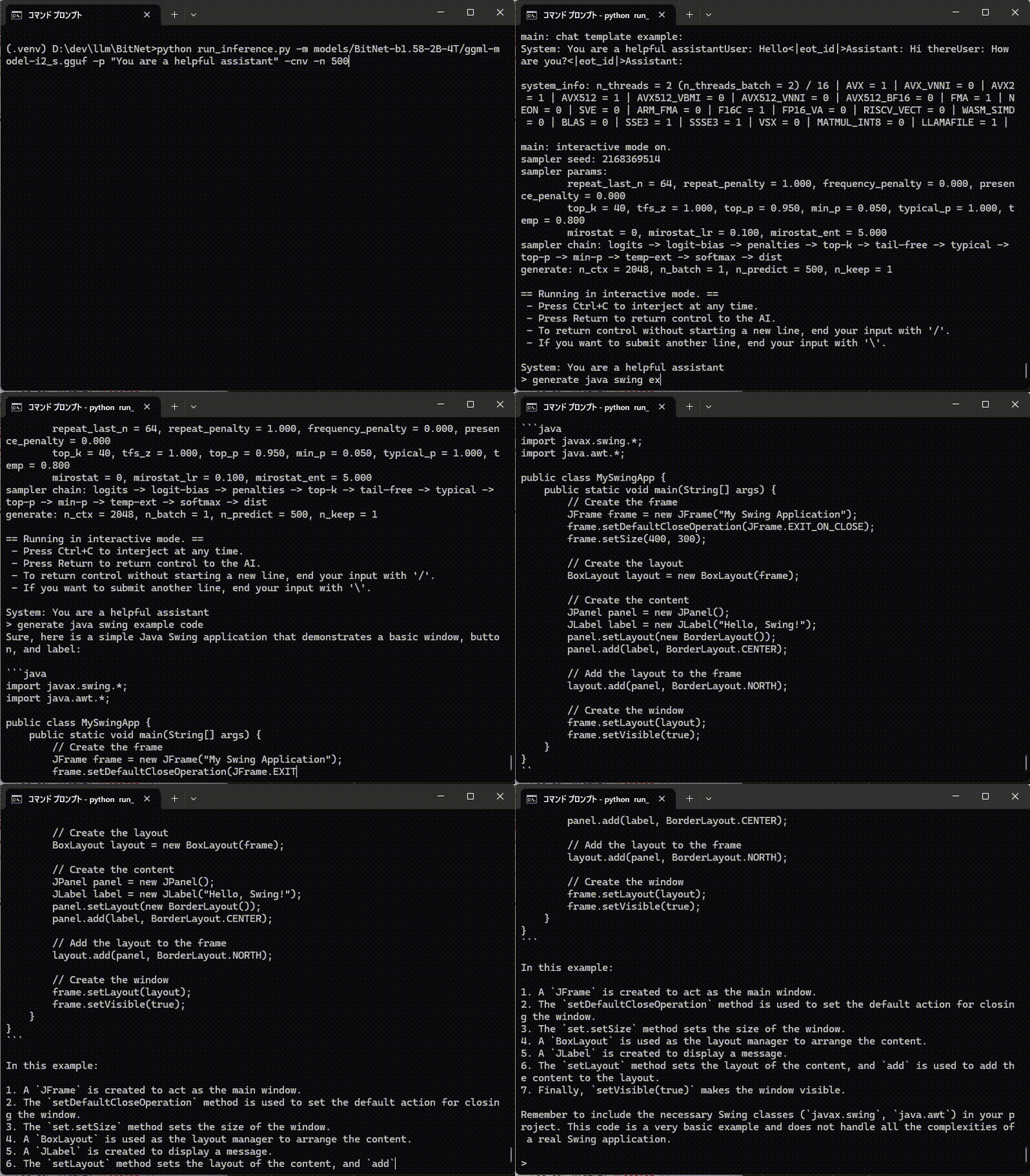
実行自体は通常のコマンドプロンプトでOK。デフォルトだと出力トークン数が少なすぎるので-n 500を指定しています。
python run_inference.py -m models/BitNet-b1.58-2B-4T/ggml-model-i2_s.gguf -p "You are a helpful assistant" -cnv -n 500

Javaのサンプルコードくらいは普通に書けてしまう。
日本語はかなり苦手ですね。

