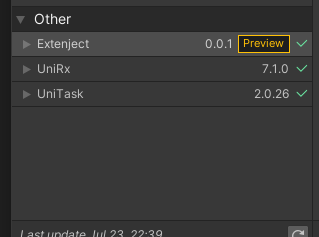
Unity2019.3から、PackageManagerにて相対パスでgithubにあるPackageが導入できるようになりました。 備忘録として、現行バージョン(2020/7/25時点)のExtenject、UniRx、UniTaskを導入する方法についてメモっておきます。
やりかた
Packages/manifest.json内に以下を追記し、Unityのウィンドウをアクティブにします。
"com.svermeulen.extenject": "https://github.com/svermeulen/Extenject.git?path=UnityProject/Assets/Plugins/Zenject",
"com.neuecc.unirx": "https://github.com/neuecc/UniRx.git?path=Assets/Plugins/UniRx/Scripts",
"com.cysharp.unitask": "https://github.com/Cysharp/UniTask.git?path=src/UniTask/Assets/Plugins/UniTask"
無事導入できました!