この記事は穏やかなぴょこりんクラスタ Advent Calendar 2025 - Adventarのために書いたものです。 このアドベントカレンダーは、こういう趣旨のものです。
サマリ
Ender-3 V3 KEは、オートレベリングさせた後、手動でz軸を-0.1mmずらし、その後自動調整なしで印刷すると調子よく印刷できる。
はじめに
我が家で使っているEnder-3 V3 KE(Ender-3 V3 KE 3Dプリンター | Klipper搭載・精密印刷 | Creality公式)が調子悪く、造形物が印刷面からはがれてしまうようになりました。試しにテストパターンをthingiverseか何かでダウンロードして印刷してみると、こんな感じでボロボロ。どうしようもありません。この機種には、ノズル位置の自動キャリブレーション機能がついていて、毎回キャリブレーションしてから印刷しているんですが、この体たらく。
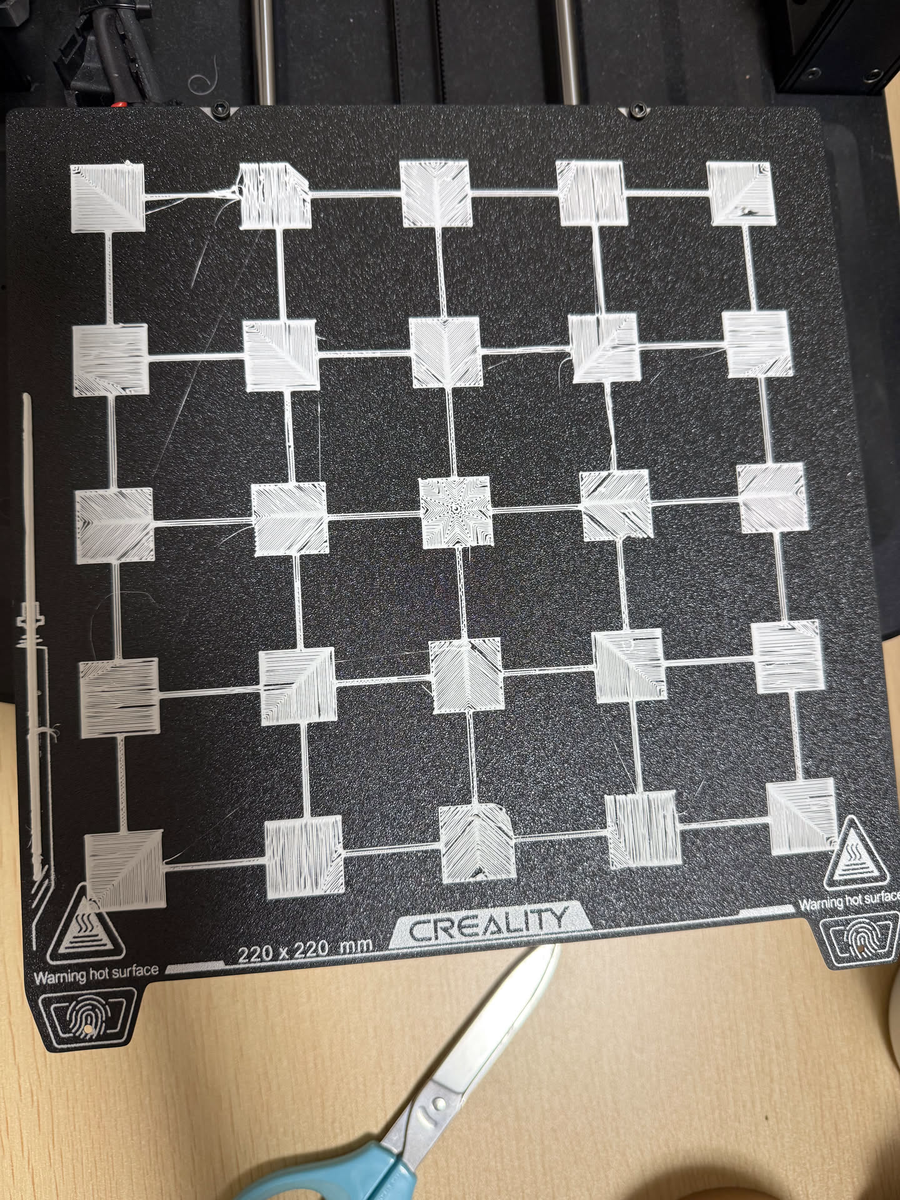
さてどうするか。こういうのはだいたいみんなはまるものだから、偉大な先人に期待しましょう。
結局どうしたか
これで解決しました。 How to adjust z offset? Ender 3 v3 KE, print not sticking to bed. Help please : r/Ender3V3KE
For PLA on my KE I do the auto calibration then offset by another -0.1 in the experimental tab in the Creality Print profile (turn on advanced options). You can also do it in the adjustment menu on the touchpad (two clicks). I do it in the slicer because my z offset drifts over the day and I have to do an auto calibration each print. PETG will need less squish that PLA and maybe even a few clicks the other way.
適当訳:オートキャリブレーションしたあと、z軸のoffsetを-0.1mmずらしてください。
これで往年の輝きが戻りました。よかったよかった。
