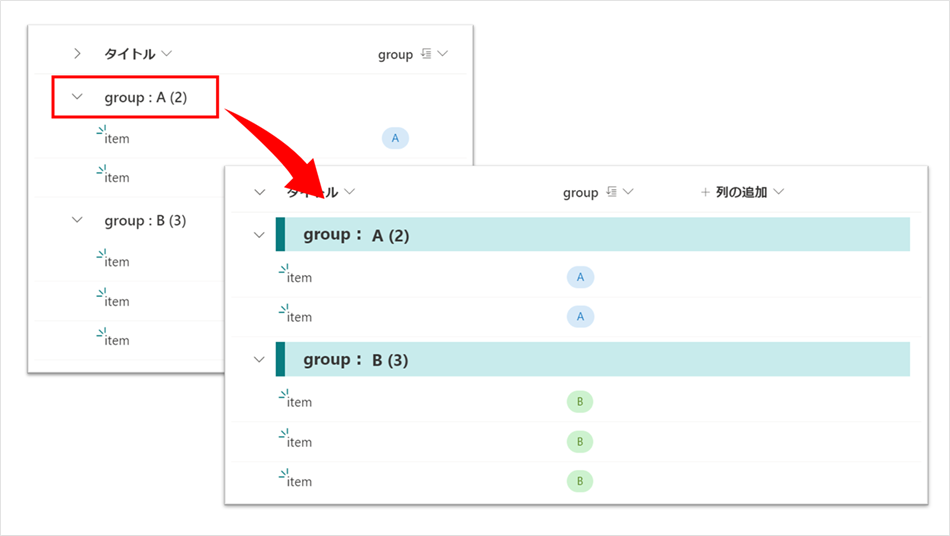
リストのグループヘッダーを上図のように色付けする書式設定のサンプルを、いくつか作成してみました。
以下に、作成した書式設定の JSON を掲載いたします。
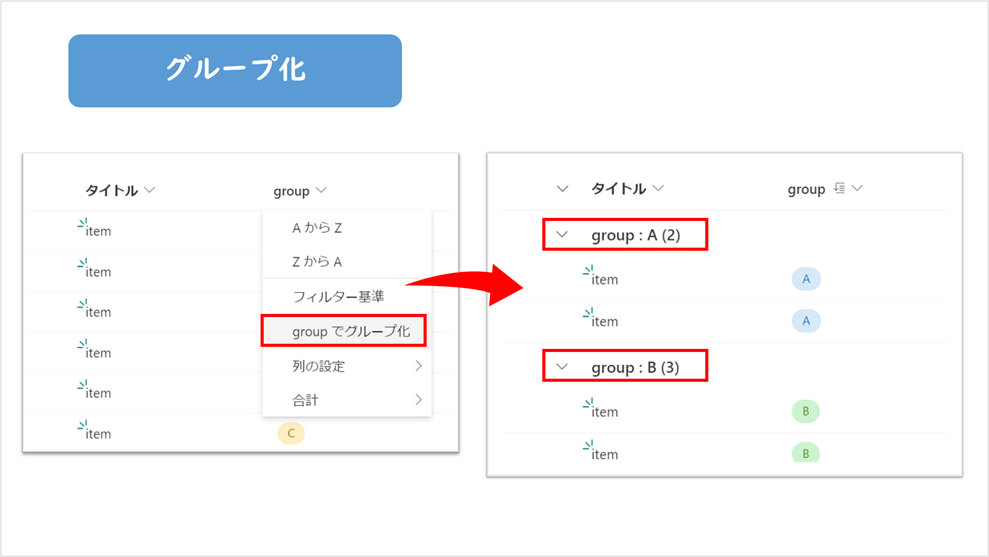
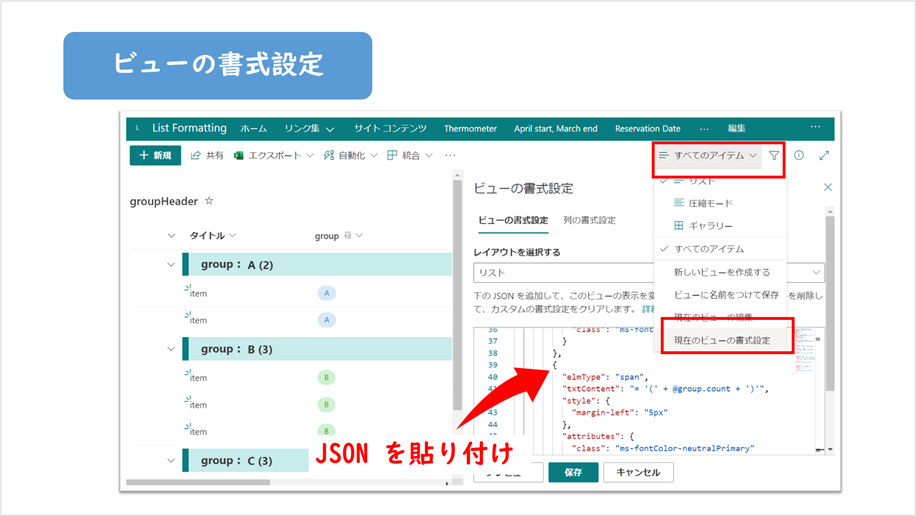
利用する場合は、グループ化の設定後、ビューの書式設定に JSON を貼り付けてください。
サンプル1
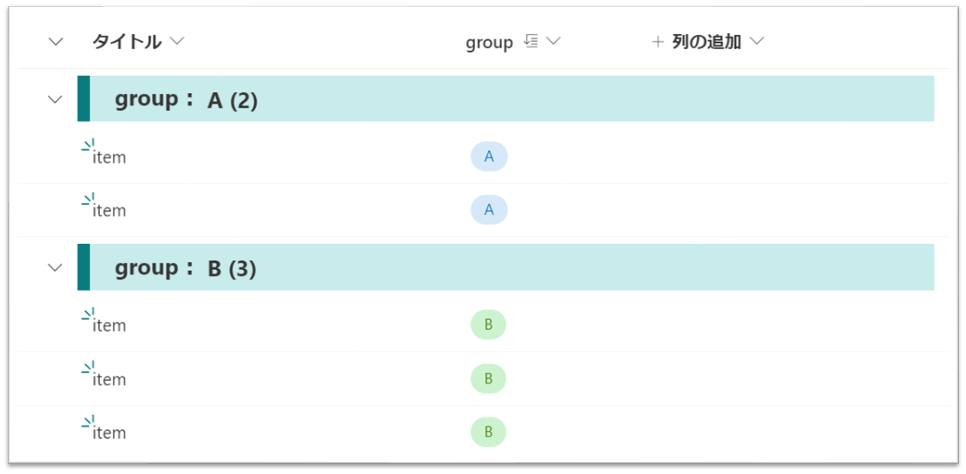
{
  "$schema": "https://developer.microsoft.com/json-schemas/sp/v2/row-formatting.schema.json",
  "hideColumnHeader": false,
  "groupProps": {
    "headerFormatter": {
      "elmType": "div",
      "style": {
        "border-left": "10px solid",
        "width": "= @window.innerWidth * 0.75 + 'px'",
        "height": "37px",
        "white-space": "nowrap",
        "overflow": "hidden"
      },
      "attributes": {
        "class": "ms-bgColor-themeLighter ms-fontColor-themePrimary ms-fontWeight-bold  ms-fontSize-18"
      },
      "children": [
        {
          "elmType": "span",
          "txtContent": "= @group.columnDisplayName + ':'",
          "style": {
            "margin-left": "20px",
            "display": "=if(@group.columnDisplayName == '' ,'none','')"
          },
          "attributes": {
            "class": "ms-fontColor-neutralPrimary"
          }
        },
        {
          "elmType": "span",
          "txtContent": "@group.fieldData.displayValue",
          "style": {
            "margin-left": "=if(@group.columnDisplayName == '' ,'20px','5px')"
          },
          "attributes": {
            "class": "ms-fontColor-neutralPrimary"
          }
        },
        {
          "elmType": "span",
          "txtContent": "= '(' + @group.count + ')'",
          "style": {
            "margin-left": "5px"
          },
          "attributes": {
            "class": "ms-fontColor-neutralPrimary"
          }
        }
      ]
    }
  }
}
サンプル2
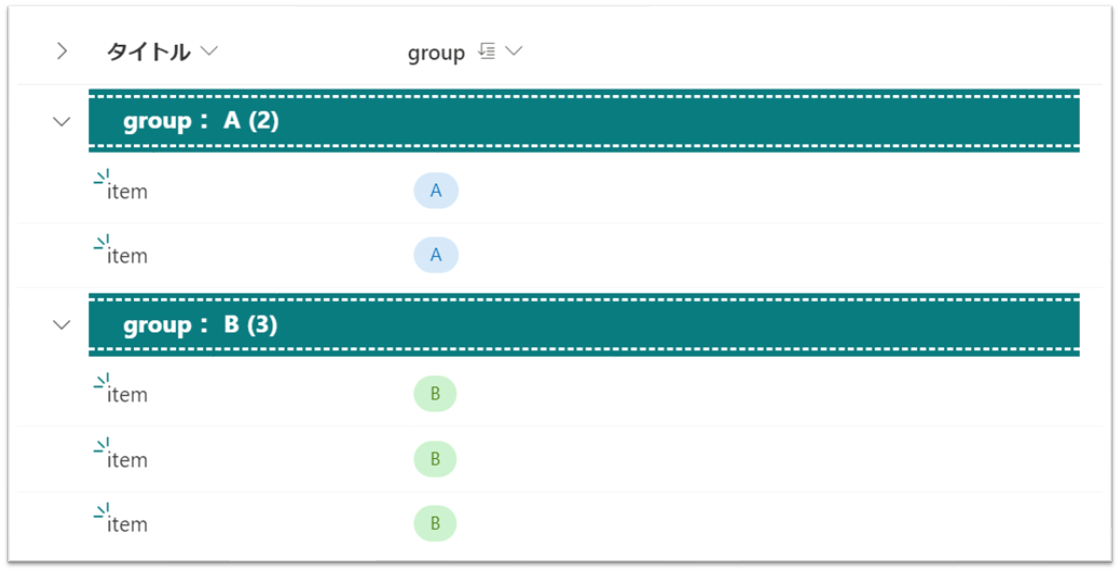
{
  "$schema": "https://developer.microsoft.com/json-schemas/sp/v2/row-formatting.schema.json",
  "hideColumnHeader": false,
  "groupProps": {
    "headerFormatter": {
      "elmType": "div",
      "style": {
        "width": "= @window.innerWidth * 0.75 + 'px'",
        "height": "42px"
      },
      "attributes": {
        "class": "ms-bgColor-themePrimary"
      },
      "children": [
        {
          "elmType": "div",
          "style": {
            "width": "100%",
            "white-space": "nowrap",
            "overflow": "hidden",
            "border-top": "2px dashed",
            "border-bottom": "2px dashed",
            "padding": "3px"
          },
          "attributes": {
            "class": "ms-fontColor-white ms-fontWeight-bold  ms-fontSize-16"
          },
          "children": [
            {
              "elmType": "span",
              "txtContent": "= @group.columnDisplayName + ':'",
              "style": {
                "margin-left": "20px",
                "display": "=if(@group.columnDisplayName == '' ,'none','')"
              }
            },
            {
              "elmType": "span",
              "txtContent": "@group.fieldData.displayValue",
              "style": {
                "margin-left": "=if(@group.columnDisplayName == '' ,'20px','5px')"
              }
            },
            {
              "elmType": "span",
              "txtContent": "= '(' + @group.count + ')'",
              "style": {
                "margin-left": "5px"
              }
            }
          ]
        }
      ]
    }
  }
}
サンプル3
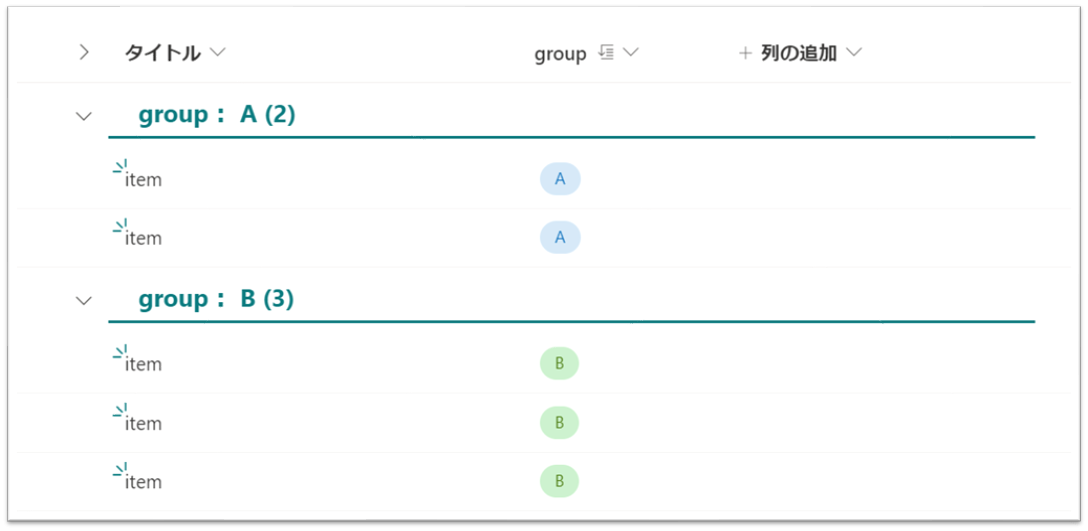
{
  "$schema": "https://developer.microsoft.com/json-schemas/sp/v2/row-formatting.schema.json",
  "hideColumnHeader": false,
  "groupProps": {
    "headerFormatter": {
      "elmType": "div",
      "style": {
        "width": "= @window.innerWidth * 0.75 + 'px'",
        "height": "40px"
      },
      "children": [
        {
          "elmType": "div",
          "style": {
            "width": "100%",
            "white-space": "nowrap",
            "overflow": "hidden",
            "border-bottom": "2px solid",
            "padding": "2px"
          },
          "attributes": {
            "class": "ms-fontColor-themePrimary ms-fontWeight-bold  ms-fontSize-18"
          },
          "children": [
            {
              "elmType": "span",
              "txtContent": "= @group.columnDisplayName + ':'",
              "style": {
                "margin-left": "20px",
                "display": "=if(@group.columnDisplayName == '' ,'none','')"
              }
            },
            {
              "elmType": "span",
              "txtContent": "@group.fieldData.displayValue",
              "style": {
                "margin-left": "=if(@group.columnDisplayName == '' ,'20px','5px')"
              }
            },
            {
              "elmType": "span",
              "txtContent": "= '(' + @group.count + ')'",
              "style": {
                "margin-left": "5px"
              }
            }
          ]
        }
      ]
    }
  }
}
補足
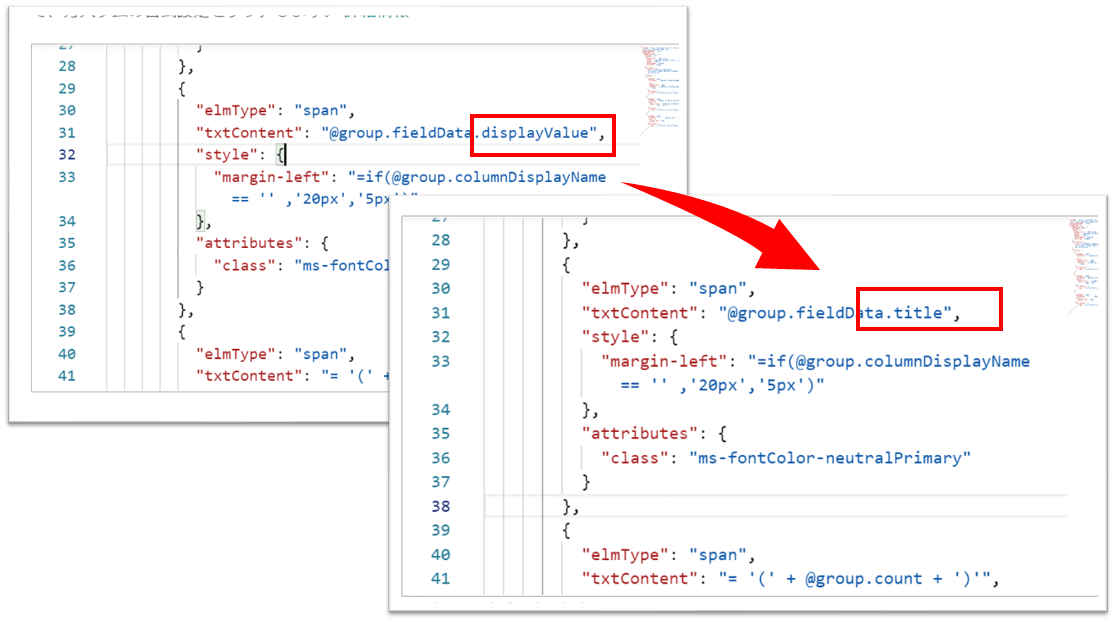
ユーザー列をグループ化して JSON を適用した場合、下図のように [Object object] と表示されます。
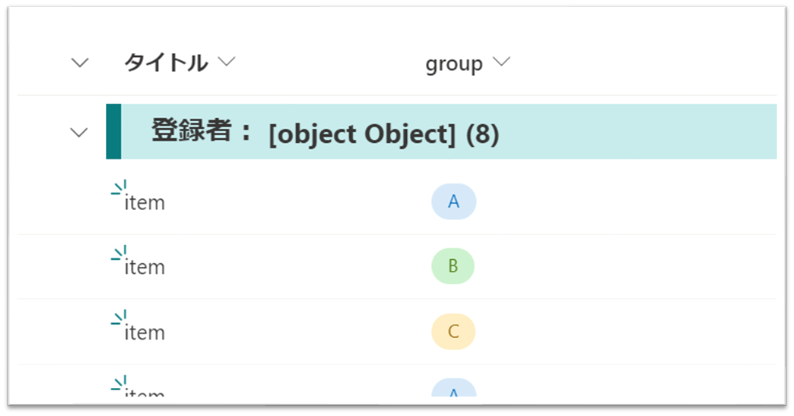
その場合は、JSON 内の「@group.fieldData.displayValue」を「@group.fieldData.title」に変更してください。