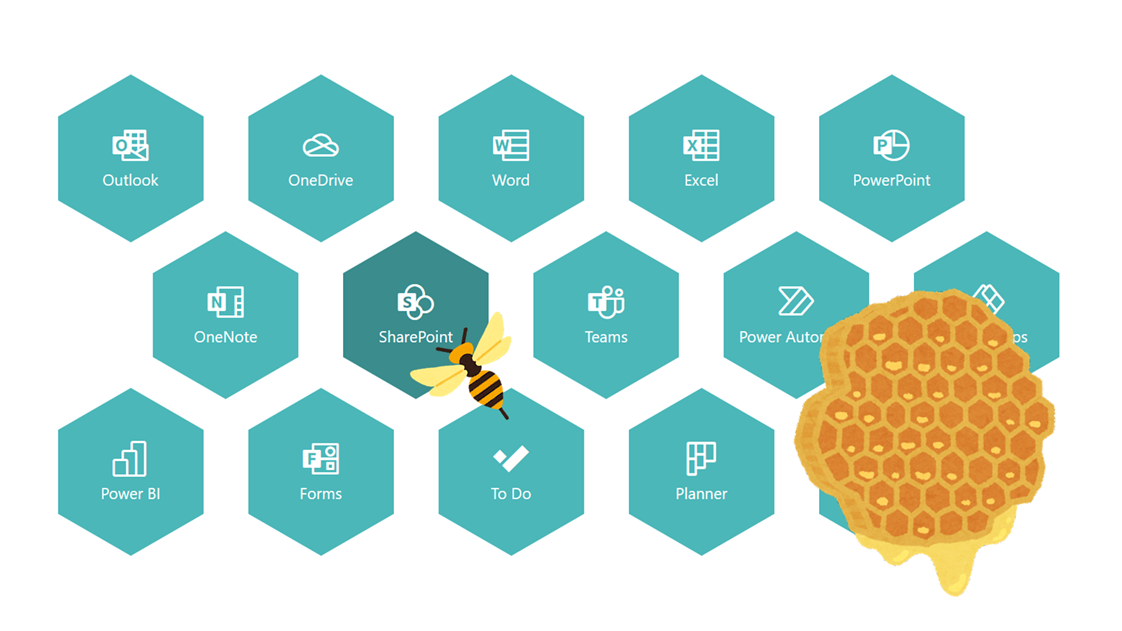
上図のようなハチの巣っぽいリンク集を、Microsoft Lists のビューの書式設定で作ってみました。
以下、作成方法について記載します。
列定義
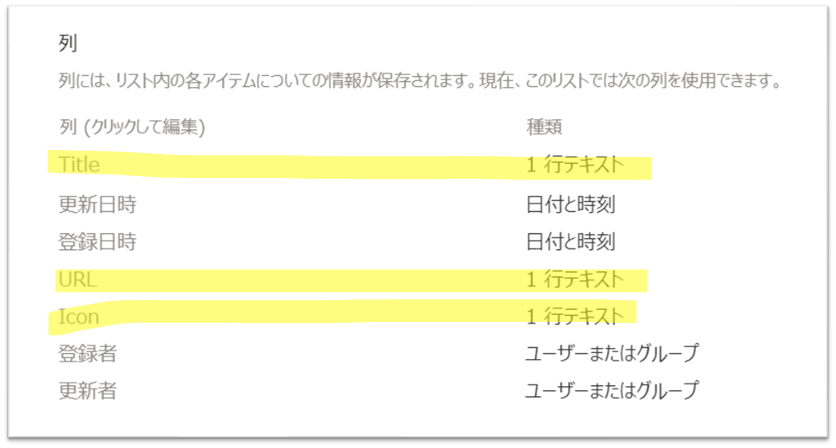
リストを作成し、次の列を定義します。
| 列の内部名 | 列の種類 |
|---|---|
| Title(デフォルトで定義されている列) | 1行テキスト |
| URL | 1行テキスト |
| Icon | 1行テキスト |
アイテム登録
リスト定義後、リンク情報をリストに登録します。
[Icon] 列には、Fluent UI Icon のアイコン名を入力してください。
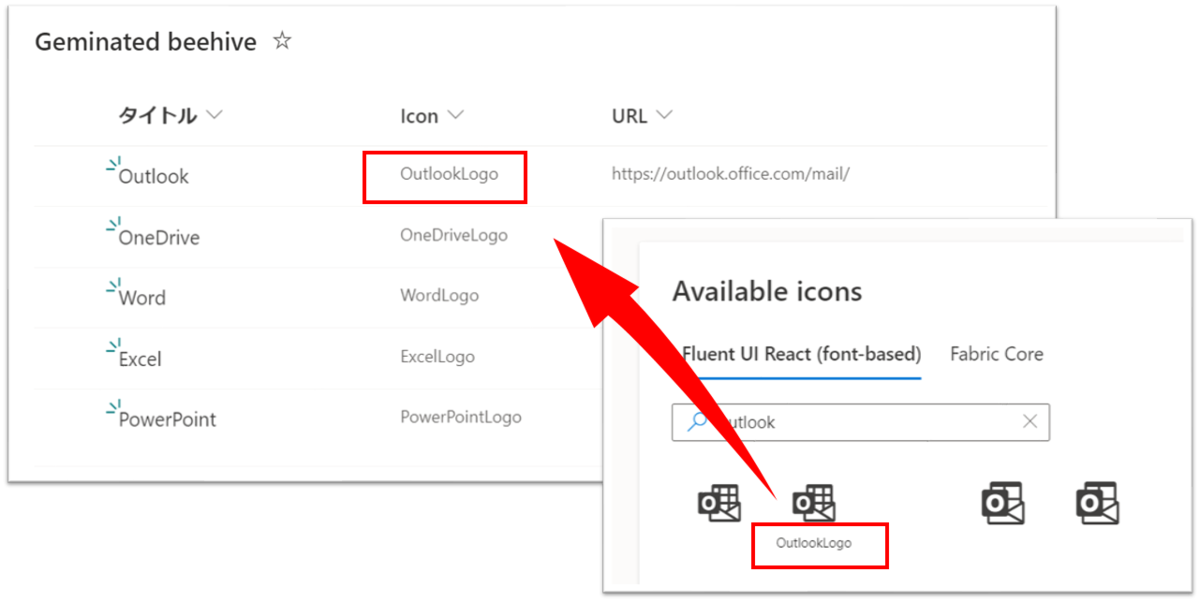
Fluent UI Icon の一覧は、次のサイトに掲載されています。
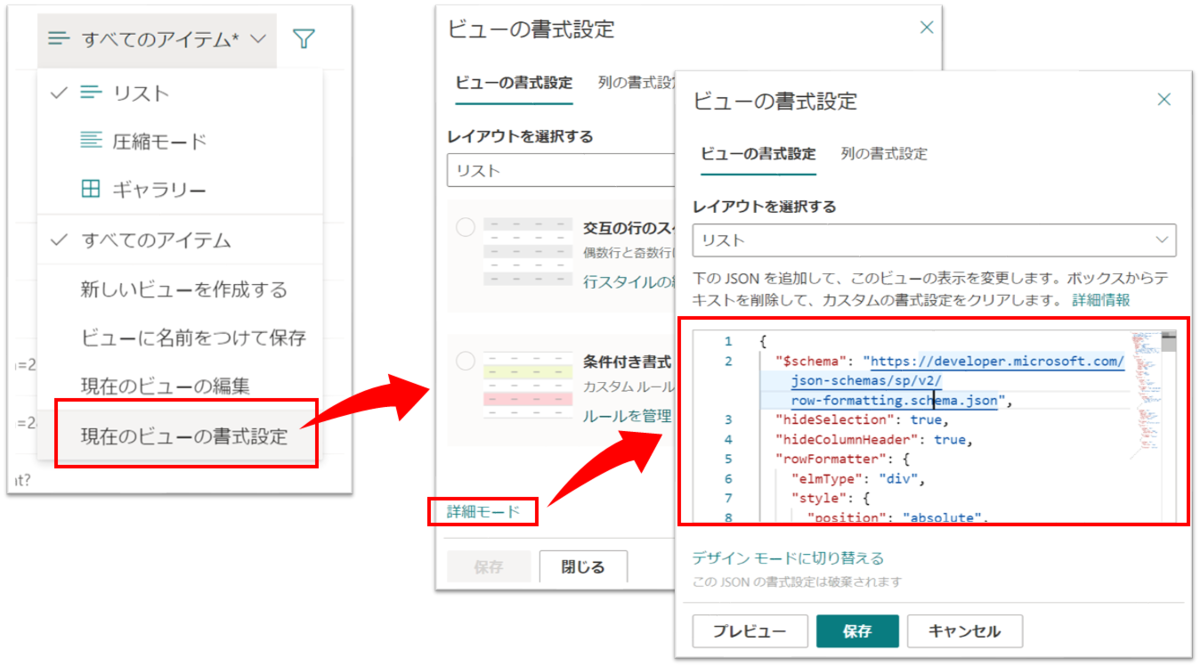
ビューの書式設定
ビューの書式設定に、次の JSON を設定すれば完成です。
{
  "$schema": "https://developer.microsoft.com/json-schemas/sp/v2/row-formatting.schema.json",
  "hideSelection": true,
  "hideColumnHeader": true,
  "rowFormatter": {
    "elmType": "div",
    "children": [
      {
        "elmType": "div",
        "style": {
          "height": "150px",
          "display": "=if(@rowIndex%5==0,'','none')"
        }
      },
      {
        "elmType": "div",
        "style": {
          "position": "absolute",
          "width": "150px",
          "height": "150px",
          "left": "=if(floor(@rowIndex/5)%2==0,@rowIndex%5*170+'px',@rowIndex%5*170+85+'px')",
          "margin-bottom": "=if(@rowIndex%5==0,'','150px')"
        },
        "children": [
          {
            "elmType": "a",
            "style": {
              "position": "relative",
              "display": "flex",
              "justify-content": "center",
              "align-items": "center",
              "width": "100%",
              "height": "100%",
              "top": "=if(floor(@rowIndex/5)>0,floor(@rowIndex/5)+'px','')"
            },
            "attributes": {
              "href": "[$URL]",
              "target": "_blank",
              "class": "ms-fontColor-themePrimary ms-fontColor-themeDark--hover"
            },
            "children": [
              {
                "elmType": "svg",
                "style": {
                  "fill": "currentColor",
                  "cursor": "pointer"
                },
                "attributes": {
                  "viewBox": "-150 -150 300 300"
                },
                "children": [
                  {
                    "elmType": "path",
                    "attributes": {
                      "d": "M130 75 L0 150 L-130 75 L-130 -75 L-0 -150 L130 -75 z"
                    }
                  }
                ]
              },
              {
                "elmType": "div",
                "style": {
                  "position": "absolute",
                  "display": "flex",
                  "flex-direction": "column",
                  "align-items": "center",
                  "justify-content": "center",
                  "cursor": "pointer",
                  "width": "100%",
                  "height": "100%"
                },
                "attributes": {
                  "class": "ms-fontColor-white"
                },
                "children": [
                  {
                    "elmType": "div",
                    "style": {
                      "font-size": "32px",
                      "margin-bottom": "5px"
                    },
                    "attributes": {
                      "iconName": "[$Icon]"
                    }
                  },
                  {
                    "elmType": "div",
                    "style": {
                      "font-size": "14px",
                      "width": "75%",
                      "text-align": "center"
                    },
                    "txtContent": "[$Title]"
                  }
                ]
              }
            ]
          }
        ]
      }
    ]
  }
}
※1 列に表示されるリンクの数は固定となっており、上記のサンプルコードでは 1 列に 5 個までリンクが表示されるようになっています。
