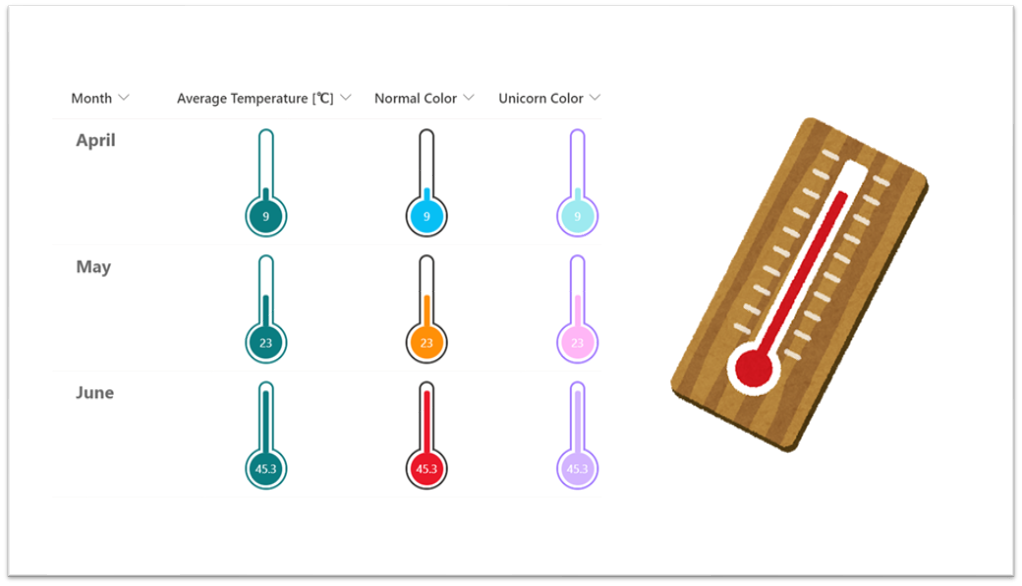
Twitter で「書式設定でバッテリー もできたんだから、温度計もできるんじゃない!?」というコメントをいただいたので、上図のような数値列を温度計に変身させる書式設定を作ってみました。
以下に JSON を掲載しておくので、興味があれば利用してみてください。
※いずれも最小値 0、最大値 50 を前提に作成されています。
サイトテーマカラーの 温度計
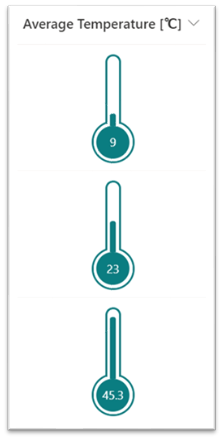
この書式設定は、数値範囲ごとに温度計の色が変わることはありません。
{
  "$schema": "https://developer.microsoft.com/json-schemas/sp/v2/column-formatting.schema.json",
  "elmType": "div",
  "style": {
    "display": "flex",
    "flex-direction": "column",
    "jutify-content": "center",
    "height": "120px",
    "padding-top": "10px"
  },
  "children": [
    {
      "elmType": "div",
      "style": {
        "position": "relative",
        "z-index": "1",
        "width": "12px",
        "height": "70px",
        "border": "2px solid",
        "border-radius": "15px 15px 0 0",
        "border-bottom": "none",
        "display": "flex",
        "justify-content": "center"
      },
      "attributes": {
        "class": "ms-fontColor-themePrimary ms-bgColor-white"
      },
      "children": [
        {
          "elmType": "div",
          "style": {
            "position": "absolute",
            "width": "50%",
            "max-height": "100%",
            "height": "=( @currentField / 50 ) * 100  + '%'",
            "border-radius": "15px 15px 0 0",
            "bottom": "-2px"
          },
          "attributes": {
            "class": "ms-bgColor-themePrimary"
          }
        }
      ]
    },
    {
      "elmType": "div",
      "style": {
        "position": "relative",
        "width": "40px",
        "height": "40px",
        "border-radius": "50%",
        "border": "2px solid",
        "bottom": "3px",
        "display": "flex",
        "justify-content": "center",
        "align-items": "center"
      },
      "attributes": {
        "class": "ms-fontColor-themePrimary"
      },
      "children": [
        {
          "elmType": "div",
          "style": {
            "width": "100%",
            "height": "100%",
            "border-radius": "100%",
            "display": "flex",
            "justify-content": "center",
            "align-items": "center"
          },
          "attributes": {
            "class": "ms-bgColor-white"
          },
          "children": [
            {
              "elmType": "div",
              "txtContent": "@currentField",
              "style": {
                "width": "85%",
                "height": "85%",
                "border-radius": "50%",
                "display": "flex",
                "justify-content": "center",
                "align-items": "center"
              },
              "attributes": {
                "class": "ms-bgColor-themePrimary ms-fontColor-white"
              }
            }
          ]
        }
      ]
    }
  ]
}
ノーマルカラーの 温度計
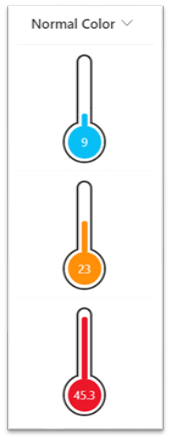
この書式設定は、次の数値範囲ごとに温度計の色が変わるようになっています。
- 30 ~
- 15 ~
- 0 ~
{
  "$schema": "https://developer.microsoft.com/json-schemas/sp/v2/column-formatting.schema.json",
  "elmType": "div",
  "style": {
    "display": "flex",
    "flex-direction": "column",
    "jutify-content": "center",
    "height": "120px",
    "padding-top": "10px"
  },
  "children": [
    {
      "elmType": "div",
      "style": {
        "position": "relative",
        "z-index": "1",
        "width": "12px",
        "height": "70px",
        "border": "2px solid",
        "border-radius": "15px 15px 0 0",
        "border-bottom": "none",
        "display": "flex",
        "justify-content": "center"
      },
      "attributes": {
        "class": "ms-fontColor-neutralPrimary ms-bgColor-white"
      },
      "children": [
        {
          "elmType": "div",
          "style": {
            "position": "absolute",
            "width": "50%",
            "max-height": "100%",
            "height": "=( @currentField / 50 ) * 100  + '%'",
            "border-radius": "15px 15px 0 0",
            "bottom": "-2px"
          },
          "attributes": {
            "class": "=if(@currentField > 30 , 'ms-bgColor-red' , if(@currentField > 15 , 'ms-bgColor-orangeLighter' , 'ms-bgColor-blueLight') )"
          }
        }
      ]
    },
    {
      "elmType": "div",
      "style": {
        "position": "relative",
        "width": "40px",
        "height": "40px",
        "border-radius": "50%",
        "border": "2px solid",
        "bottom": "3px",
        "display": "flex",
        "justify-content": "center",
        "align-items": "center"
      },
      "attributes": {
        "class": "ms-fontColor-neutralPrimary"
      },
      "children": [
        {
          "elmType": "div",
          "style": {
            "width": "100%",
            "height": "100%",
            "border-radius": "100%",
            "display": "flex",
            "justify-content": "center",
            "align-items": "center"
          },
          "attributes": {
            "class": "ms-bgColor-white"
          },
          "children": [
            {
              "elmType": "div",
              "txtContent": "@currentField",
              "style": {
                "width": "85%",
                "height": "85%",
                "border-radius": "50%",
                "display": "flex",
                "justify-content": "center",
                "align-items": "center"
              },
              "attributes": {
                "class": "=if(@currentField > 30 , 'ms-bgColor-red ms-fontColor-white' , if(@currentField > 15 , 'ms-bgColor-orangeLighter ms-fontColor-white' , 'ms-bgColor-blueLight ms-fontColor-white') )"
              }
            }
          ]
        }
      ]
    }
  ]
}
ユニコーンカラーの 温度計
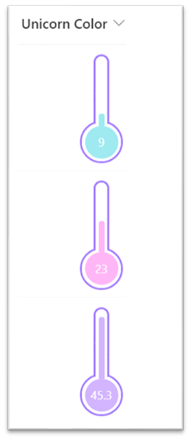
この書式設定は、次の数値範囲ごとに温度計の色が変わるようになっています。
- 30 ~
- 15 ~
- 0 ~
{
  "$schema": "https://developer.microsoft.com/json-schemas/sp/v2/column-formatting.schema.json",
  "elmType": "div",
  "style": {
    "display": "flex",
    "flex-direction": "column",
    "jutify-content": "center",
    "height": "120px",
    "padding-top": "10px"
  },
  "children": [
    {
      "elmType": "div",
      "style": {
        "position": "relative",
        "z-index": "1",
        "width": "12px",
        "height": "70px",
        "border": "2px solid",
        "border-radius": "15px 15px 0 0",
        "border-bottom": "none",
        "display": "flex",
        "justify-content": "center",
        "border-color": "#A078FF"
      },
      "attributes": {
        "class": "ms-bgColor-white"
      },
      "children": [
        {
          "elmType": "div",
          "style": {
            "position": "absolute",
            "width": "50%",
            "max-height": "100%",
            "height": "=( @currentField / 50 ) * 100  + '%'",
            "border-radius": "15px 15px 0 0",
            "bottom": "-2px",
            "background-color": "=if(@currentField > 30 , '#D0B1FD' , if(@currentField > 15 , '#FFB3F4' , '#9AE8EE') )"
          }
        }
      ]
    },
    {
      "elmType": "div",
      "style": {
        "position": "relative",
        "width": "40px",
        "height": "40px",
        "border-radius": "50%",
        "border": "2px solid",
        "bottom": "3px",
        "display": "flex",
        "justify-content": "center",
        "align-items": "center",
        "border-color": "#A078FF"
      },
      "children": [
        {
          "elmType": "div",
          "style": {
            "width": "100%",
            "height": "100%",
            "border-radius": "100%",
            "display": "flex",
            "justify-content": "center",
            "align-items": "center"
          },
          "attributes": {
            "class": "ms-bgColor-white"
          },
          "children": [
            {
              "elmType": "div",
              "txtContent": "@currentField",
              "style": {
                "width": "85%",
                "height": "85%",
                "border-radius": "50%",
                "display": "flex",
                "justify-content": "center",
                "align-items": "center",
                "background-color": "=if(@currentField > 30 , '#D0B1FD' , if(@currentField > 15 , '#FFB3F4' , '#9AE8EE') )"
              },
              "attributes": {
                "class": "ms-fontColor-white"
              }
            }
          ]
        }
      ]
    }
  ]
}
