列の書式設定、およびビューの書式設定では、SVG の path 要素 の d 属性を設定できます。
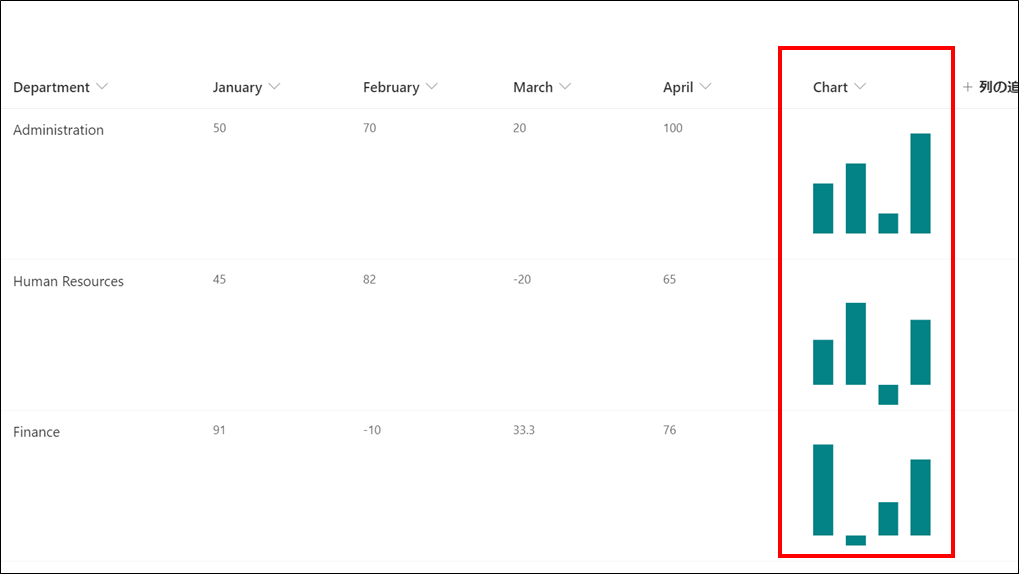
これを利用し、上記画像のようなフィールド上に縦棒グラフを表示する列の書式設定を作成してみました。
列の書式設定
列の書式設定のコードは、次の通りです。
※縦棒グラフの最大値を 100 としています。
{
  "$schema": "https://developer.microsoft.com/json-schemas/sp/column-formatting.schema.json",
  "elmType": "div",
  "style": {
    "fill": "#038387",
    "height": "100px",
    "padding-top": "50px"
  },
  "children": [
    {
      "elmType": "svg",
      "children": [
        {
          "elmType": "path",
          "attributes": {
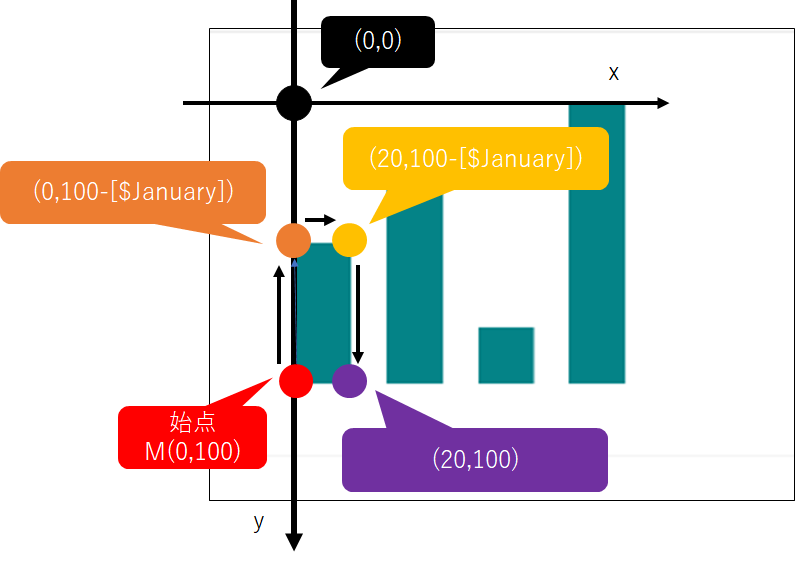
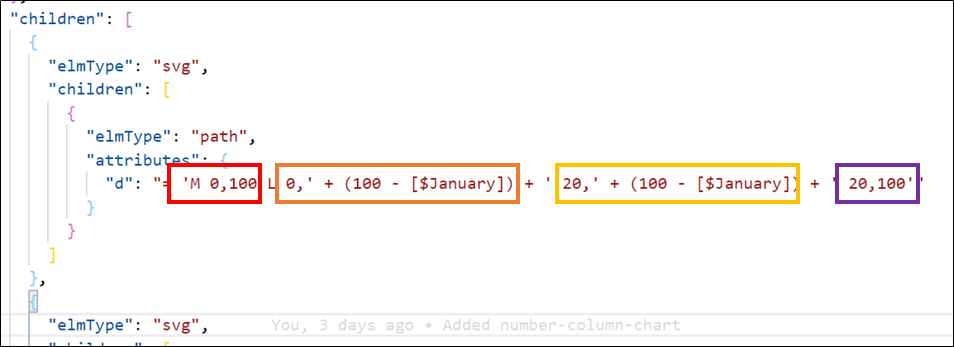
            "d": "= 'M 0,100 L 0,' + (100 - [$January]) + ' 20,' + (100 - [$January]) + ' 20,100'"
          }
        }
      ]
    },
    {
      "elmType": "svg",
      "children": [
        {
          "elmType": "path",
          "attributes": {
            "d": "= 'M 0,100 L 0,' + (100 - [$February]) + ' 20,' + (100 - [$February]) + ' 20,100'"
          }
        }
      ]
    },
    {
      "elmType": "svg",
      "children": [
        {
          "elmType": "path",
          "attributes": {
            "d": "= 'M 0,100 L 0,' + (100 - [$March]) + ' 20,' + (100 - [$March]) + ' 20,100'"
          }
        }
      ]
    },
    {
      "elmType": "svg",
      "children": [
        {
          "elmType": "path",
          "attributes": {
            "d": "= 'M 0,100 L 0,' + (100 - [$April]) + ' 20,' + (100 - [$April]) + ' 20,100'"
          }
        }
      ]
    }
  ]
}
d 要素については、次の図を参照ください。