
以前、リングフィットアドベンチャー活動記録アプリを Power Apps で作成しました。
そのとき利用したSharePoint のリストを、なんとなく以下のようにカスタマイズしてみました。
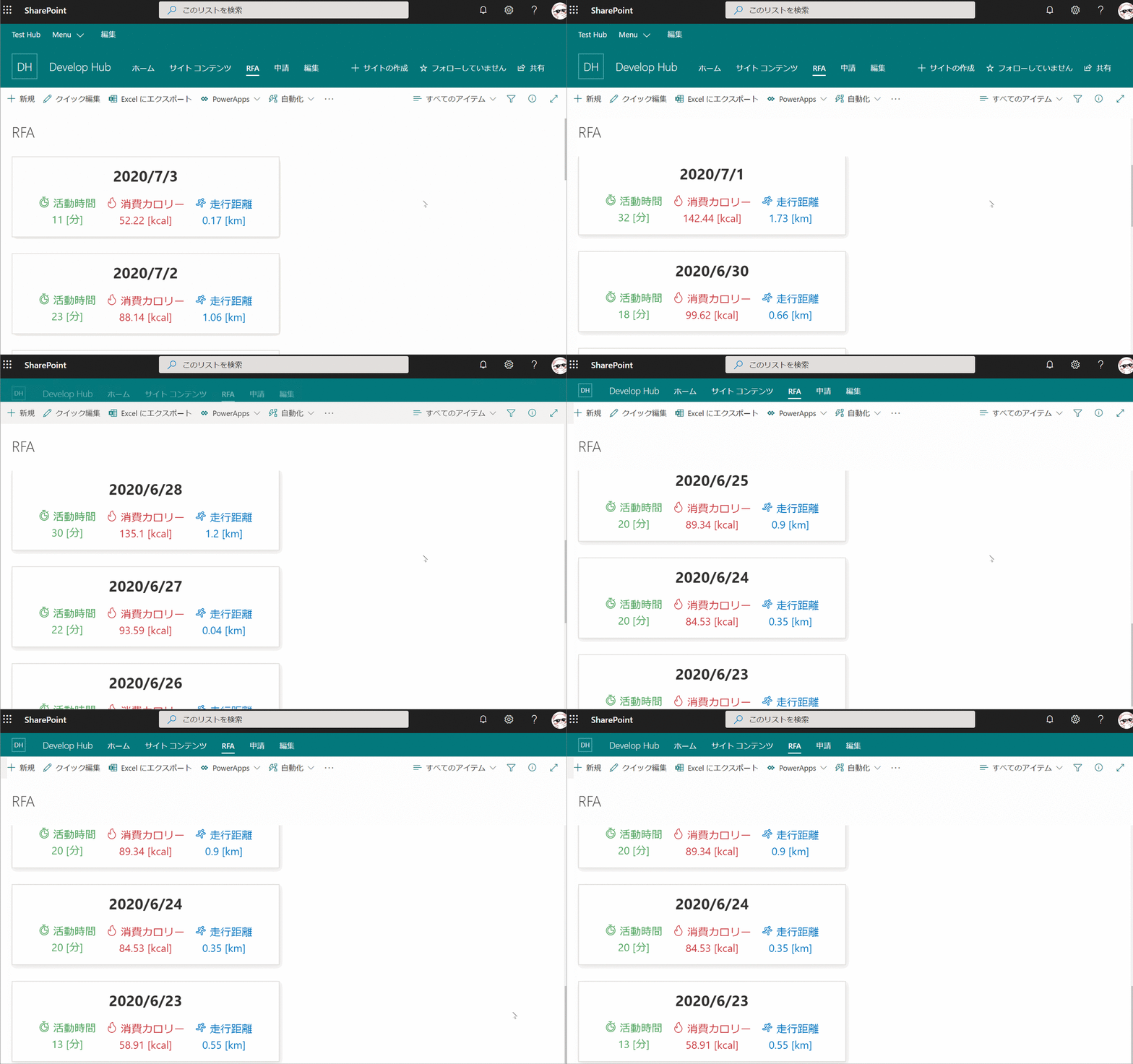
リスト定義
リストは、以下のように定義されています。

ビューの書式設定
ビューの書式設定は以下の通りです。
{
  "hideColumnHeader": true,
  "hideSelection": true,
  "rowFormatter": {
    "elmType": "div",
    "style": {
      "display": "flex",
      "flex-direction": "column",
      "align-items": "center",
      "justify-content": "center",
      "width": "500px",
      "height": "150px",
      "border": "1px solid #e1dfdd",
      "box-shadow": "2px 3px 10px #e1dfdd",
      "margin-bottom": "30px"
    },
    "children": [
      {
        "elmType": "div",
        "style": {
          "font-size": "28px",
          "padding": "10px",
          "font-weight": "bold"
        },
        "txtContent": "=  getYear([$Date])+'/'+toString(Number(getMonth([$Date]))+1) +'/'+getDate([$Date])"
      },
      {
        "elmType": "div",
        "style": {
          "display": "flex",
          "flex-direction": "row",
          "font-size": "20px"
        },
        "children": [
          {
            "elmType": "div",
            "style": {
              "display": "flex",
              "flex-direction": "column",
              "align-items": "center",
              "justify-content": "center",
              "padding": "10px"
            },
            "children": [
              {
                "elmType": "div",
                "txtContent": " 活動時間",
                "attributes": {
                  "iconName": "Timer"
                }
              },
              {
                "elmType": "div",
                "txtContent": "= [$Minute] + ' [分]'"
              }
            ]
          },
          {
            "elmType": "div",
            "style": {
              "display": "flex",
              "flex-direction": "column",
              "align-items": "center",
              "justify-content": "center",
              "padding": "10px"
            },
            "children": [
              {
                "elmType": "div",
                "txtContent": " 消費カロリー",
                "attributes": {
                  "iconName": "Calories"
                }
              },
              {
                "elmType": "div",
                "txtContent": "= [$Calorie] + ' [kcal]'"
              }
            ]
          },
          {
            "elmType": "div",
            "style": {
              "display": "flex",
              "flex-direction": "column",
              "align-items": "center",
              "justify-content": "center",
              "padding": "10px"
            },
            "children": [
              {
                "elmType": "div",
                "txtContent": " 走行距離",
                "attributes": {
                  "iconName": "Running"
                }
              },
              {
                "elmType": "div",
                "txtContent": "= [$Distance] + ' [km]'"
              }
            ]
          }
        ]
      }
    ]
  }
}
