
Power Apps has capability to encode text to percent-encoded style (ex: EncodeUrl("@") -> %40), however, there is no decoding function (DecodeUrl).
So far, highly nested Substitute functions are used to decode a percent-encoded text. (See ref Decode URL in PowerApps - Power Platform Community )
In this short post, I will show how build the DecodeUrl function in Power Apps by combining built-in functions without nested Substitute.
Formula
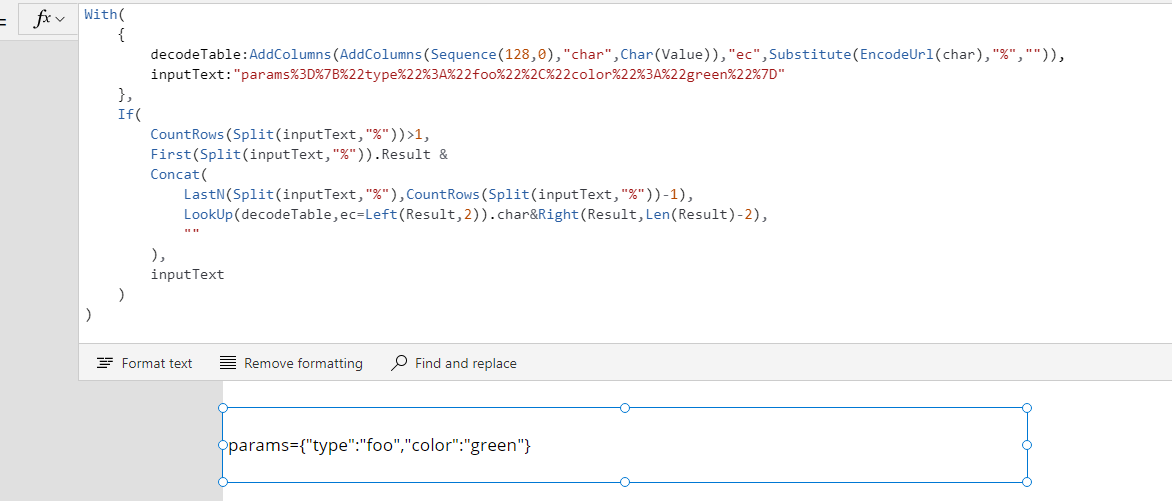
Formula to decode Url components is expressed as following :
With(
    {
        decodeTable:AddColumns(AddColumns(Sequence(128,0),"char",Char(Value)),"ec",Substitute(EncodeUrl(char),"%","")),
        inputText:"params%3D%7B%22type%22%3A%22foo%22%2C%22color%22%3A%22green%22%7D"
    },
    If(
        CountRows(Split(inputText,"%"))>1,
        First(Split(inputText,"%")).Result &
        Concat(
            LastN(Split(inputText,"%"),CountRows(Split(inputText,"%"))-1),
            LookUp(decodeTable,ec=Left(Result,2)).char&Right(Result,Len(Result)-2),
            ""
        ),
        inputText
    )
)
where inputText is percent-encoded text, and this returns params={"type":"foo","color":"green"}.
Limitation
The formula does not support multi-byte characters, since it performs "Split" in terms of "%" to find %-encoded part in given text, ( ä would be encoded to %C3%A4 but it is not correctly decoded by above formula)
