これははてなエンジニア Advent Calendar 2025の2026/01/03の記事です。
これはGigaViewer for AppsでreCAPTCHAを実装した時のお話になります。
課題
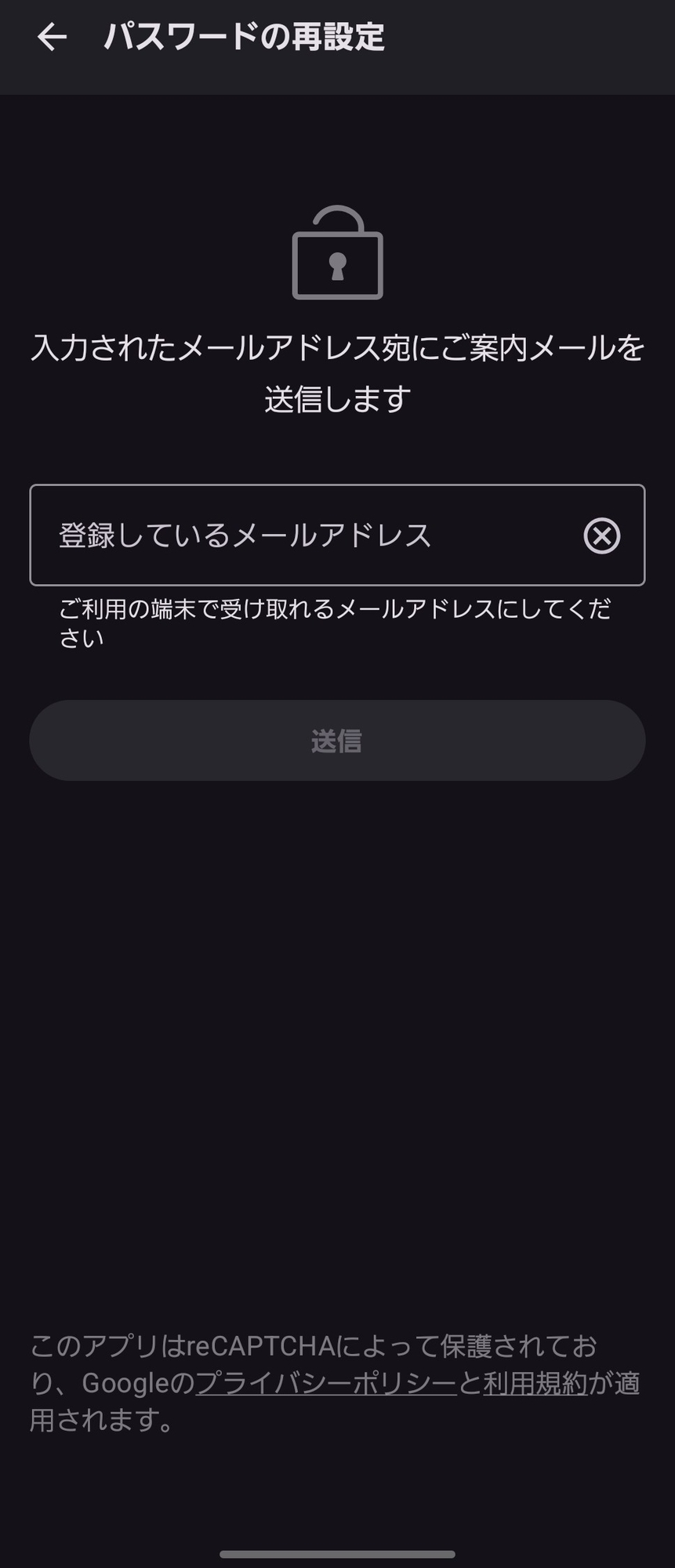
このレイアウトでは利用規約が下部に配置されていますね。ただ、横画面にして利用規約以外の部分で端末の高さ分以上のコンテンツになった場合、常に利用規約が下部に表示されていたらメールアドレスの入力しづらいですね。
そのため、以下のように上部のコンテンツの高さが高い場合はスクロール可能にするレイアウトを作成しました。
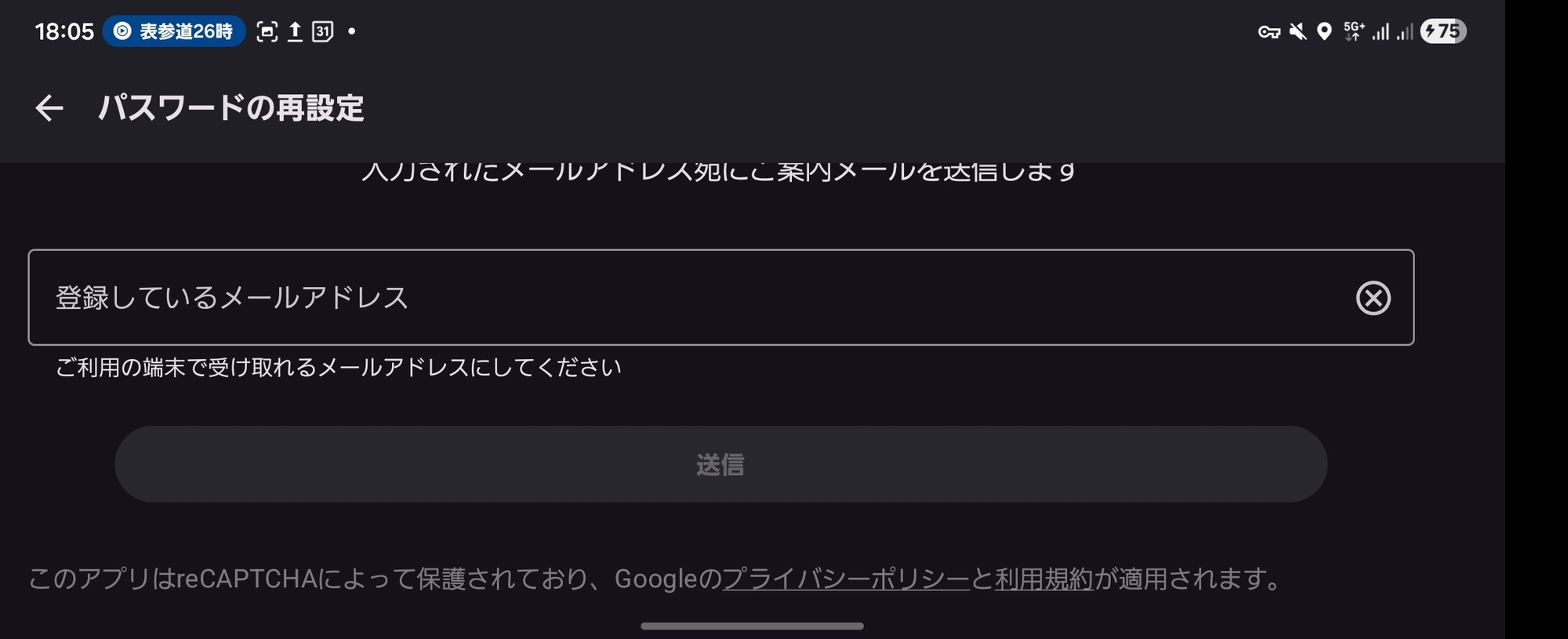
画面下部にフッターを配置しつつ、コンテンツ量が多い場合は直下に配置するという感じです。
レイアウトコード
全体をスクロール可能にし、上部と下部のコンテンツの高さを計算し、表示コンテナのサイズを超えていなければコンテナのサイズ丁度になるようにスペースを計算して高さを設定します。
@Composable
fun StickyFooterLayout(
    top: @Composable () -> Unit,
    bottom: @Composable () -> Unit,
    modifier: Modifier = Modifier,
    scrollState: ScrollState = rememberScrollState(),
    contentPadding: PaddingValues = PaddingValues(0.dp),
) {
    val layoutDirection = LocalLayoutDirection.current
    val topPadding = contentPadding.calculateTopPadding()
    val bottomPadding = contentPadding.calculateBottomPadding()
    val startPadding = contentPadding.calculateStartPadding(layoutDirection)
    val endPadding = contentPadding.calculateEndPadding(layoutDirection)
    BoxWithConstraints(
        modifier = modifier.padding(
            start = startPadding,
            end = endPadding,
        ),
    ) {
        val containerHeight = this.maxHeight
        Layout(
            modifier = Modifier
                .verticalScroll(scrollState),
            content = {
                Box {
                    top()
                }
                Box {
                    bottom()
                }
            },
        ) { measurables, constraints ->
            val layoutHeight = containerHeight - topPadding - bottomPadding

            val topPlaceable = measurables[0].measure(constraints)
            val bottomPlaceable = measurables[1].measure(constraints)

            // コンテンツとFooterの高さとコンテナの高さを比較してFooterを画面下部に配置するかコンテンツの直下に配置するかを決定する
            val bottomY = if (topPlaceable.height + bottomPlaceable.height > layoutHeight.roundToPx()) {
                topPlaceable.height
            } else {
                layoutHeight.roundToPx() - bottomPlaceable.height
            } + topPadding.roundToPx()

            // 上記の計算結果から全体の高さを決定する
            layout(
                width = max(topPlaceable.width, bottomPlaceable.width),
                height = bottomY + bottomPlaceable.height + bottomPadding.roundToPx(),
            ) {
                topPlaceable.place(0, topPadding.roundToPx())
                bottomPlaceable.place(0, bottomY)
            }
        }
    }
}
おわりに
横画面や小さい画面の端末でも使いにくくならないように意識して実装していきましょう。
iOS版はこちら
https://fxwx23.hatenablog.com/entry/swiftui-list-footer-spacer-behavior
