※ これは 2021/03/12 時点の Unity 2020.3.0f1 の情報です
最新版では動作が異なる可能性がありますのでご注意ください
前回は生成した NavMesh にしたがってねこキャラを動かしてみたが、追いかけるねこも同じようにちゃんと箱を避けるようにしたい
前回と同じように NavMesh.CalculatePath() 使ってもいいけど、今回はねこキャラ同士も当たり判定をつけたいので NavMeshAgent を利用する
NavMeshAgent は現状 3D 用で 2D 用途には対応していないため、ねこキャラの GameObject に直接アタッチせずに
座標だけ同期するようにする
そのためにまずは下記のような NavMeshAgent の Prefab を作成
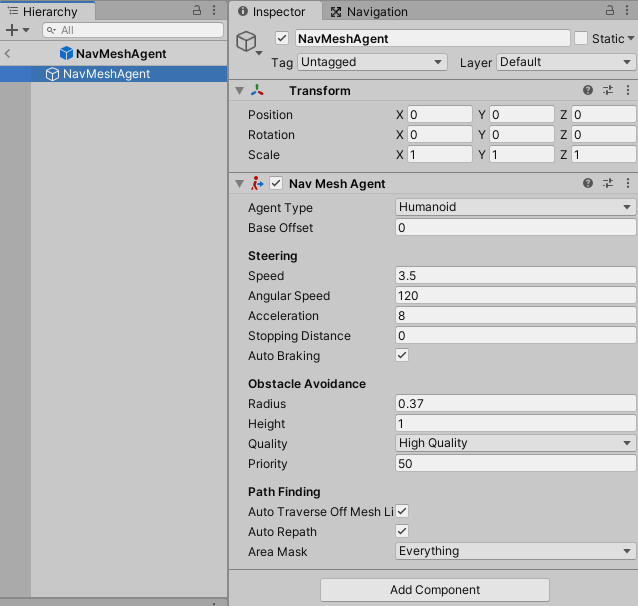
といっても NavMeshAgent をアタッチして Radius を調整しただけ
次に Cat.cs を下記のように変更
using UnityEngine;
using UnityEngine.AI;

public class Cat : MonoBehaviour
{
    /// <summary>
    /// NavMesh エージェント
    /// </summary>
    public NavMeshAgent Agent { get; set; } = null;

    private Animator animator = null;

    public void Awake()
    {
        this.animator = this.GetComponent<Animator>();
    }

    public void Update()
    {
        // NavMesh エージェント設定待ち
        if (this.Agent == null)
        {
            return;
        }

        var direction = (Vector2)this.Agent.velocity.normalized;
        if (direction != Vector2.zero)
        {
            var normalized = new Vector2(Mathf.Round(direction.x), Mathf.Round(direction.y));

            // 斜め方向も許容
            if (normalized != Vector2.zero)
            {
                this.animator.SetFloat("x", normalized.x);
                this.animator.SetFloat("y", normalized.y);
            }
            var position = this.Agent.transform.position;
            this.transform.position = (Vector2)position;
        }
    }
}
目的地への経路計算はほぼ NavMeshAgent に任せる方式にした
合わせて MainView.cs も変更
using UnityEngine;
using UnityEngine.AI;
using UnityEngine.InputSystem;

public class MainView : MonoBehaviour
{
    [SerializeField]
    private GameObject tapEffect = null;

    [SerializeField]
    private GameObject agentPrefab = null;

    [SerializeField]
    private Cat cat = null;

    [SerializeField]
    private Cat chaser = null;

    private NavMeshAgent catAgent = null;
    private NavMeshAgent chaserAgent = null;

    public void Start()
    {
        // NavMeshAgent を生成し、ねこキャラと連携させる
        this.catAgent = Instantiate(this.agentPrefab, this.cat.transform.position, Quaternion.identity, this.transform)
            .GetComponent<NavMeshAgent>();
        this.chaserAgent = Instantiate(this.agentPrefab, this.chaser.transform.position, Quaternion.identity, this.transform)
            .GetComponent<NavMeshAgent>();

        this.cat.Agent = this.catAgent;
        this.chaser.Agent = this.chaserAgent;
    }

    public void Update()
    {
        // ねこキャラを追いかけさせる
        this.chaser.Agent.SetDestination(this.cat.transform.position);
    }

    public void OnFire(InputAction.CallbackContext context)
    {
        var target = Camera.main.ScreenToWorldPoint(Mouse.current.position.ReadValue());
        this.cat.Agent.SetDestination(target);

        // タップ跡を表示
        var effect = Instantiate(this.tapEffect, (Vector2)target, Quaternion.identity, this.transform);

        // 1秒後に消滅
        Destroy(effect, 1f);
    }
}
追いかけるねこキャラも Cat.cs を設定するようにして、こちらで目的地を制御する方法に変更してスッキリ
NavMeshAgent.SetDestination() で目的地を設定している
Chaser.cs を設定していた GameObject は Cat.cs を設定するように差し替え
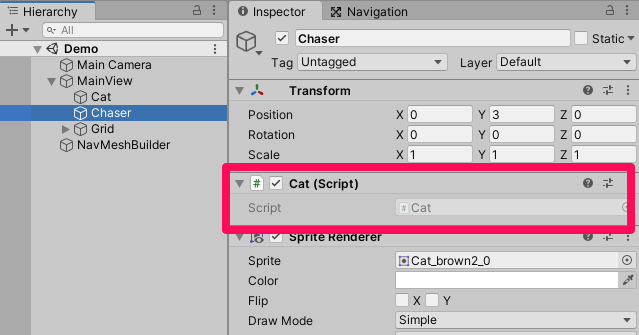
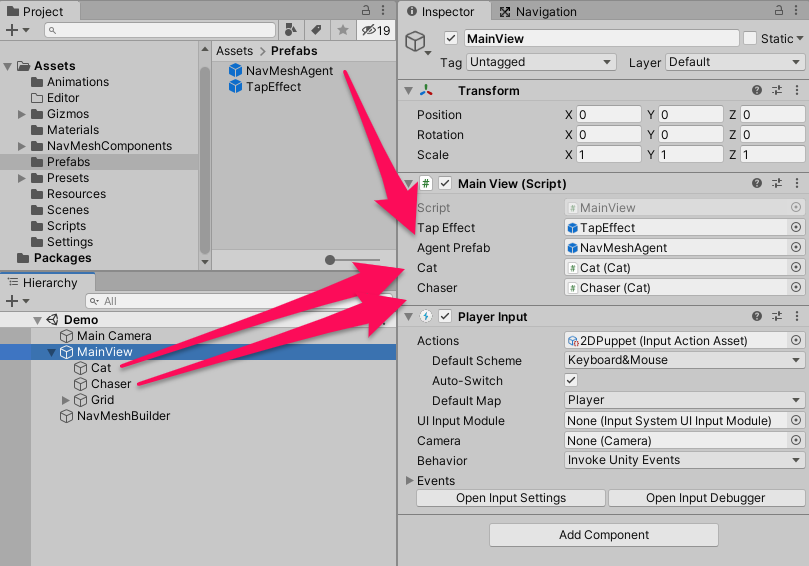
最後に MainView の SerializeField を適切に設定
これで動かしてみると・・・
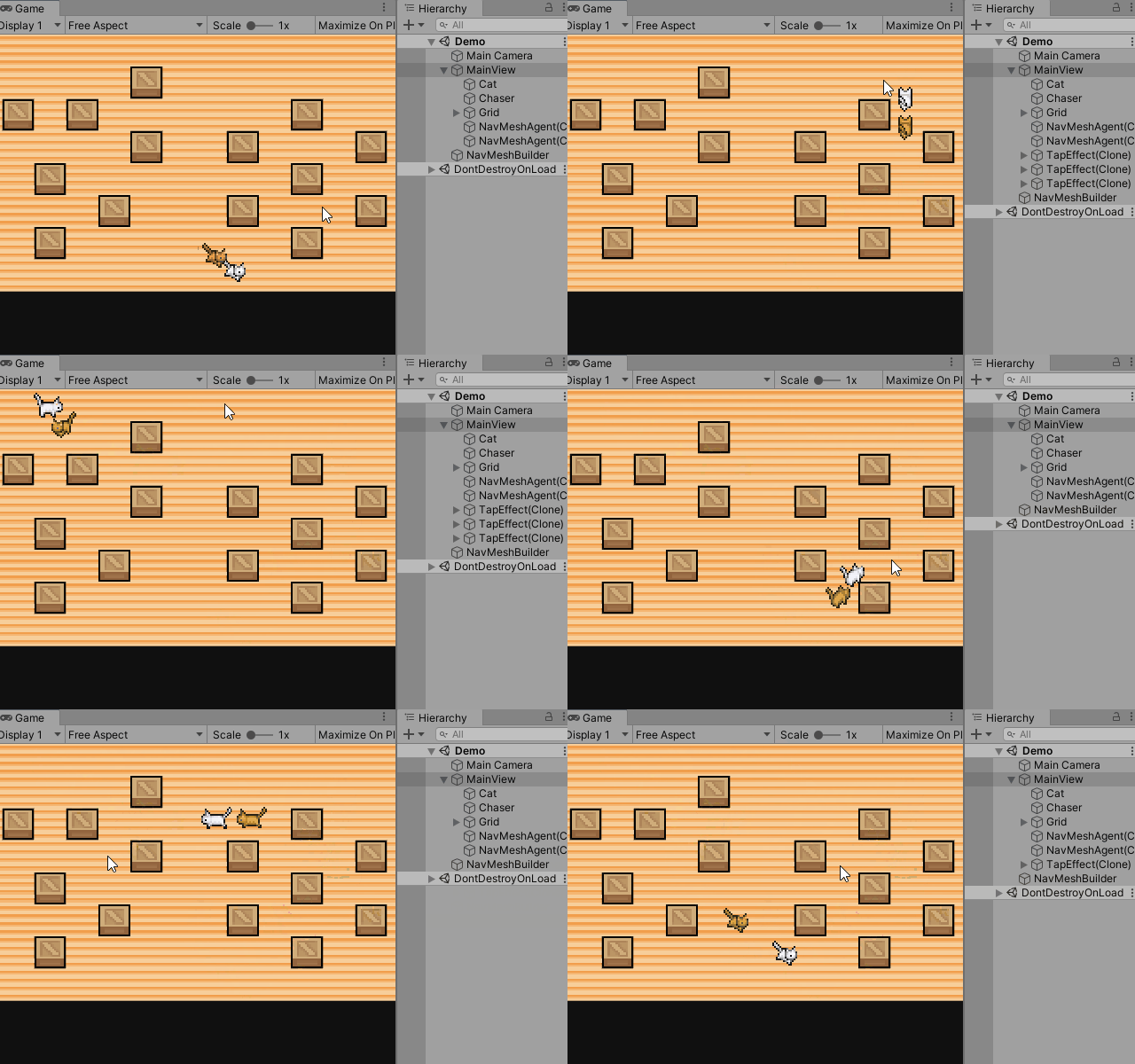
ちゃんとねこキャラ同士も避けるようになった!
