※ これは 2021/01/22 時点の Unity 2020.2.2f1 の情報です
最新版では動作が異なる可能性がありますのでご注意ください
前回は動かすねこを追いかけるねこキャラを追加したので、今回はカーソルキーからマウスでクリックした場所めがけてねこが動くようにしてみたい
とりあえず Cat.cs を修正
using UnityEngine;
using UnityEngine.InputSystem;

public class Cat : MonoBehaviour
{
    private Animator animator = null;
    private Vector2 target = Vector2.zero;

    public void Awake()
    {
        this.animator = this.GetComponent<Animator>();
        this.target = (Vector2)this.transform.position;
    }

    public void Update()
    {
        var direction = this.target - (Vector2)this.transform.position;
        if (direction != Vector2.zero)
        {
            var normalized = new Vector3(Mathf.Round(direction.normalized.x), Mathf.Round(direction.normalized.y), 0);

            // 斜め方向も許容
            if (normalized != Vector3.zero)
            {
                this.animator.SetFloat("x", normalized.x);
                this.animator.SetFloat("y", normalized.y);
            }
            this.transform.Translate(direction.normalized * Time.deltaTime * 3f);
        }
    }

    public void OnFire(InputAction.CallbackContext context)
    {
        this.target = Camera.main.ScreenToWorldPoint(Mouse.current.position.ReadValue());
    }
}
OnMove を削除して、OnFire を追加
クリックしたらその場所に向かって一直線に移動するようにした
Mouse.current.position.ReadValue() で取得した座標は画面座標なので Camera.main.ScreenToWorldPoint() でワールド座標に変換するのがポイント
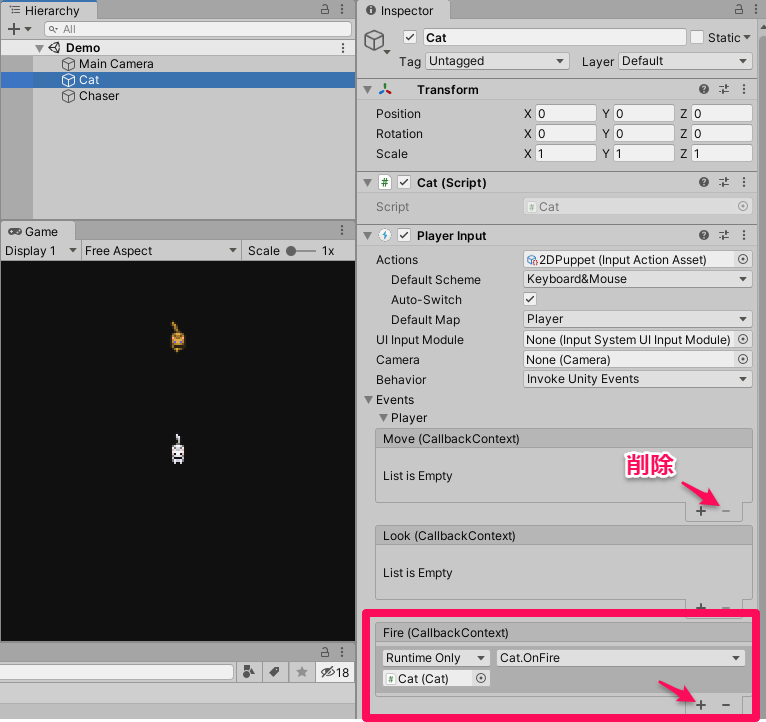
あとは Cat の GameObject について、Player Input の Event から Move のイベントを削除して Fire のイベントを Cat.OnFire を呼び出すように変更
これで動くはずなのでお試し
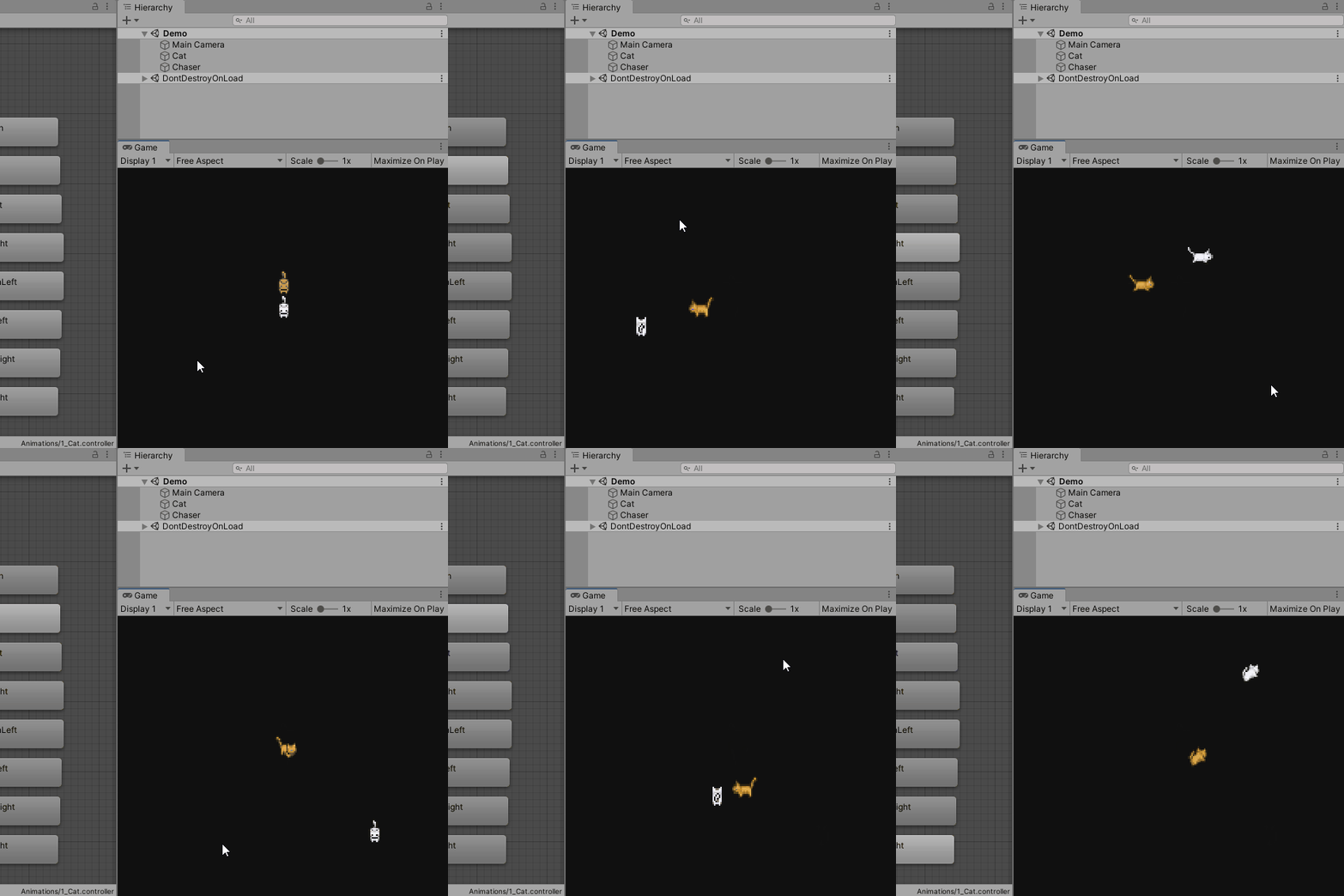
よしよし思い通り
