Windows Terminal だと設定の中にテーマを設定するところがあって そこで文字色や背景色を設定できます

通常の文字色と背景色以外にも 黒や赤などの色も設定できます
背景色の上に表示してはっきりと文字が見えるように調整できます
色名は参考のものでしかないので 赤なのに実際の色は青みたいなこともできます
アプリケーション側で赤色って指定されたときに画面に出す色を設定する感じです
これのお陰で色を変えてもきれいに見れるように調整できます
これだけでもいいのですが PowerShell 側で色を付けてる部分は PowerShell の設定で変更できます
ユーザーが入力する部分で コマンドは黄色で変数は緑色みたいなのです
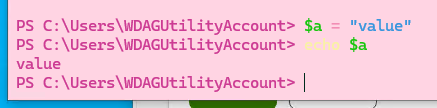
ここでどの色を出すかは PowerShell 側に設定があって Get-PSReadLineOption で取得できます
PS C:\Users\WDAGUtilityAccount> Get-PSReadLineOption

EditMode                               : Windows
AddToHistoryHandler                    :
HistoryNoDuplicates                    : True
HistorySavePath                        : C:\Users\WDAGUtilityAccount\AppData\Roaming\Microsoft\Windows\PowerShell\PSRea
                                         dLine\ConsoleHost_history.txt
HistorySaveStyle                       : SaveIncrementally
HistorySearchCaseSensitive             : False
HistorySearchCursorMovesToEnd          : False
MaximumHistoryCount                    : 4096
ContinuationPrompt                     : >>
ExtraPromptLineCount                   : 0
PromptText                             : >
BellStyle                              : Audible
DingDuration                           : 50
DingTone                               : 1221
CommandsToValidateScriptBlockArguments : {ForEach-Object, %, Invoke-Command, icm...}
CommandValidationHandler               :
CompletionQueryItems                   : 100
MaximumKillRingCount                   : 10
ShowToolTips                           : True
ViModeIndicator                        : None
WordDelimiters                         : ;:,.[]{}()/\|^&*-=+'"–—―
CommandColor                           : "$([char]0x1b)[93m"
CommentColor                           : "$([char]0x1b)[32m"
ContinuationPromptColor                : "$([char]0x1b)[37m"
DefaultTokenColor                      : "$([char]0x1b)[37m"
EmphasisColor                          : "$([char]0x1b)[96m"
ErrorColor                             : "$([char]0x1b)[91m"
KeywordColor                           : "$([char]0x1b)[92m"
MemberColor                            : "$([char]0x1b)[97m"
NumberColor                            : "$([char]0x1b)[97m"
OperatorColor                          : "$([char]0x1b)[90m"
ParameterColor                         : "$([char]0x1b)[90m"
SelectionColor                         : "$([char]0x1b)[30;47m"
StringColor                            : "$([char]0x1b)[36m"
TypeColor                              : "$([char]0x1b)[37m"
VariableColor                          : "$([char]0x1b)[92m"
◯◯Color になってるところは実際の色で表示されています
コマンドの色を変更してみます
Set-PSReadLineOption -Colors @{ "Command"="$([char]0x1b)[33m" }

エスケープとして出力する文字が変わるものなので 過去ログは変わらず変更後の行だけ変わります
33 や 93 の数字が色に対応してます
エスケープの詳細は wikipedia 参照です
https://en.wikipedia.org/wiki/ANSI_escape_code#SGR_(Select_Graphic_Rendition)_parameters
38 や 48 を使うと 8bit/24bit で色を絶対値指定できますが これを使うと色名を通さないのでユーザーが変更できないです
そうなると背景色等のカスタマイズと相性が悪いのであまり使わないほうが良さそうです
ちなみに上のは標準の PowerShell でしたが 新しい PowerShell だと少しプロパティが追加されていて エスケープの表記方法も変わっていました
「$([char]0x1b)」 → 「`e」 とシンプルになってます
PowerShell 7.4.1
PS C:\Users\WDAGUtilityAccount> Get-PSReadLineOption

EditMode                               : Windows
AddToHistoryHandler                    : System.Func`2[System.String,System.Object]
HistoryNoDuplicates                    : True
HistorySavePath                        : C:\Users\WDAGUtilityAccount\AppData\Roaming\Microsoft\Windows\PowerShell\PSRea
                                         dLine\ConsoleHost_history.txt
HistorySaveStyle                       : SaveIncrementally
HistorySearchCaseSensitive             : False
HistorySearchCursorMovesToEnd          : False
MaximumHistoryCount                    : 4096
ContinuationPrompt                     : >>
ExtraPromptLineCount                   : 0
PromptText                             : {> }
BellStyle                              : Audible
DingDuration                           : 50
DingTone                               : 1221
CommandsToValidateScriptBlockArguments : {ForEach-Object, %, Invoke-Command, icm…}
CommandValidationHandler               :
CompletionQueryItems                   : 100
MaximumKillRingCount                   : 10
ShowToolTips                           : True
ViModeIndicator                        : None
WordDelimiters                         : ;:,.[]{}()/\|!?^&*-=+'"–—―
AnsiEscapeTimeout                      : 100
PredictionSource                       : HistoryAndPlugin
PredictionViewStyle                    : InlineView
TerminateOrphanedConsoleApps           : False
CommandColor                           : "`e[93m"
CommentColor                           : "`e[32m"
ContinuationPromptColor                : "`e[37m"
DefaultTokenColor                      : "`e[37m"
EmphasisColor                          : "`e[96m"
ErrorColor                             : "`e[91m"
InlinePredictionColor                  : "`e[97;2;3m"
KeywordColor                           : "`e[92m"
ListPredictionColor                    : "`e[33m"
ListPredictionSelectedColor            : "`e[48;5;238m"
ListPredictionTooltipColor             : "`e[97;2;3m"
MemberColor                            : "`e[37m"
NumberColor                            : "`e[97m"
OperatorColor                          : "`e[90m"
ParameterColor                         : "`e[90m"
SelectionColor                         : "`e[30;47m"
StringColor                            : "`e[36m"
TypeColor                              : "`e[37m"
VariableColor                          : "`e[92m"
またスタイルに関連する情報が入っている変数 $PSStyle が存在します
PS C:\Users\WDAGUtilityAccount> $psstyle

Reset                             : `e[0m
BlinkOff                          : `e[25m
Blink                             : `e[5m
BoldOff                           : `e[22m
Bold                              : `e[1m
DimOff                            : `e[22m
Dim                               : `e[2m
Hidden                            : `e[8m
HiddenOff                         : `e[28m
Reverse                           : `e[7m
ReverseOff                        : `e[27m
ItalicOff                         : `e[23m
Italic                            : `e[3m
UnderlineOff                      : `e[24m
Underline                         : `e[4m
StrikethroughOff                  : `e[29m
Strikethrough                     : `e[9m
OutputRendering                   : Host
Formatting.FormatAccent           : `e[32;1m
Formatting.ErrorAccent            : `e[36;1m
Formatting.Error                  : `e[31;1m
Formatting.Warning                : `e[33;1m
Formatting.Verbose                : `e[33;1m
Formatting.Debug                  : `e[33;1m
Formatting.TableHeader            : `e[32;1m
Formatting.CustomTableHeaderLabel : `e[32;1;3m
Formatting.FeedbackName           : `e[33m
Formatting.FeedbackText           : `e[96m
Formatting.FeedbackAction         : `e[97m
Progress.Style                    : `e[33;1m
Progress.MaxWidth                 : 120
Progress.View                     : Minimal
Progress.UseOSCIndicator          : False
FileInfo.Directory                : `e[44;1m
FileInfo.SymbolicLink             : `e[36;1m
FileInfo.Executable               : `e[32;1m
FileInfo.Extension                : .zip,.tgz,.gz,.tar,.nupkg,.cab,.7z,.ps1,.psd1,.psm1,.ps1xml
Foreground.Black                  : `e[30m
Foreground.BrightBlack            : `e[90m
Foreground.White                  : `e[37m
Foreground.BrightWhite            : `e[97m
Foreground.Red                    : `e[31m
Foreground.BrightRed              : `e[91m
Foreground.Magenta                : `e[35m
Foreground.BrightMagenta          : `e[95m
Foreground.Blue                   : `e[34m
Foreground.BrightBlue             : `e[94m
Foreground.Cyan                   : `e[36m
Foreground.BrightCyan             : `e[96m
Foreground.Green                  : `e[32m
Foreground.BrightGreen            : `e[92m
Foreground.Yellow                 : `e[33m
Foreground.BrightYellow           : `e[93m
Background.Black                  : `e[40m
Background.BrightBlack            : `e[100m
Background.White                  : `e[47m
Background.BrightWhite            : `e[107m
Background.Red                    : `e[41m
Background.BrightRed              : `e[101m
Background.Magenta                : `e[45m
Background.BrightMagenta          : `e[105m
Background.Blue                   : `e[44m
Background.BrightBlue             : `e[104m
Background.Cyan                   : `e[46m
Background.BrightCyan             : `e[106m
Background.Green                  : `e[42m
Background.BrightGreen            : `e[102m
Background.Yellow                 : `e[43m
Background.BrightYellow           : `e[103m
Set-PSReadLineOption で色を変更するときに色に対応する数字を覚えなくてもここから参照できて便利です
ここの変数を直接更新できないかなと試しましたが ReadOnly プロパティと言われてダメでした
PS C:\Users\WDAGUtilityAccount> $PSStyle.Background.Red = $PSStyle.Foreground.Red
InvalidOperation: 'Red' is a ReadOnly property.
PS C:\Users\WDAGUtilityAccount> $PSStyle | Get-Member background

   TypeName: System.Management.Automation.PSStyle

Name       MemberType Definition
----       ---------- ----------
Background Property   System.Management.Automation.PSStyle+BackgroundColor Background {get;}

PS C:\Users\WDAGUtilityAccount> $PSStyle.Background | Get-Member black

   TypeName: System.Management.Automation.PSStyle+BackgroundColor

Name  MemberType Definition
----  ---------- ----------
Black Property   string Black {get;}
getter しか用意されてないですね
