はじめに
こんばんは。
今回もテスト系の備忘録です。
以前 CircleCI でテストの並列実行を行った記事を書きました。
今回はこれのgithub action版です。
本題
CircleCIでは circleci test glob や circleci test split みたいな並列実行を簡単に実装できるような機能が提供されてました。
github actionsでは似たような機能がなかったので自前実装で実装しました。
肝となる部分はこちらのコードを使わせてもらいました。ありがとうございます!!
github actionのコードはこちら
.github/workflows/unittest.yml
name: unit test
on:
  push:

jobs:
  test:
    runs-on: ubuntu-20.04
    strategy:
      fail-fast: false
      matrix:
        parallelism: [5]
        id: [0,1,2,3,4]

    steps:
      - name: Checkout
        uses: actions/checkout@master

      - name: Install Dependencies
        run: composer install -q --no-ansi --no-interaction --no-scripts --no-progress --prefer-dist

      - name: Execute Test
        run: |
          find src/ -name '*Test.php' | sort | awk "NR % ${{ matrix.parallelism }} == ${{ matrix.id }}" | xargs php ./bin/create_ci_phpunit_xml.php
          ./vendor/bin/phpunit --configuration /tmp/ci_phpunit.xml
phpunitのymlを作成するコードはこちら
bin/create_ci_phpunit_xml.php
<?php

$baseDir = realpath('./');
$files   = array_slice($argv, 1);
$xmlFileStringData = [];
foreach ($files as $file) {
    $xmlFileStringData[] = "<file>{$baseDir}/{$file}</file>";
}
$testFileString = implode("\n", $xmlFileStringData);
$template = <<<XML
<?xml version="1.0" encoding="UTF-8"?>
<phpunit colors="true" bootstrap="{$baseDir}/bootstrap.php">
    <testsuites>
        <testsuite name="Test Case">
            {$testFileString}
        </testsuite>
    </testsuites>
</phpunit>
XML;

file_put_contents("/tmp/ci_phpunit.xml", $template);
キモとなるのは awkのNR変数です。
NR変数は処理中の行数を取得できるので、現在処理中の行数と、並列max数の余りを求めて、それがそれぞれのjobIDと一致していれば、それぞれのjobに振り分けるという感じ...だと思います。
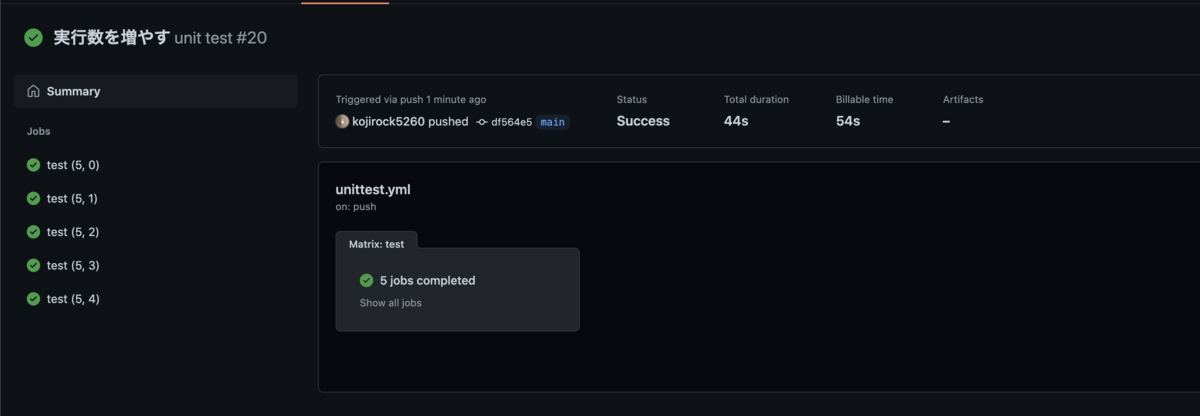
parallelism で設定している 数分のjobが実行されています!
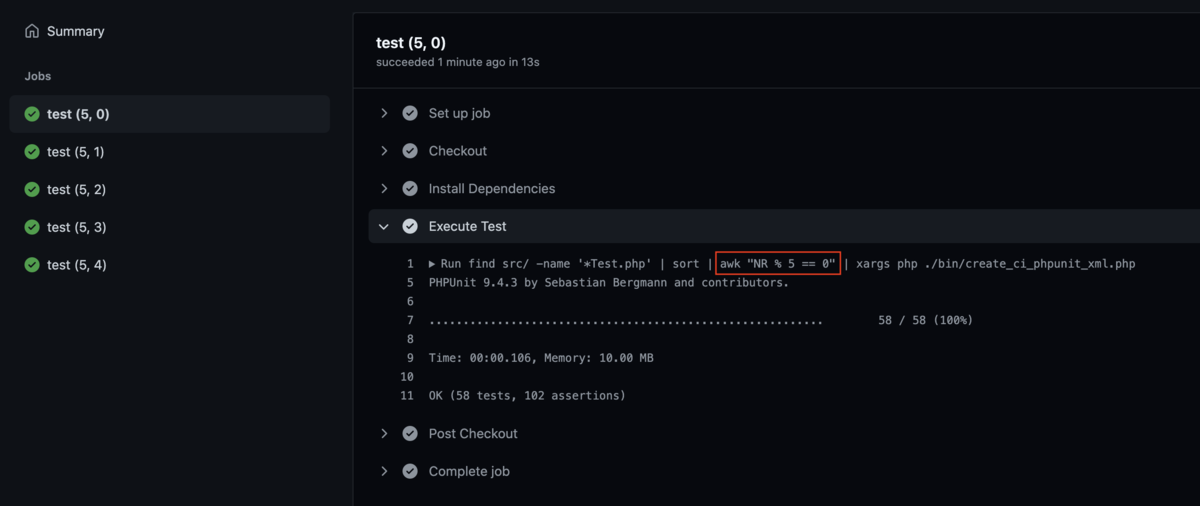
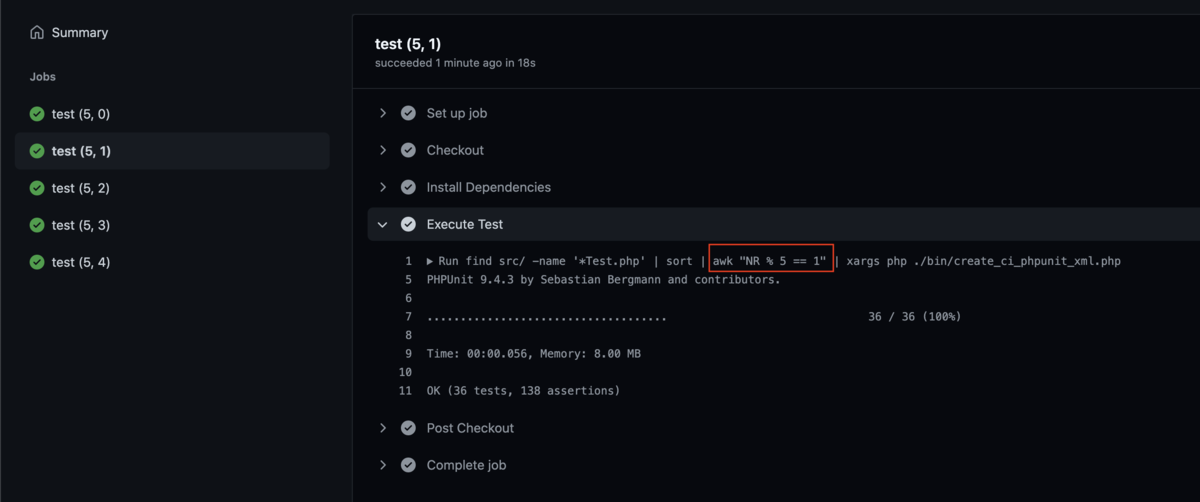
また、実行しているjobの番号がそれぞれ変わっているのもわかります。
終わりに
circleci test split --timing とかはまたひねりが必要な感じだと思います。
タイミングはgithub actionsではどうすればよいのかな?
現場からは以上です。
