覚えたことを書いておく。
[Nginx Dockerイメージのtemplate機能]
通常、Nginxの設定ファイルには環境変数を利用できないが、NginxのDockerイメージを利用すると、環境変数を埋め込んだテンプレート設定ファイルを利用できる。
簡単な例で試してみる。利用しているDocker Composeのバージョンと、最終的なフォルダ構成は以下の通り。
% docker-compose -v
Docker Compose version v2.3.3
% tree
.
├── docker-compose.yml
└── templates
    └── default.conf.template
% docker-compose run --rm -d -p 80:80 --name web web
まずは環境変数を設定したdocker-compose.ymlを用意する。
% cat docker-compose.yml
version: "3"
services:
  web:
    image: nginx
    volumes:
      - ./templates:/etc/nginx/templates
    ports:
      - "8080:80"
    environment:
      NGINX_MESSAGE: "Message from Nginx!"
次に、環境変数を埋め込むテンプレートを用意する。NginxのDockerイメージは、httpディレクティブの中で/etc/nginx/conf.d/*.confをインクルードしているので、serverディレクティブを実装すれば良い。
% cat templates/default.conf.template
server {
  listen 80;
  server_name localhost;

  location / {
    // docker-compose.ymlで指定した「Message from Nginx!」が出力される
    return 200 "${NGINX_MESSAGE}";
    add_header Content-Type text/plain;
  }
}
実行してブラウザで開いてみる。docker-compose runコマンドでポートマッピングを利用する場合は--service-portsオプションが必須と知らなくてしばらく悩んだのはナイショ。
docker-compose run --rm -d --service-ports --name web web
ブラウザでhttp://localhost:8080にアクセスすると、docker-compose.ymlで指定したメッセージが表示される。
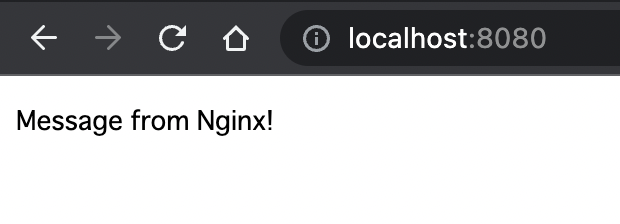
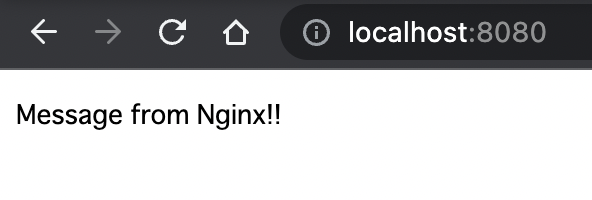
docker-compose.ymlのNGINX_MESSAGE環境変数を編集して、コンテナを停止して再起動すると、ちゃんと変更が反映された(!を1個足しただけ)。
[envsubstコマンド]
このテンプレート機能はどうやって実装されているんだろう?と気になってドキュメントをよく読むと、次のように書かれていた。
By default, this function reads template files in /etc/nginx/templates/*.template and outputs the result of executing envsubst to /etc/nginx/conf.d.
envsubstというコマンドがあるらしい(無知)。
GitHubにあるDockerイメージの中身のソースコードを見てみると、確かに利用されていた。
envsubst "${置換対象の環境変数}" < 置換対象のファイルのパス > 置換後のファイルを出力するパスという感じで利用できるようだ。
試しに先ほどの設定ファイルで試してみると、テンプレートのメッセージ部分が置換された。
% NGINX_MESSAGE=foo envsubst '${NGINX_MESSAGE}' < ./templates/default.conf.template > ./templates/default.conf
% cat templates/default.conf
server {
  listen 80;
  server_name localhost;

  location / {
    return 200 "foo";
    add_header Content-Type text/plain;
  }
}
複数の環境変数を置換する場合は、NginxのDockerイメージでやられているように、envコマンドを利用して次のようにする。
// 置換対象のテンプレート(環境変数2つ)
% cat templates/default.conf.template
server {
  listen 80;
  server_name localhost;

  location / {
    return 200 "${NGINX_MESSAGE}";
    add_header Content-Type ${MSG_CONTENT_TYPE};
  }
}

// 利用する環境変数を定義
% export NGINX_MESSAGE="foobar"
% export MSG_CONTENT_TYPE="text/html"

// 定義されている環境変数をまとめて取得して"${VAR1} ${VAR2} ..."の形式に変換
% defined_envs=$(printf '${%s} ' $(env | cut -d= -f1))

// envsubstコマンドで置換
% envsubst "$defined_envs" < ./templates/default.conf.template > ./templates/default.conf

// 結果を確認
% cat templates/default.conf
server {
  listen 80;
  server_name localhost;

  location / {
    return 200 "foobar";
    add_header Content-Type text/html;
  }
}
