TypeScriptで作ってみるシリーズの作業ログです。
今回はGraphQLを試してみます。
前回まではこちらです。Backendの処理のWeb化まで行なっています。
とりあえずGraphQLを試す
まずはGraphQLに慣れるため、簡易なGraphQL serverをNode.jsで作ります。
graphql-yogaを使います。
npm install --save graphql-yoga
GraphQLのスキーマ定義やリゾルバを実装します。
index.js
const { GraphQLServer } = require('graphql-yoga')

const typeDefs = `
type Query {
  info: String!
}
`

const resolvers = {
  Query: {
    info: () => `This is the API of a Hackernews Clone`
  }
}

const server = new GraphQLServer({
  typeDefs,
  resolvers,
})
server.start(() => console.log(`Server is running on http://localhost:4000`))
type QueryでGraphQLのクエリを定義しています。
resolversはクエリに対しての実際の処理になります。
ここでは単純にThis is the API of a Hackernews Cloneという文字列を返しています。
GraphQL serverを起動します。
node index.js
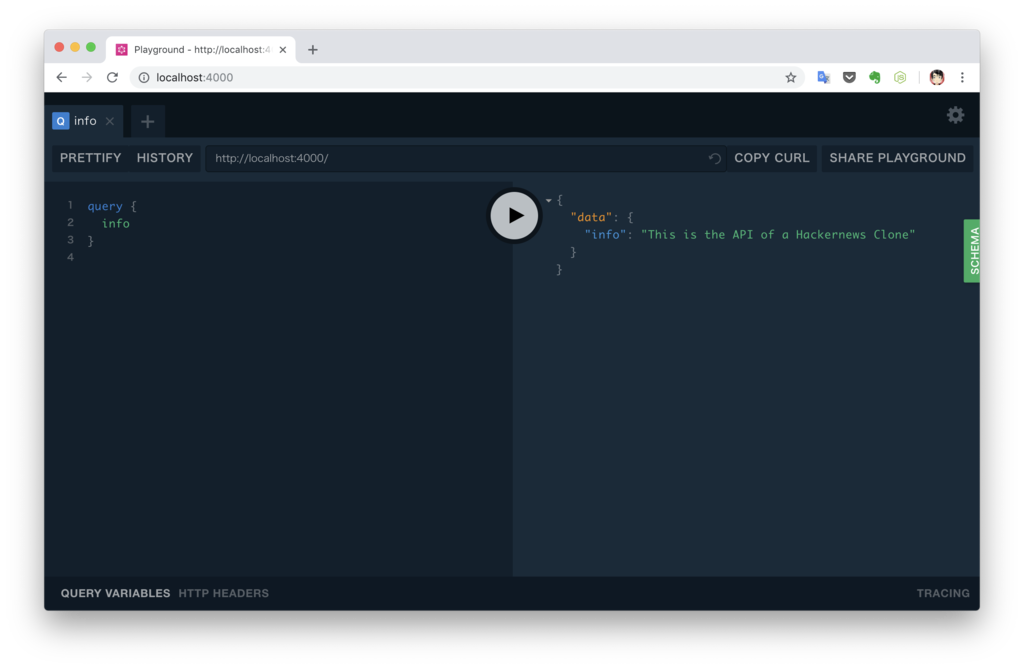
localhost:4000をブラウザで開きます。
以下のクエリを実行します。
query {
  info
}
クエリ結果が表示されます。
WebAPIをGraphQL化する
GraphQL対応
GraphQLに対応するために以下のように変更しました。
前述の簡易的に作った方法とあまり変わりません。
index.ts
import { GraphQLServer } from 'graphql-yoga';
import { main } from './main';

const resolvers = {
  Query: {
    get: () => main().then(v => v),
    info: () => `This is the API of a Hackernews Clone`,
  },
};

const server = new GraphQLServer({
  resolvers,
  typeDefs: './dist/schema.graphql',
});

const port = process.env.PORT || '3000';
server.start({ port }, () => console.info(`API running on localhost:${port}`));
スキーマ定義は別ファイルにしています。
schema.graphql
type Query {
  info: String!
  get: [Qiita]
}

type Qiita {
  rendered_body: String
  body: String
  coediting: Boolean
  comments_count: Int
  created_at: String
  group: Group
  id: String
  likes_count: Int
  private: Boolean
  reactions_count: Int
  tags: [Tag]
  title: String
  updated_at: String
  url: String
  user: User
  page_views_count: Int
}

type Tag {
  name: String
  versions: [String]
}

type User {
  description: String
  facebook_id: String
  followees_count: Int
  followers_count: Int
  github_login_name: String
  id: String
  items_count: Int
  linkedin_id: String
  location: String
  name: String
  organization: String
  permanent_id: Int
  profile_image_url: String
  team_only: Boolean
  twitter_screen_name: String
  website_url: String
}

type Group {
  created_at: String
  id: Int
  name: String
  private: Boolean
  updated_at: String
  url_name: String
}
そのほかにDockerfile、package.json、tsconfig.jsonを修正しています。
実行
クライアント側のクエリの内容に応じて結果が返ります。
ここでは、ユーザの名前と記事のタイトル名のみを取得しています。

クエリを変えることで取得するデータを変えることができるのが面白いです。
最終的なプログラムはこちらです。
まとめ
GraphQLをベースとしたスキーマ駆動開発は便利そうです。
OpenAPIなどもありますが、GraphQLはAPIの定義がシンプルなので開発者体験も良さそうです。
参考
こちらを参考にしました。
www.howtographql.com
