ピース間の境界線の描画
ジグソーパズルの絵には境界線があったほうが絵っぽくなるので絵に境界線を追加してみます
internal class Border
{
    public readonly Vector2Int Begin;
    public readonly Vector2Int End;
    public readonly List<BezierPathSegment> Segments;

    public Border(Vector2Int begin, Vector2Int end, List<BezierPathSegment> segments)
    {
        Begin = begin;
        End = end;
        Segments = segments;
    }
}
境界線の方法は上記クラスで重複無しで確保してあるのでこちらを利用します
線を引く
VectorUtils.EvalFull を利用することである点の法線を取得することができるので
法線方向に線の太さだけ伸ばしてやることで線を引くことができます
        /// <summary>Evalutes the position, tangent and normal on a curve segment.</summary>
        /// <param name="segment">The curve segment on which to evaluate the normal</param>
        /// <param name="t">The parametric location on the curve</param>
        /// <param name="tangent">The output tangent at parametric location "t"</param>
        /// <param name="normal">The output normal at parametric location "t"</param>
        /// <returns>The position on the curve at parametric location "t"</returns>
        /// <remarks>
        /// This is more efficient than calling "Eval", "EvalTangent" and "EvalNormal" successively.
        /// </remarks>
        public static Vector2 EvalFull(BezierSegment segment, float t, out Vector2 tangent, out Vector2 normal)
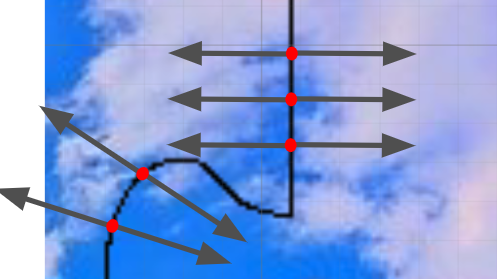
この線情報を使っていい感じにしてやると下図のようになります
見てわかる通り、始点と終点周りの線が足りなくなっています
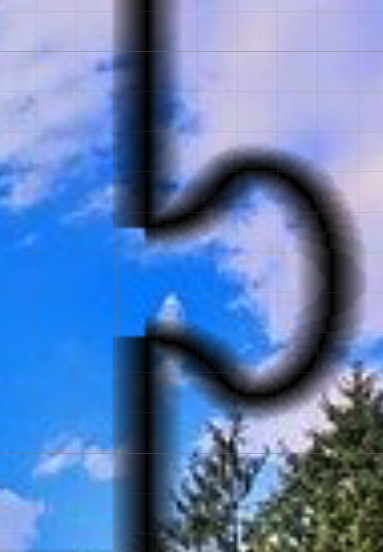
その対策として計算量は増えますが始点と終点のみ円形に塗るようにしてみます
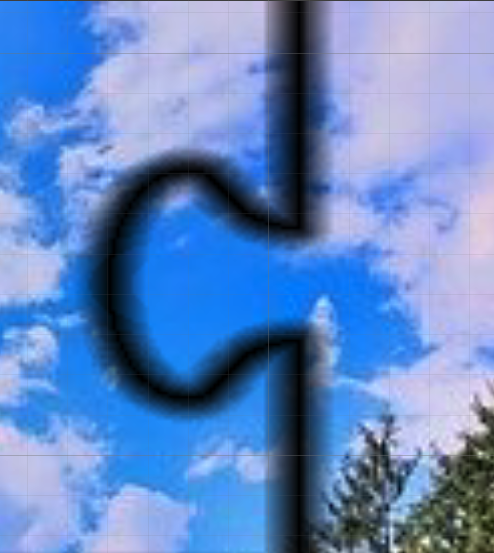
多少ましになりました
全体図
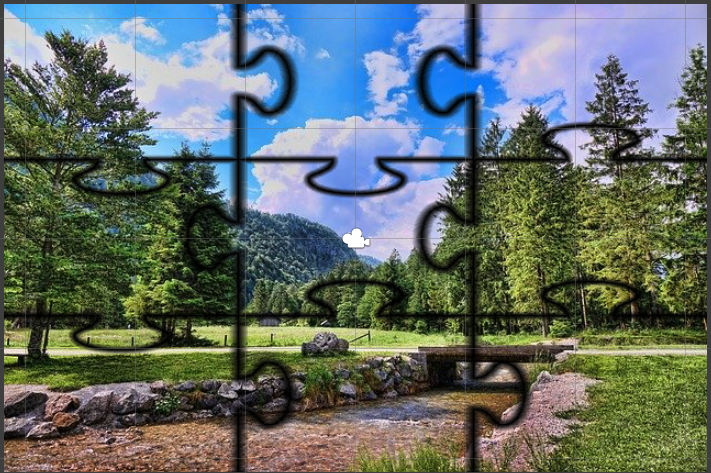
全体図はこちらになります
ちょっと変かもしれませんが全体的に境界線を描画できています
Github
一旦これで軽く自動生成ができたのでジグソーの記事は終了します
全体のコードはこちらにあるので興味がある方はどうぞ
ライセンス表記してるので、使う場合はご注意ください
GitHub - yayorozu/UnityJigsawGenerator
