C#新規作成時のテンプレートを変更します
新規作成のテンプレートを変更する
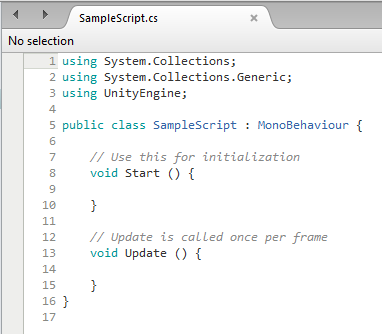
「Create -> C# Script」で新規スクリプトを作るとこんなのがでてくる
using System.Collections;
using System.Collections.Generic;
using UnityEngine;

public class HogeHoge : MonoBehaviour {

	// Use this for initialization
	void Start () {

	}

	// Update is called once per frame
	void Update () {

	}
}
これ、実は変更できる。
以下の階層にテンプレートがあったりする。
C:\Program Files\Unity\Editor\ Data\Resources\ScriptTemplates/81-C# Script-NewBehaviourScript.cs.txt
↑はwindows
Macの場合は多分ここ。
Unity.app/Contents/Resources/ScriptTemplates/81-C# Script-NewBehaviourScript.cs.txt
Linuxの場合はわからない。
Unityのインストールフォルダを変えていても、\Unity\以下の階層は同じ。
txtで保存してるんだー。
意外とアナログー。
ちなみにその中身はこう
using System.Collections;
using System.Collections.Generic;
using UnityEngine;

public class #SCRIPTNAME# : MonoBehaviour {

	// Use this for initialization
	void Start () {
		#NOTRIM#
	}

	// Update is called once per frame
	void Update () {
		#NOTRIM#
	}
}
#SCRIPTNAME#とか#NOTRIM#のような謎の暗号がある。
おそらくどこかで定義しているのだろう。
ほかにも
javascript(2017.1以前)テンプレート,Shader,EditTest,PlaymodeTest, ... などなどver 2017.1.1では全部で12個のテンプレートを書き換えることができた。
プロジェクト毎にテンプレート作れたらなぁとか思う…
