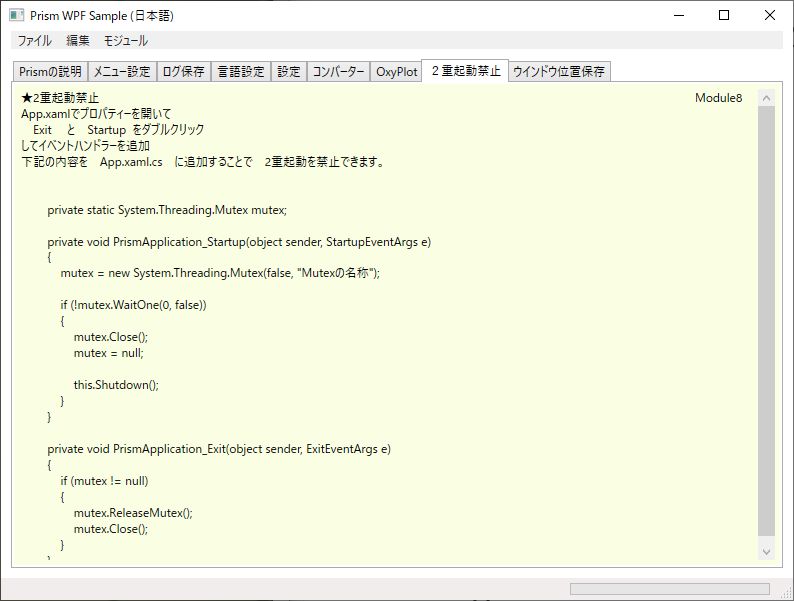
Prismを使用したWPFアプリケーション開発で役に立つと思われる項目を一つのアプリケーションにまとめたものを作りました。今回は、2重起動禁止について書いています。
動作環境:Win10, Visual Studio Community 2017, Prism V7.1.0.431, .NET4.5.2, Prism Template Pack, TraceListeners, WPFLocalizeExtension, OxyPlot
アプリの外観はこんな感じです。
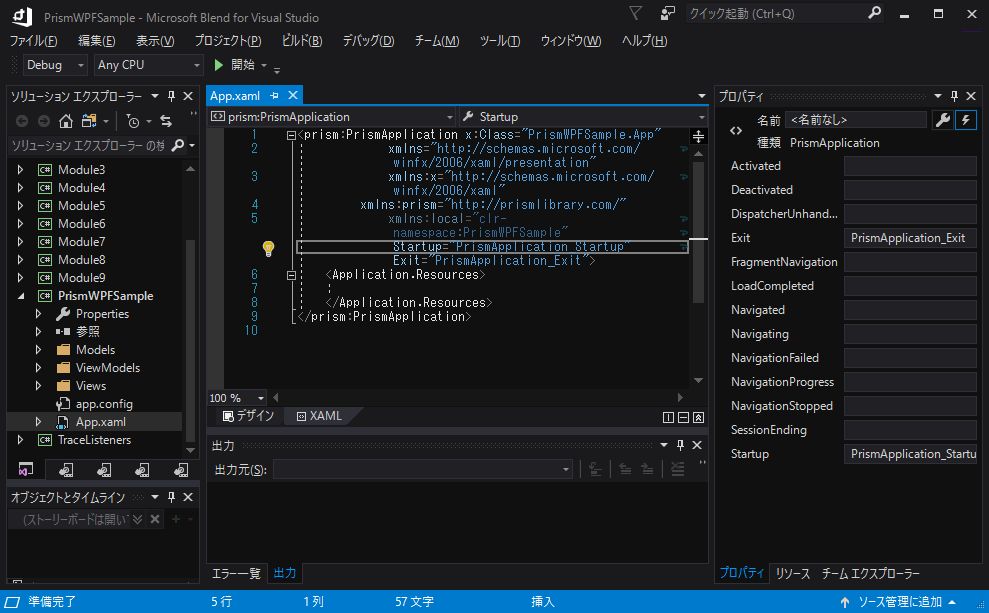
Blend で App.xaml を開いて、プロパティーの Exit と StartUp をダブルクリックしてイベントを追加します。
App.Xaml.cs にイベントハンドラーが追加されるので、Mutex の処理部を下記の様に追加することで2重起動が禁止されます。
App.xaml.cs
//2重起動禁止
// App.xamlでプロパティーを開いてイベントハンドラーを追加
private static System.Threading.Mutex mutex;

private void PrismApplication_Startup(object sender, StartupEventArgs e)
{
    mutex = new System.Threading.Mutex(false, "Mutexの名称");

    if (!mutex.WaitOne(0, false))
    {
        MessageBox.Show("起動済み");
        mutex.Close();
        mutex = null;

        this.Shutdown();
    }
}

private void PrismApplication_Exit(object sender, ExitEventArgs e)
{
    if (mutex != null)
    {
        mutex.ReleaseMutex();
        mutex.Close();
    }
}
作成したサンプルは次の場所に置いてありますので、詳しくはソースコードを見てもらえればと思います。
github.com
次回は、10. ウインドウ位置保存 について記述したいと思います。
