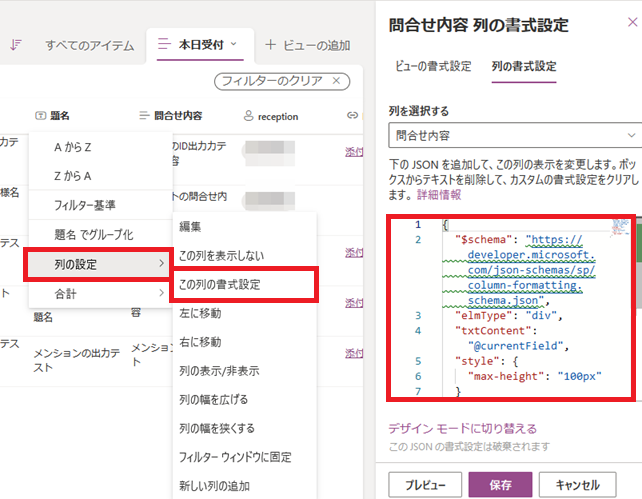
Listsのヘッダで「列の設定→この列の書式設定」メニューを選択し、 詳細設定画面にあるdefault jsonの
{"$schema":
 "https://developer.microsoft.com/json-schemas/sp/v2/column-formatting.schema.json"
}
を
{"$schema":
 "https://developer.microsoft.com/json-schemas/sp/column-formatting.schema.json",
 "elmType": "div",
 "txtContent": "@currentField",
 "style": { "max-height": "100px" }
}
にすることで、セル表示高さを100pxに制限できました。
ただ、列の書式設定に関する本来のdocumentの場所は不明です。 (今回は偶然できました)
