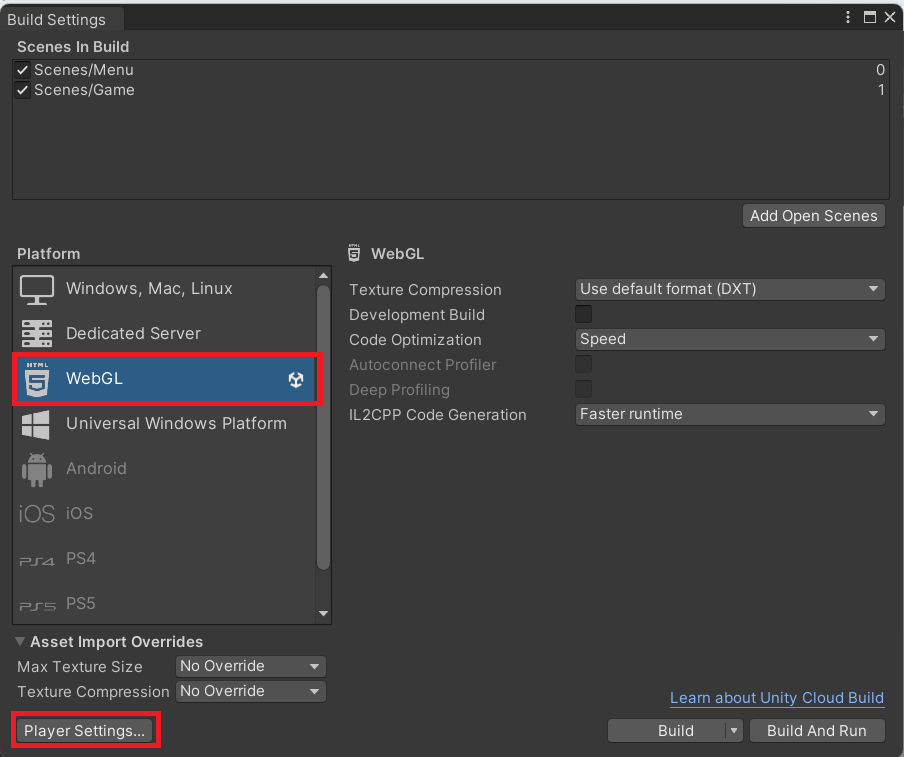
unityには emscripten が含まれているらしく、 c# → c++ → javascript + webGLへ変換できますが、 単純にこれを行い、github pagesへ公開したところ、 以下のエラーが発生
https://end0tknr.github.io/Tetris3D_on_Unity/build4WebGl/
エラー内容
画面

エラーメッセージ
Unable to parse Build/WebGl.framework.js.gz!
This can happen if build compression was enabled
but web server hosting the content was misconfigured to not serve the file
with HTTP Response Header "Content-Encoding: gzip" present.
Check browser Console and Devtools Network tab to debug.
Unable to parse Build/WebGl.framework.js.unityweb!
The file is corrupt, or compression was misconfigured?
(check Content-Encoding HTTP Response Header on web server)
対処方法
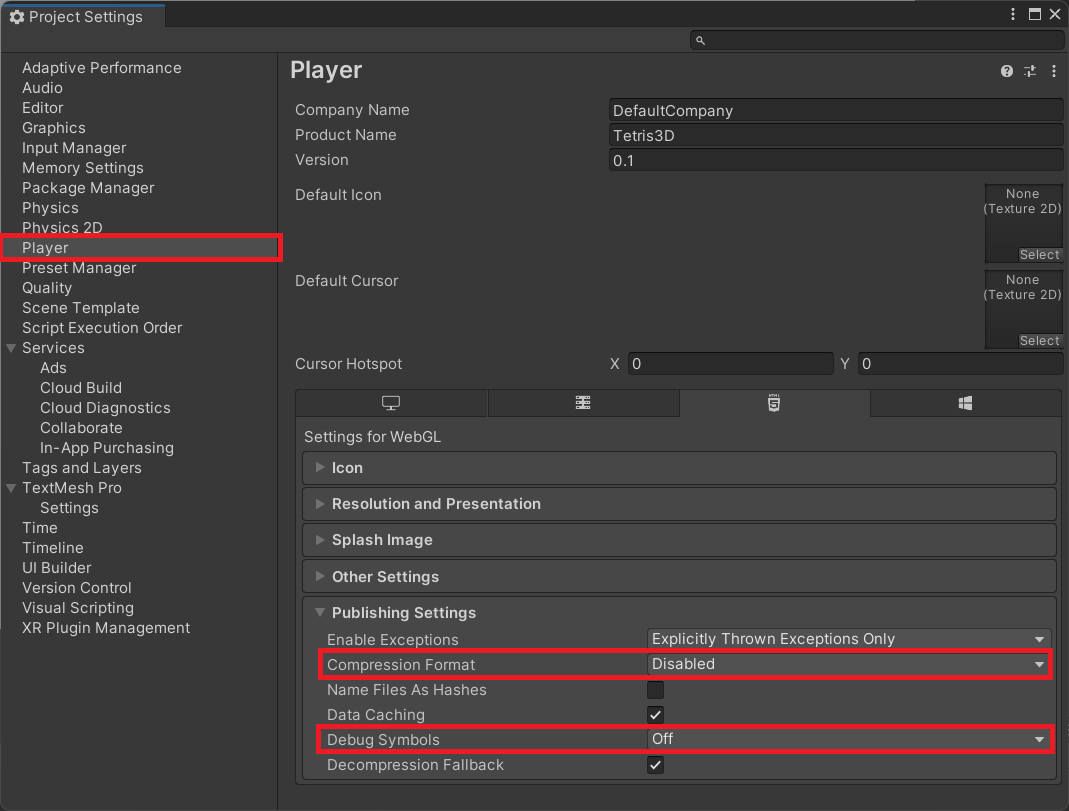
インターネット上の情報を見ると、 apacheであればmod_gzipの設定を .htaccess へ行うことで解消できるよですが、 今回は github pagesへ公開する為、 Unity で Build Settings → Player Settingsから
- Compression Format=Disabled
- Decompression fallback=off
を設定することで解消