A quick note on how to change the default terminal in VSCode to Git Bash.
Introduction
After not using Windows for a while, I noticed that my default terminal in VSCode was set to PowerShell.
Here's a quick reminder on how to switch it to Git Bash.
Note: This article was translated from my original post.
How to Set Git Bash as the Default Terminal in VSCode
Steps:
- Open Settings
- Type
terminal.integrated.defaultProfile.windowsin the search bar - Select
Git Bashfrom the dropdown
Let's walk through each step.
1. Open Settings
First, open Settings by going to: File > Preferences > Settings
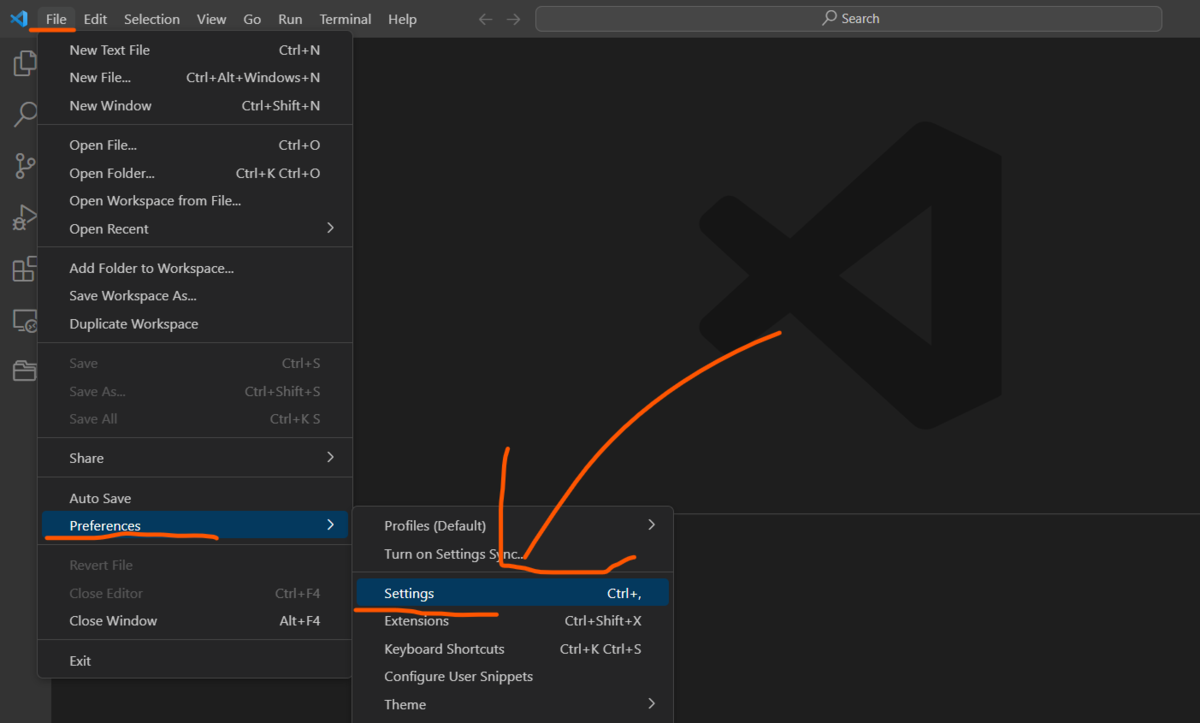
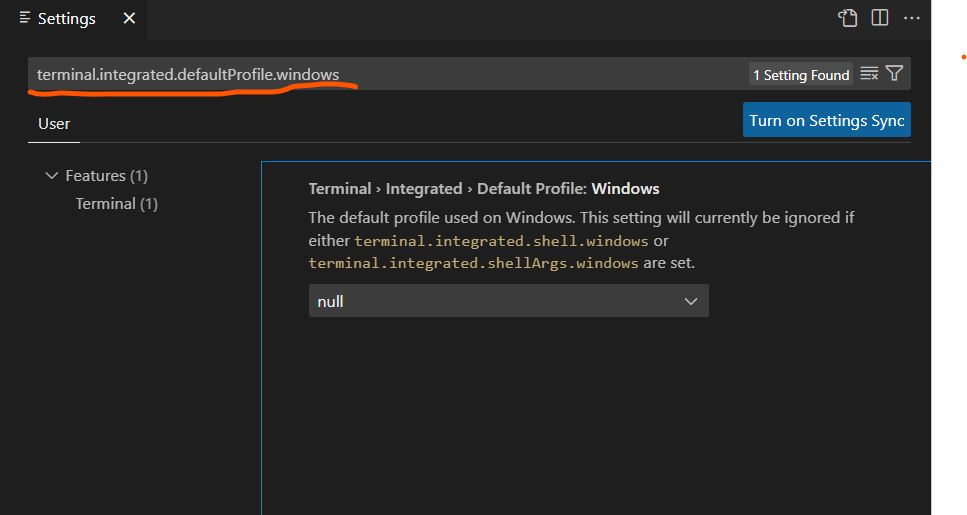
2. Type "terminal.integrated.defaultProfile.windows" in the search bar
Once Settings is open, type terminal.integrated.defaultProfile.windows in the search bar. This will bring up the default terminal configuration.
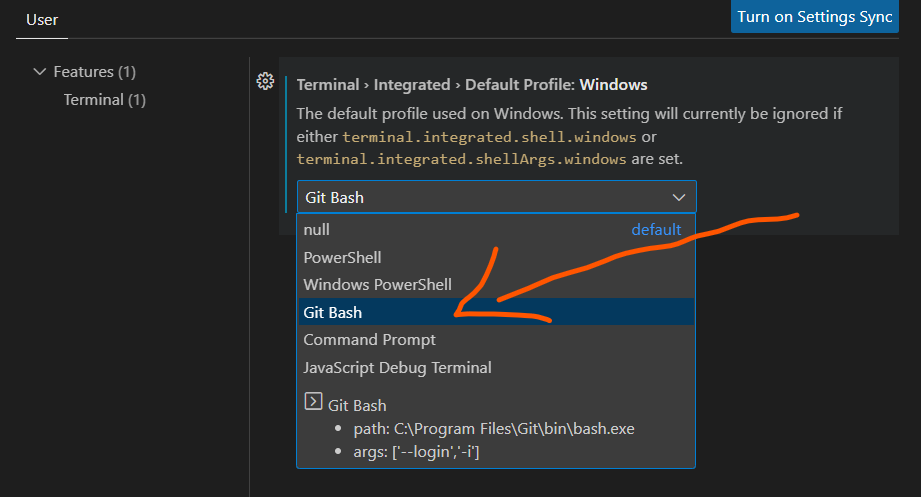
3. Select "Git Bash" from the dropdown
Now simply select Git Bash from the dropdown menu.
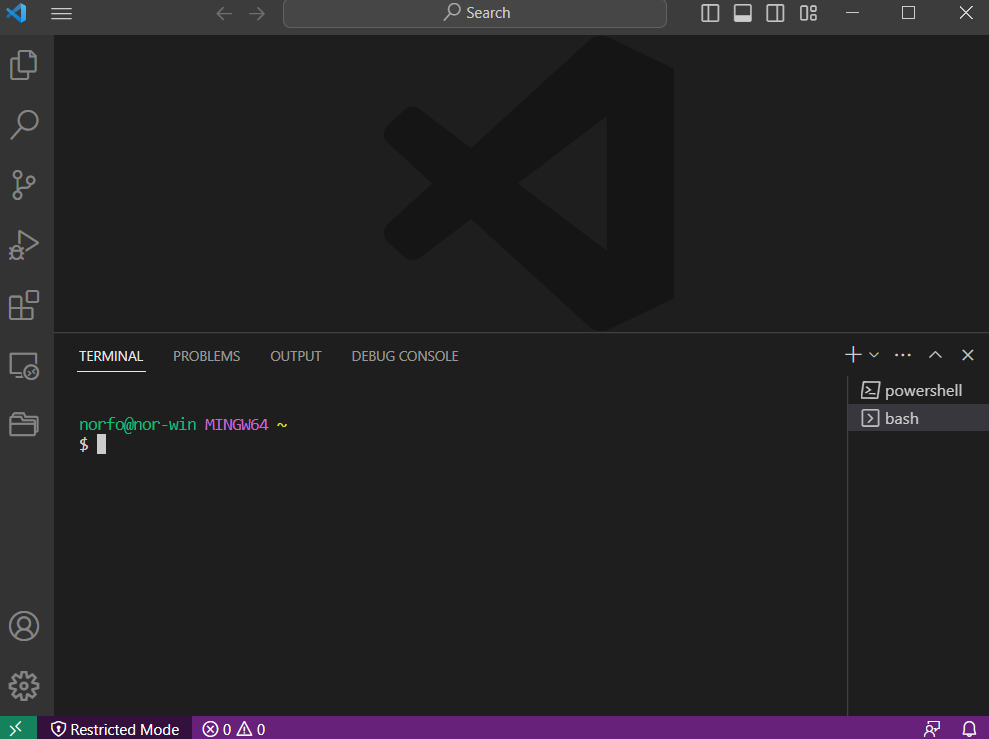
That's it — your default terminal is now set to Git Bash. When you open a new terminal, it will launch Git Bash.
Conclusion
That was a quick note on how to set Git Bash as the default terminal in VSCode.
That's all!
[Related Articles]
