- Application Insights JavaScript SDK + React Native Plugin を利用して、Application Insights にメッセージを送信してみました
バージョン
- react-native: 0.57.7
- microsoft/applicationinsights-web: 2.0.1
- microsoft/applicationinsights-react-native: 1.0.2
ドキュメント
概要
Application Insights リソースを作成し、instrumentationKeyを取得- Azure Portal にサインイン
Application Insights リソースを作成- 作成すると
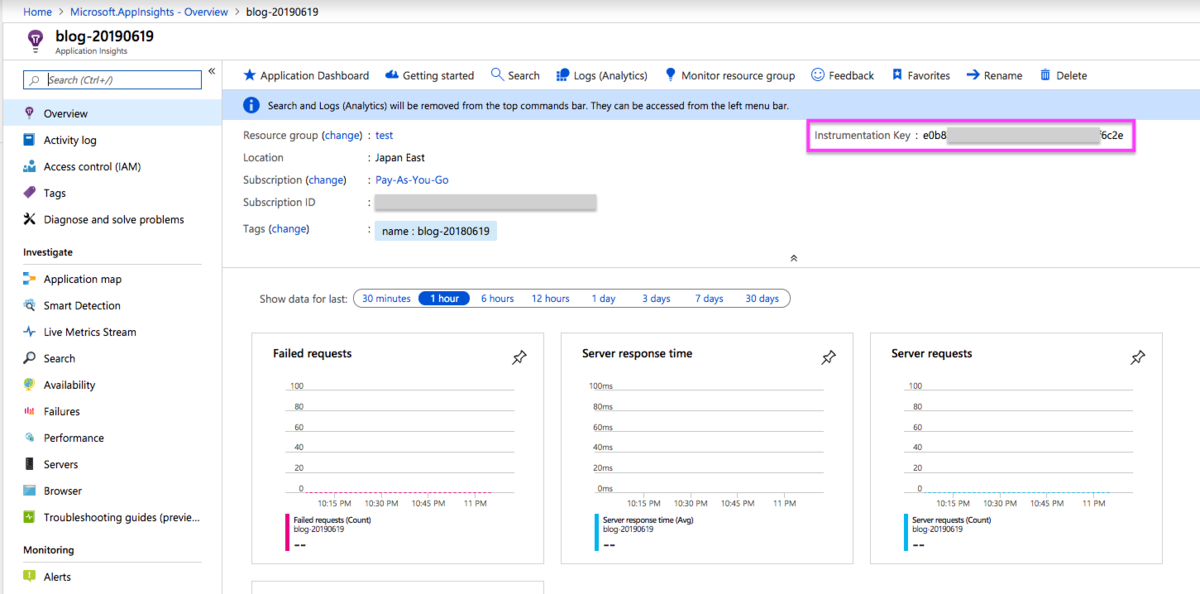
instrumentationKeyを確認できる
ReactNative アプリに
Application Insights JavaScript SDKをインストール$ yarn add @microsoft/applicationinsights-web$ yarn add @microsoft/applicationinsights-react-native- See: Initializing the Plugin
trackTrace API で
Application Insightsにメッセージを送信- サンプルコード参照
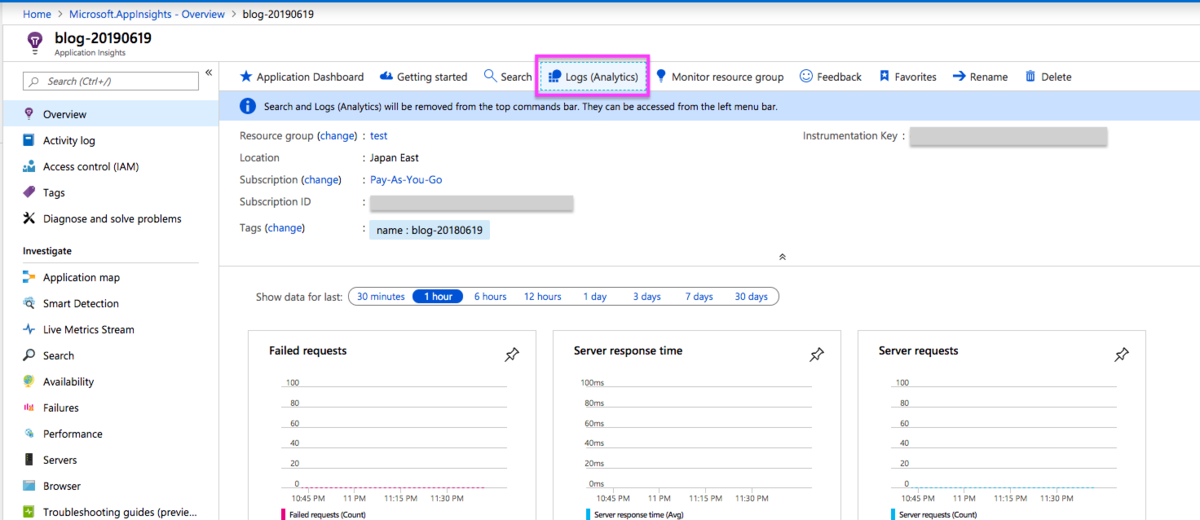
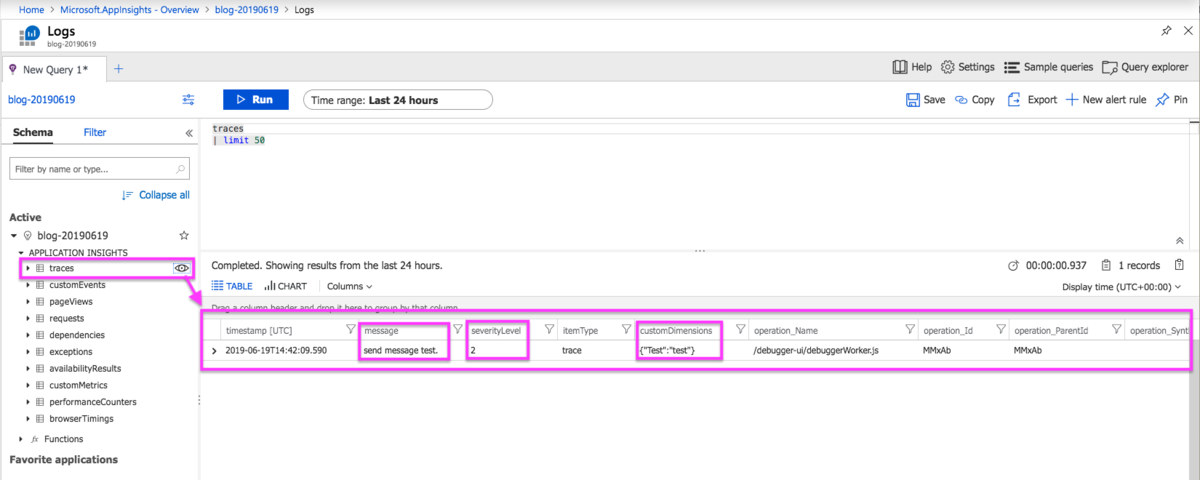
Azure Portal -> Application Insights -> Logs(Analytics)に送信したメッセージが表示される
サンプルコード
import { ApplicationInsights, SeverityLevel } from '@microsoft/applicationinsights-web';
import { ReactNativePlugin } from '@microsoft/applicationinsights-react-native';

const appInsights = new ApplicationInsights({
  config: {
    instrumentationKey: 'YOUR_INSTRUMENTATION_KEY_GOES_HERE',
    extensions: [new ReactNativePlugin()]
  }
});

appInsights.loadAppInsights();

appInsights.trackTrace({
  message: 'send message test.',
  severityLevel: SeverityLevel.Warning,
  properties: {'Test': 'test'},
});
作業ログ
Application Insights リソースを作成し、 instrumentationKey を取得
Application Insights リソースを作成
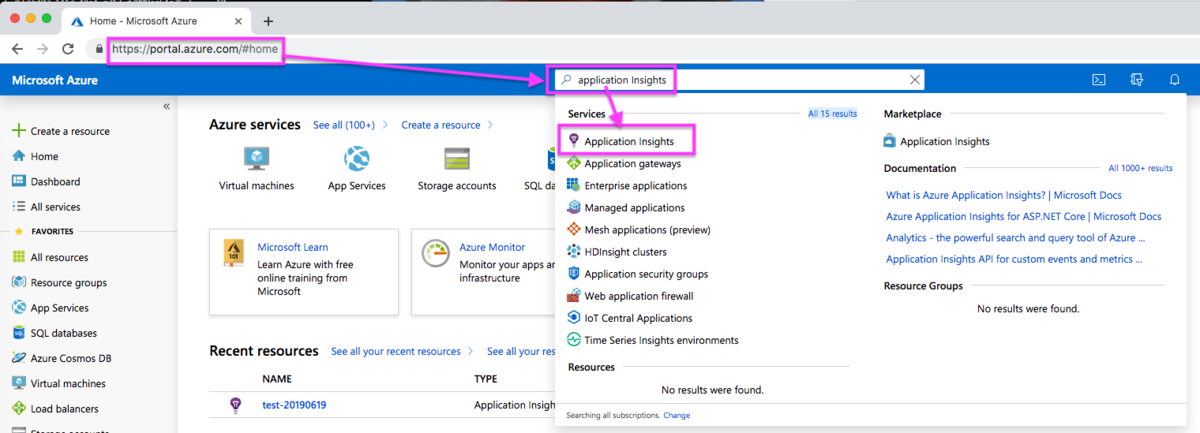
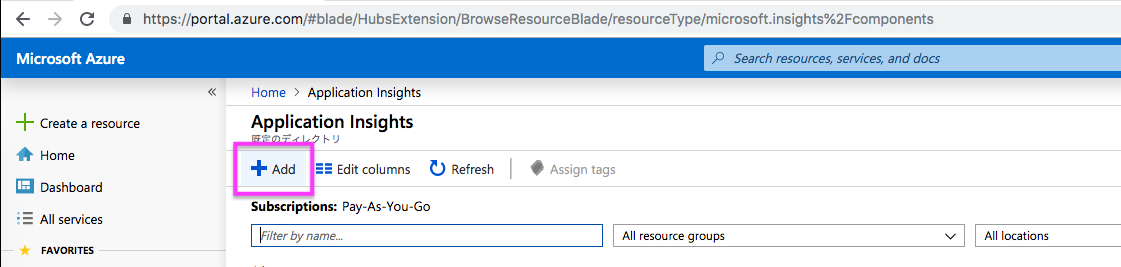
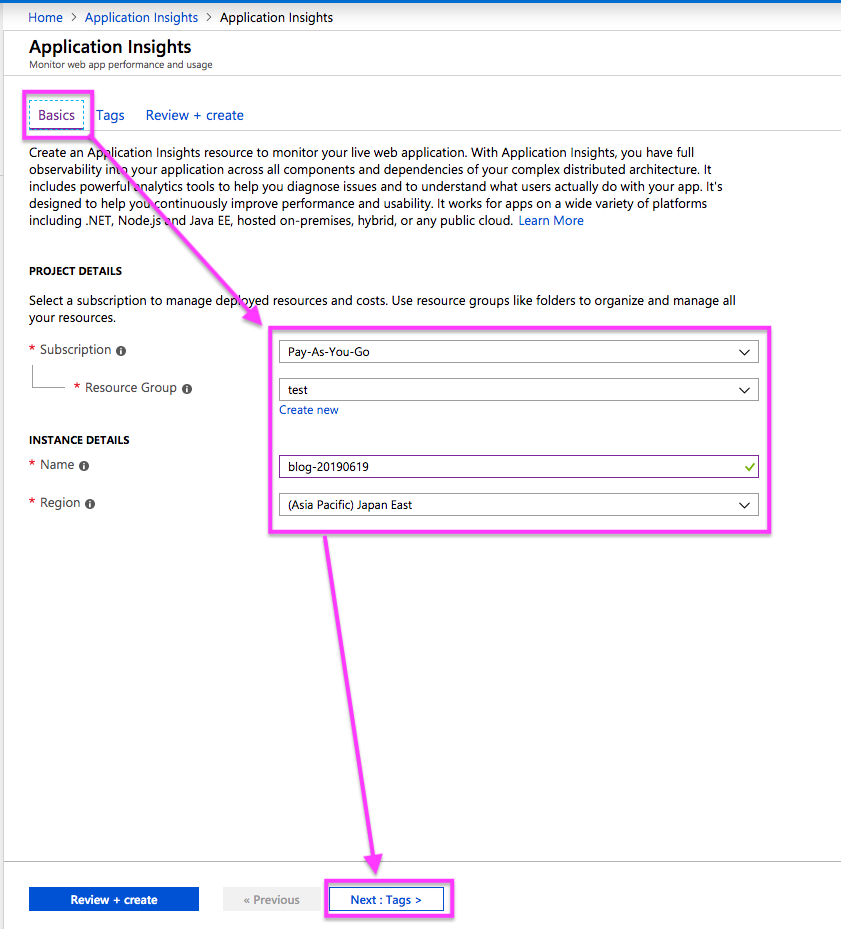
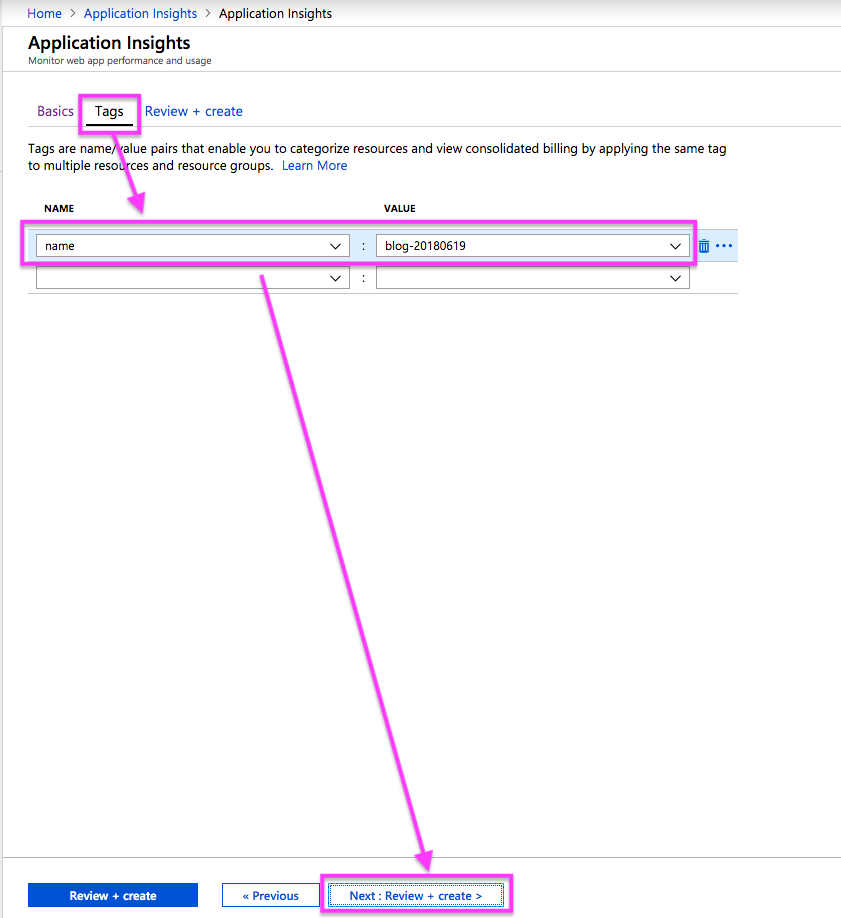
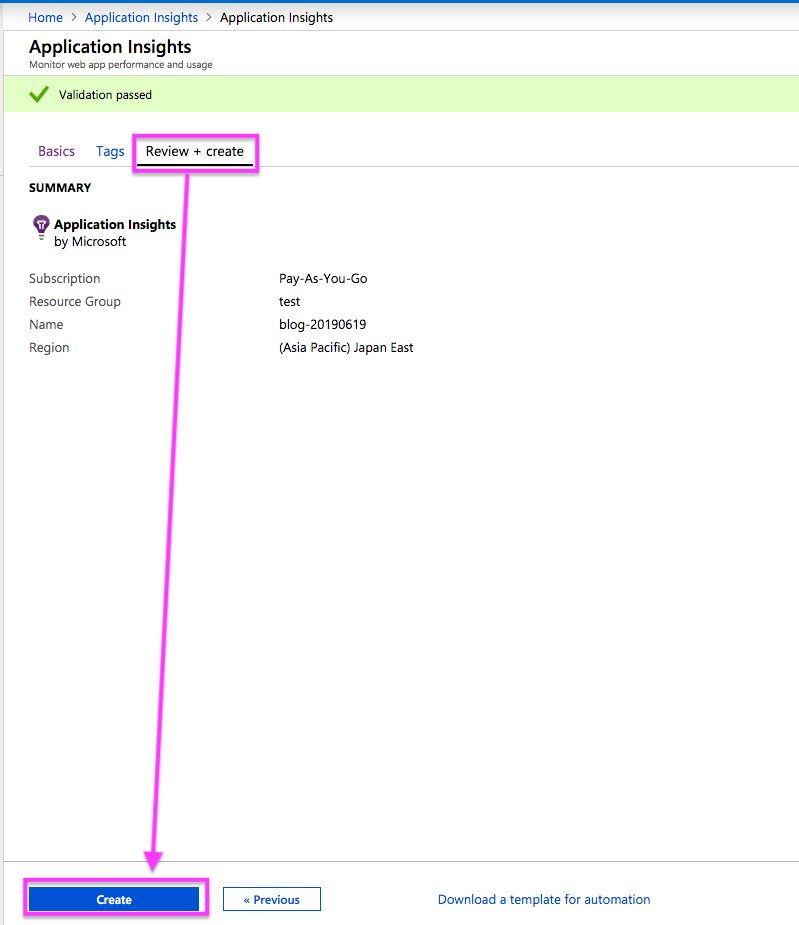
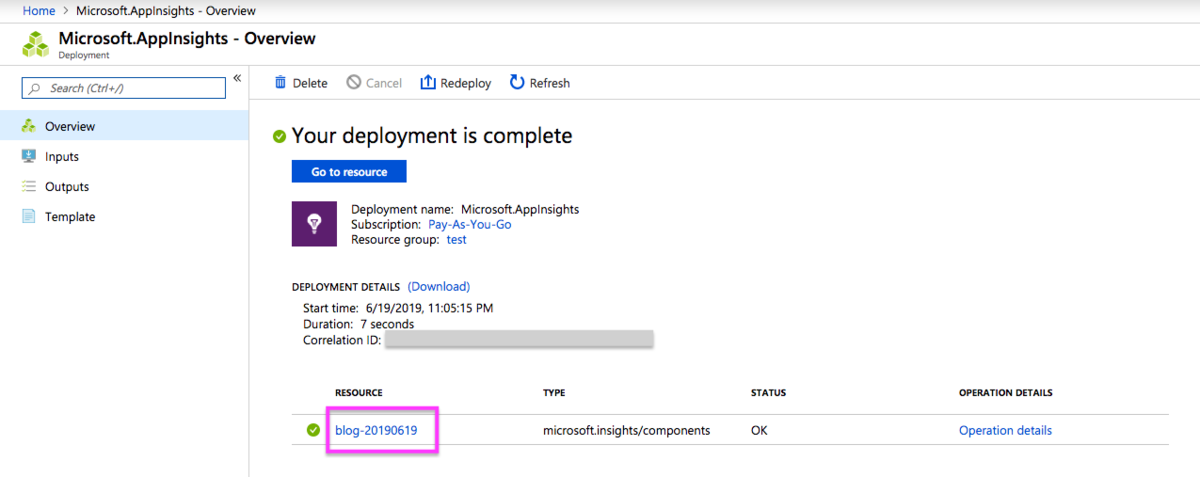
instrumentationKeyを確認
Application Insights に送信したメッセージが表示される
- サンプルコードを実行すると、
Azure Portal -> Application Insights -> Logs(Analytics)に送信したメッセージが表示される