前回 は、picoCTF の picoCTF 2024 のうち、Binary Exploitation をやってみました。全10問のうち、Hard の 1問目は解けず、2問目は後回しになりました。Hard 問題は、いきなりレベルが上がった気がします。
今回は、引き続き、picoCTF の picoCTF 2024 のうち、Reverse Engineering というカテゴリの全7問をやっていきたいと思います。Medium が 7問です。
それでは、やっていきます。
はじめに
「セキュリティ」の記事一覧です。良かったら参考にしてください。
・第2回:Ghidraで始めるリバースエンジニアリング(使い方編)
・第3回:VirtualBoxにParrotOS(OVA)をインストールする
・第4回:tcpdumpを理解して出力を正しく見れるようにする
・第5回:nginx(エンジンエックス)を理解する
・第6回:Python+Flask(WSGI+Werkzeug+Jinja2)を動かしてみる
・第7回:Python+FlaskのファイルをCython化してみる
・第8回:shadowファイルを理解してパスワードを解読してみる
・第9回:安全なWebアプリケーションの作り方(徳丸本)の環境構築
・第10回:Vue.jsの2.xと3.xをVue CLIを使って動かしてみる(ビルドも行う)
・第11回:Vue.jsのソースコードを確認する(ビルド後のソースも見てみる)
・第12回:徳丸本:OWASP ZAPの自動脆弱性スキャンをやってみる
・第13回:徳丸本:セッション管理を理解してセッションID漏洩で成りすましを試す
・第14回:OWASP ZAPの自動スキャン結果の分析と対策:パストラバーサル
・第15回:OWASP ZAPの自動スキャン結果の分析と対策:クロスサイトスクリプティング(XSS)
・第16回:OWASP ZAPの自動スキャン結果の分析と対策:SQLインジェクション
・第17回:OWASP ZAPの自動スキャン結果の分析と対策:オープンリダイレクト
・第18回:OWASP ZAPの自動スキャン結果の分析と対策:リスク中すべて
・第19回:CTF初心者向けのCpawCTFをやってみた
・第20回:hashcatの使い方とGPUで実行したときの時間を見積もってみる
・第21回:Scapyの環境構築とネットワークプログラミング
・第22回:CpawCTF2にチャレンジします(クリア状況は随時更新します)
・第23回:K&Rのmalloc関数とfree関数を理解する
・第24回:C言語、アセンブラでシェルを起動するプログラムを作る(ARM64)
・第25回:機械語でシェルを起動するプログラムを作る(ARM64)
・第26回:入門セキュリhttps://github.com/SECCON/SECCON2017_online_CTF.gitティコンテスト(CTFを解きながら学ぶ実践技術)を読んだ
・第27回:x86-64 ELF(Linux)のアセンブラをGDBでデバッグしながら理解する(GDBコマンド、関連ツールもまとめておく)
・第28回:入門セキュリティコンテスト(CTFを解きながら学ぶ実践技術)のPwnable問題をやってみる
・第29回:実行ファイルのセキュリティ機構を調べるツール「checksec」のまとめ
・第30回:setodaNote CTF Exhibitionにチャレンジします(クリア状況は随時更新します)
・第31回:常設CTFのksnctfにチャレンジします(クリア状況は随時更新します)
・第32回:セキュリティコンテストチャレンジブックの「Part2 pwn」を読んだ
・第33回:セキュリティコンテストチャレンジブックの「付録」を読んでx86とx64のシェルコードを作った
・第34回:TryHackMeを始めてみたけどハードルが高かった話
・第35回:picoCTFを始めてみた(Beginner picoMini 2022:全13問完了)
・第36回:picoCTF 2024:Binary Exploitationの全10問をやってみた(Hardの1問は後日やります)
・第37回:picoCTF 2024:Reverse Engineeringの全7問をやってみた(Windowsプログラムの3問は後日やります) ← 今回
picoCTF の公式サイトは以下です。英語のサイトですが、シンプルで分かりやすいので困らずに進めることができます。
それでは、やっていきます。
picoCTF 2024:Reverse Engineering
ポイントの低い順にやっていきます。
packer(100ポイント)
Medium の問題です。バイナリファイル(out)が 1つダウンロードできます。
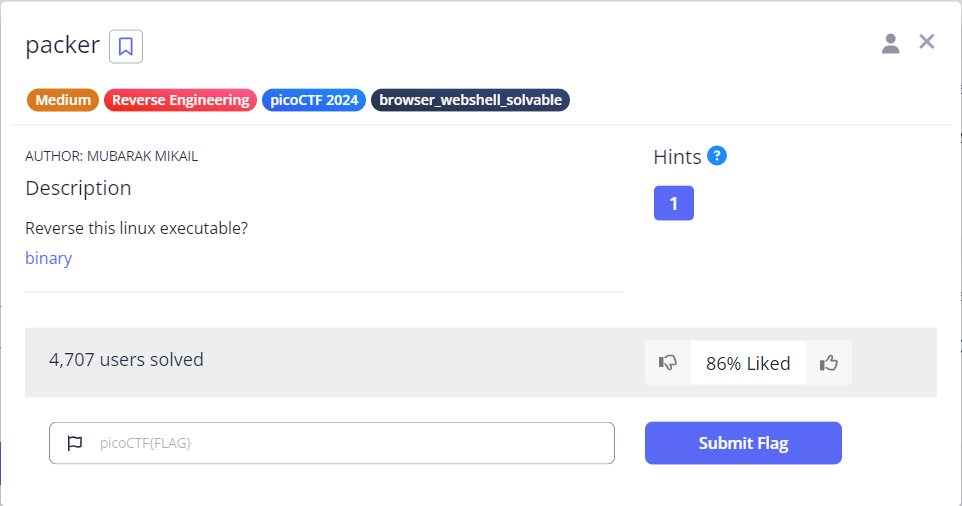
packer という名前の問題ですが、そういえば、以下の記事で読んだ付録の 1 に、パッカーというバイナリがあると出てきてました。
daisuke20240310.hatenablog.com
まずは、簡単に表層解析を行います。strip の表示がありませんね、No Symbols なので、stripされてそうですが、こういうのは初めてです。RELRO が無効(PLT、GOT の両方が書き込み可能)、スタック実行可能、プログラムのアドレスのランダム化が無効です。
$ file out
out: ELF 64-bit LSB executable, x86-64, version 1 (GNU/Linux), statically linked, no section header

$ checksec --file=out
RELRO     STACK CANARY     NX          PIE     RPATH  RUNPATH  Symbols     FORTIFY  Fortified  Fortifiable  FILE
No RELRO  No canary found  NX enabled  No PIE  N/A    N/A      No Symbols  N/A      0          0            out
なんか変なので、試しに、upxコマンドを実行してみます。やはり解凍できました。
$ upx -d out
                       Ultimate Packer for eXecutables
                          Copyright (C) 1996 - 2024
UPX 4.2.2       Markus Oberhumer, Laszlo Molnar & John Reiser    Jan 3rd 2024

        File size         Ratio      Format      Name
   --------------------   ------   -----------   -----------
    877724 <-    336520   38.34%   linux/amd64   out

Unpacked 1 file.
もう一度、表層解析を行います。普通の見え方になりました。RELRO が Partial RELRO に変化しました。
$ file out
out: ELF 64-bit LSB executable, x86-64, version 1 (GNU/Linux), statically linked, BuildID[sha1]=36bf0fdfd791fee2c1cc45dff9ddb2a4f48f6d53, for GNU/Linux 3.2.0, not stripped

$ checksec --file=out
RELRO          STACK CANARY     NX          PIE     RPATH  RUNPATH  Symbols       FORTIFY  Fortified  Fortifiable  FILE
Partial RELRO  No canary found  NX enabled  No PIE  N/A    N/A      1879 Symbols  N/A      0          22           out
実行できるかどうか、やってみます。なるほど、正しいパスワードを入力すればフラグが得られるということでしょうか。でも、サーバ接続が無いので、逆コンパイルすると分かってしまうので、それも変ですかね。
$ ./out
Enter the password to unlock this file: AAA
You entered: AAA

Access denied
続いて、静的解析として、Ghidra でソースコードを眺めてみます。スタティックリンクなのでサイズが大きいです。
main関数です。というか、main関数だけのようです。
0x66(f)が見えると、、、ん!?と見てしまいますが、今回は picoCTF なので、以下の数値を気にする必要がありますね。直接の値は無いようです。
$ python -c 'print("picoCTF".encode("utf-8").hex())'
7069636f435446`
では、普通に見ていきます。
最初の for文あたりのアセンブラを見てたんですが、逆コンパイルにない内容が結構あります。最初の div命令(div rsi)は、RDX:RAX / ESI(115 / 16) で、商が RAX:7、あまりが RDX:3 になりますが、何に使ってるのか分かりません。次の命令の乗算(imul rax, rax, 0x10)は、第2オペランドの RAX と定数を乗算して、上位32bitを RDX、下位32bitを第1オペランドの RAX に格納します。
と、真面目に読もうとしましたが、疲れてきて、下の方を見ると答えがあるのに気づきました(笑)。Password correct, please see flag: 7069636f4354467b5539585f556e5034636b314e365f42316e345269 33535f39343130343638327d というやつです。途中にスペースがあるので注意が必要ですが、これを ASCIIコード にするだけでした。全体像を見てから取り掛かる必要がありますね。
undefined8 main(void)
{
  size_t sVar1;
  char *pcVar2;
  int iVar3;
  undefined *puVar4;
  long in_FS_OFFSET;
  undefined auStack_a8 [8];
  size_t local_a0;
  undefined8 local_98;
  char *local_90;
  undefined8 local_88;
  undefined8 local_80;
  undefined8 local_78;
  undefined8 local_70;
  undefined8 local_68;
  undefined8 local_60;
  undefined8 local_58;
  undefined8 local_50;
  undefined8 local_48;
  undefined8 local_40;
  undefined8 local_38;
  undefined8 local_30;
  undefined4 local_28;
  long local_20;

  local_20 = *(long *)(in_FS_OFFSET + 0x28);
  local_a0 = 100;
  local_98 = 99;
  for (puVar4 = auStack_a8; puVar4 != auStack_a8; puVar4 = puVar4 + -0x1000) {
    *(undefined8 *)(puVar4 + -8) = *(undefined8 *)(puVar4 + -8);
  }
  *(undefined8 *)(puVar4 + -8) = *(undefined8 *)(puVar4 + -8);
  local_88 = 0x6636333639363037;
  local_80 = 0x6237363434353334;
  local_78 = 0x6635383539333535;
  local_70 = 0x3433303565363535;
  local_68 = 0x6534313362363336;
  local_60 = 0x3133323466353633;
  local_58 = 0x3936323534336536;
  local_50 = 0x3933663533353333;
  local_48 = 0x3433303331333433;
  local_40 = 0x6437323338333633;
  local_38 = 0;
  local_30 = 0;
  local_28 = 0;
  local_90 = puVar4 + -0x70;
  *(undefined8 *)(puVar4 + -0x78) = 0x401eee;
  printf("Enter the password to unlock this file: ");
  pcVar2 = local_90;
  sVar1 = local_a0;
  *(undefined8 *)(puVar4 + -0x78) = 0x401f0f;
  fgets(pcVar2,(int)sVar1,(FILE *)stdin);
  pcVar2 = local_90;
  *(undefined8 *)(puVar4 + -0x78) = 0x401f2a;
  printf("You entered: %s\n",pcVar2);
  pcVar2 = local_90;
  sVar1 = local_a0;
  *(undefined8 *)(puVar4 + -0x78) = 0x401f47;
  iVar3 = strncmp(pcVar2,(char *)&local_88,sVar1);
  if (iVar3 == 0) {
    *(undefined8 *)(puVar4 + -0x78) = 0x401f57;
    puts(
        "Password correct, please see flag: 7069636f4354467b5539585f556e5034636b314e365f42316e345269 33535f39343130343638327d"
        );
    *(undefined8 *)(puVar4 + -0x78) = 0x401f63;
    puts((char *)&local_88);
  }
  else {
    *(undefined8 *)(puVar4 + -0x78) = 0x401f71;
    puts("Access denied");
  }
  if (local_20 == *(long *)(in_FS_OFFSET + 0x28)) {
    return 0;
  }
                    /* WARNING: Subroutine does not return */
  __stack_chk_fail();
}
FactCheck(200ポイント)
先ほどと同じ Medium の問題ですが、先ほどは 100ポイントで、200ポイントです。バイナリファイル(bin)が 1つダウンロードできます。何か不都合があって、バイナリとフラグが変更されたようですが、新しいバイナリでも問題なく解決できるということなので進めていきます。
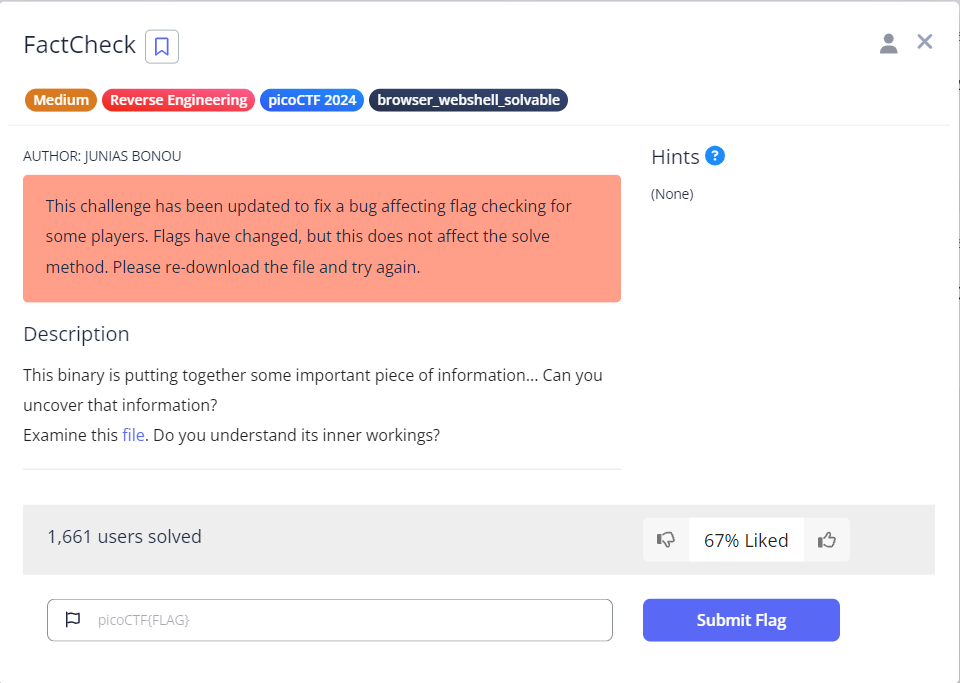
表層解析を行います。何となく strings も実行してみましたが、フラグが少し見えています。バイナリエディタで見てみます。うーん、アンダースコアの後は 0(NULL文字)なので、途中までしかないようです。
$ file bin
bin: ELF 64-bit LSB pie executable, x86-64, version 1 (SYSV), dynamically linked, interpreter /lib64/ld-linux-x86-64.so.2, BuildID[sha1]=9bb8d1ca536f0b458a00221fc6bada49da9e9e3b, for GNU/Linux 3.2.0, not stripped

$ checksec --file=bin
RELRO       STACK CANARY  NX          PIE          RPATH     RUNPATH     Symbols     FORTIFY  Fortified  Fortifiable  FILE
Full RELRO  Canary found  NX enabled  PIE enabled  No RPATH  No RUNPATH  83 Symbols  N/A      0          0            bin

$ strings bin | grep pico
picoCTF{wELF_d0N3_mate_
Ghidra で見てみます。C++ っぽいです。長い main関数だけです。さすがに読む気にならないので、GDB で動かします。最後の方にブレークポイントを設定してやってみるとうまくいきませんね。
仕方ないので、ni でポチポチ進めます。途中までは、スタック上にフラグが少しずつ出来上がっていく感じでしたが、最後の方で、突然、スタック上に見えていたフラグが見えなくなりました。GDB なので画面をスクロールして、見えなくなる直前のフラグを提出するとクリアでした。
undefined8 main(void)
{
  char cVar1;
  char *pcVar2;
  long in_FS_OFFSET;
  allocator<char> local_249;
  basic_string<> local_248 [32];
  basic_string local_228 [32];
  basic_string<> local_208 [32];
  basic_string local_1e8 [32];
  basic_string local_1c8 [32];
  basic_string local_1a8 [32];
  basic_string local_188 [32];
  basic_string local_168 [32];
  basic_string<> local_148 [32];
  basic_string local_128 [32];
  basic_string<> local_108 [32];
  basic_string<> local_e8 [32];
  basic_string local_c8 [32];
  basic_string<> local_a8 [32];
  basic_string local_88 [32];
  basic_string local_68 [32];
  basic_string<> local_48 [40];
  long local_20;

  local_20 = *(long *)(in_FS_OFFSET + 0x28);
  std::allocator<char>::allocator();
                    /* try { // try from 001012cf to 001012d3 has its CatchHandler @ 00101975 */
                    /* } // end try from 001012cf to 001012d3 */
  std::__cxx11::basic_string<>::basic_string
            ((char *)local_248,(allocator *)"picoCTF{wELF_d0N3_mate_");
  std::allocator<char>::~allocator(&local_249);
  std::allocator<char>::allocator();
                    /* try { // try from 0010130a to 0010130e has its CatchHandler @ 00101996 */
                    /* } // end try from 0010130a to 0010130e */
  std::__cxx11::basic_string<>::basic_string((char *)local_228,(allocator *)&DAT_0010201d);
  std::allocator<char>::~allocator(&local_249);
  std::allocator<char>::allocator();
                    /* try { // try from 00101345 to 00101349 has its CatchHandler @ 001019b1 */
                    /* } // end try from 00101345 to 00101349 */
  std::__cxx11::basic_string<>::basic_string((char *)local_208,(allocator *)&DAT_0010201f);
  std::allocator<char>::~allocator(&local_249);
  std::allocator<char>::allocator();
                    /* try { // try from 00101380 to 00101384 has its CatchHandler @ 001019cc */
                    /* } // end try from 00101380 to 00101384 */
  std::__cxx11::basic_string<>::basic_string((char *)local_1e8,(allocator *)&DAT_00102021);
  std::allocator<char>::~allocator(&local_249);
  std::allocator<char>::allocator();
                    /* try { // try from 001013bb to 001013bf has its CatchHandler @ 001019e7 */
                    /* } // end try from 001013bb to 001013bf */
  std::__cxx11::basic_string<>::basic_string((char *)local_1c8,(allocator *)&DAT_00102023);
  std::allocator<char>::~allocator(&local_249);
  std::allocator<char>::allocator();
                    /* try { // try from 001013f6 to 001013fa has its CatchHandler @ 00101a02 */
                    /* } // end try from 001013f6 to 001013fa */
  std::__cxx11::basic_string<>::basic_string((char *)local_1a8,(allocator *)&DAT_00102025);
  std::allocator<char>::~allocator(&local_249);
  std::allocator<char>::allocator();
                    /* try { // try from 00101431 to 00101435 has its CatchHandler @ 00101a1d */
                    /* } // end try from 00101431 to 00101435 */
  std::__cxx11::basic_string<>::basic_string((char *)local_188,(allocator *)&DAT_00102027);
  std::allocator<char>::~allocator(&local_249);
  std::allocator<char>::allocator();
                    /* try { // try from 0010146c to 00101470 has its CatchHandler @ 00101a38 */
                    /* } // end try from 0010146c to 00101470 */
  std::__cxx11::basic_string<>::basic_string((char *)local_168,(allocator *)&DAT_00102029);
  std::allocator<char>::~allocator(&local_249);
  std::allocator<char>::allocator();
                    /* try { // try from 001014a7 to 001014ab has its CatchHandler @ 00101a53 */
                    /* } // end try from 001014a7 to 001014ab */
  std::__cxx11::basic_string<>::basic_string((char *)local_148,(allocator *)&DAT_0010202b);
  std::allocator<char>::~allocator(&local_249);
  std::allocator<char>::allocator();
                    /* try { // try from 001014e2 to 001014e6 has its CatchHandler @ 00101a6e */
                    /* } // end try from 001014e2 to 001014e6 */
  std::__cxx11::basic_string<>::basic_string((char *)local_128,(allocator *)&DAT_00102029);
  std::allocator<char>::~allocator(&local_249);
  std::allocator<char>::allocator();
                    /* try { // try from 0010151d to 00101521 has its CatchHandler @ 00101a89 */
                    /* } // end try from 0010151d to 00101521 */
  std::__cxx11::basic_string<>::basic_string((char *)local_108,(allocator *)&DAT_0010202d);
  std::allocator<char>::~allocator(&local_249);
  std::allocator<char>::allocator();
                    /* try { // try from 00101558 to 0010155c has its CatchHandler @ 00101aa4 */
                    /* } // end try from 00101558 to 0010155c */
  std::__cxx11::basic_string<>::basic_string((char *)local_e8,(allocator *)&DAT_0010202f);
  std::allocator<char>::~allocator(&local_249);
  std::allocator<char>::allocator();
                    /* try { // try from 00101593 to 00101597 has its CatchHandler @ 00101abf */
                    /* } // end try from 00101593 to 00101597 */
  std::__cxx11::basic_string<>::basic_string((char *)local_c8,(allocator *)&DAT_00102031);
  std::allocator<char>::~allocator(&local_249);
  std::allocator<char>::allocator();
                    /* try { // try from 001015ce to 001015d2 has its CatchHandler @ 00101ada */
                    /* } // end try from 001015ce to 001015d2 */
  std::__cxx11::basic_string<>::basic_string((char *)local_a8,(allocator *)&DAT_00102033);
  std::allocator<char>::~allocator(&local_249);
  std::allocator<char>::allocator();
                    /* try { // try from 00101606 to 0010160a has its CatchHandler @ 00101af5 */
                    /* } // end try from 00101606 to 0010160a */
  std::__cxx11::basic_string<>::basic_string((char *)local_88,(allocator *)&DAT_00102027);
  std::allocator<char>::~allocator(&local_249);
  std::allocator<char>::allocator();
                    /* try { // try from 0010163e to 00101642 has its CatchHandler @ 00101b0d */
                    /* } // end try from 0010163e to 00101642 */
  std::__cxx11::basic_string<>::basic_string((char *)local_68,(allocator *)&DAT_00102023);
  std::allocator<char>::~allocator(&local_249);
  std::allocator<char>::allocator();
                    /* try { // try from 00101676 to 0010167a has its CatchHandler @ 00101b25 */
                    /* } // end try from 00101676 to 0010167a */
  std::__cxx11::basic_string<>::basic_string((char *)local_48,(allocator *)&DAT_00102035);
  std::allocator<char>::~allocator(&local_249);
                    /* try { // try from 00101699 to 0010185f has its CatchHandler @ 00101b3d */
  pcVar2 = (char *)std::__cxx11::basic_string<>::operator[]((ulong)local_208);
  if (*pcVar2 < 'B') {
    std::__cxx11::basic_string<>::operator+=(local_248,local_c8);
  }
  pcVar2 = (char *)std::__cxx11::basic_string<>::operator[]((ulong)local_a8);
  if (*pcVar2 != 'A') {
    std::__cxx11::basic_string<>::operator+=(local_248,local_68);
  }
  pcVar2 = (char *)std::__cxx11::basic_string<>::operator[]((ulong)local_1c8);
  cVar1 = *pcVar2;
  pcVar2 = (char *)std::__cxx11::basic_string<>::operator[]((ulong)local_148);
  if ((int)cVar1 - (int)*pcVar2 == 3) {
    std::__cxx11::basic_string<>::operator+=(local_248,local_1c8);
  }
  std::__cxx11::basic_string<>::operator+=(local_248,local_1e8);
  std::__cxx11::basic_string<>::operator+=(local_248,local_188);
  pcVar2 = (char *)std::__cxx11::basic_string<>::operator[]((ulong)local_168);
  if (*pcVar2 == 'G') {
    std::__cxx11::basic_string<>::operator+=(local_248,local_168);
  }
  std::__cxx11::basic_string<>::operator+=(local_248,local_1a8);
  std::__cxx11::basic_string<>::operator+=(local_248,local_88);
  std::__cxx11::basic_string<>::operator+=(local_248,local_228);
  std::__cxx11::basic_string<>::operator+=(local_248,local_128);
                    /* } // end try from 00101699 to 0010185f */
  std::__cxx11::basic_string<>::operator+=(local_248,'}');
  std::__cxx11::basic_string<>::~basic_string(local_48);
  std::__cxx11::basic_string<>::~basic_string((basic_string<> *)local_68);
  std::__cxx11::basic_string<>::~basic_string((basic_string<> *)local_88);
  std::__cxx11::basic_string<>::~basic_string(local_a8);
  std::__cxx11::basic_string<>::~basic_string((basic_string<> *)local_c8);
  std::__cxx11::basic_string<>::~basic_string(local_e8);
  std::__cxx11::basic_string<>::~basic_string(local_108);
  std::__cxx11::basic_string<>::~basic_string((basic_string<> *)local_128);
  std::__cxx11::basic_string<>::~basic_string(local_148);
  std::__cxx11::basic_string<>::~basic_string((basic_string<> *)local_168);
  std::__cxx11::basic_string<>::~basic_string((basic_string<> *)local_188);
  std::__cxx11::basic_string<>::~basic_string((basic_string<> *)local_1a8);
  std::__cxx11::basic_string<>::~basic_string((basic_string<> *)local_1c8);
  std::__cxx11::basic_string<>::~basic_string((basic_string<> *)local_1e8);
  std::__cxx11::basic_string<>::~basic_string(local_208);
  std::__cxx11::basic_string<>::~basic_string((basic_string<> *)local_228);
  std::__cxx11::basic_string<>::~basic_string(local_248);
  if (local_20 == *(long *)(in_FS_OFFSET + 0x28)) {
    return 0;
  }
                    /* WARNING: Subroutine does not return */
  __stack_chk_fail();
}
WinAntiDbg0x100(200ポイント)
Medium の 200ポイントの問題です。バイナリファイル(WinAntiDbg0x100.zip)が 1つダウンロードできます。パスワード付きの ZIPファイルで、パスワードを入力すると解凍できます。Windows の CUIプログラムのようです。config.bin というファイルも含まれていました。
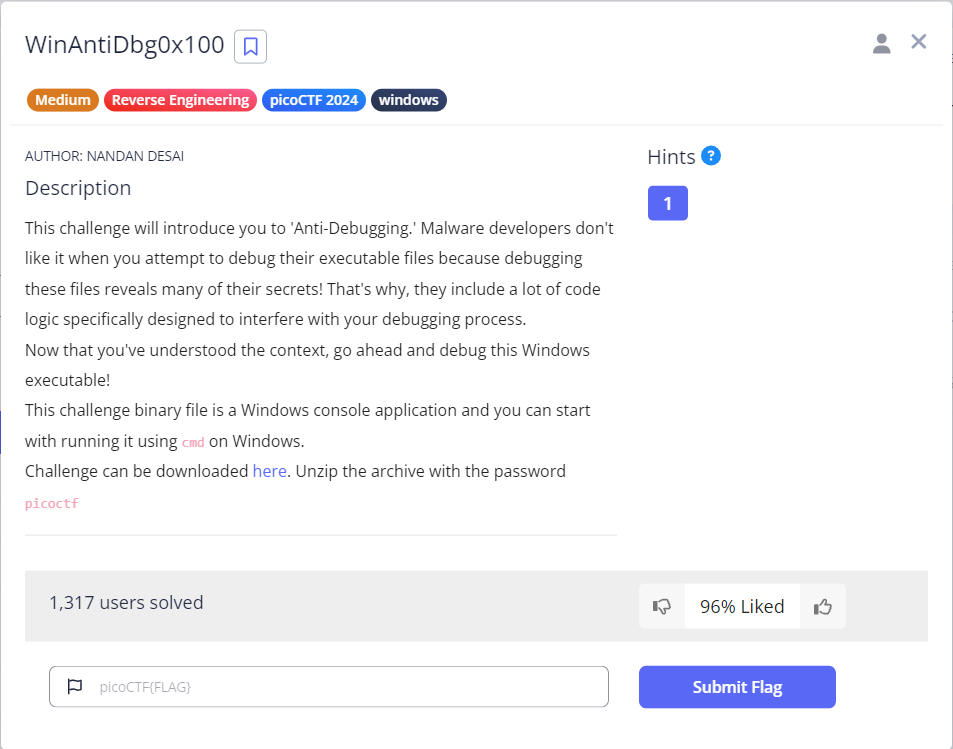
表層解析を行います。Windowsプログラムですね。
$ file WinAntiDbg0x100.exe
WinAntiDbg0x100.exe: PE32 executable (console) Intel 80386, for MS Windows, 5 sections

$ checksec --file=WinAntiDbg0x100.exe
Error: Not an ELF file: WinAntiDbg0x100.exe: PE32 executable (console) Intel 80386, for MS Windows, 5 sections

$ strings WinAntiDbg0x100.exe | grep pico
とりあえず、実行してみます。まず最初にデバッガを起動する必要があると言ってるでしょうか。
$ ./WinAntiDbg0x100.exe


        _            _____ _______ ______
       (_)          / ____|__   __|  ____|
  _ __  _  ___ ___ | |       | |  | |__
 | '_ \| |/ __/ _ \| |       | |  |  __|
 | |_) | | (_| (_) | |____   | |  | |
 | .__/|_|\___\___/ \_____|  |_|  |_|
 | |
 |_|
  Welcome to the Anti-Debug challenge!
### To start the challenge, you'll need to first launch this program using a debugger!
Windowsプログラムは全然分からないので、後回しにします。
Classic Crackme 0x100(300ポイント)
Medium の問題です。更新されたバイナリファイル(crackme100)が 1つダウンロードできます。また、最後はサーバを起動して実行する必要があるようです。
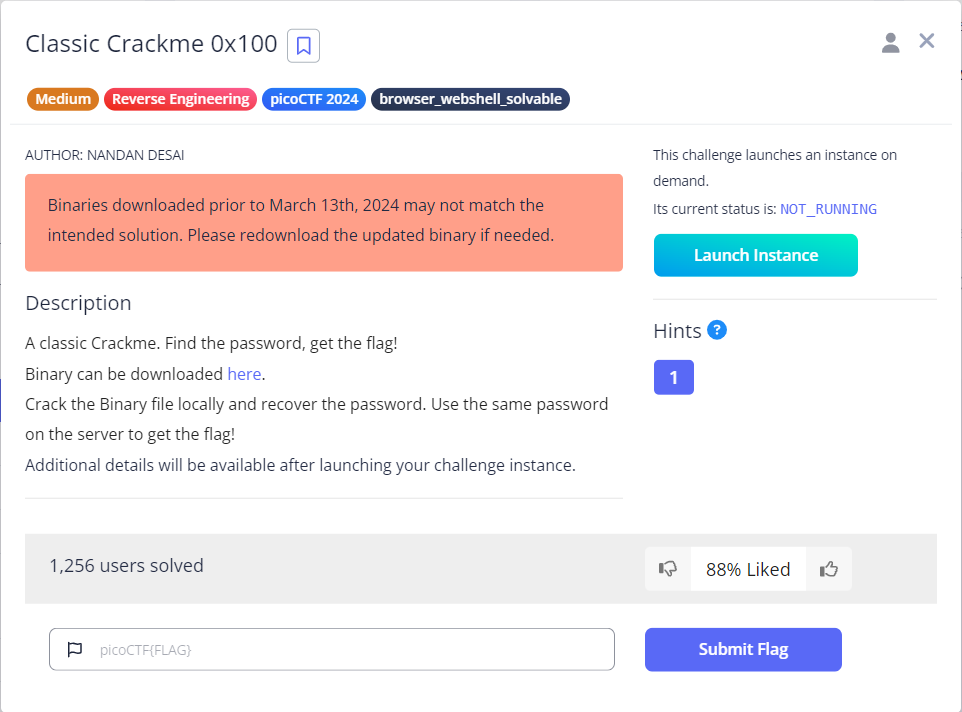
表層解析を行います。stringsコマンドでフラグが見えてますが、ローカルファイル用のフラグということでしょうか。
$ file crackme100
crackme100: ELF 64-bit LSB executable, x86-64, version 1 (SYSV), dynamically linked, interpreter /lib64/ld-linux-x86-64.so.2, BuildID[sha1]=f680c44f890f619e9d88949f9048709d008b18f1, for GNU/Linux 3.2.0, with debug_info, not stripped

$ checksec --file=crackme100
RELRO          STACK CANARY     NX          PIE     RPATH     RUNPATH     Symbols     FORTIFY  Fortified  Fortifiable  FILE
Partial RELRO  No canary found  NX enabled  No PIE  No RPATH  No RUNPATH  40 Symbols  No       0          1            crackme100

$ strings crackme100 | grep pico
picoCTF{sample_flag}
まず、実行してみます。正しいパスワードを入力する必要がありそうです。
$ ./crackme100
Enter the secret password: aaa
FAILED!
Ghidra を使って、ソースを見ていきます。なんか正統派な問題って感じです。
二重ループのところを読み解いてみます。外側は 3回、内側は 配列変数の output の文字数なので 50回実行されそうです。
検討が長くなりそうなので、ソースコードの下に書いていきます。
int main(void)
{
  uint uVar1;
  int iVar2;
  size_t sVar3;
  char input [51];
  char output [51];
  int random2;
  int random1;
  char fix;
  int secret3;
  int secret2;
  int secret1;
  int len;
  int i_1;
  int i;

  output[0] = 'k';
  output[1] = 'g';
  output[2] = 'x';
  output[3] = 'm';
  output[4] = 'w';
  output[5] = 'p';
  output[6] = 'b';
  output[7] = 'p';
  output[8] = 'u';
  output[9] = 'q';
  output[10] = 't';
  output[0xb] = 'o';
  output[0xc] = 'r';
  output[0xd] = 'z';
  output[0xe] = 'a';
  output[0xf] = 'p';
  output[0x10] = 'j';
  output[0x11] = 'h';
  output[0x12] = 'f';
  output[0x13] = 'm';
  output[0x14] = 'e';
  output[0x15] = 'b';
  output[0x16] = 'm';
  output[0x17] = 'c';
  output[0x18] = 'c';
  output[0x19] = 'v';
  output[0x1a] = 'w';
  output[0x1b] = 'y';
  output[0x1c] = 'c';
  output[0x1d] = 'y';
  output[0x1e] = 'v';
  output[0x1f] = 'e';
  output[0x20] = 'w';
  output[0x21] = 'p';
  output[0x22] = 'x';
  output[0x23] = 'i';
  output[0x24] = 'h';
  output[0x25] = 'e';
  output[0x26] = 'i';
  output[0x27] = 'f';
  output[0x28] = 'v';
  output[0x29] = 'n';
  output[0x2a] = 'u';
  output[0x2b] = 'q';
  output[0x2c] = 's';
  output[0x2d] = 'r';
  output[0x2e] = 'g';
  output[0x2f] = 'e';
  output[0x30] = 'x';
  output[0x31] = 'l';
  output[0x32] = '\0';
  setvbuf(stdout,(char *)0x0,2,0);
  printf("Enter the secret password: ");
  __isoc99_scanf(&DAT_00402024,input);
  i = 0;
  sVar3 = strlen(output);
  for (; i < 3; i = i + 1) {
    for (i_1 = 0; i_1 < (int)sVar3; i_1 = i_1 + 1) {
      uVar1 = (i_1 % 0xff >> 1 & 0x55U) + (i_1 % 0xff & 0x55U);
      uVar1 = ((int)uVar1 >> 2 & 0x33U) + (uVar1 & 0x33);
      iVar2 = ((int)uVar1 >> 4) + input[i_1] + -0x61 + (uVar1 & 0xf);
      input[i_1] = (char)iVar2 + (char)(iVar2 / 0x1a) * -0x1a + 'a';
    }
  }
  iVar2 = memcmp(input,output,(long)(int)sVar3);
  if (iVar2 == 0) {
    printf("SUCCESS! Here is your flag: %s\n","picoCTF{sample_flag}");
  }
  else {
    puts("FAILED!");
  }
  return 0;
}
ループの内側の 4行を詳しく見ます。
1行目は、演算子の優先順位を正しく見る必要があるので括弧を付けます。また、i_1 は 0 から 49 をとるので、% 0xff は無視できます。
uVar1 = (((i_1 % 0xff) >> 1) & 0x55U) + ((i_1 % 0xff) & 0x55U);
よって、以下のように簡単にできます。
uVar1 = ((i_1 >> 1) & 0x55U) + (i_1 & 0x55U);
うーん、このやり方は無謀でした。やめます。
4行のうち、input 以外は値が決まっていることと、i は 4行に出てこないこと、ある input の計算に、他の input が関係しないことが分かります。つまり、ある input の場合に、この 4行を 3回連続でやった結果と同じです。プログラムで ASCIIコードを総当たりで計算するのがいいかもしれません。英小文字だけでいけそうですし。
Pythonスクリプトを実装します。
C言語から、Python に変換するだけでした。これを実行すると、正しいパスワードが表示されます。サーバで同じパスワードを入力すると、フラグが表示されました。
import os, sys

output = "kgxmwpbpuqtorzapjhfmebmccvwycyvewpxiheifvnuqsrgexl"

ret = []
for i_1, out in enumerate(output):

    tmps = [ aa for aa in range(0x21, 0x7f) ]
    #print( tmps )

    flag = False
    for tmp in tmps:
        input = tmp
        for ii in range(3):

            uVar1 = ((((i_1 % 0xff) >> 1)) & 0x55) + ((i_1 % 0xff) & 0x55)
            uVar1 = ((uVar1 >> 2) & 0x33) + (uVar1 & 0x33)
            iVar2 = (uVar1 >> 4) + input - 0x61 + (uVar1 & 0xf)
            input = (iVar2 & 0xff) - ((iVar2 // 0x1a) & 0xff) * (0x1a) + 0x61

        #print( f"out={out}, ord(out)={ord(out)}" )

        if input == ord( out ):
            ret.append( chr(tmp) )
            flag = True
            break

    assert flag, f"fail, ret={ret}"

print( f"ret={''.join(ret)}" )
やってみます。
$ python crackme100.py
ret=kdugtjvgrknflqrdgb`d_sdqwmnmtmjptjr`bv`tpelejfuprc

$ ./crackme100
Enter the secret password: kdugtjvgrknflqrdgb`d_sdqwmnmtmjptjr`bv`tpelejfuprc
SUCCESS! Here is your flag: picoCTF{sample_flag}
サーバに対して実施するとフラグが表示されます。
weirdSnake(300ポイント)
Medium の問題です。更新されたバイナリファイル(snake)が 1つダウンロードできます。

表層解析を行います。テキストファイルでした。
$ file snake
snake: ASCII text
エディタで開いてみました。うーん、なんでしょうか。特徴的な名前(UNPACK_SEQUENCE)で、Web検索してみたところ、Python の公式サイトがヒットしました。Python のバイトコードの逆アセンブラらしいです。このアセンブラから Pythonスクリプトを構築する感じでしょうか。順番に見ていきます。
解析が長くなりそうなので、ソースコードの下に書いていきます。
  1           0 LOAD_CONST               0 (4)
              2 LOAD_CONST               1 (54)
              4 LOAD_CONST               2 (41)
              6 LOAD_CONST               3 (0)
              8 LOAD_CONST               4 (112)
             10 LOAD_CONST               5 (32)
             12 LOAD_CONST               6 (25)
             14 LOAD_CONST               7 (49)
             16 LOAD_CONST               8 (33)
             18 LOAD_CONST               9 (3)
             20 LOAD_CONST               3 (0)
             22 LOAD_CONST               3 (0)
             24 LOAD_CONST              10 (57)
             26 LOAD_CONST               5 (32)
             28 LOAD_CONST              11 (108)
             30 LOAD_CONST              12 (23)
             32 LOAD_CONST              13 (48)
             34 LOAD_CONST               0 (4)
             36 LOAD_CONST              14 (9)
             38 LOAD_CONST              15 (70)
             40 LOAD_CONST              16 (7)
             42 LOAD_CONST              17 (110)
             44 LOAD_CONST              18 (36)
             46 LOAD_CONST              19 (8)
             48 LOAD_CONST              11 (108)
             50 LOAD_CONST              16 (7)
             52 LOAD_CONST               7 (49)
             54 LOAD_CONST              20 (10)
             56 LOAD_CONST               0 (4)
             58 LOAD_CONST              21 (86)
             60 LOAD_CONST              22 (43)
             62 LOAD_CONST              17 (110)
             64 LOAD_CONST              22 (43)
             66 LOAD_CONST              23 (88)
             68 LOAD_CONST               3 (0)
             70 LOAD_CONST              24 (67)
             72 LOAD_CONST              25 (104)
             74 LOAD_CONST              26 (125)
             76 LOAD_CONST              14 (9)
             78 LOAD_CONST              27 (78)
             80 BUILD_LIST              40
             82 STORE_NAME               0 (input_list)

  2          84 LOAD_CONST              28 ('J')
             86 STORE_NAME               1 (key_str)

  3          88 LOAD_CONST              29 ('_')
             90 LOAD_NAME                1 (key_str)
             92 BINARY_ADD
             94 STORE_NAME               1 (key_str)

  4          96 LOAD_NAME                1 (key_str)
             98 LOAD_CONST              30 ('o')
            100 BINARY_ADD
            102 STORE_NAME               1 (key_str)

  5         104 LOAD_NAME                1 (key_str)
            106 LOAD_CONST              31 ('3')
            108 BINARY_ADD
            110 STORE_NAME               1 (key_str)

  6         112 LOAD_CONST              32 ('t')
            114 LOAD_NAME                1 (key_str)
            116 BINARY_ADD
            118 STORE_NAME               1 (key_str)

  9         120 LOAD_CONST              33 (<code object <listcomp> at 0x7ffb38066d40, file "snake.py", line 9>)
            122 LOAD_CONST              34 ('<listcomp>')
            124 MAKE_FUNCTION            0
            126 LOAD_NAME                1 (key_str)
            128 GET_ITER
            130 CALL_FUNCTION            1
            132 STORE_NAME               2 (key_list)

 11     >>  134 LOAD_NAME                3 (len)
            136 LOAD_NAME                2 (key_list)
            138 CALL_FUNCTION            1
            140 LOAD_NAME                3 (len)
            142 LOAD_NAME                0 (input_list)
            144 CALL_FUNCTION            1
            146 COMPARE_OP               0 (<)
            148 POP_JUMP_IF_FALSE      162

 12         150 LOAD_NAME                2 (key_list)
            152 LOAD_METHOD              4 (extend)
            154 LOAD_NAME                2 (key_list)
            156 CALL_METHOD              1
            158 POP_TOP
            160 JUMP_ABSOLUTE          134

 15     >>  162 LOAD_CONST              35 (<code object <listcomp> at 0x7ffb38066df0, file "snake.py", line 15>)
            164 LOAD_CONST              34 ('<listcomp>')
            166 MAKE_FUNCTION            0
            168 LOAD_NAME                5 (zip)
            170 LOAD_NAME                0 (input_list)
            172 LOAD_NAME                2 (key_list)
            174 CALL_FUNCTION            2
            176 GET_ITER
            178 CALL_FUNCTION            1
            180 STORE_NAME               6 (result)

 18         182 LOAD_CONST              36 ('')
            184 LOAD_METHOD              7 (join)
            186 LOAD_NAME                8 (map)
            188 LOAD_NAME                9 (chr)
            190 LOAD_NAME                6 (result)
            192 CALL_FUNCTION            2
            194 CALL_METHOD              1
            196 STORE_NAME              10 (result_text)
            198 LOAD_CONST              37 (None)
            200 RETURN_VALUE

Disassembly of <code object <listcomp> at 0x7ffb38066d40, file "snake.py", line 9>:
  9           0 BUILD_LIST               0
              2 LOAD_FAST                0 (.0)
        >>    4 FOR_ITER                12 (to 18)
              6 STORE_FAST               1 (char)
              8 LOAD_GLOBAL              0 (ord)
             10 LOAD_FAST                1 (char)
             12 CALL_FUNCTION            1
             14 LIST_APPEND              2
             16 JUMP_ABSOLUTE            4
        >>   18 RETURN_VALUE

Disassembly of <code object <listcomp> at 0x7ffb38066df0, file "snake.py", line 15>:
 15           0 BUILD_LIST               0
              2 LOAD_FAST                0 (.0)
        >>    4 FOR_ITER                16 (to 22)
              6 UNPACK_SEQUENCE          2
              8 STORE_FAST               1 (a)
             10 STORE_FAST               2 (b)
             12 LOAD_FAST                1 (a)
             14 LOAD_FAST                2 (b)
             16 BINARY_XOR
             18 LIST_APPEND              2
             20 JUMP_ABSOLUTE            4
        >>   22 RETURN_VALUE
1行目(左端の列の番号が Pythonスクリプトの行番号)は、40個の要素を持つ、input_list という名前のリストを作っているようです。括弧内が値です。
2行目から 6行目までは、おそらくセットで考えた方がよさそうです。以下でしょうか。
key_str = 'J'
key_str += '_'
key_str += 'o'
key_str += '3'
key_str += 't'
試しに、リストの作成と、上のコードの逆アセンブラを求めてみます。以下のようになりました。うーん、近いけど、ちょっと違いますね。まぁ、でもこれで仮決めします。
$ python -m dis hello_world.py
  0           0 RESUME                   0

  3           2 BUILD_LIST               0
              4 LOAD_CONST               0 ((4, 54, 41, 0, 112, 32, 25, 49, 33, 3, 0, 0, 57, 32, 108, 23, 48, 4, 9, 70, 7, 110, 36, 8, 108, 7, 49, 10, 4, 86, 43, 110, 43, 88, 0, 67, 104, 125, 9, 78))
              6 LIST_EXTEND              1
              8 STORE_NAME               0 (input_list)

  5          10 LOAD_CONST               1 ('J')
             12 STORE_NAME               1 (key_str)

  6          14 LOAD_NAME                1 (key_str)
             16 LOAD_CONST               2 ('_')
             18 BINARY_OP               13 (+=)
             22 STORE_NAME               1 (key_str)

  7          24 LOAD_NAME                1 (key_str)
             26 LOAD_CONST               3 ('o')
             28 BINARY_OP               13 (+=)
             32 STORE_NAME               1 (key_str)

  8          34 LOAD_NAME                1 (key_str)
             36 LOAD_CONST               4 ('3')
             38 BINARY_OP               13 (+=)
             42 STORE_NAME               1 (key_str)

  9          44 LOAD_NAME                1 (key_str)
             46 LOAD_CONST               5 ('t')
             48 BINARY_OP               13 (+=)
             52 STORE_NAME               1 (key_str)
             54 LOAD_CONST               6 (None)
             56 RETURN_VALUE
9行目は関数の生成で関数の実体は、下の方にある Disassembly から始まるところだと思います。同じく、15行目も関数の生成だと思います。
関数というか、リスト内包表記でしょうか。結果が key_list に入り、引数が key_str です。関数の実体を踏まえると、key_list = [ord(char) for char in key_str] のようになりそうです。
11行目は、if len(key_list) < len(input_list): だと思います。
12行目は、key_list.extend(key_list) でしょうか?
15行目もリスト内包表記と考えると、結果が result に入り、zip(input_list, key_list) の形で、関数の実体を踏まえると、result = [a ^ b for a, b in zip(input_list, key_list)]
最後の 18行目は、結果が result_text に入り、join関数を使って、result_text = ''.join(map(chr, result)) でしょうか。
以下のようになりました。
input_list = [4, 54, 41, 0, 112, 32, 25, 49, 33, 3, 0, 0, 57, 32, 108, 23, 48, 4, 9, 70, 7, 110, 36, 8, 108, 7, 49, 10, 4, 86, 43, 110, 43, 88, 0, 67, 104, 125, 9, 78]
key_str = 'J'
key_str += '_'
key_str += 'o'
key_str += '3'
key_str += 't'

key_list = [ord(char) for char in key_str]

if len(key_list) < len(input_list):
    key_list.extend(key_list)

result = [a ^ b for a, b in zip(input_list, key_list)]

result_text = ''.join(map(chr, result))

print(result_text)
これを逆アセンブルします。
$ python -m dis hello_world.py
  0           0 RESUME                   0

  1           2 BUILD_LIST               0
              4 LOAD_CONST               0 ((4, 54, 41, 0, 112, 32, 25, 49, 33, 3, 0, 0, 57, 32, 108, 23, 48, 4, 9, 70, 7, 110, 36, 8, 108, 7, 49, 10, 4, 86, 43, 110, 43, 88, 0, 67, 104, 125, 9, 78))
              6 LIST_EXTEND              1
              8 STORE_NAME               0 (input_list)

  2          10 LOAD_CONST               1 ('J')
             12 STORE_NAME               1 (key_str)

  3          14 LOAD_NAME                1 (key_str)
             16 LOAD_CONST               2 ('_')
             18 BINARY_OP               13 (+=)
             22 STORE_NAME               1 (key_str)

  4          24 LOAD_NAME                1 (key_str)
             26 LOAD_CONST               3 ('o')
             28 BINARY_OP               13 (+=)
             32 STORE_NAME               1 (key_str)

  5          34 LOAD_NAME                1 (key_str)
             36 LOAD_CONST               4 ('3')
             38 BINARY_OP               13 (+=)
             42 STORE_NAME               1 (key_str)

  6          44 LOAD_NAME                1 (key_str)
             46 LOAD_CONST               5 ('t')
             48 BINARY_OP               13 (+=)
             52 STORE_NAME               1 (key_str)

  9          54 LOAD_CONST               6 (<code object <listcomp> at 0x7fba221673c0, file "hello_world.py", line 9>)
             56 MAKE_FUNCTION            0
             58 LOAD_NAME                1 (key_str)
             60 GET_ITER
             62 PRECALL                  0
             66 CALL                     0
             76 STORE_NAME               2 (key_list)

 11          78 PUSH_NULL
             80 LOAD_NAME                3 (len)
             82 LOAD_NAME                2 (key_list)
             84 PRECALL                  1
             88 CALL                     1
             98 PUSH_NULL
            100 LOAD_NAME                3 (len)
            102 LOAD_NAME                0 (input_list)
            104 PRECALL                  1
            108 CALL                     1
            118 COMPARE_OP               0 (<)
            124 POP_JUMP_FORWARD_IF_FALSE    21 (to 168)

 12         126 LOAD_NAME                2 (key_list)
            128 LOAD_METHOD              4 (extend)
            150 LOAD_NAME                2 (key_list)
            152 PRECALL                  1
            156 CALL                     1
            166 POP_TOP

 15     >>  168 LOAD_CONST               7 (<code object <listcomp> at 0x7fba22177130, file "hello_world.py", line 15>)
            170 MAKE_FUNCTION            0
            172 PUSH_NULL
            174 LOAD_NAME                5 (zip)
            176 LOAD_NAME                0 (input_list)
            178 LOAD_NAME                2 (key_list)
            180 PRECALL                  2
            184 CALL                     2
            194 GET_ITER
            196 PRECALL                  0
            200 CALL                     0
            210 STORE_NAME               6 (result)

 18         212 LOAD_CONST               8 ('')
            214 LOAD_METHOD              7 (join)
            236 PUSH_NULL
            238 LOAD_NAME                8 (map)
            240 LOAD_NAME                9 (chr)
            242 LOAD_NAME                6 (result)
            244 PRECALL                  2
            248 CALL                     2
            258 PRECALL                  1
            262 CALL                     1
            272 STORE_NAME              10 (result_text)

 20         274 PUSH_NULL
            276 LOAD_NAME               11 (print)
            278 LOAD_NAME               10 (result_text)
            280 PRECALL                  1
            284 CALL                     1
            294 POP_TOP
            296 LOAD_CONST               9 (None)
            298 RETURN_VALUE

Disassembly of <code object <listcomp> at 0x7fba221673c0, file "hello_world.py", line 9>:
  9           0 RESUME                   0
              2 BUILD_LIST               0
              4 LOAD_FAST                0 (.0)
        >>    6 FOR_ITER                17 (to 42)
              8 STORE_FAST               1 (char)
             10 LOAD_GLOBAL              1 (NULL + ord)
             22 LOAD_FAST                1 (char)
             24 PRECALL                  1
             28 CALL                     1
             38 LIST_APPEND              2
             40 JUMP_BACKWARD           18 (to 6)
        >>   42 RETURN_VALUE

Disassembly of <code object <listcomp> at 0x7fba22177130, file "hello_world.py", line 15>:
 15           0 RESUME                   0
              2 BUILD_LIST               0
              4 LOAD_FAST                0 (.0)
        >>    6 FOR_ITER                10 (to 28)
              8 UNPACK_SEQUENCE          2
             12 STORE_FAST               1 (a)
             14 STORE_FAST               2 (b)
             16 LOAD_FAST                1 (a)
             18 LOAD_FAST                2 (b)
             20 BINARY_OP               12 (^)
             24 LIST_APPEND              2
             26 JUMP_BACKWARD           11 (to 6)
        >>   28 RETURN_VALUE
うーん、if のところがおかしいです。while に変えてみると、いい感じになってきました。
実行してみます。惜しい感じです。細かいところで間違えてそうです。
$ python hello_world.py
NiF3jF^wJ_V]ok:2M1K;Mne7"a1Dkt  7::
逆算でいきます。p(0x70)になるために、4 と J(0x4A)を使っていますが、結果は N(0x4E)になっています。4 はおそらく正しくて、J は怪しいです。4 と何かの XOR が 0x70 になるには、0x74(t)が必要です。key_str の最後が t です。key_str の作り方が間違っていそうです。
key_str を以下に修正しました。これだと、先頭に t がきます。
key_str = 'J'
key_str = '_' + key_str
key_str = 'o' + key_str
key_str = '3' + key_str
key_str = 't' + key_str
実行します。p だけ合ってます(笑)。
$ python hello_world.py
pF_:T*^~It3V&ckV
                s]KW&se[_]DJ7[V
key_str のところは、今は、BAINARY_OP (+) となってますが、問題文では、BAINARY_ADD なんですよね、ここが違いそうです。いや、J と _ と t は、左オペランドですが、o と 3 は右オペランドになってます!
それを修正すると、、、フラグゲットです!300ポイントなのにだいぶ苦労しました。
Pythonスクリプトの最終版です。
input_list = [4, 54, 41, 0, 112, 32, 25, 49, 33, 3, 0, 0, 57, 32, 108, 23, 48, 4, 9, 70, 7, 110, 36, 8, 108, 7, 49, 10, 4, 86, 43, 110, 43, 88, 0, 67, 104, 125, 9, 78]
key_str = 'J'
key_str = '_' + key_str
key_str = key_str + 'o'
key_str = key_str + '3'
key_str = 't' + key_str


key_list = [ord(char) for char in key_str]
print(key_list)
while len(key_list) < len(input_list):
    key_list.extend(key_list)


result = [a ^ b for a, b in zip(input_list, key_list)]


result_text = ''.join(map(chr, result))

print(result_text)
実行します。
$ python snake.py
[116, 95, 74, 111, 51]
picoCTF{N0t_sO_coNfus1ng_sn@ke_1a73777f}
WinAntiDbg0x200(300ポイント)
Medium の 300ポイントの問題です。バイナリファイル(WinAntiDbg0x200.zip)が 1つダウンロードできます。パスワード付きの ZIPファイルで、パスワードを入力すると解凍できます。Windows の CUIプログラムのようです。config.bin(上の WinAntiDbg0x100 と同じファイル名なので注意です!)というファイルも含まれていました。
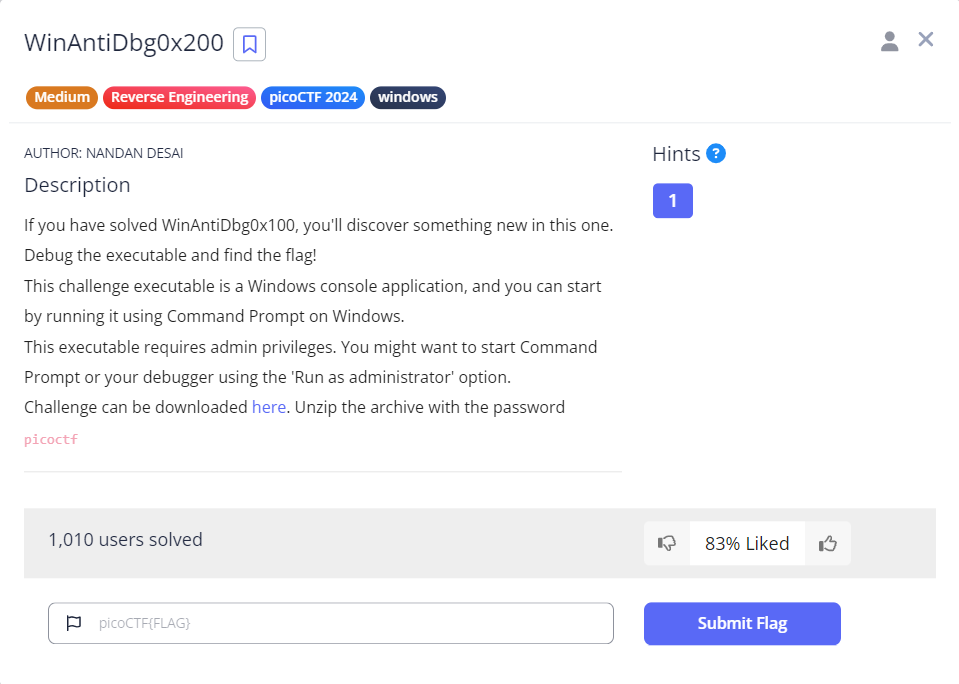
一応、表層解析を行います。やはり、Windows の CUIプログラムのようです。
$ file WinAntiDbg0x200.exe
WinAntiDbg0x200.exe: PE32 executable (console) Intel 80386, for MS Windows, 5 sections
Windowsプログラムは後回しにします。
WinAntiDbg0x300(400ポイント)
Medium の 400ポイントの問題です。バイナリファイル(WinAntiDbg0x300.zip)が 1つダウンロードできます。パスワード付きの ZIPファイルで、パスワードを入力すると解凍できます。Windowsプログラムのようです。config.bin(上の WinAntiDbg0x100 や WinAntiDbg0x200 と同じファイル名なので注意です!)というファイルと、WinAntiDbg0x300.pdb も含まれていました。
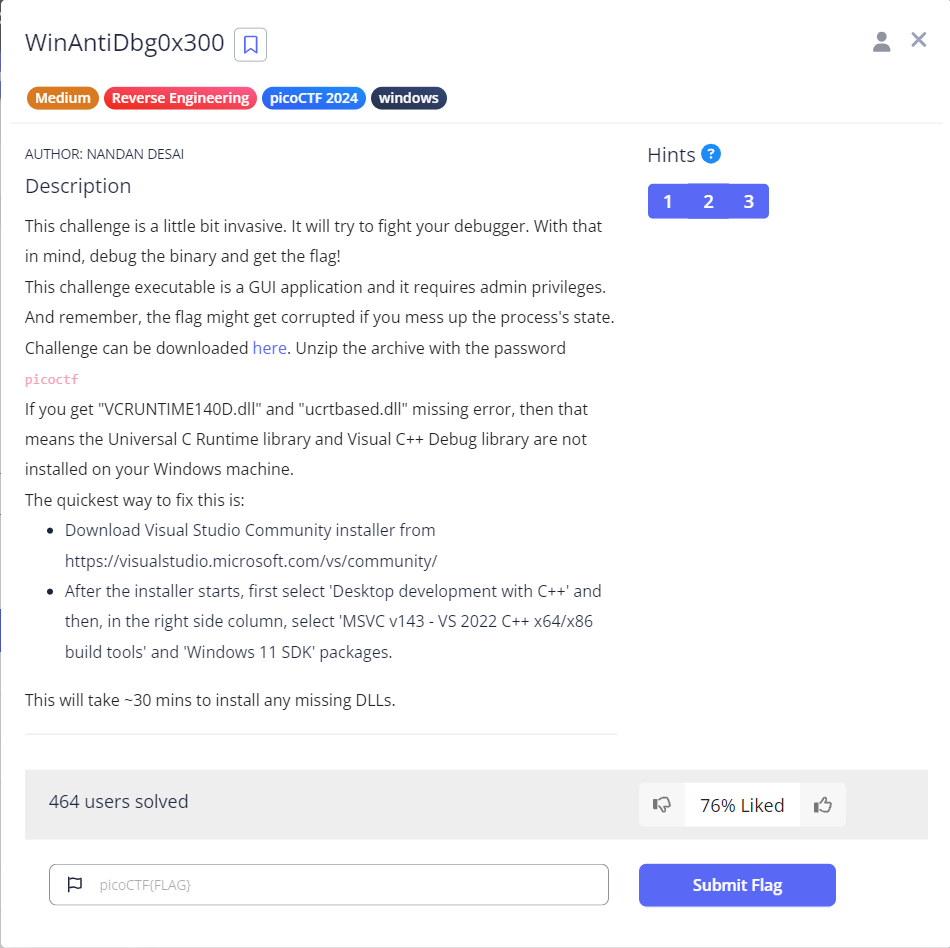
一応、表層解析を行います。Windows の GUIプログラムのようです。
$ file WinAntiDbg0x300.exe
WinAntiDbg0x300.exe: PE32 executable (GUI) Intel 80386, for MS Windows, UPX compressed, 3 sections

$ file WinAntiDbg0x300.pdb
WinAntiDbg0x300.pdb: MSVC program database ver 7.00, 4096*215 bytes
Windowsプログラムは後回しにします。
おわりに
今回は、picoCTF の picoCTF 2024 のうち、Reverse Engineering というカテゴリの全7問のうち、Windowsプログラムの 3問を除き、4問をやりました。4問とも解けたので良かったです。
次は、picoCTF 2024 の General Skills か、Web Exploitation に挑戦してみたいと思います。
最後になりましたが、エンジニアグループのランキングに参加中です。

気楽にポチッとよろしくお願いいたします🙇
今回は以上です!
最後までお読みいただき、ありがとうございました。
